Mobile App Development
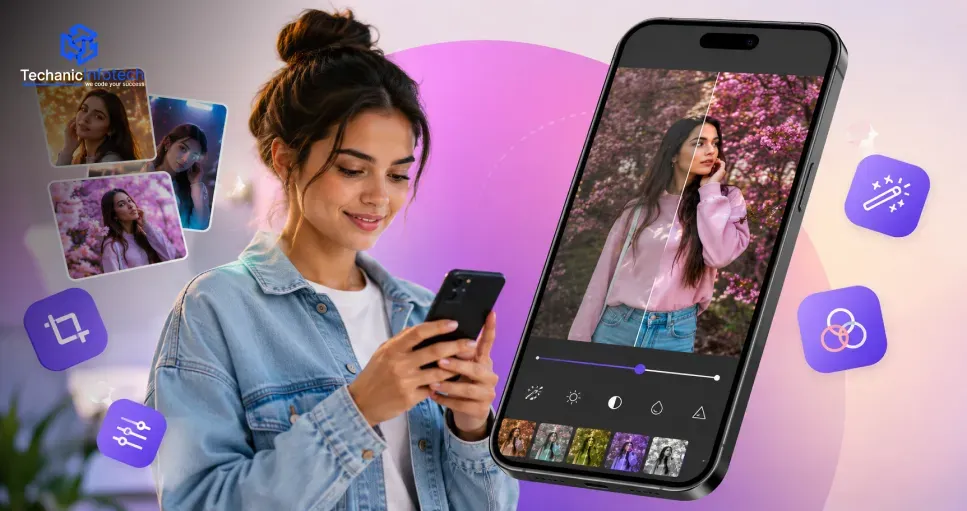
Photo Editing App Development: Features, Cost, Technology & Development Process
August 20, 2026
August 20, 2026
Key Takeaways:
Performance directly impacts retention. Users abandon apps that lag or crash during editing, making optimization and efficient processing pipelines a top priority.
AI features drive differentiation. Background removal and smart enhancement help smaller apps compete with established platforms without requiring massive in-house AI teams.
Third-party APIs save significant cost. Proven tools like Remove.bg or Google's ML Kit deliver reliable AI capabilities without building custom models from scratch.
Start lean, then expand thoughtfully. Launching with core filters and adjustment tools, rather than every possible feature, keeps timelines and budgets realistic.
Costs vary widely based on scope. Realistic budgets range from $7,000 for a lean MVP to $80,000 or more for a fully AI-powered platform.
Every major social platform runs on visual content, and that's fueled massive demand for apps that make photos look professionally polished in seconds.
From one-tap filters to AI-powered background removal, users now expect editing tools that feel powerful yet effortless to use.
Photo editing app development sits at the intersection of complex image processing technology and genuinely intuitive design, which makes it a challenging but rewarding space to build in.
Get the technical foundation wrong, and edits lag or crash; get the user experience wrong, and people default back to apps they already trust.
Before committing budget to a project like this, most founders want clear answers on what features actually matter, what technology powers modern editing tools, and how much the entire process realistically costs from concept through launch.
Getting core photo editing app features right determines whether users open your app daily or default back to familiar competitors. These five categories cover the essentials every successful editing platform needs.
One-tap filters remain the fastest way for users to transform photos instantly.
A well-curated library of presets, from subtle color grading to bold stylized looks, gives users quick creative options without requiring manual adjustment of individual settings.
Modern AI in mobile apps now handles background removal, object erasing, and smart enhancement automatically.
These tools save users significant time compared to manual masking or retouching, making professional-quality edits accessible to casual users without technical editing skills.
Beyond automated tools, users want granular control over exposure, contrast, saturation, and sharpness.
Sliders and fine-tuning options let more experienced users craft precise edits, giving the app depth beyond basic filters while still remaining accessible to beginners.
Supporting multiple layers lets users combine images, add text, or create composite designs beyond simple single-photo edits.
This feature appeals strongly to creators and social media managers who need more sophisticated editing capabilities than basic filter apps provide.
Increasingly, apps use adaptive AI development to learn individual editing preferences and suggest filters or adjustments based on past behavior.
This personalization keeps the experience feeling tailored, reducing decision fatigue while still delivering results users genuinely like.
Beyond meeting obvious market demand, building in this space taps directly into the broader wave of generative AI development reshaping how people create and share visual content.
These five benefits explain why founders keep entering this market.
Visual content dominates social media, and that demand shows no signs of slowing.
Successful photo editing app development taps into a genuinely evergreen need, since users constantly seek better tools for enhancing photos before sharing them publicly.
Subscription tiers, premium filter packs, and one-time feature unlocks all create viable revenue streams within a single app.
This flexibility lets founders test different pricing models and find what resonates best with their specific user base over time.
Standing out in a crowded market often comes down to smarter automation.
Advanced AI photo editing app development lets smaller apps compete with established giants by offering genuinely useful automated tools that save users real time and effort.
Creative tools naturally encourage repeat use, since users return whenever they have new photos to edit or share.
Well-designed apps with fresh filter updates and seasonal content keep the experience feeling current and worth opening regularly.
Photo editing apps benefit enormously from built-in shareability, since edited photos naturally spread across social platforms with the app's branding attached.
This organic exposure often drives significant user acquisition without requiring heavy paid advertising spend.
Turning your idea into a working product requires a clear, structured photo editing app development process.
These ten stages move from initial planning through launch, each building toward a polished, reliable app users actually enjoy.
Before building anything, research whether your idea fills a genuine gap.
Many founders consult an AI development company early to understand what automated features are realistic within budget before committing to a full feature set.
Selecting the right photo editing app technology stack shapes everything downstream: image processing speed, AI capability, and cross-platform support.
React Native, Flutter, or native development each offer different trade-offs worth evaluating carefully before committing.
Before you fully build a photo editing app, map out every essential screen upload, editing canvas, filter selection, and export ensuring the experience feels intuitive rather than cluttered with too many options at once.
Move from wireframes to polished visuals using tools like Figma. If your app also supports video streaming app development features like reels or short clips, design mockups should account for both photo and video editing flows.
Understanding photo editing app development cost upfront prevents scope creep later.
Calculate expenses based on your feature list, AI complexity, and platform choice, setting clear expectations with stakeholders or investors funding the project.
Set up servers, databases, and APIs supporting image storage, processing, and user accounts. Teams that build a photo editing app at scale need infrastructure designed for heavy media file handling from the very first version.
Connect machine learning models for background removal, object erasing, and smart enhancement.
Reliable AI photo editing app development company depends on choosing proven APIs or training custom models suited to your specific editing use cases.
Build the actual user-facing editing canvas, including filters, manual adjustments, and layering tools.
This stage of custom software development transforms wireframes and mockups into a fully functional, interactive product ready for real testing.
Photo and video editing demands significant processing power, so your photo editing app technology stack needs careful optimization to avoid lag or crashes, especially on older or lower-end devices with limited memory.
Conduct rigorous QA across devices and photo formats before releasing to real users, ideally through a limited beta first. Gather structured feedback to refine features before scaling to a broader public launch.
Understanding where your budget actually goes makes planning far easier.
Photo editing app development cost varies significantly based on features, AI complexity, and platform choice, typically ranging from $7,000 for a lean MVP to $80,000 or more for a fully-featured, AI-powered editing platform.
|
Development Stage |
Description |
Cost Range |
|
Discovery & Planning |
Requirement gathering, market research, technical scoping |
$300 – $700 |
|
UI/UX Design |
Wireframes, prototypes, and visual design for editing screens |
$600 – $1,800 |
|
Core Editing Tools |
Filters, presets, manual adjustment controls (exposure, contrast) |
$1,000 – $3,000 |
|
AI-Powered Editing Features |
Background removal, object erasing, smart enhancement |
$1,500 – $5,500 |
|
Layers & Advanced Compositing |
Multi-layer editing, text overlays, composite designs |
$800 – $2,800 |
|
Image Processing & Storage |
Backend infrastructure for handling large media files |
$1,200 – $4,000 |
|
User Accounts & Cloud Sync |
Login, profile management, cross-device photo syncing |
$500 – $1,600 |
|
Monetization & In-App Purchases |
Subscription tiers, premium filter packs, payment integration |
$600 – $2,000 |
|
Performance Optimization |
Device-specific tuning to prevent lag or crashes |
$500 – $1,800 |
|
QA Testing & Deployment |
Cross-device testing, bug fixes, app store submission |
$400 – $1,300 |
Technology choices and team selection directly shape both quality and long-term success in photo editing app development.
These eight considerations help you balance budget with performance, scalability, and genuine editing precision.
Native apps offer the best image processing performance but cost more due to duplicate development across iOS and Android.
Cross-platform frameworks like Flutter significantly shorten timelines while still delivering solid performance for most editing use cases.
Building in-house gives full control but requires significant hiring investment upfront.
Partnering with an experienced photo editing app development company often considerably shortens timelines, bringing proven image-processing expertise and fewer costly technical mistakes during the build.
OpenCV, Core Image, and GPUImage handle filters, adjustments, and rendering efficiently across devices.
Choosing well-established libraries over building processing logic from scratch saves significant development time while ensuring reliable, tested performance under real-world conditions.
Background removal and smart enhancement features often rely on third-party AI APIs rather than custom-built models.
Services like Remove.bg or Google's ML Kit offer proven accuracy, letting smaller teams add sophisticated features without massive in-house AI expertise.
Photo and video files demand significant storage capacity, making cloud infrastructure choice critical.
Any experienced mobile app development company will emphasize scalable storage solutions like AWS S3 early, since media-heavy apps quickly outgrow basic hosting setups.
Users abandon apps that lag during editing, especially on older devices with limited processing power.
Choosing efficient rendering pipelines and optimizing for lower-end hardware ensures smooth performance across your entire potential user base, not just newer devices.
Users increasingly expect to start editing on one device and continue on another seamlessly.
Building reliable cloud sync infrastructure from the start prevents costly retrofitting later, especially as your user base grows across multiple device types.
Photo editing apps carry unique technical challenges general developers often underestimate.
Working with a software development company experienced specifically in image or video processing reduces costly mistakes, performance issues, and rework during development.
Building a successful photo editing app means balancing powerful technology with genuinely intuitive design that doesn't overwhelm casual users.
From AI-powered background removal and smart enhancement through manual adjustment controls and layering tools, every feature needs to feel fast and reliable, since users abandon apps that lag or crash during editing.
Costs vary considerably based on AI complexity, platform choice, and how much processing power your app demands, but breaking the project into individual stages makes budgeting far more manageable.
Whether you're launching a simple filter app or a full AI-powered editing platform, the fundamentals stay consistent: prioritize performance, choose a team with genuine image-processing experience, and start lean before expanding.
Getting this foundation right positions your app to compete in a genuinely crowded but still growing market.
A basic app with filters and manual adjustment tools usually starts around $7,000 to $18,000, depending on design complexity and platform choice.
AI-powered editing features like background removal and smart enhancement typically require the most development time and represent the largest cost contributors.
Most apps benefit from proven third-party APIs like Remove.bg or Google's ML Kit rather than building custom AI models, which saves significant time and cost.
A basic MVP typically takes three to five months, while a fully-featured platform with AI editing and layering tools can take seven to nine months.
Cloud storage, AI API usage fees, server hosting, and regular updates typically account for 15-20% of the original development cost annually.
Many apps launch without cloud sync and add it later, though building the foundation for it early prevents more expensive retrofitting down the road.
Very important. Users with older devices abandon apps that lag during editing, so optimization directly impacts retention across your entire user base
It depends on your niche. Video features add significant complexity and cost, so many apps launch photo-only and expand into video later.
Subscription tiers, premium filter packs, and one-time feature unlocks all work well, letting you test different pricing models with your specific audience.
Many successful editing apps launch on one platform first to validate demand and refine features before expanding, keeping initial costs and complexity manageable.


Bharat Sharma is the CTO of Techanic Infotech, bringing deep technical expertise in software architecture, mobile app development, and scalable system design. He leads the engineering team with a strong focus on innovation, performance, and security.