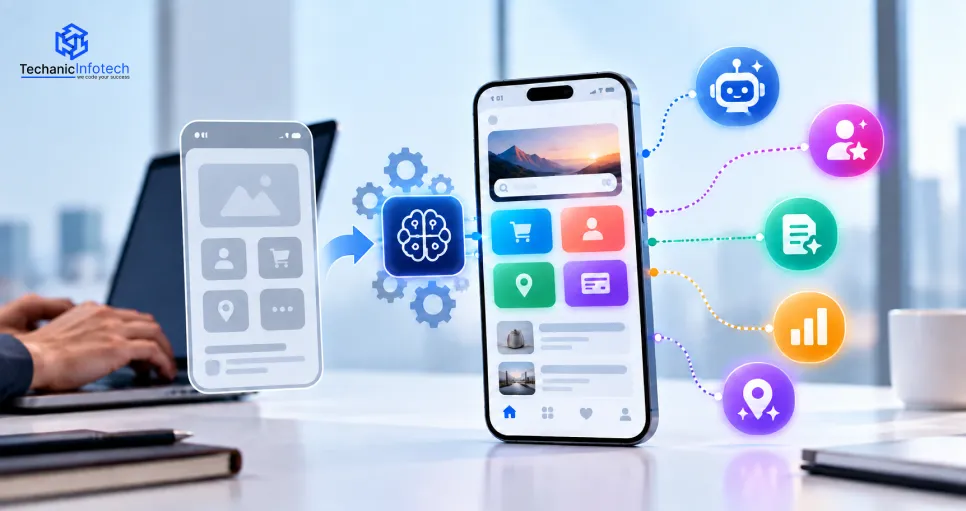
A business does not always need to rebuild its mobile app to take advantage of artificial intelligence.
Many existing applications can be upgraded with AI features such as intelligent search, personalized recommendations, chat assistants, predictive analytics, image recognition, document processing, and workflow automation.
The difficult part is not simply connecting an AI model.
The new feature has to work with the existing frontend, backend, databases, APIs, user accounts, permissions, and business logic. Performance, security, infrastructure cost, and user experience also need to be considered.
For businesses with an established product, working with a mobile app development company can make it possible to introduce AI without disrupting the parts of the application that already work well.
The right approach is usually selective. Identify where users or employees face friction, determine whether AI can solve it, and upgrade that part of the product first.
Many companies already have mobile applications with active users and mature backend systems.
Starting again from zero would often make little sense.
Instead, businesses can improve the existing product by introducing intelligence where it creates a clear benefit.
An ecommerce app may need better product discovery. A financial app may need smarter fraud detection. A business app may need automated document processing. A travel platform may want a conversational assistant that can work with booking information.
AI can extend an existing product without changing its core purpose.
Common goals include improving customer support, increasing personalization, reducing repetitive work, making search more useful, and extracting better insights from app data.
Businesses exploring broader AI functionality can use AI development services to connect machine learning, language models, intelligent automation, and other capabilities with an existing software environment.
Before choosing an AI feature, the current application needs to be evaluated.
An older app can still support AI, but some parts of its architecture may need improvement first.
Most AI features rely heavily on backend systems.
The development team needs to understand how the current app handles user accounts, business logic, databases, integrations, and APIs.
If the backend is difficult to scale or tightly connected to old components, adding complex AI functionality may expose existing technical problems.
This does not automatically mean the application needs to be rebuilt.
Sometimes a new API layer or separate AI service can be introduced without changing the entire backend.
AI becomes more useful when it has access to relevant, reliable data.
A recommendation engine needs user behavior and product information.
A predictive feature needs historical data.
An internal assistant may need documents or business records.
Before development begins, businesses should determine what data already exists, whether it is accurate, and whether the application is legally permitted to use it for the intended purpose.
The app may need to communicate with AI providers, cloud services, payment systems, CRM platforms, or internal business software.
Existing APIs should therefore be reviewed.
For applications that require coordinated work across frontend, backend, databases, APIs, and AI systems, a full stack development company can help integrate new intelligence without treating it as a separate product.
The right feature depends on the problem the business wants to solve.
Adding AI simply because competitors are doing it usually creates complexity without much value.
The following capabilities are useful because they can improve existing app experiences without changing the entire product.
Customer support is one of the easiest places to identify repetitive work.
An AI assistant can answer common questions, explain account information, guide users through the app, and retrieve relevant information from approved data sources.
The assistant becomes much more useful when it can interact with the application itself.
For example, a travel assistant could retrieve an existing booking instead of telling the user where to find it.
A shopping assistant could answer questions about products currently available in the catalog.
A financial app assistant could explain a transaction using information the user is already authorized to see.
The goal should be integration, not simply placing a chatbot window on top of the existing interface.
Many apps already collect enough behavioral information to support better recommendations.
An ecommerce application can use browsing and purchase activity to suggest relevant products.
A content platform can recommend articles or videos.
A fitness app can adjust suggested activities based on previous engagement.
AI can evaluate more signals than a simple rule based recommendation system and adapt as behavior changes.
This can improve discovery without forcing users to search manually every time they return.
Techanic Infotech covers the wider role of personalization, predictive analytics, and recommendation systems in its guide to AI mobile app development.
Search is often one of the best candidates for an AI upgrade.
Traditional search depends heavily on keywords.
AI powered search can understand meaning and user intent.
A shopper might type:
Show me lightweight shoes for walking all day
The app can interpret the purpose of the request instead of looking only for products containing those exact words.
This is useful for ecommerce, marketplaces, travel, education, healthcare information, content libraries, and business applications.
Improving search can also create a visible user experience improvement without redesigning the entire app.
Existing apps often contain valuable historical data that businesses are not using fully.
Predictive analytics can identify patterns and estimate future outcomes.
A subscription app may identify users who are becoming less engaged.
A retail app may forecast demand.
A financial platform may detect unusual activity.
A business application may highlight operational delays before they become larger problems.
The value comes from turning data already collected by the application into information that can support better decisions.
AI integration does not have to be limited to text.
Existing mobile apps can also use cameras, microphones, uploaded images, and documents as intelligent inputs.
A retail application could introduce visual product search.
An expense app could extract information from receipts.
A field service application could analyze equipment photographs.
A learning app could allow students to photograph a problem and receive contextual guidance.
A travel application could combine images and language understanding for destination related assistance.
These capabilities are particularly useful on mobile devices because cameras and microphones are already part of the user experience.
Android applications can integrate these features while still using native device capabilities, permissions, notifications, and platform specific functions. Businesses targeting this ecosystem can work with an Android app development company to introduce AI while maintaining compatibility and application performance.
For Apple products, an iOS app development company can take a similar approach while accounting for iPhone capabilities, privacy permissions, interface conventions, testing, and App Store requirements.
Some businesses need more than recommendations or question answering.
They want the app to complete parts of a task.
AI agents can interact with tools and business systems to perform several connected actions.
Consider a business application used by a sales team.
An agent might review a new inquiry, retrieve relevant customer information, summarize previous interactions, prepare a follow up message, and create a task in the CRM.
A procurement application could analyze a request, retrieve supplier information, compare relevant records, and prepare the request for approval.
This kind of automation requires significantly more control than a basic chatbot.
The agent needs clearly defined permissions, tool access, business rules, monitoring, and human approval points.
For businesses still assessing the technology, a comparison of leading AI agent development companies can provide useful context around common agent capabilities and enterprise use cases.
Once the feature has been selected, developers need to determine how it fits into the existing architecture.
The process usually involves more than one technical layer.
The development team first selects an appropriate model or AI service.
A large language model may be suitable for conversational features.
Machine learning may be better for recommendations or prediction.
Computer vision may be required for image analysis.
The model should match the task rather than being selected simply because it is the most powerful available option.
The mobile app should not expose sensitive AI credentials directly.
Backend services usually control communication between the application, AI model, business data, and other systems.
This layer can also apply permissions and business rules before information reaches the model.
The AI feature may need product information, user preferences, documents, account data, or other application information.
Developers should provide only the data required for the specific task.
Giving an AI system unrestricted access to the entire database creates unnecessary security and privacy risk.
A technically successful AI integration can still fail if users do not understand how to use it.
The feature should fit naturally into the existing interface.
Intelligent search may replace or improve the current search experience.
Recommendations may appear within existing discovery screens.
A conversational assistant may become accessible from areas where users commonly need help.
The interface should make the capability easier to use rather than adding another layer of complexity.
Existing applications were not always designed with AI workloads in mind.
Some backend changes may therefore be necessary.
AI requests can take longer than ordinary database queries. They may also generate variable infrastructure costs and depend on external services.
Developers need to account for response time, failures, request limits, caching, monitoring, and fallback behavior.
The application should also continue working when an AI service is temporarily unavailable.
For business focused apps, these integrations can become more complex because the AI may need access to CRM data, reporting systems, workflow tools, or internal databases. A business app development company can help connect AI features with operational systems while keeping the wider application architecture intact.
Adding AI changes how app data may be processed.
Before deployment, businesses should identify exactly what information is being sent to the model and whether that information contains personal, financial, health, business, or other sensitive data.
Permissions should follow the same principle.
An AI assistant helping with customer support does not need access to every database in the company.
An AI agent updating a CRM does not automatically need permission to initiate payments.
Users should also understand when AI is processing their information and why certain permissions are being requested.
Camera, microphone, document, and location access should have a clear purpose.
Privacy and security need to be part of the feature design rather than a final check before launch.
AI integration is often easier in a modern application, but older products can still be upgraded.
The main challenge is usually the existing architecture.
Legacy backend systems may not expose suitable APIs. Data may be fragmented. Some application components may be difficult to scale.
AI can also expose performance problems that were previously less visible.
Another challenge is cost.
Using expensive models for every request can make a feature difficult to scale. Developers may need to route simpler tasks to smaller models, cache repeated results, or limit when AI is used.
Accuracy also matters.
AI generated output should be tested against realistic user scenarios. For important workflows, the app needs a fallback when the model is uncertain or produces an incorrect response.
A broader AI app development guide can help businesses understand how model choice, data readiness, architecture, testing, and deployment affect AI product development.
Adding AI does not automatically justify rebuilding an app.
If the current product has a stable backend, active users, and maintainable code, upgrading it is usually more practical.
Rebuilding becomes worth considering when the existing architecture creates serious limitations.
For example, an app may depend on outdated technology, have poor API support, contain tightly connected components that are difficult to modify, or struggle to scale even before AI is introduced.
The decision should be made after a technical assessment rather than assuming that AI requires a completely new product.
In many cases, a gradual upgrade works better.
One AI feature can be introduced, measured, improved, and expanded before the business invests in a wider transformation.
There is no single price because AI integrations vary significantly.
Adding a simple conversational feature based on an existing model is different from building a recommendation engine around proprietary data or creating an agent that works across several enterprise systems.
Cost is influenced by the AI feature, backend changes, model selection, data preparation, interface updates, APIs, cloud resources, security, and testing.
Existing code quality also matters.
An application with clean APIs and modern architecture may be easier to upgrade than one that requires substantial backend changes before AI can be introduced.
Businesses should therefore estimate the cost of the complete integration rather than looking only at the price of the AI model.
Techanic Infotech can help businesses identify where AI can improve an existing product and implement the capability without unnecessarily rebuilding everything around it.
The process can begin with an application review to understand the current architecture, backend, data, APIs, and user journey.
From there, the development team can determine which AI approach fits the requirement.
That may involve intelligent search, personalized recommendations, predictive analytics, conversational AI, document intelligence, computer vision, or workflow automation.
The implementation can then include backend integration, interface updates, model connectivity, API development, testing, permissions, deployment, and post launch optimization.
Businesses can also explore the wider range of app development solutions available across different industries and product categories when planning how an existing application could expand.
The aim is not to add as many AI features as possible.
A good integration should make an existing app noticeably more useful without making it slower, more confusing, or unnecessarily expensive to operate.
Adding AI to an existing mobile app can be more practical than replacing a product that already has users, data, and working business logic.
The strongest opportunities usually come from specific areas where the current experience can be improved.
Search can become more intelligent.
Recommendations can become more personal.
Customer support can become faster.
Documents and images can become useful inputs.
Business workflows can require fewer manual steps.
But the feature still needs to fit the architecture and user journey of the existing application.
Businesses should begin with one problem, choose an appropriate AI capability, integrate it carefully, and measure whether it actually improves the product.
That approach creates a much stronger AI strategy than adding features simply because the technology is available.
Yes. Many existing mobile apps can add AI through model APIs, backend integrations, new data services, and interface updates without requiring a complete rebuild.
Useful options include intelligent search, personalized recommendations, AI assistants, predictive analytics, computer vision, document intelligence, voice features, and workflow automation.
Often, yes. The backend may need new APIs, data connections, model integration, permissions, monitoring, or infrastructure changes depending on the AI feature.
Yes. AI features can be integrated into both Android and iOS applications. The implementation should account for each platform's architecture, device capabilities, permissions, and user experience requirements.
The timeline depends on the feature and current architecture. A relatively simple model integration may take less time than a custom recommendation system or AI agent connected with several business platforms.
If the existing application has a reliable architecture and active users, upgrading it is often more practical. Rebuilding may make sense when outdated technology or serious architectural limitations prevent reliable AI integration.
Yes. Techanic Infotech can assess an existing mobile application and implement suitable AI capabilities across the frontend, backend, APIs, data systems, and user experience.


Bharat Sharma is the CTO of Techanic Infotech, bringing deep technical expertise in software architecture, mobile app development, and scalable system design. He leads the engineering team with a strong focus on innovation, performance, and security.