AI Agent Development
AI Browser Agent Development: Architecture, Cost and Real-World Applications
November 20, 2026
November 20, 2026
Key Takeaways
Development Cost: AI browser agents may cost 8,000–90,000+ depending on complexity.
Core Architecture: LLMs, browser automation, memory, and validation enable task execution.
Business Use Cases: Agents can automate research, data collection, form preparation, and web workflows.
Security Matters: Restricted permissions, action verification, and human approval help reduce risks.
Reliable Implementation: Start with a focused workflow, measure performance, and expand gradually.
AI browser agents are changing how businesses interact with websites and web applications. Instead of simply answering questions, these agents can interpret instructions, navigate browser interfaces, gather information, fill forms, and execute multi-step tasks with varying levels of human supervision.
In 2027, AI browser agent development is becoming relevant for businesses seeking to automate repetitive web-based workflows, streamline research, and connect browser actions with existing business systems. Depending on their design, agents can use large language models, browser automation tools, memory systems, and APIs to complete tasks while responding to changing page content.
The AI browser agent development cost depends on factors such as workflow complexity, model selection, browser integrations, security controls, and deployment requirements. A basic research assistant generally requires less investment than an enterprise agent that handles authenticated sessions, multiple applications, and sensitive business operations.
Successful implementation requires a reliable architecture, controlled permissions, thorough testing, and clear human-approval rules for consequential actions.
The AI Agents market is projected to grow from USD 7.84 billion in 2025 to USD 52.62 billion by 2030, registering a CAGR of 46.3%.
The global AI agents market size was valued at USD 7.6 billion in 2025 and is projected to grow from USD 10.9 billion in 2026 to USD 182.9 billion by 2033, at a CAGR of 49.6% from 2026 to 2033.
AI browser agents are AI-powered systems that interact with websites to complete tasks based on user instructions. They combine language models, browser automation, and decision-making logic to perform actions rather than simply provide information.
A typical browser agent follows this workflow:
Understand the task: Interpret the user's instruction and identify the intended outcome.
Plan actions: Break the task into manageable steps.
Observe the browser: Read page content, interface elements, and available controls.
Execute actions: Click buttons, enter text, navigate pages, or call approved APIs.
Verify results: Check whether each action succeeded and handle unexpected outcomes.
Request approval: Pause for human confirmation when an action is sensitive or consequential.
Traditional automation usually follows predefined scripts and selectors. AI browser agents can adapt to changing page layouts and instructions, although their decisions may still be unreliable and require validation.
For businesses exploring AI development services, browser agents can support tasks such as research, data extraction, form completion, and internal workflow automation.
The most effective systems combine AI-driven flexibility with deterministic rules, restricted permissions, and clear checkpoints for human oversight.
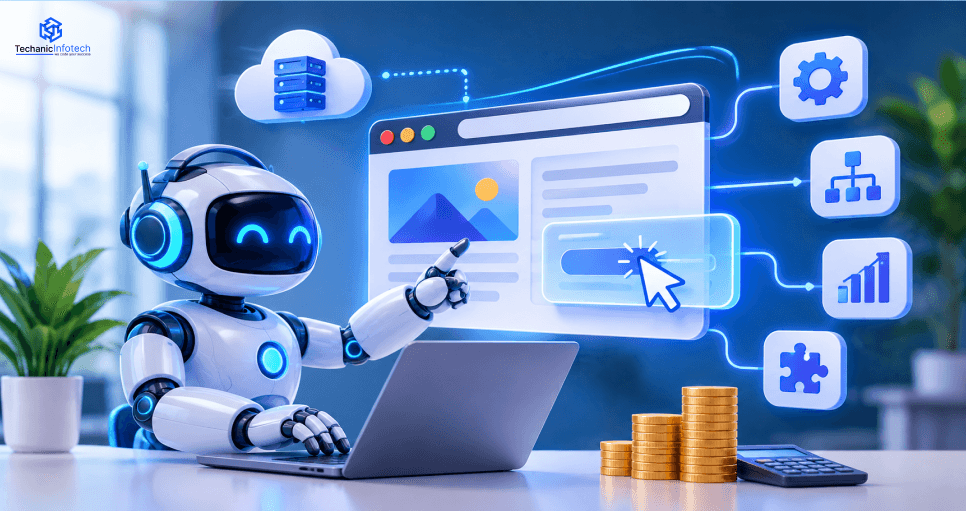
Modern AI browser agents combine reasoning, browser interaction, and workflow automation to complete tasks across websites and web applications.
Natural-Language Instructions: Understand requests and convert them into actionable steps.
Web Navigation: Open pages, interact with interface elements, and move between workflows.
Information Extraction: Collect and summarise relevant information from permitted web pages.
Form Automation: Populate forms and prepare submissions for review.
Multi-Step Execution: Complete workflows that involve several pages or applications.
Memory and Context: Retain relevant task information and preferences when appropriately configured.
Error Recovery: Detect failed actions and attempt approved alternatives.
Human Approval: Request confirmation before sensitive actions, such as submitting important forms or making purchases.
These capabilities depend on the model, browser tools, website structure, and access permissions. A reliable agent should verify important results rather than assume every action has succeeded.
Businesses working with an AI development company should prioritise measurable task completion, controlled tool access, and safe recovery from unexpected browser behaviour.
An AI browser agent needs an architecture that connects reasoning, browser interaction, memory, and external services while maintaining control over each action.
|
Component |
Responsibility |
|
AI Model |
Interprets instructions, reasons about tasks, and selects actions. |
|
Planner and Orchestrator |
Breaks tasks into steps and manages execution. |
|
Browser Automation Layer |
Interacts with pages, forms, buttons, and browser tabs |
|
Observation and Validation |
Checks page state and verifies action outcomes |
|
Memory System |
Maintains relevant task context and permitted preferences |
|
Tool and API Layer |
Connects the agent to approved external services |
|
Security and Permissions |
Controls access, approvals, and sensitive operations |
|
Logging and Monitoring |
Records actions, failures, and performance metrics |
The planner sends an action to the browser automation layer, which interacts with the page. The observation component then checks the result and returns relevant information to the planner. If the action fails, the agent can retry, select an approved alternative, or request human assistance.
A well-designed AI agent memory architecture separates temporary task context from information that may be retained for future use. This helps the agent preserve relevant context without storing unnecessary or sensitive browser data.
AI browser agents can automate repetitive web-based tasks across business functions, reducing manual effort and helping teams process information more efficiently.
|
Industry |
Example Use Cases |
Business Value |
|
E-commerce |
Product research, catalogue updates, order-status checks |
Streamlines routine operations |
|
Finance |
Collecting public market information, preparing reports |
Reduces manual research |
|
Healthcare |
Organising permitted web information and administrative workflows |
Supports administrative efficiency |
|
Recruitment |
Reviewing job listings, organising candidate information |
Simplifies repetitive tasks |
|
Travel |
Comparing travel options and preparing itineraries |
Speeds up research and planning |
|
Customer Support |
Retrieving help articles and updating approved systems |
Improves support workflows |
|
Sales and Marketing |
Researching prospects and preparing CRM updates |
Reduces repetitive data entry |
|
Enterprise Operations |
Navigating internal portals and preparing routine submissions |
Connects web tasks with business processes |
The right technology stack helps browser agents interact with websites, manage tasks, and execute workflows reliably.
|
Technology Layer |
Common Options |
Purpose |
|
AI Models |
OpenAI models, other LLM APIs, open-source models |
Reasoning, planning, and instruction understanding |
|
Browser Automation |
Playwright, Puppeteer, Selenium |
Navigate pages and interact with web elements |
|
Agent Frameworks |
OpenAI Agents SDK, LangGraph, custom orchestration |
Coordinate tools, tasks, and agent workflows |
|
Backend |
Python, Node.js, TypeScript |
Manage execution logic and integrations. |
|
Memory and Storage |
PostgreSQL, Redis, vector databases |
Store task state and permitted context |
|
API Integration |
REST APIs, webhooks |
Connect approved external services |
|
Deployment |
Docker, AWS, Microsoft Azure, Google Cloud |
Run and scale agent workloads |
|
Monitoring |
OpenTelemetry, Grafana, application logs |
Track performance, errors, and execution outcomes |
|
Security |
OAuth 2.0, role-based access, secrets management |
Protect credentials and restrict permissions. |
For an MVP, developers can combine a language model, Playwright, a lightweight backend, and basic logging. More complex enterprise systems may require persistent task state, isolated browser sessions, detailed audit trails, and approval workflows.
An experienced AI development company can help select technologies based on workflow complexity, security requirements, scalability, and operating costs. The goal is to build a maintainable system that performs tasks reliably rather than adding tools without a clear purpose.
A structured development process helps businesses build browser agents that are reliable, secure, and aligned with operational goals.
Research and Requirements: Identify suitable workflows, user needs, risks, and measurable objectives.
Workflow Analysis: Map browser interactions, decision points, exceptions, and approval requirements.
Architecture Planning: Define the model, browser tools, memory, integrations, and security boundaries.
Technology Selection: Choose suitable AI models, automation frameworks, storage, and deployment services.
Prototype Development: Build a small agent that completes a clearly defined task.
Integration and Memory Setup: Connect approved APIs and implement task-state management.
Testing and Evaluation: Test accuracy, browser compatibility, failure recovery, and security.
Deployment and Monitoring: Release the agent in a controlled environment and track execution outcomes.
Continuous Improvement: Review failures, refine workflows, update dependencies, and expand capabilities gradually.
Following an agentic development lifecycle helps teams introduce browser automation in stages, with evaluation and oversight throughout development.
Start with a narrow, low-risk workflow and verify its results before allowing the agent to perform more complex actions.
AI browser agents may access websites, user accounts, and business data, making security essential from the beginning.
|
Challenge |
Recommended Approach |
|
Credential Exposure |
Use secure secrets management and avoid storing passwords in prompts or logs. |
|
Prompt Injection |
Treat webpage content as untrusted input and restrict tool permissions. |
|
Unauthorised Actions |
Require human approval for sensitive submissions, purchases, and account changes. |
|
Data Privacy |
Minimise data collection and apply access controls and retention policies. |
|
Unreliable Actions |
Verify page state and confirm outcomes after important interactions. |
|
Website Changes |
Use robust selectors, validation checks, and failure-recovery workflows. |
|
Auditability |
Log relevant actions and errors without exposing sensitive information. |
Use isolated browser sessions, least-privilege access, domain restrictions, and explicit approval checkpoints. Test agents against malicious page content and unexpected interface changes before deployment.
Security should remain part of ongoing monitoring and maintenance, not just initial development. These safeguards help businesses reduce operational risk while benefiting from browser automation.
The AI browser agent development cost depends on workflow complexity, AI model selection, browser automation, integrations, security controls, and deployment requirements.
|
Agent Type |
Estimated Cost (USD) |
Timeline |
|
Basic Browser Agent |
8,000–20,000 |
2–3 months |
|
Multi-Step Workflow Agent |
20,000–40,000 |
3–5 months |
|
Advanced AI Browser Agent |
40,000–70,000 |
5–7 months |
|
Enterprise Browser Agent |
70,000–90,000+ |
7–10+ months |
Workflow complexity: Multi-page tasks and exception handling require more engineering.
AI capabilities: Advanced reasoning and custom models can increase implementation costs.
Integrations: Connecting business applications and APIs adds development effort.
Security: Isolated sessions, permission controls, and audit logs require additional work.
Ongoing operations: Model usage, hosting, monitoring, and maintenance create recurring expenses.
The AI agent app development cost should account for both initial implementation and ongoing operation. Starting with a focused MVP can help businesses validate performance before investing in advanced capabilities.
AI browser agents can reduce repetitive manual work, accelerate research, and connect browser-based tasks with existing business workflows. Their value should be measured through actual results rather than automation volume alone.
Time Savings: Automate repetitive navigation, data collection, and form preparation.
Operational Efficiency: Reduce manual steps across multi-page workflows.
Scalability: Handle additional tasks without increasing manual effort at the same rate.
Consistency: Apply defined procedures and validation checks.
Employee Productivity: Let teams focus on decisions and exceptions that require human judgement.
|
Metric |
What It Measures |
|
Task completion rate |
Percentage of tasks completed successfully |
|
Accuracy |
Correctness of extracted information and actions |
|
Execution time |
Time needed to complete a workflow |
|
Recovery rate |
Ability to handle errors and unexpected pages |
|
Cost per task |
Model, infrastructure, and operating costs |
|
Safety incidents |
Unauthorised actions or policy violations |
Run a controlled pilot and compare results with the existing manual process. Expand deployment only when the agent demonstrates reliable performance, acceptable costs, and appropriate safety controls.
Developing reliable AI browser agents involves more than connecting a language model to browser automation tools. Agents must handle changing website layouts, interpret instructions accurately, protect sensitive information, and recover from unexpected situations. Addressing these challenges early helps businesses improve reliability and reduce operational risks.
|
Challenge |
Why It Matters |
Best Practice |
|
Dynamic Website Interfaces |
Websites frequently change layouts, element labels, navigation paths, and loading behaviour. These changes can cause an agent to select the wrong control or fail to complete a task. |
Use robust selectors, inspect the current page state, and validate important elements before acting. Test workflows across different layouts and browser conditions. |
|
Incorrect Decisions and Actions |
AI models can misunderstand instructions, misinterpret page content, or choose an inappropriate next step. This may lead to inaccurate data collection or incomplete workflows. |
Break tasks into smaller steps, apply deterministic validation rules, and verify each important action. Escalate uncertain or consequential decisions to a human. |
|
Security and Prompt Injection |
Malicious webpage content may contain instructions designed to manipulate an agent into revealing information or taking unauthorised actions. |
Treat webpage content as untrusted input, separate instructions from retrieved data, restrict tool permissions, and test against prompt-injection scenarios. |
|
Credential and Data Exposure |
Browser agents may interact with authenticated sessions, customer records, and confidential business information. Poor credential handling can expose sensitive data. |
Use secure secrets management, isolated browser sessions, encryption, and least-privilege access. Avoid placing passwords or unnecessary personal information in prompts and logs. |
|
Error Recovery and Workflow Interruptions |
Network failures, expired sessions, unexpected pop-ups, and incomplete page loads can interrupt multi-step tasks. Repeated actions may also create duplicate submissions. |
Implement timeouts, controlled retries, checkpoints, and recovery procedures. Use idempotency controls where possible and verify whether an action succeeded before repeating it. |
|
Integration and Compatibility Issues |
Connecting browser agents to APIs, internal applications, and third-party services can introduce authentication, data-format, and dependency issues. |
Define clear integration contracts, validate incoming and outgoing data, monitor API failures, and use direct APIs instead of browser interaction when they are available and appropriate. |
|
Performance and Operating Costs |
Long workflows may require repeated model calls, screenshots, page analysis, and browser operations, increasing latency and usage costs. |
Choose suitable models for each task, reduce unnecessary observations, reuse permitted context, and track cost per successful workflow. |
|
Testing and Ongoing Maintenance |
A workflow that works during development may fail after a website update or model change. Without monitoring, these failures may remain unnoticed. |
Maintain automated regression tests, evaluate task-completion accuracy, monitor production failures, and retest workflows after significant changes. |
AI browser agents can help businesses automate repetitive web tasks, streamline research, and connect browser interactions with existing workflows. Their effectiveness depends on a suitable architecture, reliable browser automation, secure integrations, and thorough testing.
The AI browser agent development cost varies according to workflow complexity, AI capabilities, security requirements, and ongoing infrastructure needs. Starting with a focused use case allows businesses to validate performance before expanding automation.
By combining AI reasoning with action verification, controlled permissions, and human oversight, organisations can build browser agents that improve operational efficiency while maintaining reliability and security.
It involves building AI systems that navigate websites, interact with browser elements, and complete multi-step tasks.
A custom solution may cost 8,000–90,000 or more, depending on complexity and integrations.
A basic agent may take 2–3 months, while advanced enterprise solutions can require 7–10 months or longer.
Common choices include LLM APIs, Python, Playwright, browser automation frameworks, databases, and cloud services.
Yes. They can navigate multiple websites when access is permitted, and the workflows are appropriately configured.
They can be designed securely using restricted permissions, isolated sessions, encryption, monitoring, and human approval checkpoints.


Bharat Sharma is the CTO of Techanic Infotech, bringing deep technical expertise in software architecture, mobile app development, and scalable system design. He leads the engineering team with a strong focus on innovation, performance, and security.