Software Development
How to Build Childcare Center Management Software: Features, Cost & Development Process
August 17, 2026
August 17, 2026
Key Takeaways:
Childcare management software should be designed around the actual workflows of parents, carers, administrators, and centre managers.
Market research and requirement validation should happen before UI design and development to avoid building unnecessary features.
A complete development process should include 10 stages, from business planning and research through development , testing, launch, and continuous improvement.
Essential functionality includes child profiles, attendance, enrollment, parent communication, billing, staff management, scheduling, notifications, and reporting.
AI can improve scheduling, communication, analytics, and administrative automation, but child safety and human oversight should remain priorities.
Custom childcare software can cost approximately $7,000 to $60,000+, with development timelines ranging from 2–3 months to 7–10+ months depending on complexity.
Childcare centres manage much more than daily attendance. They coordinate children, parents, teachers, classrooms, schedules, payments, meals, activities, health records, staff availability, and communication. When these activities are handled through spreadsheets, paper records, phone calls, and disconnected systems, administrative work can quickly become difficult to manage.
This has created a growing demand for childcare centre management software that brings everyday operations into a single centralised platform. Modern solutions can help childcare providers manage enrolment, attendance, billing, staff, classrooms, parent communication, reports, and compliance-related records from a single system.
The opportunity is significant. Child Care Aware of America reported that its 2025 analysis found a 1% nationwide decrease in licensed childcare centres from 2024 to 2025, while family childcare homes increased by 1.4%. The organisation also noted that childcare supply continues to struggle to meet family needs.
For businesses planning to enter this market, the challenge is not simply building an app. The product needs to reflect real childcare workflows, support multiple user roles, protect sensitive information, and remain flexible enough to accommodate different centre sizes and operating models.
This guide explains how to research, plan, design, and develop a modern childcare management platform, including its features, development stages, technology requirements, cost, timeline, and future opportunities.
According to Mordor Intelligence, the childcare market size is projected to expand from USD 263.86 billion in 2025 and USD 274.71 billion in 2026 to USD 354.81 billion by 2031, registering a CAGR of 5.25% between 2026 and 2031.
According to Grandview Research, the U.S. Agency for International Development (USAID) announced it would provide USD 50 million over the next five years to the Childcare Incentive Fund of the World Bank, which is a USD 200 million public-private partnership to reduce the infrastructure gap and promote early learning and human capital for children
BLS data shows approximately 1.12 million employees in U.S. child care services in 2025, based on payroll employment data for NAICS 6244.
Childcare providers deal with large amounts of information every day. Staff must track attendance, communicate with parents, manage schedules, organise activities, record payments, and maintain child-related information while continuing to provide quality care.
Traditional processes can create several operational problems.
Manual attendance sheets, paper forms, spreadsheets, and repetitive data entry consume staff time. Digital systems can automate recurring administrative tasks and make information easier to access.
Parents increasingly expect timely updates about their child's activities, meals, attendance, announcements, and schedules. A centralised platform can provide communication through notifications, messages, and digital updates.
Childcare software can record check-in and check-out activity while helping staff manage authorised pickup contacts and daily attendance records.
Important information such as emergency contacts, enrolment details, allergies, medical notes, and authorised guardians can be organised in one secure environment.
Businesses operating multiple childcare locations need centralised visibility into enrolment, staff, payments, attendance, and performance. Digital systems make it easier to manage information across locations.
For organisations looking to strengthen family engagement alongside daily operations, parenting app development can help connect parents with childcare providers through features such as activity updates, reminders, secure communication, and personalised child-related information.
Childcare centre management software is a digital platform designed to help daycares, preschools, nurseries, and childcare organisations manage administrative and operational activities.
Depending on the business model, the platform can include several connected interfaces:
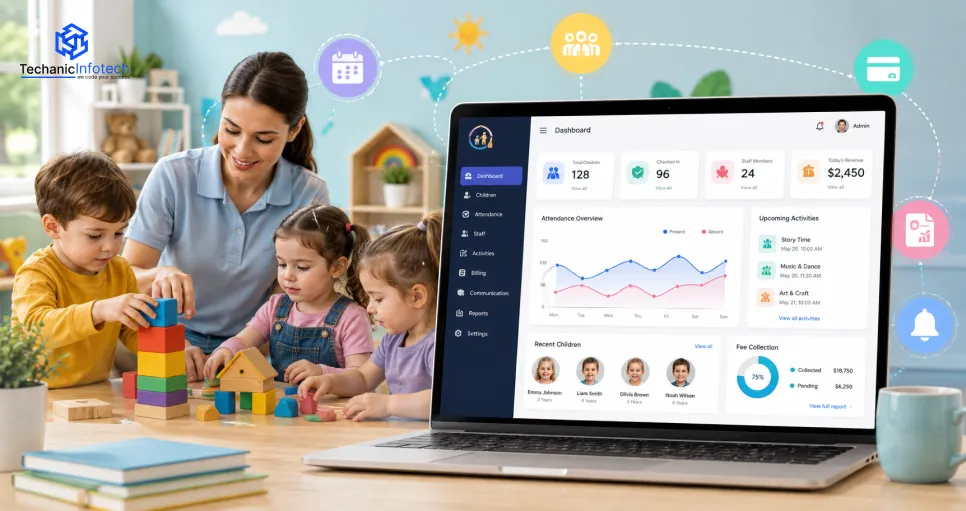
Administrator dashboard: manages centres, users, reports, payments, and settings.
Staff portal: handles attendance, activity centres, schedules, and child updates.
Parent application: enables communication, payments, notifications, and child-related updates.
Management dashboard: provides insights into enrolment, revenue, staffing, and centre performance.
A complete platform can therefore combine childcare operations, parent engagement, financial management, communication, and reporting.
The exact functionality depends on the organisation's size and requirements. A small daycare may only need enrolment, attendance, billing, and communication, while a large childcare network may require multi-location management, staff scheduling, analytics, integrations, and advanced automation.
One of the most important lessons in a childcare app development guide planning is that development should not begin immediately after the initial idea. Research and validation should come first.
Determine who will use the software and what problems they experience.
Potential users include:
Independent daycare owners
Preschool operators
Childcare chains
Teachers and caregivers
Parents and guardians
Administrative staff
Each user group has different expectations. Parents may prioritise communication and child updates, while administrators may focus on billing, enrolment, staff management, and reporting.
Analyse competing childcare platforms to understand their features, pricing, user experience, strengths, and limitations. The objective is not simply to copy existing products. Instead, research should identify gaps that your software can address more effectively.
Speak with childcare operators and staff to understand how enrolment, attendance, billing, communication, staff scheduling, and daily activities are currently handled. This helps transform a general software idea into a practical product.
Determine how the platform will generate revenue. Possible models include the following:
Monthly subscriptions
Per-child pricing
Percentage plans
Premium features
Enterprise licensing
Setup and onboarding fees
After research, prioritise features that solve the most important problems. The initial version should focus on essential workflows rather than attempting to build every possible feature. This research-driven approach reduces the risk of investing in functionality that customers do not need.
A successful childcare platform should simplify everyday tasks for staff while giving parents convenient access to important information. The right childcare software features should therefore cover administration, communication, payments, child records, staff management, and operational workflows.
Administrators and authorised staff should be able to securely manage child profiles containing enrolment details, emergency contacts, authorised guardians, relevant notes, and other required information.
Digital attendance allows staff to record when children arrive and leave the centre. The system can maintain real-time attendance records, generate reports, and support secure check-in and check-out workflows. QR codes, PINs, or authorised guardian verification can also be incorporated depending on the centre's requirements.
A dedicated communication system allows parents and childcare staff to exchange messages, announcements, reminders, and important updates. This reduces dependence on phone calls or separate messaging platforms and keeps childcare-related communication within one secure environment.
Carers can record daily activities such as meals, naps, playtime, learning activities, nappy changes, and other routine events. Parents can receive relevant updates through the application, giving them better visibility into their child's day.
The platform can simplify the admission process by allowing parents to submit applications, upload required documents, complete forms, and check enrollment status digitally. Administrators can manage available seats, waitlists, applications, and enrollment records from a centralised dashboard.
Parents can view invoices, payment schedules, outstanding balances, and transaction history. Digital payment integration can simplify recurring fee collection.
Administrators should be able to manage staff profiles, working hours, classroom assignments, attendance, leave requests, and responsibilities. The system can also help maintain appropriate staff-to-child assignments and improve workforce visibility.
A centralised calendar can manage classroom schedules, activities, events, holidays, parent meetings, staff shifts, and important dates. Automated reminders can help parents and staff stay informed about upcoming activities.
Depending on local requirements, childcare providers may need to maintain information related to allergies, medications, emergency contacts, or health documentation.
Push notifications can inform parents and staff about announcements, schedule changes, payment reminders, attendance events, and important updates.
Administrators can monitor enrolment, attendance, revenue, staff activity, and other operational indicators through dashboards and reports. These childcare software features create the foundation for a platform that supports both day-to-day operations and long-term management.
Building childcare management software requires a structured approach because the platform must support parents, carers, administrators, and centre managers while handling sensitive information.
Start by clearly defining the problem the software will solve. Determine whether the product is intended for one childcare centre, a multi-location organisation, or a SaaS platform serving multiple providers.
Define measurable objectives such as reducing administrative workload, improving parent communication, simplifying billing, or increasing operational visibility.
Study competing products, customer expectations, pricing structures, and market gaps. Interview childcare operators and staff whenever possible to understand real-world workflows.
Research should influence the product roadmap rather than simply being treated as a preliminary formality.
Document functional and technical requirements for every user role.
For example:
Parents need child updates, payments, messages, and notifications.
Staff need attendance, schedules, activity records, and child information.
Administrators need billing, enrolment, reporting, and user management.
This stage establishes the foundation for development.
Map how each user moves through the platform. Then define the system architecture, database structure, APIs, permissions, and relationships between modules. A clear architecture helps prevent expensive restructuring later.
Create wireframes and interactive prototypes before full development. Test the booking, enrolment, attendance, communication, and payment flows with representative users.
The design should prioritise simplicity because childcare staff may need to complete tasks quickly while working in busy environments.
Choose technologies based on scalability, security, performance, integrations, and long-term maintenance requirements. At this stage, the team should also determine whether the platform requires native mobile apps, cross-platform development, web dashboards, or all three.
A specialised child care app development company can help determine the most appropriate mobile architecture based on the expected user base and feature requirements.
Develop the backend, database, APIs, authentication, administration system, and core childcare modules. Development should generally be performed in manageable iterations so individual components can be tested instead of waiting until the entire platform is complete.
Integrate payment gateways, notification services, cloud storage, analytics, communication tools, calendars, and other required services. Third-party integrations should be selected carefully because they affect both functionality and ongoing operating costs.
Testing should cover functionality, usability, compatibility, API behaviour, performance, authentication, permissions, and data security. Childcare platforms can contain sensitive information about children and families, so access controls and secure data handling should be considered essential rather than optional.
After successful testing, deploy the platform and monitor real-world usage. Collect feedback from administrators, staff, and parents to identify usability problems and opportunities for improvement. Post-launch maintenance can include bug fixes, security updates, performance optimisation, new integrations, and additional features.
This iterative approach allows the software to evolve according to actual customer needs rather than assumptions made before launch.
The technology stack should support secure data management, responsive interfaces, reliable communication, and future scalability. The final technologies should be selected according to the platform's requirements, user volume, security needs, and integration requirements.
|
Technology Layer |
Common Options |
Estimated Cost Contribution |
|
Android |
Kotlin |
$2,000–$7,000 |
|
iOS |
Swift |
$2,000–$6,000 |
|
Cross-Platform |
Flutter, React Native |
$4,000–$12,000 |
|
Web Frontend |
React, Angular, Vue.js |
$2,000–$7,000 |
|
Backend |
Node.js, Python, Java, .NET |
$4,000–$12,000 |
|
Database |
PostgreSQL, MySQL, MongoDB |
$1,000–$4,000 |
|
Cloud Infrastructure |
AWS, Azure, Google Cloud |
$1,000–$5,000 |
|
Notifications |
Firebase Cloud Messaging |
$500–$2,000 |
|
Payment Integration |
Stripe, PayPal, Braintree |
$500–$2,500 |
|
Security & Authentication |
OAuth 2.0, OpenID Connect |
$1,000–$4,000 |
Building childcare management software requires careful planning because the platform handles multiple workflows and different categories of users. Beyond development itself, businesses need to consider security, usability, integration, scalability, and operational complexity.
|
Challenge |
Why It Matters |
Recommended Approach |
|
Data Security & Privacy |
Childcare platforms handle sensitive child, parent, health, and payment information. |
Use encryption, secure authentication, role-based access, backups, and regular security testing. |
|
Multiple User Roles |
Parents, carers, administrators, and managers need different access levels. |
Implement detailed role-based permissions and access controls. |
|
Data Accuracy |
Incorrect attendance, enrollment, billing, or child records can create operational problems. |
Use centralised databases, validation rules, and automated synchronisation. |
|
System Integration |
Existing payment, accounting, communication, or management systems may need to connect with the new platform. |
Use well-documented APIs and test every integration thoroughly. |
|
Ease of Use |
Staff need to complete routine tasks quickly while managing busy childcare environments. |
Create simple interfaces with clear navigation and minimal steps. |
|
Multi-centre management |
Organisations with several locations need centralised oversight without losing individual centre control. |
Build a scalable architecture with location-based permissions and centralised reporting. |
|
Scalability |
Growing enrollment and additional centres can increase users, records, and system traffic. |
Use cloud infrastructure, scalable databases, and modular architecture from the beginning. |
|
Regulatory & Compliance Requirements |
Childcare providers may need to follow local rules for records, safety, privacy, and data handling. |
Identify applicable requirements early and incorporate compliance into the system design. |
AI and automation can help childcare centres reduce repetitive administrative work, improve communication, and make better use of operational data. Instead of replacing carers, these technologies can support staff by handling routine tasks and providing useful insights.
AI-powered assistants can respond to common questions about schedules, fees, activities, policies, and centre information. Routine queries can be handled automatically while more complex concerns can be forwarded to staff.
Automation can identify attendance patterns, flag unusual check-in or check-out activity, and generate attendance summaries. This can reduce manual reporting while giving administrators better visibility into daily operations.
AI can analyse staff availability, classroom requirements, working hours, and enrollment levels to suggest more efficient schedules. Administrators can then review and approve the suggested schedules.
Carers can enter basic activity information, after which automation can organise the information into structured updates for parents. This reduces repetitive communication work while keeping parents informed.
Historical enrollment and attendance data can help identify demand patterns. Administrators can use these insights to plan staffing, classroom capacity, and future enrollment strategies.
Routine tasks such as payment reminders, document notifications, registration confirmations, and scheduled announcements can be automated to reduce administrative workload.
Organisations planning advanced automation can work with an AI development company to integrate predictive analytics, intelligent assistants, automated reporting, and workflow automation based on their specific requirements.
The cost of developing childcare management software depends on the scope, number of user roles, platforms, integrations, security requirements, and level of automation.
For a childcare-focused solution, a practical planning range for this blog is $7,000 to $60,000+. This range is intended as an initial estimate; a production-grade platform with extensive compliance, multi-location functionality, or advanced AI can exceed it. Industry-specific estimates for larger childcare platforms are considerably higher, particularly when advanced compliance, integrations, and multi-centre functionality are included.
Estimated Cost and Development Timeline
|
Software Type |
Estimated Cost |
Development Timeline |
Typical Scope |
|
Basic Childcare Software |
$7,000–$15,000 |
2–3 months |
Child profiles, attendance, basic parent communication, admin panel |
|
Standard Childcare Platform |
$15,000–$30,000 |
3–5 months |
Enrollment, billing, staff management, notifications, reports, parent portal |
|
Advanced Childcare System |
$30,000–$45,000 |
5–7 months |
Multi-classroom management, scheduling, payments, analytics, integrations, mobile apps |
|
Enterprise Childcare Platform |
$45,000–$60,000+ |
7–10+ months |
Multi-location management, advanced reporting, automation, extensive integrations, scalable architecture |
These timelines are estimates and can change according to project scope, team size, integrations, testing requirements, and client-side feedback. Current software development company benchmarks similarly show that more complex multi-module platforms require substantially more time than focused MVPs.
The total timeline is not spent entirely on coding. A properly planned project includes discovery, research, design, development, testing, deployment, and post-launch activities.
|
Development Phase |
Estimated Duration |
|
Business Discovery & Market Research |
1–2 weeks |
|
Requirement Analysis |
1–3 weeks |
|
UI/UX Design & Prototyping |
2–4 weeks |
|
Architecture & Technology Planning |
1–2 weeks |
|
Core Software Development |
6–14 weeks |
|
API & Third-Party Integrations |
2–5 weeks |
|
Testing & Security Validation |
2–4 weeks |
|
Deployment & Launch |
1–2 weeks |
|
Post-Launch Optimization |
Ongoing |
Some phases can run in parallel, so their individual durations should not simply be added together to calculate the final project timeline. For comparison, broader 2026 custom-software benchmarks place simple MVPs around 1–3 months and more complex business platforms around several months.
The final cost of childcare software depends on several technical and business factors. Understanding these elements early helps businesses create a realistic budget and avoid unexpected expenses during development.
Developing a web-based administration system is generally different from developing separate native applications for iOS and Android. Supporting multiple platforms can increase development and testing requirements.
Basic attendance and enrollment functionality requires less development effort than advanced scheduling, billing, analytics, AI, or multi-location management.
Custom interfaces, interactive dashboards, personalised parent experiences, and complex workflows require additional design and development effort.
Payment gateways, accounting systems, communication services, calendars, biometric systems, or third-party childcare tools can increase both development and testing requirements.
Because childcare platforms can handle sensitive information, businesses may require advanced authentication, encryption, audit logs, access controls, backups, and security testing.
AI-powered chatbots, predictive analytics, intelligent scheduling, automated reporting, and recommendation systems can increase development complexity and infrastructure requirements.
Development rates vary considerably depending on the team's location, experience, specialisation, and engagement model. Choosing the right partner should therefore be based on expertise and project fit rather than hourly rates alone.
The initial development budget is not the complete cost of ownership. Businesses should also plan for cloud infrastructure, monitoring, security updates, bug fixes, third-party services, and future feature development.
For companies planning broader digital products, comparing the requirements with other forms of CRM development services can also help when determining how customer, parent, communication, and relationship-management functionality should be structured.
The childcare industry is rapidly embracing digital transformation as parents expect greater transparency and childcare providers look for smarter ways to manage daily operations.
A well-designed childcare centre management platform goes beyond attendance tracking; it streamlines enrollment, billing, parent communication, staff scheduling, reporting, and overall centre administration within one connected system.
Whether you're building software for a single daycare centre or a multi-location childcare organisation, success depends on thorough market research, a structured development process, scalable technology, and a user-first experience.
By investing in the right features and planning for long-term growth, childcare businesses can improve operational efficiency, strengthen parent relationships, and deliver a better experience for both families and educators.
It is a digital platform that helps childcare centres manage attendance, enrollment, child records, staff, billing, parent communication, schedules, and daily operations.
Custom childcare management software can cost around $7,000 to $60,000+, depending on its features, platforms, integrations, and complexity.
A basic platform can take around 2–3 months, while an advanced or enterprise solution may require 7–10+ months.
Yes. A parent application can provide attendance updates, messages, notifications, payments, activity updates, and other child-related information.
Yes. AI can support automated communication, scheduling, predictive analytics, reporting, and other administrative processes.
Child profiles, attendance, enrollment, parent communication, billing, staff management, scheduling, notifications, reporting, and secure administration are among the most important features.
Custom software can be more suitable when a childcare organisation has unique workflows, multiple locations, specialised integrations, or specific scalability requirements.


Abhishek Jangid is the CEO of Techanic Infotech, with extensive experience in mobile app and web development. He specializes in helping businesses turn innovative ideas into scalable digital solutions through strategic planning and modern technology.