Key Takeaways
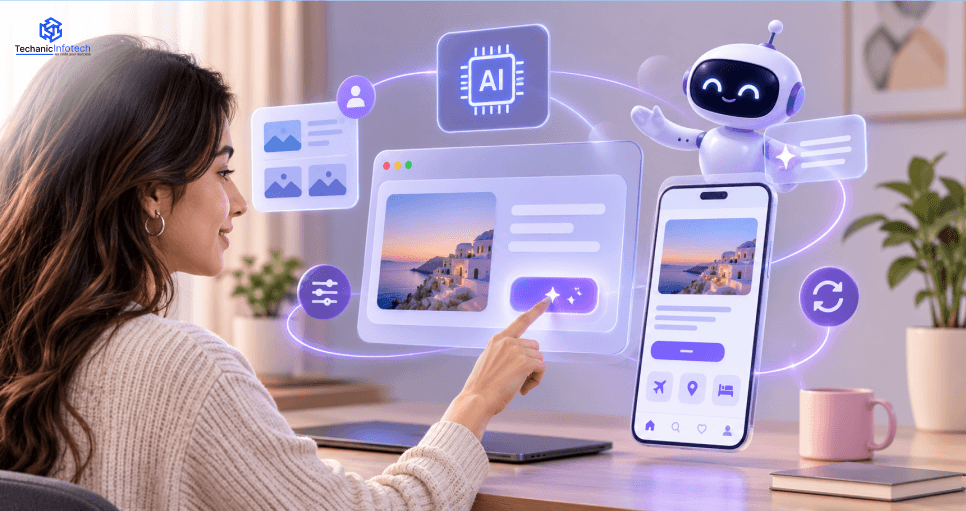
Generative UI app development uses AI to create adaptive interfaces based on user requests, context, and needs.
AI-powered interfaces improve personalization, reduce clicks, and help users complete tasks faster.
React, TypeScript, LLMs, and JSON Schema support dynamic UI components and structured outputs.
Generative UI app development can cost 8,000–90,000+, depending on features, integrations, and complexity.
Secure APIs, output validation, accessibility testing, and human oversight help build reliable generative UI apps.
Ever feel like your app makes users work harder than they should? Too many screens, endless clicks, and confusing menus can drive people away.
Generative UI app development changes that. Using AI models, natural language processing, and dynamic UI components, apps can create adaptive interfaces that respond to what users actually need.
Imagine asking for a sales report and getting an interactive dashboard instead of digging through menus.
This guide explores how generative UI works, its benefits, essential features, the development process, real-world uses, and challenges.
Generative UI app development uses AI models to create or adapt user interfaces based on a user’s needs.
Instead of relying only on fixed screens, apps can display relevant charts, forms, dashboards, and interactive components for each task.
The market was valued at $624.79 million in 2025 and is projected to reach $9,493.19 million by 2034, growing at a 35.3% CAGR. North America held a 43.61% share in 2025, while code generation is expected to account for 38% in 2026.
Generative UI turns a simple request into an interface the user can interact with. Here’s how it works in practice.
1. User enters a prompt: A user asks, “Show me this month’s sales by product.”
2. AI understands the request: A large language model (LLM) uses natural language processing (NLP) to identify the user’s intent and decide what information is needed.
3. The app prepares the data: The backend fetches authorized sales data through APIs or a database.
4. AI selects UI components: Based on the request, the system creates a structured UI description for a chart, table, or dashboard using approved components.
5. The interface appears: The frontend renders the selected components, allowing the user to filter results, explore trends, or view details.
Real-world example: Instead of opening several menus to find sales figures, a store manager can ask for a sales report and get an interactive chart in seconds.
Building this experience requires more than an AI model. It also takes a reliable backend, secure data access, and well-designed UI components. Professional AI development services can help businesses bring these parts together to build useful, responsive applications.
Generative UI helps businesses simplify tasks, personalize user experiences, and build more useful apps with AI-powered, adaptive interfaces.
AI adapts UI components to user needs, preferences, and behavior. Personalized dashboards and relevant content help people find what they need with fewer clicks.
Dynamic forms, charts, and reports appear based on user requests. Teams spend less time searching through menus and more time making decisions.
Reusable UI components and AI-driven workflows can reduce the need for separate screens. With the right AI development company, businesses can build and update apps more efficiently.
Clear layouts and context-aware controls make apps easier to use. Responsive design, keyboard support, and accessible UI components help more people complete tasks with confidence.
Generative UI uses different levels of AI control to create user interfaces. The right approach depends on how much flexibility, structure, and control an app needs.
|
Type |
Explanation |
|
Controlled Generative UI |
AI selects approved UI components within fixed rules, improving security and design consistency. |
|
Declarative Generative UI |
AI returns structured UI schemas that the frontend renders into charts, forms, or dashboards. |
|
Open-Ended Generative UI |
AI creates more flexible interfaces from user prompts, offering freedom but requiring stronger validation. |
A strong generative UI app uses AI, secure data, and reusable components to create helpful, responsive screens that fit each user's needs.
Natural language processing (NLP) and large language models (LLMs) help apps understand user requests and show relevant forms, charts, or actions.
Reusable React components let apps build dashboards, forms, and data views on demand. A component registry keeps layouts consistent with the design system.
JSON Schema checks AI-generated UI data before rendering. This helps prevent broken layouts and keeps dynamic components within approved rules.
Backend APIs connect AI models to approved databases and business tools. Access controls, data checks, and guardrails help protect sensitive user information.
Fast responses, error tracking, and user feedback help improve AI-powered interfaces. Teams can use AI pilot-to-production practices to test, monitor, and scale reliable features.
Advanced generative UI features help apps respond to user needs, handle complex tasks, and create smarter, more flexible digital experiences.
Let users share text, voice, images, or screenshots. Multimodal AI can understand these inputs and display helpful UI components based on the task.
AI agents can use APIs, search data, and complete multi-step tasks. The interface can update as each step finishes, keeping users informed.
AI can adjust dashboards, forms, and content based on user actions and current data. This makes adaptive interfaces more helpful without adding extra steps.
Users can speak a request instead of typing. The app can turn commands into charts, forms, or actions, making everyday tasks faster and easier.
With AI integration in mobile apps, businesses can add smart assistants, adaptive screens, and voice controls to iOS and Android apps while keeping the experience clear and consistent.
Building a generative UI app takes more than connecting an AI model to a website. You need clear goals, secure data, reusable UI components, and a plan to test the app as it grows.
Start with one real problem your app should solve. Ask what users need to do and how an AI-powered interface can make that task easier.
For example, a sales team may need a dashboard that creates charts from simple questions instead of making users click through several menus.
Set a clear goal: Pick one task to improve.
Map user intent: List common questions and actions.
Choose success measures: Track task time, errors, and user satisfaction.
Keep the first version focused. Trying to build an app that does everything can slow the project before it gets off the ground.
Select an AI model that can understand user requests and return structured outputs. Large language models (LLMs) can interpret natural language and suggest suitable UI components, but your app should control what gets displayed.
Plan how the frontend, backend, AI model, APIs, and database will work together.
Use an LLM to understand user intent.
Use backend services to fetch approved data.
Use JSON Schema to check AI-generated UI instructions.
Keep business rules and access controls outside the model.
This setup gives the app flexibility without letting AI make every decision on its own.
Build a library of approved UI components that AI can select based on each request. This makes it easier to create dynamic forms, charts, tables, and dashboards without building every screen from scratch.
Your component registry might include:
Forms: Collect user input.
Charts: Show trends and key numbers.
Tables: Display records and reports.
Cards: Present summaries and suggested actions.
Navigation controls: Help users move between tasks.
Use React and TypeScript to create reusable components. Keep the layout aligned with your design system, so the app feels consistent, even when screens change.
A generative UI app becomes useful when it can work with real business data. Connect the backend to approved APIs, databases, and tools that support the tasks users want to complete.
For example, a store manager might ask, “Which products sold best this week?” The app can fetch sales data, ask the AI to structure the result, and render a chart.
Keep these rules in place:
Check user permissions before returning data.
Validate API responses and AI outputs.
Protect private information.
Add clear error messages when a tool fails.
The AI should never get unrestricted access to your database just because a user asks a question.
Now bring the parts together. The frontend displays AI-generated UI components, while the backend handles requests, business rules, data access, and model calls.
Here is a practical generative UI app tech stack to consider:
|
Layer |
Suggested technology |
Main purpose |
|
Frontend |
React, Next.js |
Render dynamic screens and UI components |
|
Programming language |
TypeScript |
Catch common coding errors |
|
Backend |
Node.js or Python |
Manage logic, APIs, and AI requests |
|
AI model |
An LLM with structured output support |
Understand requests and return UI instructions |
|
Data validation |
JSON Schema |
Check the structure of AI responses |
|
Database |
PostgreSQL |
Store app and business data |
|
Deployment |
AWS, Azure, or Google Cloud |
Host and scale the application |
|
Monitoring |
Logs and error tracking tools |
Track failures and app performance |
The best stack depends on your product, team skills, budget, and security needs. You do not need every tool on day one.
This is where AI-native software development can help. Instead of adding AI as an afterthought, you design the app around AI workflows, structured data, and human control from the start.
An interface may look great in a demo but fail when real users try unexpected prompts. Test how it behaves under normal use, unusual requests, slow API calls, and heavy traffic.
Focus on these areas:
Functional testing: Check that forms, charts, and buttons work.
Security testing: Test access controls, prompt injection risks, and unsafe AI outputs.
Performance testing: Measure model response time, API latency, and page speed.
Accessibility testing: Check keyboard use, screen readers, and WCAG guidelines.
User testing: Ask real users to complete common tasks and share feedback.
Also test what happens when the AI returns invalid data. The app should show a safe fallback, not a broken screen.
Release the app to a small group first. Track how people use it, fix common issues, and improve the experience before expanding access.
Many teams learn why companies struggle to scale AI only after a pilot succeeds. Model costs rise, response times vary, data rules become harder to manage, and a small demo may not hold up under real traffic.
To prepare for growth:
Monitor usage: Track errors, latency, model costs, and task completion.
Use caching: Reuse suitable results to reduce repeat work.
Add rate limits: Protect APIs and control spending.
Collect feedback: Find confusing layouts and failed tasks.
Roll out in stages: Expand access as reliability improves.
Keep a human review process for high-impact actions. With steady monitoring and regular updates, your generative UI app can move from a promising pilot to a dependable product.
The cost to develop a generative UI app ranges from $8,000 to $90,000+, depending on features, AI models, integrations, and project complexity.
|
App Type |
Estimated Timeline |
Estimated Cost (USD) |
|
Basic generative UI prototype |
2–4 weeks |
$8,000–$15,000 |
|
MVP with AI-powered UI components |
4–8 weeks |
$15,000–$30,000 |
|
Mid-level app with APIs and dynamic dashboards |
8–12 weeks |
$30,000–$50,000 |
|
Advanced app with AI agents and multiple integrations |
3–5 months |
$50,000–$75,000 |
|
Enterprise-grade generative UI platform |
5–8+ months |
$75,000–$90,000+ |
Generative UI helps industries create adaptive screens, automate tasks, and deliver useful information based on each user's needs.
|
Industry |
Generative UI Use Case |
|
Healthcare |
Create patient dashboards, appointment forms, and health summaries from user requests. |
|
Banking and Finance |
Show spending charts, fraud alerts, and personalized financial reports. |
|
E-commerce |
Build product comparisons, personalized recommendations, and shopping filters on demand. |
|
Education |
Adapt learning dashboards, quizzes, and study plans to each student's progress. |
|
Retail |
Display inventory reports, sales trends, and product insights for store teams. |
|
Insurance |
Generate claim forms, policy summaries, and claim status views based on user needs. |
|
Travel and Hospitality |
Create trip planners, booking screens, and travel suggestions from user preferences. |
|
Real Estate |
Build property comparisons, market reports, and search filters based on buyer needs. |
|
Manufacturing |
Display production dashboards, equipment alerts, and maintenance data in real time. |
|
Human Resources |
Create employee self-service forms, hiring dashboards, and onboarding checklists. |
|
Customer Support |
Show relevant help steps, support forms, and AI-powered answers based on each issue. |
|
Software and IT |
Generate monitoring dashboards, error reports, and troubleshooting workflows for technical teams. |
Generative UI apps must protect user data, respond quickly, and support accessible, reliable experiences across devices and users.
Data Privacy: Protect personal data with encryption, role-based access control, and secure API connections.
Prompt Injection: Use AI guardrails and input validation to block harmful prompts and unsafe actions.
Output Validation: Validate AI-generated UI schemas with JSON Schema before rendering dynamic components.
API Security: Use authentication, rate limits, and permission checks to protect backend services and user data.
Response Latency: Reduce LLM delays with caching, faster API calls, and smaller models when suitable.
Scalability: Use load testing, cloud scaling, and performance monitoring to handle more users and AI requests.
Error Handling: Provide fallback screens when AI outputs fail, APIs time out, or components cannot render.
Accessibility: Follow WCAG guidelines with keyboard controls, screen reader support, clear labels, and readable layouts.
Human Oversight: Require human review for high-impact actions, sensitive data changes, and important AI decisions.
Continuous Monitoring: Track errors, model quality, response times, and security risks to improve app reliability.
Small mistakes in AI-powered interfaces can lead to broken screens, slow responses, and frustrated users. Learning what can go wrong helps teams build safer, more useful apps.
Challenge: Unchecked LLM outputs can create broken layouts, unsafe actions, and UI components that do not follow the design system.
Solution: Use a component registry, approved UI components, and JSON Schema validation to control AI-generated interfaces before rendering.
Challenge: An app may generate clever screens but miss user intent, making simple tasks harder and adding extra clicks.
Solution: Start with real user tasks. Test prompts, gather feedback, and use contextual personalization to show relevant forms, charts, and actions.
Challenge: Weak API access rules and prompt injection risks can expose private data or trigger actions the user never approved.
Solution: A generative UI app development company can build secure APIs, role-based access controls, and AI guardrails. Human approval helps protect sensitive actions and data changes.
Challenge: Slow LLM responses and repeated API calls can delay dynamic UI components, leaving users waiting for screens to load.
Solution: Use caching, faster API calls, and smaller models when suitable. Track latency and show loading states while content is generated.
Challenge: A demo may work well but fail with unusual prompts, heavy traffic, inaccessible controls, or invalid structured outputs.
Solution: Test edge cases, load times, and WCAG accessibility. Add fallback screens, error monitoring, and regular user testing before scaling.
Generative UI will make apps more adaptive, helping users complete tasks through AI-powered screens, natural language, and real-time data.
More Personalized Interfaces: AI will use user intent and context to create dashboards, forms, and tools that fit each task.
Smarter AI Agents: Agentic workflows will let apps handle multi-step tasks while showing users progress and asking for approval when needed.
Voice and Image-Based Controls: Multimodal AI will turn spoken requests, photos, and screenshots into useful UI actions and visual results.
More Connected Business Tools: API integrations and retrieval-augmented generation (RAG) will help interfaces use trusted business data to answer questions.
Safer AI-Generated Screens: Structured outputs, JSON Schema, and security guardrails will help block invalid layouts and unsafe actions.
Faster Interface Responses: Better LLMs, caching, and smaller AI models will help reduce latency and improve the user experience.
Stronger Accessibility Support: Adaptive layouts, clear labels, and keyboard controls will help more people use AI-powered apps.
Generative UI app development helps businesses build smarter apps that adapt to user needs.
With large language models (LLMs), reusable UI components, secure API integrations, and real-time data, apps can make everyday tasks simpler.
But good results take more than AI alone. Start with a clear user problem, test your design, and add strong security and accessibility checks.
Build with care, learn from user feedback, and your app can deliver a smoother experience that grows with your business.
Generative UI app development uses AI to create or adapt app interfaces based on user requests, preferences, and context.
Generative UI uses AI to understand user intent, retrieve authorized data, select approved UI components, and display interactive screens.
Generative UI apps improve personalization, reduce clicks, speed up tasks, simplify workflows, and help users access relevant information faster.
Generative UI app development can cost $8,000 to $90,000 or more, depending on features, integrations, security needs, and complexity.
Common technologies include React, Next.js, TypeScript, Node.js, Python, large language models (LLMs), JSON Schema, and PostgreSQL.
Healthcare, banking, e-commerce, education, retail, insurance, travel, and customer support can use generative UI to create adaptive interfaces.
Yes, with proper safeguards such as access controls, secure APIs, output validation, data encryption, AI guardrails, and human review for sensitive actions.
A basic prototype may take 2–4 weeks, while a complex generative UI application can take several months to develop and test.