Automation Software Development
How to Build Multi-Agent Systems for Enterprise Workflow Automation in 2027?
October 1, 2026
October 1, 2026
Key Takeaways:
Multi-agent systems divide complex enterprise workflows among specialized AI agents that can coordinate tasks and share results.
Strong architecture and clear agent roles are essential for reliable orchestration, controlled permissions, and scalable automation.
Enterprise integrations connect agents with CRM, ERP, databases, APIs, and other business applications to execute meaningful workflows.
Security, governance, and human oversight help control sensitive data and high-impact agent actions.
Testing, monitoring, and gradual scaling help enterprises improve reliability, manage costs, and expand multi-agent automation safely.
Enterprise workflows are becoming increasingly complex as businesses manage large volumes of customer requests, documents, transactions, data, and cross-department processes. Traditional automation can handle predefined tasks, but workflows that require decision-making, contextual understanding, and coordination often need a more adaptive approach.
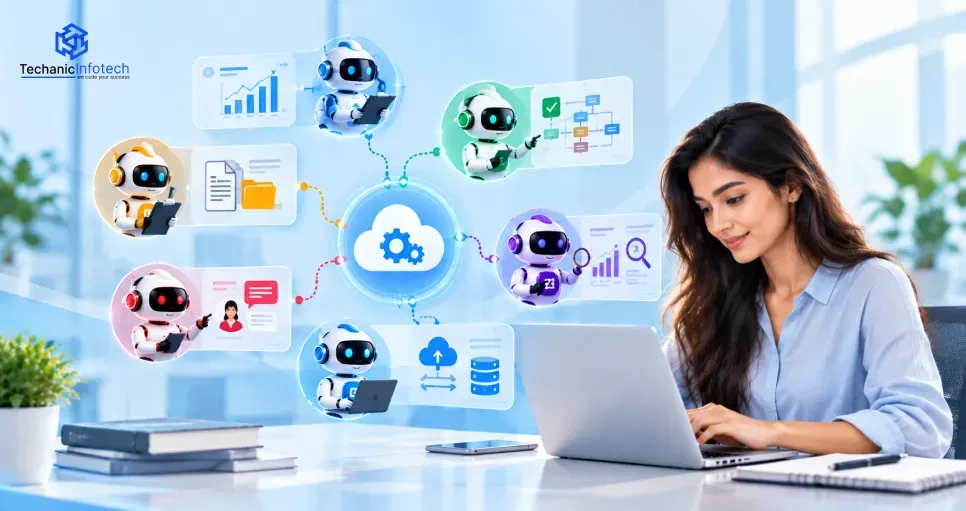
Multi-agent systems address this challenge by using multiple specialized AI agents that can collaborate to complete complex business processes. Instead of relying on one general-purpose agent, an enterprise can assign different responsibilities to agents for tasks such as research, data analysis, customer communication, validation, and workflow execution.
In 2027, organizations can use multi-agent architectures to automate workflows while maintaining greater control over individual tasks and business rules. However, building these systems requires careful planning around agent responsibilities, communication, enterprise integrations, security, monitoring, and human oversight.
This guide explains how to build multi-agent systems for enterprise workflow automation, covering the architecture, development process, technology stack, integration requirements, security considerations, challenges, and estimated development costs.
A multi-agent system is an AI architecture in which multiple specialized agents work together to complete a broader task or business workflow. Each agent can have a defined role, access to specific tools, and responsibility for a particular part of the process.
For example, an enterprise order-processing workflow could use one agent to validate customer information, another to check inventory, another to analyze payment or fraud signals, and another to coordinate fulfilment. A central orchestrator or communication layer can manage how these agents exchange information and determine which agent should perform the next step.
A single AI agent may handle several tasks within one workflow, but this can become difficult to manage as the number of tools, rules, and responsibilities increases. A multi-agent architecture separates these responsibilities into smaller, specialized units.
|
Approach |
How It Works |
Suitable Use |
|
Single-Agent System |
One agent handles multiple tasks and tools |
Simpler workflows |
|
Multi-Agent System |
Multiple specialized agents collaborate |
Complex, multi-step workflows |
|
Hybrid Approach |
A primary agent delegates selected tasks to specialized agents |
Workflows with both simple and complex operations |
Enterprise workflows often involve multiple systems, teams, decisions, and dependencies. A request may need information gathered from several applications before an action can be completed. Multi-agent systems can divide these responsibilities among specialized agents and coordinate their work through a shared workflow.
A multi-agent architecture can break large workflows into smaller tasks. For example, a procurement workflow could use separate agents for supplier research, pricing analysis, compliance checks, and purchase-order preparation.
Different agents can be designed for different capabilities. A data-analysis agent can focus on structured information, while a document-processing agent can work with business documents. This specialization can make the overall workflow easier to organize.
Some enterprise processes involve changing conditions and require information to be interpreted before the next step is selected. Multi-agent systems can support these workflows by allowing agents to evaluate information, communicate results, and trigger approved actions.
A workflow may need to interact with CRM, ERP, databases, communication platforms, or internal APIs. Agents can be assigned specific tools and system access rather than giving one agent unrestricted access to every application.
Once the underlying architecture and governance model are established, organizations can create additional agents for different departments and workflows. This can support automation across areas such as customer service, finance, operations, sales, and internal support.
An enterprise multi-agent system requires more than multiple AI models working together. It needs an architecture that manages agent responsibilities, communication, data access, workflow execution, security, and monitoring. The following components form the foundation of a scalable multi-agent environment.
The agent layer contains specialized AI agents responsible for individual tasks. Each agent can have its own instructions, tools, knowledge sources, and permissions. For example, a customer-service agent may handle support requests, while a finance agent can analyze invoices or payment information.
The orchestration layer coordinates the activities of different agents. It determines which agent should perform a task, manages dependencies between tasks, and handles the overall workflow. An orchestrator can also redirect a task when an agent encounters an error or lacks the required information.
Agents need a reliable mechanism for exchanging information. This layer manages messages, task results, shared context, and workflow state. Depending on the architecture, agents may communicate directly, through a central coordinator, or through an event-driven messaging system.
Agents often need access to internal business information to make useful decisions. This layer can include databases, document repositories, knowledge bases, vector databases, and business records. Retrieval mechanisms can provide agents with relevant information without giving them unrestricted access to enterprise data.
The tool layer allows agents to interact with external applications and business systems. APIs, webhooks, function calling, and integration services can connect agents with CRM, ERP, accounting, inventory, communication, and other enterprise platforms.
Enterprise agents require controlled access to data and actions. Authentication, authorization, role-based permissions, audit logs, encryption, and policy controls help prevent unauthorized operations. Governance rules can also determine which tasks require human approval.
Monitoring provides visibility into agent activity and workflow performance. Enterprises can track execution time, failed tasks, tool calls, costs, response quality, and other operational metrics. Evaluation mechanisms can then be used to identify unreliable agent behavior and improve workflows.
Together, these components create the foundation for AI-native software development, where intelligent agents are designed as coordinated software components rather than isolated AI features.
The effectiveness of a multi-agent system depends heavily on how responsibilities are divided among agents. Giving every agent broad capabilities can make workflows difficult to control, while creating too many narrowly focused agents can increase communication overhead.
Start by identifying the major tasks within the workflow and assigning agents according to meaningful business responsibilities. For example, an order-management system could include order validation, inventory, payment, and customer communication agents.
Every agent should have predictable inputs and outputs. An inventory agent, for instance, may receive a product ID and requested quantity and return availability information. Standardized outputs make it easier for the orchestrator to pass results between agents and identify errors.
Some agents may analyze information and recommend an action, while others execute that action through enterprise systems. Separating these responsibilities can provide additional validation opportunities before sensitive operations are performed.
Agents should only receive the tools and system permissions required for their assigned tasks. A reporting agent may need read access to analytics data but should not be able to modify financial records. Role-based permissions can reduce the impact of incorrect decisions or compromised agent behavior.
Enterprises should establish which agents can communicate with one another and what information can be shared. Structured communication reduces unnecessary exchanges and makes complex workflows easier to monitor and troubleshoot.
Agents should have clear rules for situations they cannot safely resolve. Low confidence, conflicting information, policy exceptions, high-value transactions, or unusual customer requests can trigger escalation to another agent or a human reviewer.
Business requirements can change, so agent roles should be designed as modular components. This makes it easier to update an individual agent, replace a model, modify its tools, or introduce a new agent without redesigning the entire workflow.
Well-defined roles create a stronger foundation for the agentic development lifecycle, allowing teams to design, test, deploy, monitor, and continuously improve agents as part of a structured development process.
Building a multi-agent system requires more than connecting several AI models. Enterprises need to identify suitable automation opportunities, define agent responsibilities, establish reliable communication, integrate business systems, and introduce security and evaluation controls. A structured development approach can make the system easier to scale and maintain.
Begin by selecting a workflow that contains multiple repetitive, decision-based, or information-heavy tasks. Map the existing process, identify bottlenecks, and determine where AI agents can provide meaningful assistance or automation.
Divide the selected workflow into logical responsibilities. Determine which tasks require separate agents and which can remain part of a single workflow. Avoid creating an agent for every small operation unless independent reasoning or permissions justify the separation.
Specify each agent's purpose, expected inputs and outputs, available tools, data sources, and access permissions. Clearly defining these boundaries helps prevent agents from performing actions outside their intended responsibilities.
Choose how agents will coordinate with one another. A central supervisor can assign tasks, while event-driven or decentralized approaches may allow agents to coordinate more independently. The choice should reflect workflow complexity, latency requirements, and governance needs.
Choose suitable AI models based on reasoning requirements, response speed, cost, context requirements, and data sensitivity. Supporting technologies may include agent frameworks, vector databases, API gateways, workflow engines, and observability tools.
Integrate agents with the applications and data sources required to complete their tasks. APIs and controlled tool interfaces can connect the system with CRM, ERP, databases, document platforms, payment systems, and other business applications.
Introduce authentication, authorization, validation rules, content controls, rate limits, and approval workflows. High-impact actions such as financial transactions or changes to sensitive records may require human confirmation.
Test each agent independently before evaluating the complete system. Then test multi-agent coordination using normal, unexpected, and failure scenarios. Measure accuracy, tool-use reliability, latency, cost, and successful task completion.
Deploy the system gradually, preferably beginning with a controlled workflow or limited user group. Monitor agent decisions, failures, costs, and business outcomes. Feedback from production can then be used to refine prompts, tools, models, workflows, and agent responsibilities.
Working with experienced AI agent development companies can also help enterprises handle architecture design, system integration, evaluation, security, and deployment when internal teams lack specialized agent-development expertise.
The technology stack for a multi-agent system should support agent orchestration, model integration, enterprise data access, communication, security, and monitoring. The right combination depends on workflow complexity, scalability requirements, existing infrastructure, and the types of AI models being used.
|
Technology Layer |
Common Technologies |
Purpose |
|
AI Models |
GPT-class models, Claude, Gemini, and open-source LLMs |
Provides reasoning, generation, classification, and decision support capabilities |
|
Agent Frameworks |
LangGraph, CrewAI, AutoGen, Semantic Kernel |
Helps developers build agent workflows, coordination, tool use, and state management |
|
Backend |
Python, Node.js, Java, Go |
Handles business logic, APIs, orchestration services, and integrations |
|
API & Integration |
REST APIs, GraphQL, webhooks, API gateways |
Connects agents with enterprise applications and external services |
|
Data Storage |
PostgreSQL, MySQL, MongoDB |
Stores structured application and workflow data |
|
Vector Storage |
pgvector, Pinecone, Weaviate, Milvus |
Supports semantic search and retrieval-based access to enterprise knowledge |
|
Messaging |
Kafka, RabbitMQ, cloud messaging services |
Enables asynchronous communication and event-driven workflows |
|
Cloud Infrastructure |
AWS, Microsoft Azure, Google Cloud |
Provides scalable compute, storage, networking, and deployment infrastructure |
|
Security |
OAuth 2.0, OpenID Connect, RBAC, encryption |
Controls authentication, authorization, and access to enterprise resources |
|
Monitoring |
OpenTelemetry, cloud monitoring tools, centralized logging |
Tracks agent activity, latency, errors, costs, and system health |
A multi-agent system becomes more useful when it can interact with the enterprise applications that already support daily operations. Instead of operating as an isolated AI layer, agents can use controlled integrations to retrieve information, update records, trigger workflows, and coordinate actions across business systems.
APIs provide a controlled way for agents to communicate with enterprise applications. For example, a customer-service agent can retrieve an order from a CRM or commerce platform, while an inventory agent can check product availability through an inventory API.
API gateways can add authentication, rate limiting, logging, and access controls between agents and backend services. This helps organizations maintain visibility over which agents are accessing which systems.
Customer-facing workflows can use multiple agents to handle different stages of an interaction. A support agent may identify a customer's issue, a knowledge agent can retrieve relevant information, and a resolution agent can prepare the appropriate response or action.
ERP integrations allow agents to work with business processes such as purchasing, finance, inventory, and order management. For instance, an agent could identify a low-stock item, check historical demand, prepare a purchase recommendation, and send the request for human approval.
Agents can retrieve structured information from databases and unstructured information from documents or knowledge bases. Retrieval mechanisms can provide relevant context, while access controls determine which information an individual agent is permitted to retrieve.
Multi-agent capabilities can also be incorporated into existing portals and internal applications. Through enterprise web application development, organizations can provide interfaces where employees can submit requests, review agent activity, approve actions, and monitor workflow progress without directly interacting with the underlying agent infrastructure.
Mobile applications can provide another access point for agent-powered workflows. Employees or customers may receive notifications, review recommendations, approve transactions, or check workflow status from their phones. The mobile interface should communicate with the same governed backend rather than giving agents direct uncontrolled access to mobile clients.
Not every workflow needs to begin with a user request. Events such as a new order, payment failure, inventory threshold, or support-ticket update can automatically trigger an agent workflow. Event-driven architecture can therefore help multi-agent systems respond to business activity in near real time.
Enterprises do not necessarily need to replace traditional automation with AI agents. The two approaches solve different types of workflow problems and can also work together. Traditional automation is generally effective when processes are predictable and rule-based, while AI agents can be useful when workflows require interpretation, contextual reasoning, or adaptation.
|
Factor |
Traditional Automation |
AI Agent-Based Automation |
|
Workflow structure |
Predefined and predictable |
Can adapt to changing taskconditions |
|
Decision-making |
Based mainly on fixed rules |
Can interpret context and evaluate options |
|
Data types |
Works well with structured data |
Can work with structured and unstructured information |
|
Process changes |
Usually requires workflow updates |
Can handle some variations through reasoning and tools |
|
Human interaction |
Often follows predefined approval steps |
Can support conversational interaction and dynamic escalation |
|
Integration |
APIs, scripts, RPA, workflow tools |
APIs, tools, function calling, agent frameworks |
|
Predictability |
Generally highly predictable |
Requires additional testing and monitoring |
|
Best suited for |
Repetitive, stable processes |
Complex, variable, decision-heavy workflows |
Enterprise multi-agent systems can access sensitive data and perform actions across business applications, making security and governance essential from the beginning of development. Organizations should establish controls around identity, permissions, data access, agent behavior, and human intervention rather than treating security as a final deployment step.
Each agent should have a distinct identity and clearly defined permissions. Role-based access control can limit which applications, datasets, and actions an agent can access. An agent responsible for generating reports, for example, may only require read access and should not be able to modify financial records.
Agents may process customer information, financial records, internal documents, or other sensitive business data. Encryption, secure API connections, data-access policies, and appropriate data-retention controls can help protect this information throughout the workflow.
Guardrails can restrict what an agent is allowed to do. Validation rules, allowed-tool lists, transaction limits, output checks, and policy enforcement can prevent agents from executing actions outside their intended scope.
Every important agent activity should be traceable. Logs can record the request received, agent involved, tools called, data accessed, decisions made, and resulting actions. Audit trails help organizations investigate incidents and understand how an automated workflow reached a particular outcome.
Human oversight is particularly important for decisions involving financial transactions, sensitive customer actions, regulatory requirements, or irreversible changes. The system can pause a workflow and request approval when predefined risk conditions are met.
Continuous monitoring can identify unusual tool usage, repeated failures, unauthorized access attempts, unexpected agent behavior, or abnormal data requests. Regular evaluations should also test whether agents follow their assigned instructions and security policies.
The AI-agent system development cost can range from $8,000 to $90,000+ in 2027, depending on the number of agents, workflow complexity, AI models, integrations, security requirements, and level of human oversight. A simple proof-of-concept with a few agents requires considerably less development effort than an enterprise-grade platform connected to multiple business systems.
|
Multi-Agent System Type |
Estimated Development Cost |
Development Timeline |
|
Basic Multi-Agent MVP |
8,000–20,000 |
2–3 months |
|
Mid-Level Enterprise System |
20,000–45,000 |
3–5 months |
|
Advanced Multi-Agent Platform |
45,000–70,000 |
5–7 months |
|
Enterprise-Scale Multi-Agent System |
70,000–90,000+ |
7–10+ months |
Enterprise multi-agent systems can automate complex workflows, but coordinating multiple AI agents introduces technical and operational challenges. Identifying these issues early can help organizations design more reliable systems and avoid unnecessary complexity.
|
Challenge |
Why It Happens |
How to Address It |
|
Agent coordination failures |
Agents may receive incomplete context or conflicting instructions. |
Use structured communication, clear agent roles, and workflow state management. |
|
Unpredictable AI outputs |
AI models can generate incorrect or inconsistent responses |
Apply validation, testing, confidence checks, and human review for sensitive tasks |
|
Complex integrations |
Agents may need access to multiple enterprise systems |
Use controlled APIs, standardized tools, and centralized integration layers |
|
Security and access risks |
Agents can potentially access sensitive data or powerful tools |
Apply least-privilege permissions, authentication, authorization, and audit logging |
|
High operational costs |
Multiple model calls and workflows can increase usage |
Select models based on task complexity, optimize prompts, cache reusable results, and monitor usage |
|
Difficult debugging |
Failures can occur across several agents and systems |
Implement centralized logs, distributed tracing, workflow monitoring, and detailed execution records |
|
Workflow complexity |
Too many agents can increase communication and coordination overhead |
Create agents only where specialized responsibilities or independent permissions provide value |
|
Lack of human oversight |
Fully automated decisions may create risks for high-impact tasks |
Add approval checkpoints and escalation rules for sensitive or uncertain actions |
|
Changing business requirements |
Enterprise workflows and policies evolve over time |
Use modular agent architecture and regularly review prompts, tools, permissions, and workflows |
Multi-agent systems can help enterprises automate complex workflows by combining specialized AI agents, orchestration, enterprise integrations, and human oversight. Instead of relying on a single AI model, organizations can divide responsibilities across agents and coordinate their activities based on specific business requirements.
Successful implementation depends on more than selecting AI models. Enterprises need clear agent roles, secure data access, reliable integrations, strong evaluation processes, and continuous monitoring. Starting with a focused workflow and scaling gradually can also help organizations manage complexity and operational costs.
As enterprise automation continues to evolve in 2027, multi-agent architectures can provide a flexible foundation for building intelligent workflows that work alongside existing business systems while maintaining appropriate security and governance controls.
A multi-agent system is an AI architecture where multiple specialized agents collaborate to complete tasks within a larger workflow.
They can automate workflows such as customer support, order processing, document analysis, financial operations, research, and internal business processes.
A multi-agent enterprise system can cost approximately 8,000–90,000+, depending on its complexity, integrations, number of agents, security requirements, and AI infrastructure.
Development can take around 2–10+ months, depending on the system's scope, integrations, testing requirements, and deployment complexity.
Common technologies include LLMs, agent frameworks, Python or Node.js, APIs, databases, vector databases, messaging systems, cloud platforms, and monitoring tools.
Yes. Agents can connect with CRM, ERP, databases, internal applications, and other systems through APIs, webhooks, function calling, and controlled integration layers.


Bharat Sharma is the CTO of Techanic Infotech, bringing deep technical expertise in software architecture, mobile app development, and scalable system design. He leads the engineering team with a strong focus on innovation, performance, and security.