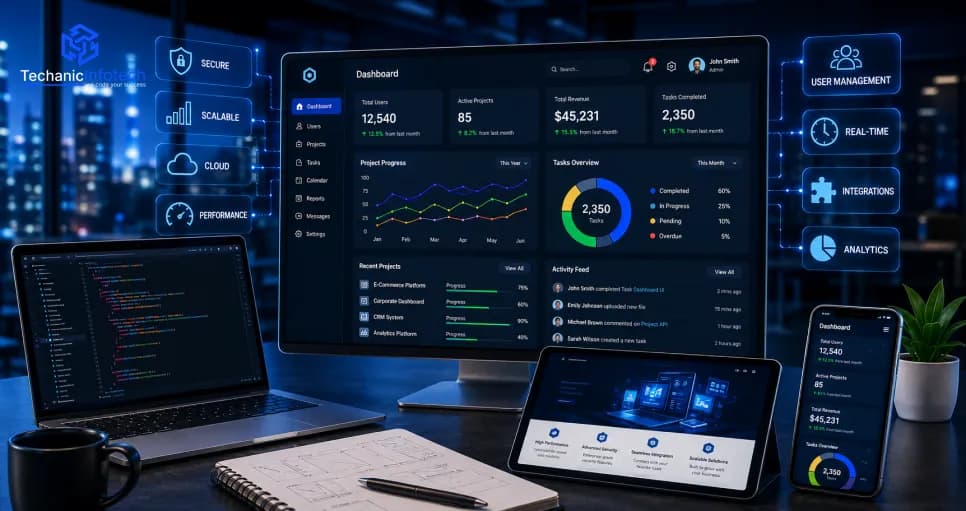
As businesses grow, managing operations through disconnected systems and manual processes becomes increasingly difficult. Enterprise web applications solve this challenge by centralising workflows, improving collaboration, automating business processes, and connecting multiple departments through a single digital platform.
Today, organisations across industries are investing in enterprise web application development to build scalable solutions that support thousands of users, integrate with existing business systems, and adapt to future growth. Whether you're modernising legacy software or building a new enterprise platform from scratch, the right architecture and development strategy can significantly impact both business performance and long-term costs.
This Enterprise Web Application Development Guide explains how enterprise applications are designed, the architecture behind them, the complete development journey, and the key factors that influence development costs, helping you make informed technology decisions before starting your project.
Businesses today operate in an environment where speed, automation, and data-driven decision-making determine long-term success. Relying on disconnected software, spreadsheets, or outdated legacy systems often leads to operational inefficiencies, communication gaps, and higher administrative costs.
Modern enterprise web app development enables organisations to centralise business operations, automate repetitive workflows, improve collaboration, and provide real-time visibility across departments. Whether managing employees, customers, inventory, finance, or operations, enterprise applications help organisations make faster and more informed decisions.
According to Grand View Research, the global enterprise software market continues to expand as organisations accelerate digital transformation and cloud adoption across business operations.
Gartner predicts that worldwide enterprise software spending will continue to grow as businesses prioritise automation, AI integration, cloud platforms, and digital workplace technologies.
Statista reports that enterprise software remains one of the fastest-growing segments of the global software industry, driven by increasing investments in cloud computing, business process automation, and enterprise resource planning.
Not every business web application qualifies as an enterprise application. While a standard business system may manage a single department or perform a limited set of tasks, enterprise web applications are designed to support complex business operations across multiple teams, departments, locations, and even countries. An enterprise application isn't defined by its size alone; it's defined by its ability to remain secure, scalable, reliable, and adaptable as an organisation grows.
Below are the characteristics that distinguish enterprise-grade software from traditional business applications.
Enterprise applications are built to accommodate increasing workloads without compromising performance. Whether a business grows from 100 employees to 10,000 users or expands into multiple locations, the platform should continue operating efficiently without requiring a complete rebuild.
Enterprise platforms process highly sensitive business information, including employee records, financial data, customer information, and operational workflows. Protecting this data requires multiple layers of security rather than relying solely on login authentication.
Enterprise-grade applications commonly implement:
Multi-factor authentication (MFA)
Role-based access control
End-to-end encryption
Secure API communication
Continuous security monitoring
Audit logs and activity tracking
Modern enterprises rarely rely on a single application. Instead, they operate multiple systems such as ERP, CRM, HRMS, accounting software, inventory platforms, and cloud services.
A well-designed enterprise web application should integrate seamlessly with these systems, enabling data to flow automatically across the organisation without duplicate manual work.
Many businesses also modernise older platforms through legacy system maintenance, allowing existing business applications to continue working while gradually introducing newer technologies.
One of the primary goals of enterprise software is to reduce manual effort. Automation improves productivity by eliminating repetitive administrative tasks and enabling employees to focus on higher-value work.
Typical automated workflows include:
Employee onboarding
Approval processes
Document management
Purchase requests
Task assignments
Performance reporting
Notification workflows
Organisations implementing operations management software development often prioritise workflow automation to improve operational efficiency while reducing administrative overhead.
Unlike consumer applications that may tolerate occasional downtime, enterprise software often supports mission-critical business operations. Even short periods of unavailability can affect productivity, customer service, and revenue.
Enterprise applications therefore rely on cloud infrastructure, backup systems, disaster recovery strategies, and continuous monitoring to ensure maximum uptime and business continuity.
Enterprise applications are strategic business assets rather than short-term software projects. They evolve continuously as organisations introduce new services, expand into new markets, or adopt emerging technologies.
Choosing experienced enterprise application development services providers and collaborating with the best full-stack development companies helps businesses build flexible platforms that remain scalable, maintainable, and future-ready for years to come.
The architecture of an enterprise web application determines how efficiently the system performs, scales, integrates with other business platforms, and handles increasing workloads. Unlike traditional web applications, enterprise solutions are built using multiple interconnected layers, each responsible for a specific business function.
A well-designed architecture enables organisations to support thousands of concurrent users, process large volumes of business data, maintain high security standards, and continuously introduce new features without disrupting existing operations.
The presentation layer is where employees, administrators, managers, and customers interact with the application. It is responsible for displaying dashboards, reports, forms, notifications, and business workflows while providing a consistent user experience across different devices.
This layer typically includes:
Employee Dashboard
Admin Dashboard
Customer Portal
Reporting Interface
Mobile-responsive web pages
Often referred to as the "brain" of the application, the business logic layer processes requests, applies business rules, validates data, and executes workflows.
Typical responsibilities include:
Employee approval workflows
Role-based permissions
Business rule validation
Notification management
Process automation
Report generation
Modern enterprises rely on multiple software platforms rather than a single system. The integration layer allows enterprise applications to communicate with third-party services and internal business systems through secure APIs.
Common integrations include:
ERP Systems
CRM Platforms
HR Management Software
Accounting Software
Payment Gateways
Email Services
Cloud Storage
Analytics Platforms
Following modern top DevOps principles also helps ensure these integrations remain reliable, secure, and continuously deployable as the application grows.
The database layer securely stores and manages business information while ensuring high availability and fast data retrieval.
Enterprise applications often manage:
Employee records
Customer information
Financial transactions
Operational reports
Inventory data
Audit logs
Workflow history
Cloud infrastructure provides the computing resources required to host enterprise applications reliably. Instead of depending on physical servers, businesses can dynamically scale resources based on application demand.
Cloud platforms typically provide:
Auto scaling
Load balancing
Backup services
Disaster recovery
Global availability
High-performance storage
Cloud-native architecture also simplifies maintenance while reducing infrastructure management overhead.
Security should never be treated as a separate feature; it must be integrated throughout the entire architecture.
Enterprise applications typically implement:
Identity & Access Management (IAM)
Multi-factor Authentication
API Security
Data Encryption
Continuous Monitoring
Threat Detection
Audit Logging
Developing an enterprise web application is far more complex than building a standard business website or customer-facing application. Enterprise platforms must support multiple departments. Integrate with existing business systems, handle large volumes of data, and remain scalable for future business growth.
A structured development process helps organisations reduce project risks, improve software quality, and ensure the final solution aligns with long-term business objectives.
Every successful enterprise project begins by understanding the organisation's business goals, operational challenges, existing workflows, and future expansion plans.
During this stage, development teams:
Meet the stakeholders.
Gather functional requirements
Identify business pain points
Define project scope
Prepare technical documentation
A well-defined discovery phase minimises misunderstandings and prevents costly changes during development.
Before development starts, software architects design the overall application structure. This includes defining the system architecture, database strategy, cloud infrastructure, security model, API communication, and scalability approach.
Proper architecture planning ensures the application remains flexible as business requirements evolve.
Enterprise applications are used daily by employees across different departments. Therefore, usability directly impacts productivity.
Designers create:
Wireframes
Interactive prototypes
User journeys
Dashboard layouts
Responsive interfaces
A well-designed interface reduces training time and improves employee adoption.
Once the design is finalised, developers begin building both the frontend and backend components of the application.
This phase includes:
Business workflows
Authentication systems
Database development
Dashboard implementation
API development
Business logic
This is usually the largest phase of the project and represents the highest portion of the overall development effort.
Enterprise applications rarely operate independently. They often integrate with ERP systems, CRM platforms, HR software, accounting tools, payment gateways, and cloud services.
Successful integration ensures seamless data exchange while eliminating duplicate manual work across departments.
Before deployment, the application undergoes extensive testing to ensure functionality, security, performance, and reliability.
Testing activities include:
Functional testing
Performance testing
Security testing
API testing
User acceptance testing (UAT)
Bug fixing
This stage ensures the application performs consistently under real business workloads.
After successful testing, the application is deployed to the production environment.
Deployment typically includes:
Cloud configuration
CI/CD pipeline setup
Server optimization
Backup configuration
Monitoring tools
Production deployment
Following modern DevOps principles helps organisations automate deployments, reduce downtime, and deliver updates more efficiently.
A technically successful application is only valuable if employees know how to use it effectively.
Organisations typically conduct the following:
User training sessions
Department-wise onboarding
Documentation sharing
Knowledge transfer
Administrator training
Proper rollout improves adoption and reduces resistance to organisational change.
Enterprise software continues evolving long after deployment. Regular updates ensure the platform remains secure, scalable, and aligned with changing business requirements.
Post-launch activities usually include:
Feature enhancements
Security updates
Performance optimization
Infrastructure monitoring
Technical support
System scaling
Many organisations also work with a trusted mobile app development service provider when developing companion mobile applications that extend enterprise functionality beyond the web platform.
Artificial intelligence is no longer an optional feature in enterprise software. Organisations are increasingly integrating AI into their web applications to automate routine tasks, improve decision-making, enhance customer experiences, and uncover valuable business insights from large volumes of data.
Instead of replacing employees, AI helps teams work faster, reduce manual effort, and focus on high-value business activities. As a result, AI-powered enterprise applications are becoming a key driver of digital transformation across industries.
One of the biggest advantages of AI is its ability to automate repetitive business processes. Instead of manually assigning tasks or approving requests, AI can analyse business rules and trigger workflows automatically.
Common use cases include:
Employee onboarding automation
Invoice approval workflows
Purchase request routing
Document processing
Task prioritization
Automated notifications
Businesses investing in AI integration in mobile apps often extend these automation capabilities across both web and mobile platforms to create a connected digital ecosystem.
Traditional reports explain what has already happened. AI-powered analytics go one step further by identifying trends and predicting future outcomes.
Enterprise applications can use predictive analytics to:
Forecast sales performance
Predict inventory requirements
Identify operational bottlenecks
Estimate customer demand
Improve financial planning
These insights help decision-makers respond proactively rather than reactively.
Modern enterprise platforms increasingly integrate AI-powered virtual assistants to improve customer service and reduce support workloads.
Typical capabilities include the following:
Instant responses to common questions
Ticket categorization
Automated issue routing
24/7 customer assistance
Personalized recommendations
This improves response times while allowing human support teams to focus on more complex customer requests.
Enterprise software generates vast amounts of operational data every day. AI can analyse this information much faster than traditional reporting tools, helping organisations identify hidden patterns and opportunities.
Examples include:
Employee productivity analysis
Financial trend detection
Customer behavior insights
Operational efficiency reports
Business performance forecasting
These insights support faster, more informed strategic decisions.
Enterprise applications must protect sensitive business data from evolving cyber threats. AI strengthens security by continuously monitoring user behaviour and identifying suspicious activities before they become serious risks.
AI can help with:
Fraud detection
Anomaly identification
Login behavior analysis
Threat monitoring
Automated security alerts
Integrating intelligent security capabilities helps organisations strengthen data protection while reducing the time required to respond to potential threats.
The cost of developing an enterprise web application varies significantly from one organisation to another. While a basic internal business platform may require a relatively modest investment, enterprise-grade solutions that support thousands of users, complex workflows, and multiple system integrations require substantially more planning, engineering, and infrastructure.
Understanding the major cost drivers helps businesses allocate budgets more effectively while avoiding unexpected expenses during development.
The overall complexity of the application is one of the biggest factors affecting development cost. A simple employee portal requires significantly less effort than a platform that integrates finance, HR, operations, inventory, customer management, and reporting into a single system.
As business requirements become more sophisticated, development time, testing, and infrastructure requirements also increase.
Enterprise applications often support multiple user groups, each requiring different permissions and workflows.
Typical enterprise roles include the following:
Employees
Department Managers
HR Teams
Finance Teams
Sales Teams
System Administrators
Executives
Designing secure role-based access control for each user group increases development complexity while improving overall system security.
Modern enterprises rely on multiple software platforms rather than operating in isolation. Integrating ERP systems, CRM platforms, HRMS software, accounting solutions, payment gateways, and cloud services requires additional API development, testing, and long-term maintenance.
The architecture chosen during the planning phase has a direct impact on both development effort and future scalability.
For example:
Monolithic architecture generally requires lower initial investment but offers limited flexibility as the business grows.
Microservices architecture demands more planning and engineering effort but provides greater scalability, easier maintenance, and improved long-term performance.
Organisations expecting rapid business growth often invest in scalable architecture early to reduce future redevelopment costs.
Enterprise applications frequently manage confidential employee records, customer information, financial transactions, and operational data. Implementing enterprise-grade security requires additional development effort.
Security-related investments typically include:
Multi-factor authentication
Data encryption
Role-based permissions
Audit logging
Secure API communication
Compliance implementation
Businesses operating in regulated industries usually allocate a larger portion of their development budget to security.
Cloud infrastructure enables enterprise applications to scale as the business grows while ensuring high availability and disaster recovery.
However, cloud architecture also introduces ongoing costs related to:
Computing resources
Storage
Backup services
Monitoring
Load balancing
Disaster recovery
These operational expenses should be considered alongside the initial development investment.
Artificial intelligence continues to increase enterprise software development costs because it introduces additional engineering, model integration, testing, and optimisation requirements.
Organisations implementing AI commonly invest in the following:
Intelligent workflow automation
Predictive analytics
AI-powered reporting
Business forecasting
Smart document processing
Virtual assistants
Although these capabilities increase the initial investment, they often deliver significant long-term operational savings by improving productivity and reducing manual work.
The experience of the development team also influences the overall project cost. Skilled engineers may require a higher initial investment, but they often deliver better software architecture, cleaner code, improved scalability, and lower maintenance costs over the product's lifecycle.
Businesses evaluating custom software development for SMBs should balance budget considerations with technical expertise, while organisations building enterprise-scale platforms often partner with experienced teams that provide comprehensive mobile app development service capabilities alongside web application development.
Enterprise software is developed in multiple phases, and each phase contributes differently to the overall project budget. While planning and UI/UX require strategic effort, backend development, integrations, and testing usually account for the largest share of the investment.
Understanding the cost distribution across the development lifecycle helps businesses estimate budgets more accurately and prioritise investments effectively.
|
Development Stage |
Estimated Cost |
|
Business Discovery & Requirement Analysis |
$1,000–$3,000 |
|
Solution Architecture & Technical Planning |
$2,000–$5,000 |
|
UI/UX Design & Prototyping |
$3,000–$7,000 |
|
Frontend Development |
$6,000–$12,000 |
|
Backend Development |
$8,000–$18,000 |
|
Third-Party API & System Integrations |
$3,000–$8,000 |
|
Quality Assurance & Security Testing |
$3,000–$7,000 |
|
Cloud Deployment & DevOps Setup |
$2,000–$6,000 |
|
Maintenance & Continuous Improvements (Annual) |
$2,000–$6,000 |
The overall enterprise web application development cost depends on the application's complexity, architecture, integrations, security requirements, and business objectives.
|
Enterprise Solution |
Estimated Cost |
Development Timeline |
|
Basic Internal Business Application |
$8,000–$20,000 |
2–3 Months |
|
Standard Enterprise Web Application |
$20,000–$40,000 |
3–5 Months |
|
Advanced Enterprise Management Platform |
$40,000–$60,000 |
5–7 Months |
|
Enterprise-Scale Business Ecosystem |
$60,000–$80,000+ |
7–10 Months |
The final investment varies based on factors such as system architecture, workflow complexity, cloud infrastructure, third-party integrations, AI implementation, security standards, and long-term scalability requirements. Businesses should also evaluate the overall software development cost before finalising project budgets, especially when planning enterprise platforms that integrate multiple business systems.
Enterprise web applications have become the foundation of modern digital businesses, enabling organisations to streamline operations, automate workflows, improve collaboration, and make data-driven decisions at scale. Unlike traditional business software, enterprise platforms are designed to support complex organisational structures, integrate multiple business systems, and adapt to evolving operational needs.
Successful enterprise web application development requires more than selecting the right technologies. Businesses must carefully plan their application architecture, development strategy, security framework, and scalability roadmap while understanding the factors that influence development costs throughout the project lifecycle.
Enterprise web application development is the process of designing and building secure, scalable web-based software that helps organisations manage business operations, automate workflows, integrate multiple systems, and improve collaboration across departments.
The enterprise web application development cost generally ranges from $8,000 to $80,000+, depending on the application's complexity, architecture, third-party integrations, security requirements, and customisation needs.
Enterprise applications are built to support large organisations by offering advanced security, scalability, workflow automation, multi-user access, system integrations, and high-performance architecture. Standard web applications usually focus on a limited set of business functions.
The development timeline typically ranges from 2 to 10 months, depending on the project scope, business requirements, integrations, and overall system complexity.
Popular technologies include React.js, Angular, Vue.js, Node.js, Java Spring Boot, Python, .NET, PostgreSQL, MongoDB, AWS, Microsoft Azure, and Google Cloud Platform.
Yes. AI can automate workflows, improve business intelligence, enhance customer support, strengthen security monitoring, and provide predictive analytics to help organisations make faster and more informed decisions.
A well-designed enterprise web application architecture improves scalability, security, system reliability, and integration capabilities. It also makes future upgrades and maintenance easier while ensuring the platform can support long-term business growth.
Yes. Modern enterprise applications can seamlessly integrate with ERP systems, CRM platforms, HR software, accounting solutions, payment gateways, cloud services, and other third-party business applications through secure APIs.


Abhishek Jangid is the CEO of Techanic Infotech, with extensive experience in mobile app and web development. He specializes in helping businesses turn innovative ideas into scalable digital solutions through strategic planning and modern technology.