AI Agent Development
AI HR Agent Development: Automating Recruitment, Employee Onboarding and HR Support
November 16, 2026
November 16, 2026
Your recruiter is reading resumes at 10 pm. Your HR team just answered the same leave question for the fifth time today. Sound familiar?
This work drains good people. Candidates wait too long. New hires feel lost. Small errors pile up.
AI HR agent development can fix much of this. A smart agent books interviews, chases documents, and answers policy questions. Humans still make the big calls.
This blog covers use cases, features, architecture, tech stack, cost, and risks.
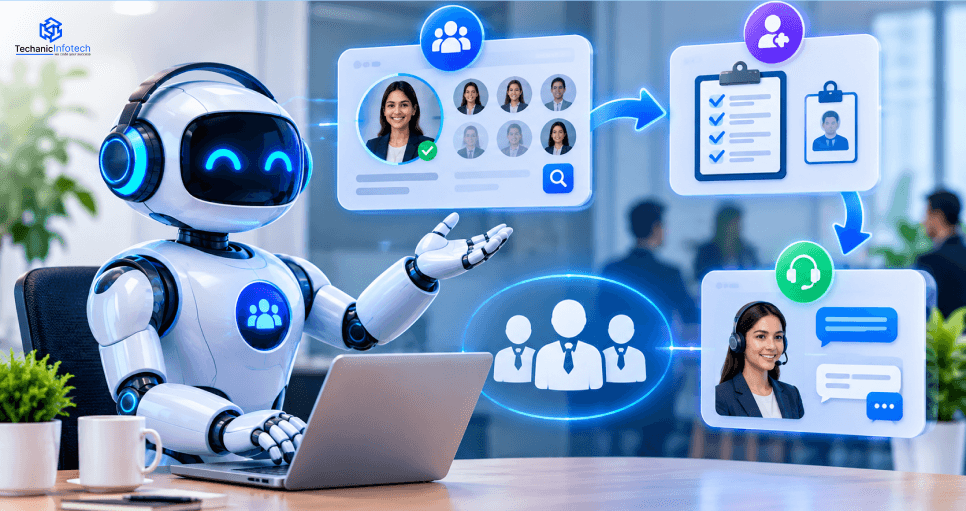
An AI HR agent is a smart system that understands a request. It finds approved HR information. It uses tools and HR software to finish tasks.
It works inside rules you set. Think of it as a helpful new teammate. It is fast, but it still needs a manager.
You may hear other names. Some call it an intelligent HR assistant. Others say agentic AI for human resources. The idea is the same.
The flow is simple. Here are the six steps.
An employee or recruiter sends a request.
The agent finds the intent and the needed context.
It pulls approved HR knowledge and data.
It prepares a reply or an allowed action.
A person approves any high-impact action.
The system checks the result and logs it.
Step 5 is where many teams get nervous. Good. Those nerves mean you are taking it seriously.
Explore AI HR agent market growth, key trends, and adoption across recruitment, onboarding, and employee support.
According to Grand View Research, the global human resources AI agents market was valued at $434.3 million in 2025 and is projected to reach $8,710.6 million by 2033, growing at a 46.1% CAGR.
According to Market.us, the global agentic AI in the HR and recruitment market is projected to grow from $842.3 million in 2024 to $23,172.8 million by 2034, at a 39.3% CAGR.
Is there a real business case? Yes, but it is not magic. Let me walk through the good parts and the weak spots.
Most HR inboxes are full of the same questions. An agent can take the first pass.
Candidate questions and interview setup
Onboarding reminders and document collection
Leave, benefits, and policy questions
Ticket creation and status updates
Employees get answers from approved sources. They can use guided self-service. This works even after normal HR hours if the system stays online.
A new hire who gets a quick reply on day one feels welcome. That feeling is hard to buy any other way.
When routine admin shrinks, HR people can focus on bigger things. Think talent strategy, employee relations, and workforce planning.
Here is the honest part. Agents can fail. I would rather tell you now than after you sign a contract.
Old policies lead to wrong answers.
Weak HRIS links can add manual work instead of removing it.
Low adoption sends people back to the HR desk.
Fully automating sensitive decisions is a risk you should not take.
For industry context, the SHRM State of AI in HR 2026 research surveyed 1,908 HR professionals. It is a good read on adoption and the role of human judgment.
This is the part most readers come for. Which exact workflows can you automate? Let's go through them one by one, with simple examples.
Recruiters lose hours on small tasks. An agent can take many of them.
Draft and refine job descriptions
Answer common candidate questions
Book interviews and sync calendars
Remind interviewers and collect feedback
Update the applicant tracking system (ATS)
Write a clear summary of each candidate
Here is a simple example. A candidate asks, "Can I move my interview to Friday?" The agent checks the interviewer's calendar. It offers two slots and updates the ATS.
Now the human part. The agent can summarize job-related facts. A recruiter should still review the evidence before any ranking or rejection.
Fairness checks matter here. Ask for a human review on every candidate decision. Let candidates correct wrong information too.
Onboarding is where agents shine. The steps repeat, and delays hurt the new hire.
Start the onboarding flow after offer acceptance
Track joining documents and missing details
Assign checklists based on the role
Work with IT, payroll, and learning systems
Answer first-day questions
Track training milestones and progress
Picture Maria, a new analyst. She signs her offer on Monday. The agent sends her a document list, asks IT for a laptop, and assigns her first training course.
On day one, she asks, "Where do I park?" The agent answers in seconds. Nobody had to stop their work.
Microsoft shares a real design for this. Its onboarding agent architecture covers candidate data, documents, new hire questions, learning plans, and progress checks.
Treat it as a helpful example. Do not treat it as proof of savings.
This is the classic HR helpdesk. The agent handles the first line of help.
Explain leave rules and benefits
Pull answers from the employee handbook
Create HR service requests
Start personal information update requests
Suggest training and internal job options
Send hard cases to an HR specialist
Try a test scenario. An employee asks about parental leave. The agent finds an old policy file and a new one.
The safe move is not to guess. It should use the updated source or send the question to HR. This one habit prevents many bad answers.
Behind the scenes, agents can also help HR run smoothly.
Route HR tickets to the right queue
Flag odd gaps in employee data
Find policy documents fast
Remind managers about approvals
Support routine HR analytics reports
Which features do you truly need? Many teams ask for everything. That is a quick way to blow the budget.
Each feature below solves one clear problem.
Natural language understanding lets people type like they talk.
Retrieval-augmented generation (RAG) keeps answers tied to real documents.
An approved HR knowledge base stops random answers.
Tool calling and workflow execution let the agent finish tasks.
HRIS, ATS, and LMS links connect it to your daily systems.
Login and role-based access keep private data private.
Conversation context helps the agent follow a chat.
Human escalation catches hard cases.
Audit logs and analytics show what happened.
Error handling and action checks catch failed steps.
Large firms may need more. Add these only when a real use case asks for them.
Several special agents run by one orchestrator
Multilingual employee support
Policy answers based on role and location
Proactive onboarding reminders
Personal learning plans
Alerts for odd workflow patterns
In my view, a first pilot needs only the left column. Keep the right column for later.
|
Must have for a production pilot |
Add when the use case needs it |
|
Secure login |
Several special agents |
|
Approved knowledge sources |
Long-term memory |
|
HR system links |
Proactive workflow triggers |
|
Audit trails and access controls |
Advanced analytics |
|
Human escalation |
Multilingual voice support |
|
Testing and monitoring |
Complex cross-system orchestration |
A chatbot diagram with a model and a database is not enough. A real HR agent needs layers for safety, access, and control. Let me break them down.
Think of these as nine building blocks.
User interface. A web portal, Teams, or an employee app.
Identity and access layer. Sign-in, roles, and permissions.
Orchestrator. It sorts requests and controls the flow.
LLM layer. It understands requests and picks tools.
Knowledge retrieval. HR policies, handbooks, and approved files.
Integration layer. APIs for HRIS, ATS, LMS, payroll, and ticketing.
Workflow and approval engine. Controlled actions and human checkpoints.
Memory and context. Short-term chat context and approved saved data.
Monitoring and evaluation. Logs, failures, quality checks, and business metrics.
A simple link shows how they fit. The HRIS holds employee records. RAG pulls approved policies. The workflow engine runs approved onboarding tasks.
Start with one agent for a pilot. It is cheaper and easier to test.
Later, recruitment, onboarding, and support may need different tools and permissions. Then separate agents make sense.
A good plan is to let one orchestrator route each request. If your team wants to learn how to build multi-agent systems, start by mapping which tasks need their own tools and rules.
Microsoft shows this pattern in its HR reference architecture. An orchestrator routes policy, personal data, leave, learning, and manager tasks to special agents.
My opinion is simple. Do not split into many agents until one agent clearly cannot cope.
Memory is where privacy problems hide. The agent should not remember everything forever.
A safe design splits memory into clear parts.
Session memory holds the current chat.
Persistent memory holds approved saved details.
Profile data and chat history stay separate.
Retention rules say how long data lives.
Deletion rules remove it on time.
Access rules limit who can see what.
A strong AI agent memory architecture should keep temporary chat context apart from approved employee records. It should also apply access, retention, and deletion rules.
A mistake to avoid is saving sensitive details just because it is easy. Save less. Your lawyers will thank you.
The agent does not replace your source of truth. Your HRIS, ATS, and payroll tools stay in charge.
The agent reads allowed data from them through APIs. It writes back only approved changes. Every write gets logged.
Use single sign on and OAuth so each user only sees their own data. Connect one system at a time.
Building an AI HR agent takes more than connecting a language model to your HR software. You need clear goals, reliable data, secure integrations, and proper testing before the system handles real employee requests.
Here’s how to move from an idea to a working AI HR agent, one step at a time.
Start with an HR task that takes time but follows a clear process. You don’t need to automate the entire department on day one.
Good starting points include:
Recruiting: Schedule interviews and send candidate updates.
Onboarding: Answer new-hire questions and track required documents.
Employee support: Find leave policies, explain benefits, and route HR requests.
Set measurable goals, such as reducing response times, cutting manual work, or resolving more employee questions without HR intervention.
Your AI agent needs reliable information to give useful answers. Review your HR data before choosing the technology.
Check these areas:
HRIS and HCM: Employee profiles, job roles, and organizational records.
ATS: Candidate details, job openings, and interview stages.
HR knowledge base: Employee handbooks, leave policies, and benefits documents.
Access permissions: Which employees, recruiters, and managers can view each record.
Clean outdated files, fix missing information, and remove duplicate records. Poor data can lead to incorrect answers, even when the AI model is powerful.
Decide what your AI HR agent can do on its own and when it needs human approval. This helps control errors and protect sensitive employee information.
For example, an agent may:
Answer questions using approved HR policies.
Draft candidate emails for recruiter review.
Create onboarding tasks and send reminders.
Route sensitive employee concerns to the right HR team.
Request approval before changing employee records or taking high-impact actions.
Keep hiring decisions, disciplinary matters, and other sensitive cases under appropriate human oversight.
Now plan how the system will work behind the scenes. The architecture should connect the AI model with trusted HR data, business tools, and secure workflows.
Key components include:
Large language model (LLM): Understands requests and generates responses.
Retrieval-augmented generation (RAG): Finds relevant information in approved HR documents.
APIs and tool calling: Connect the agent to HRIS, ATS, and onboarding platforms.
Orchestration: Controls task order, tool use, retries, and escalation.
Authentication and access control: Restricts access to authorized users and records.
Fallback workflows: Send failed or sensitive requests to a human.
A single agent may be enough for a basic HR help desk. Larger systems may need separate recruiting, onboarding, and employee-support agents coordinated through shared workflows.
Start small. Choose one workflow, build a working version, and test it with realistic HR questions before adding more features.
For example, an onboarding MVP could:
Answer questions about company policies.
Share a new hire’s onboarding checklist.
Send reminders about incomplete tasks.
Escalate questions it cannot answer confidently.
Test the agent against approved answers and real workflow rules. If it cannot find reliable information, it should say so instead of making up an answer.
Before launch, test how the agent behaves when things go wrong. A polished demo is not enough; the system must also handle unexpected requests and failed integrations.
Your test checklist should cover:
Answer accuracy: Does the agent follow current HR policies?
Data privacy: Can users access only the records they are allowed to see?
Prompt injection: Can malicious instructions hidden in messages or documents change the agent’s behavior?
Tool safety: Does the agent choose the correct tool and request approval for restricted actions?
Integration reliability: What happens when an API fails or returns incomplete data?
Hiring fairness: Could AI-assisted recruiting create unfair outcomes for certain candidates?
Human escalation: Does the agent pass complex or sensitive cases to the right person?
Use the OWASP Top 10 for Large Language Model Applications to review common AI security risks. The NIST AI Risk Management Framework can also guide risk assessment, testing, monitoring, and ongoing governance.
Roll out the agent to a small group before making it available across the company. A pilot helps you spot issues that controlled tests may miss.
Track metrics such as:
Employee response time and satisfaction.
HR tickets resolved without manual help.
Correct-answer and task-completion rates.
Escalation frequency and failed actions.
Unauthorized access attempts and security issues.
Use employee feedback to improve the knowledge base, prompts, workflows, and escalation rules. Expand to more HR tasks only after the agent meets your quality and safety targets.
Following a clear agentic development lifecycle helps teams manage this ongoing process, from planning and development to testing, deployment, and monitoring.
The main takeaway: Treat AI HR agent development as a continuous cycle, not a one-time launch. Plan carefully, test with real workflows, learn from the pilot, and improve before scaling.
The right tech stack helps an AI HR agent handle hiring, onboarding, and employee questions while keeping HR data secure.
|
Tech Stack Layer |
Recommended Technologies |
How It Helps an AI HR Agent |
|
AI Models and LLMs |
OpenAI, Anthropic Claude, Google Gemini |
Understands employee questions, drafts responses, and supports HR workflows. |
|
Backend Development |
Python, FastAPI, Node.js |
Connects the AI model with HR systems, databases, and business rules. |
|
AI Frameworks |
LangGraph, LlamaIndex, LangChain |
Manages agent workflows, tool use, and multi-step HR tasks. |
|
Knowledge Retrieval (RAG) |
LlamaIndex, LangChain, embedding models |
Finds relevant information in HR policies, handbooks, and benefits documents. |
|
Vector Database |
Pinecone, Weaviate, pgvector |
Stores and retrieves document embeddings for relevant HR answers. |
|
Traditional Database |
PostgreSQL, MySQL |
Stores structured information such as workflow records and agent task status. |
|
HR System Integration |
Workday, SAP SuccessFactors, BambooHR APIs |
Connects the agent to employee records, hiring workflows, and HR operations. |
|
Applicant Tracking System (ATS) |
Greenhouse, Lever, Workday Recruiting |
Supports candidate communication, interview scheduling, and recruiting workflows. |
|
Workflow Automation |
Temporal, Camunda, n8n |
Coordinates approvals, onboarding tasks, reminders, and exception handling. |
|
Authentication and Access |
OAuth 2.0, SSO, role-based access control (RBAC) |
Limits access to sensitive employee and candidate information. |
|
Cloud Infrastructure |
AWS, Microsoft Azure, Google Cloud |
Hosts the application, supports scaling, and provides infrastructure security tools. |
|
Monitoring and Evaluation |
LangSmith, OpenTelemetry, cloud monitoring tools |
Tracks errors, response quality, latency, and workflow performance. |
The final budget depends on what you want the agent to handle. A basic HR assistant costs less than a system that connects recruiting, onboarding, and employee support in one workflow.
For a broader estimate, explore this guide to AI agent app development cost.
|
AI HR Agent Type |
Estimated Cost (USD) |
Estimated Timeline |
|
Basic HR FAQ Agent |
$8,000–$15,000 |
3–5 weeks |
|
AI Recruiting Agent |
$15,000–$30,000 |
5–8 weeks |
|
Employee Onboarding Agent |
$18,000–$35,000 |
6–10 weeks |
|
Employee Support Agent |
$20,000–$40,000 |
6–10 weeks |
|
Multi-Workflow AI HR Agent |
$40,000–$65,000 |
10–14 weeks |
|
Enterprise AI HR Agent Platform |
$65,000–$90,000+ |
14–24+ weeks |
Will employee data stay safe? Could AI add bias to hiring? These are fair worries. Trust is the whole game in HR.
Give the least access needed
Use role-based permissions
Encrypt data and manage credentials safely
Set data retention and deletion rules
Keep audit trails
Review vendor data processing terms
Also practice data minimization. If the agent does not need a detail, do not give it that detail.
Bias can sneak in through data and rules. Test for it often.
Use job-related criteria
Test with varied candidate samples
Check for disparate impact
Plan for accessibility and accommodations
Let humans review and let candidates correct errors
An agent's advice and a final employment decision are two different things. Keep them apart.
Build clear escalation paths for sensitive cases. Name the accountable person.
Rules change by country, state, and use case. Check what applies to you with a qualified lawyer.
These sources are good starting points.
The NIST AI Risk Management Framework helps you govern, map, measure, and manage AI risk.
The EU AI Act covers employment-related AI and high-risk classes.
The U.S. EEOC explains employment discrimination law and hiring technology guidance.
Dates and rules can change. Verify them before you act. Naming a framework does not prove compliance.
|
Risk |
Practical safeguard |
|
Data leaks |
Least access, encryption, audit logs |
|
Wrong answers |
Approved sources and test sets |
|
Hiring bias |
Fairness tests and human review |
|
Prompt injection |
Input checks and limited tool rights |
|
Unclear accountability |
Named owners and escalation paths |
Should you use your current HR platform or build your own? Both can work. It depends on your needs.
|
Decision factor |
Existing platform or managed agent |
Custom AI HR agent |
|
Setup |
Depends on current features |
May need discovery and custom build |
|
Custom workflows |
Limited to supported features |
More design freedom |
|
Integrations |
Depends on available connectors |
Can build custom connectors |
|
Control |
Vendor features and roadmap |
More control over design |
|
Upkeep |
Vendor plus your settings |
Your team or a partner |
You have unusual HR workflows.
Your data sits in many separate systems.
You face strict governance rules.
Current tools leave gaps.
You want reusable automation for your own company.
If none of these fit, buying may be the smarter move. Custom is not best for everyone.
Use this checklist when you talk to vendors.
Understands HR work
Has real AI agent experience
Can connect to HRIS and ATS tools
Has clear security and privacy habits
Shows how it tests and evaluates
Gives open cost estimates
Offers support after launch
Designs clear human approval steps
An experienced AI development company can review your HR workflows, integration needs, and security limits before you commit to a custom build.
Ask for a small paid discovery phase first. It is a low-risk way to test the fit.
These are common implementation risks. They are not stories from one client. Learn from them for free.
The agent answers but cannot finish the task in the HR system. Staff still do the work by hand. Better approach. Add limited, approved actions and check the result end-to-end.
Scope, cost, and complexity balloon fast. The project slows down. Better approach. Start with one high-value workflow.
A simple question may expose private employee data. That is a serious risk. Better approach. Use least privilege, user-level access, and approvals for each action.
Wrong policy answers or weak candidate summaries slip through when no one checks. Better approach. Use approved sources, test sets, source grounding, and human review.
A system can work well in tests and still go unused. Employees go back to emailing HR. Better approach. Include HR staff and employees in the pilot. Ask for feedback. Offer clear ways to reach a person.
This section is short on purpose. Your main goal is a good build today.
Context may pass from recruiting to onboarding to support, as long as it stays inside approved systems.
Where the work is complex, dedicated agents with an orchestrator can make sense.
Judge agents on accuracy, fairness, task completion, and safety. Speed alone is not enough.
AI HR agent development can lift routine work off your team. It works best when you start small, keep humans in charge, and measure results.
Your next step is easy. Pick one high-volume, low-risk HR workflow. Then check cost, integrations, security, and success metrics.
Need a partner to scope it? Talk to our team. We will help you plan a safe pilot.
AI HR agent development involves building AI systems that handle HR tasks like interview scheduling, employee onboarding, and answering policy questions.
AI HR agent development may cost $8,000 to $90,000+, depending on features, integrations, security, and project complexity.
A basic AI HR agent may take 3–5 weeks. Complex systems with multiple workflows can take 14–24 weeks or longer.
AI HR agents support recruitment, interview scheduling, onboarding, employee questions, HR ticket management, and routine workforce administration
HR chatbots mainly answer questions. AI HR agents can also use connected tools to complete approved tasks and manage workflows.
Common technologies include LLMs, Python, LangGraph, RAG, vector databases, APIs, cloud platforms, and HR systems such as Workday.
They can be safer with role-based access, encryption, audit logs, data retention rules, and human oversight for sensitive tasks.
Buy if existing HR software meets your needs. Build a custom agent if you need specialized workflows, custom integrations, or greater control.

Bharat Sharma is the CTO of Techanic Infotech, bringing deep technical expertise in software architecture, mobile app development, and scalable system design. He leads the engineering team with a strong focus on innovation, performance, and security.