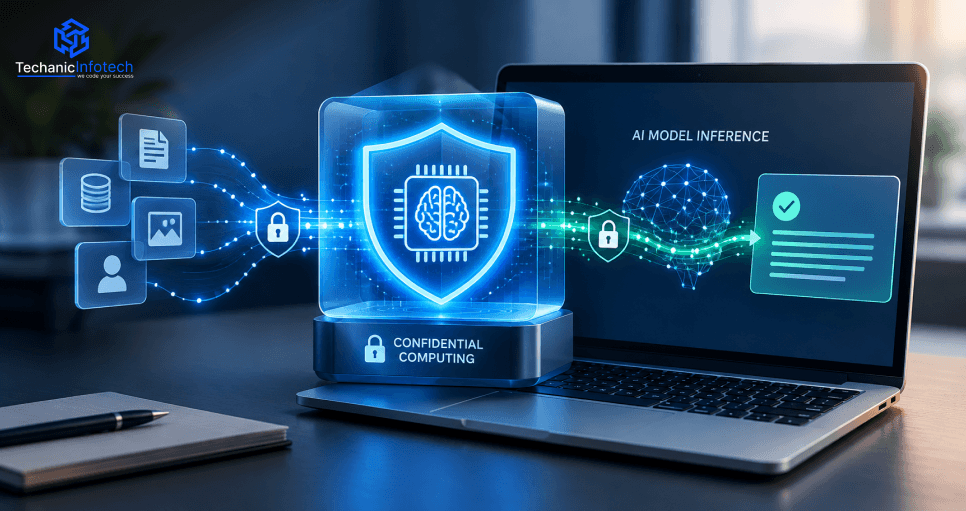
AI Development
Confidential Computing for AI Applications: Protecting Data During Model Inference
October 5, 2026
October 5, 2026
Key Takeaways:
Confidential computing protects sensitive AI data while models process prompts, documents, and customer information.
Trusted execution environments (TEEs) use hardware-based isolation and memory protection to help secure AI inference.
CPU-based TEEs don’t automatically protect GPU memory, KV caches, or CPU–GPU data transfers.
Remote attestation verifies the environment before approved workloads receive sensitive data or encryption keys.
Combine confidential computing with encryption, access controls, secure key management, and monitoring for broader AI security.
What happens to your private data when an AI model needs to read it to answer your question? Your prompts, customer details, and business files could be exposed while the model processes them.
Confidential computing for AI applications helps protect data during this stage, called data in use.
It uses a secure, hardware-based environment, known as a trusted execution environment (TEE), to protect data during processing.
This guide explains how confidential AI inference works, including GPU security, remote attestation, key benefits, and its limits.
Confidential computing for AI applications helps protect data and code while they are being processed. It uses a hardware-based Trusted Execution Environment (TEE), which acts like a locked room for sensitive work. Data stays protected in memory, even from certain infrastructure-level access.
Trusted Execution Environment (TEE): A secure area that isolates data and code during processing.
Hardware-based isolation: The processor helps separate protected workloads from other software.
Memory protection: Hardware-based encryption and access controls help keep data private while it is in use.
Confidential VM: Protects an entire virtual machine. Intel TDX is one example.
Application-level TEE: Protects a smaller part of an application, such as a secure enclave. Intel SGX is one example.
AI inference is the process of giving a trained model an input and getting an answer. That input might include customer details, uploaded files, private prompts, or information pulled from an internal database. The model may also use valuable assets, such as proprietary model weights and custom inference logic.
|
Data State |
What Happens? |
Typical Protection |
|
Data at rest |
Data sits in a database, file, or storage system. |
Encryption at rest |
|
Data in transit |
Data moves between your app, server, and AI model. |
TLS / transport encryption |
|
Data in use |
Data is being processed by the model or application. |
Confidential computing with a supported TEE |
For example, a healthcare chatbot might use TLS to send a patient's question to a server. Storage encryption can protect saved records. A supported confidential environment can help protect the question while the AI processes it.
Still, no single control covers every risk. Confidential computing does not automatically protect exposed application logs, weak access rules, unsafe outputs, or data sent to services outside the protected environment. The right safeguards depend on your data, threat model, and AI deployment.
Confidential computing helps by running AI inference inside a hardware-protected environment. It adds a layer of security while the model processes prompts, files, and other sensitive information. Here’s how it works, step by step.
It starts when someone enters a question, uploads a document, or shares information with an AI app. For example, an employee might ask an AI assistant to summarize a confidential business report.
TLS encryption helps protect this information as it travels from the user’s device to the server. But encryption in transit doesn’t protect data throughout processing. Once the request reaches the server, the system needs another way to protect it.
The application sends the request to an AI model running inside a supported confidential virtual machine (VM) or trusted execution environment (TEE).
Think of the TEE as a locked room inside the computer. Hardware-based isolation helps keep the workload separate from other software, including certain access by the host operating system or cloud administrator.
This matters when AI runs on shared infrastructure. Businesses using cloud computing for businesses can use confidential computing to add protection for sensitive workloads—but only when their chosen cloud platform and hardware support it.
Now the model can read the prompt, examine the file, and generate a response inside the protected environment. Depending on the setup, confidential computing can help protect several types of information:
User data: Prompts, uploaded files, and private information retrieved from databases.
Model assets: Proprietary model weights and inference code.
Runtime data: Intermediate values created as the model works.
For example, an AI assistant might search internal company documents before answering an employee’s question. The system needs to protect both the question and the relevant document content while the model processes them.
Before the AI workload receives sensitive data or encryption keys, the system may need to verify that it’s running in an approved environment. This is where remote attestation comes in.
The hardware provides evidence about the environment’s identity and security state. A verifier checks that evidence against the expected configuration and security policy.
If the checks pass, a key-management system may release the keys needed to access protected data or model files. If verification fails, the system can deny access.
The model sends its answer back to the application, which delivers it to the user. Security still matters after inference. Logs, caches, monitoring tools, and connected services may handle sensitive data, so they need their own access controls and safeguards.
An AI application may handle far more than a user's prompt. It could process private documents, customer records, secret keys, and valuable model files. Confidential computing can help protect these assets while they are being processed, but only within a supported and correctly configured trusted environment.
|
Asset |
Example |
Security consideration |
|
User prompts |
Customer questions, private instructions, personal details |
Protect prompt processing and limit exposure through application logs. |
|
Uploaded documents |
Contracts, business reports, medical records |
Protect document handling, text extraction, and retrieval within the trusted boundary. |
|
Model weights |
Proprietary model parameters and trained weights |
Control model loading and runtime access to help protect valuable AI assets. |
|
Inference context |
Private company data retrieved through RAG |
Protect retrieved content and apply access controls before adding it to the model's context. |
|
Runtime secrets |
API credentials, encryption keys, access tokens |
Use secure key provisioning, limited permissions, and proper secret rotation. |
|
AI-generated outputs |
Answers containing customer or business data |
Apply access controls, output filtering, and clear data-retention rules. |
|
GPU memory and KV cache |
Data used during GPU-based inference |
Check whether the chosen confidential GPU architecture protects these components and data transfers. |
Some AI workloads use a GPU to process prompts and generate responses. The GPU may handle model weights, intermediate data, and a KV cache, which stores information used during text generation.
These components need attention in a confidential AI setup. A CPU-based trusted execution environment does not automatically protect GPU memory, the KV cache, or data moving between the CPU and GPU. Protection depends on the hardware, software, and supported security features in the chosen architecture.
A confidential VM may protect your AI workload’s CPU memory, but that does not automatically protect everything happening on a GPU. For large language models, the key question is simple: where does your data go during inference, and which parts of that path are protected?
|
Aspect |
CPU-Based Confidential VM |
Confidential GPU Setup |
|
Main focus |
Protects supported VM memory and CPU state. |
Extends protection to supported GPU operations and device state. |
|
Typical role |
Isolates the AI workload from the host OS and hypervisor. |
Helps protect sensitive AI workloads running on compatible GPUs. |
|
GPU requirement |
A GPU can be attached, but its protection must be checked separately. |
Requires compatible confidential GPU hardware, drivers, and software. |
|
Verification |
Uses platform or VM remote attestation. |
May require GPU attestation, too. |
Remote attestation helps verify that an AI workload runs in an expected, trusted environment. It provides evidence that a security system can check before allowing access to sensitive data or encryption keys.
Launch: The confidential VM or GPU environment starts with a defined security setup.
Create evidence: Hardware produces attestation evidence about its state and measurements.
Verify: A verifier checks the evidence against trusted images, expected measurements, and security policy.
Release secrets: If checks pass, the system may release approved keys or other protected resources.
Handle failures: If verification fails, deny access to secrets and stop the sensitive workload.
Keep protecting: Attestation cannot catch every app bug, prompt injection, unsafe output, or data leak.
Confidential computing adds protection, but AI apps need more safeguards. During enterprise web application development, plan secure APIs, data protection, and user access controls.
Use TLS to encrypt data as it moves between users, your API, and the inference service. Add authentication to verify users and authorization to control what they can access.
An API gateway can help manage requests before they reach the model.
Require secure login and access tokens.
Apply rate limits to reduce abuse.
Check permissions before accepting sensitive requests.
Keep private prompts out of URLs and error messages.
AI applications may need API keys, database credentials, and decryption keys. Store these secrets in a trusted secret manager, not in source code or plain-text configuration files.
Use least-privilege access: each service should get only the permissions it needs. Where supported, use remote attestation and policy-based key release to provide secrets only to an approved workload.
Rotate keys and credentials on a set schedule.
Limit who and what can access each secret.
Remove unused credentials.
Never expose secrets in prompts, logs, or model outputs.
Logs help teams find errors, but they can also collect sensitive data. A trace that captures a full prompt or AI response may store customer information long after the request ends.
Log only what your team needs to monitor the service. Redact personal details, restrict access, and set clear retention and deletion rules.
A practical approach:
Avoid recording full prompts and outputs by default.
Mask sensitive fields before logging.
Limit access to logs and monitoring tools.
Set a retention period and delete data when it expires.
Many AI apps use retrieval-augmented generation (RAG) to fetch information from company files, vector databases, or other data sources. The model should only receive information the user is allowed to see.
Do not rely on the model to enforce access rules. Check permissions in the application before adding retrieved content to the prompt. Apply the same rule to connected tools, such as databases, calendars, and payment systems.
Enforce access controls before retrieving documents.
Keep database credentials separate from model prompts.
Give tools limited permissions.
Check every tool call before it runs.
A prompt injection attack can hide harmful instructions inside a user prompt or retrieved document. It may try to make the model reveal private data or misuse a connected tool.
Confidential computing helps protect the workload’s trusted environment. It does not decide which instructions the model should follow. Add application-level defenses, too.
Treat user input and retrieved content as untrusted.
Keep system instructions separate from user content.
Require permission checks for sensitive tool calls.
Validate model outputs before taking action.
Test for prompt injection and data leakage.
Confidential computing can help protect sensitive data while an AI model processes it. Here’s how it may fit into different industries.
|
Use case |
Sensitive information |
Why inference protection matters |
|
AI customer support |
Customer records, account details, support tickets, and private chat history |
Helps limit exposure of personal information while the AI uses customer context to answer questions. |
|
Healthcare AI assistant |
Patient records, clinical notes, medical histories, and test results |
Helps protect sensitive health information while the model summarizes records or supports clinical workflows. |
|
Financial AI assistant |
Transaction details, account activity, financial documents, and customer data |
Helps limit exposure of confidential financial information during tasks such as transaction queries and document analysis. |
|
Enterprise knowledge assistant |
Internal documents, company plans, employee records, and intellectual property |
Helps protect retrieved business information and proprietary model assets while the AI searches or summarizes internal content. |
|
AI-powered e-wallet support |
Transaction queries, account-related context, payment history, and customer details |
Helps keep sensitive information within approved access boundaries as the assistant handles account questions. |
|
Legal document assistant |
Contracts, case files, client records, and confidential legal correspondence |
Helps reduce exposure of private documents while the model reviews, summarizes, or searches legal information. |
Confidential AI inference offers strong data protection, but hardware limits, performance overhead, added costs, and security gaps require careful planning.
Hardware compatibility: Not every CPU, GPU, or TEE supports the same security features, so check hardware and driver requirements.
Performance overhead: Encryption, memory protection, and CPU–GPU data transfers may affect inference speed; benchmark your workload.
Attestation complexity: Remote attestation needs trusted measurements, clear security policies, and careful key-release configuration.
Application security: A TEE cannot fix software bugs, prompt injection, weak access controls, or insecure AI tools.
Data leakage: Outputs, logs, caches, and downstream APIs need separate safeguards to prevent sensitive data exposure.
Operational cost: Confidential hardware, security testing, and ongoing monitoring can affect the project budget. When estimating AI development cost, account for infrastructure, engineering, performance testing, and long-term security maintenance, not just model integration.
Compliance limits: Confidential computing supports data protection, but HIPAA, GDPR, and other compliance duties need broader controls.
Confidential computing for AI applications helps protect sensitive data while AI models process prompts, customer records, and private business files.
With trusted execution environments (TEEs), memory protection, and remote attestation, businesses can add another layer of security to AI inference. But it’s not a magic shield. CPU and GPU compatibility, performance overhead, application security, and data leakage still need attention.
Combine confidential computing with encryption, access controls, secure key management, and careful monitoring to build a safer AI inference pipeline.
It uses hardware-based security, such as a trusted execution environment (TEE), to help protect data and code while an AI model processes them.
It uses hardware-based isolation and memory protection to help keep prompts, model weights, and runtime data safe from certain unauthorized access.
A TEE is a protected area that isolates data and code during processing. It helps reduce access from other software, including parts of the host system.
Only with supported confidential GPU technology. A CPU-based TEE alone does not automatically protect GPU memory or data moving between the CPU and GPU.
Remote attestation provides evidence about a system’s hardware and software. A verifier checks it against a security policy before sensitive keys or data are released.
No. It protects data within a trusted environment, but it cannot stop prompt injection by itself. Use access controls, input checks, and tool-call safeguards.
No. It can support data protection, but compliance also depends on access controls, data handling, policies, legal duties, and other safeguards.
It can affect performance, depending on the hardware, workload, and setup. Benchmark your model against a suitable baseline before deployment.


Bharat Sharma is the CTO of Techanic Infotech, bringing deep technical expertise in software architecture, mobile app development, and scalable system design. He leads the engineering team with a strong focus on innovation, performance, and security.