Key Takeaways
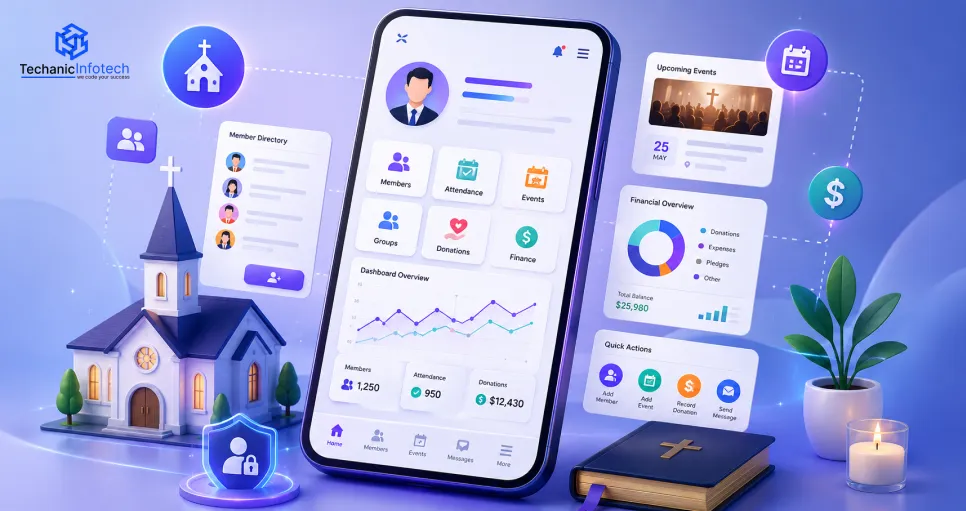
Church management software centralizes members, donations, events, communication, and reporting into one easy-to-manage platform.
Prioritize member management, online giving, attendance tracking, volunteer scheduling, and secure reporting when planning your software.
Start with an MVP to validate ideas, reduce development costs, and improve the platform using real user feedback.
Church management software development typically costs $8,000–$90,000+, depending on features, integrations, and scalability requirements.
Compare custom development and ready-made solutions based on your church's budget, growth plans, and long-term flexibility.
Choose a development partner with strong security, transparent pricing, reliable support, and experience building scalable church software.
Running a church today is not simple.
You are not just leading worship. You are managing people, money, events, and volunteers too.
Spreadsheets break. Sticky notes get lost. Emails pile up.
There has to be a better way to run your church office.
That better way is church management software development. It takes all your scattered church tasks and puts them in one place. Member records, donations, events, and communication all live in one simple system.
In this blog, we will cover what church management software is, its real benefits, must-have features, the development process, and cost. We will also share real examples of church management platforms used around the world, like Planning Center, Breeze ChMS, ChurchTrac, Rock RMS, and Tithe.ly.
By the end, you will know exactly what to build, what to look for, and what it will cost.
Church management software is a digital tool that helps churches manage members, donations, events, and communication in one place. It replaces paper files and messy spreadsheets with one organized system.
Church software development focuses on building this system around real church needs. Every church runs differently, so the software must fit the way your team already works. A good development partner starts by understanding your ministry before writing a single line of code.
Here is how it works, in four simple steps:
Data goes in: Staff or members add details like names, addresses, giving history, or event sign-ups.
The system organizes it: The software sorts this data into member profiles, giving records, and event lists.
Reports and alerts come out: Leaders see attendance trends, donation totals, and follow-up reminders on one dashboard.
Teams take action: Volunteers get scheduled, donors get thank-you emails, and pastors get notified about member needs.
This simple flow keeps every ministry running on real, up-to-date information instead of guesswork.
That growing demand is reflected in the market, too. According to Market Research Future, the global Church Management Software market is expected to grow from USD 17.26 billion in 2025 to USD 33.3 billion by 2035, at a 6.79% CAGR, as more churches invest in digital tools for member management, online giving, and church administration.
Behind the scenes, this system works like a church database and church information system combined. It stores every record safely and pulls it back up the moment someone needs it. Think of it as your church CRM, but built for ministry instead of sales.
Every church, big or small, needs a system to track people and money. Church administration software helps each type of church handle its own size and structure without extra stress.
Below are the church types that benefit most, along with what each one usually needs.
|
Church Type |
Why They Need It |
|
Small churches |
Need simple member tracking and giving tools without a big budget. |
|
Medium churches |
Need event management and volunteer scheduling as attendance grows. |
|
Mega churches |
Need advanced reporting, multiple staff logins, and strong security. |
|
Multi-campus churches |
Need one system that connects every campus and shares member data. |
|
Ministries |
Need tools to track outreach programs, volunteers, and donors. |
|
Religious nonprofits |
Need fund accounting and donor management for grant reporting. |
|
Catholic dioceses |
Need parish-level records connected under one central diocese system. |
Whether it is a small fellowship or a large archdiocese, the right platform scales with your congregation. Even a single chapel or a growing campus ministry can use the same core tools, just at a smaller size. This is why congregation management software is built to flex, not to force every church into one fixed mold.
Church management system development gives churches real, measurable results. It saves staff time, reduces errors, and helps leaders make better decisions with real data.
Here are the biggest benefits your church will feel right away.
Every member's name, family, and contact details stay in one safe place. This is similar to how custom software development for SMBs helps small businesses keep customer data organized and easy to find.
Members can give from their phone in seconds. Recurring gifts, one-time tithes, and special offerings all get tracked automatically without manual entry.
From Sunday service to a youth retreat, every event gets a sign-up page. Leaders see who is coming before the day even arrives.
No more chasing people by phone. Volunteers pick their own shifts and get reminders, so ministry teams show up ready and on time.
Staff can log who came to service, small groups, or Bible study. This data helps spot who might need a follow-up call.
Treasurers see real-time totals for tithes, offerings, and expenses. This kind of clear reporting often needs help from one of the best full stack development companies to build correctly and securely.
Announcements, reminders, and prayer requests reach members instantly, on the channel they actually check.
Pastors can track who needs a visit, a call, or a prayer, so no one falls through the cracks during a busy season.
Together, these benefits turn your church operations into one smooth, connected system instead of ten different tools fighting each other.
Not every church management software platform is built the same way. Some tools only handle giving. Others only handle events. The best systems bring every ministry need into one dashboard, often powered by smart features like ai integration in mobile apps for real-time alerts.
Below are the features that actually matter.
This feature keeps every member profile and household record in one place.
It stores contact information, membership history, and family links, so staff always know who belongs to which family and how long they have been part of the church.
A trusted church app development company usually builds this as the core module first. This foundation subsequently facilitates the development of all other features of the worship management software.
This tracks who shows up to worship attendance, small groups, and Bible studies. It also logs volunteer attendance, so leaders know who is showing up consistently and who might need a gentle check-in call from staff.
This handles online giving, tithes, and offerings in one secure flow.
It supports recurring donations, so members never miss a gift, and it auto-generates donation receipts for tax season without any manual paperwork.
This covers event creation, registration, and volunteer scheduling in one screen. Staff can assign tasks to specific volunteers and track who confirmed, so nothing gets forgotten before the big day arrives.
This feature sends email, SMS, and push notifications to your whole congregation or just one small group. It also manages prayer requests and announcements, keeping every member in the loop without flooding their inbox.
This helps staff plan services, build worship schedules, and store a sermon library in one place.
A well-planned worship management software development process keeps media files, slides, and sermon notes organized, so the whole team stays on the same page every week.
This gives parents peace of mind with secure child check-in, instant parent notifications, and pickup authorization codes.
Every check-in creates a safety record, so staff always know exactly who picked up which child.
This pulls attendance reports, donation reports, and financial insights into one custom dashboard.
Leaders can watch member growth analytics over time instead of digging through old spreadsheets every month.
This is where modern platforms pull ahead. An AI chatbot can answer simple member questions any time of day.
Predictive attendance forecasting and donation trend analysis help leaders plan ahead instead of reacting late.
AI-generated emails and messages save staff hours, while personalized member engagement and AI-powered reporting turn raw data into clear next steps.
These features work together like a true ministry management solution, connecting every ministry team under one member engagement platform instead of ten disconnected apps.
Building strong church membership management software takes a clear, step-by-step process. Skipping steps leads to bugs, missed features, and wasted budget.
Here is the full process, broken into nine steps.
The team learns about your church size, ministries, and daily workflows. This step also uncovers pain points, like manual spreadsheets or missed follow-ups, before any design work begins.
Every feature request gets written down and prioritized. This includes:
Must-have features for launch
Nice-to-have features for later
Integrations with tools you already use
Designers build wireframes and screens that are easy for staff and volunteers to use, even if they are not tech-savvy. A mobile app development company usually leads this stage closely with your team.
The development team starts by creating a minimal viable product (MVP) with only the essential features, such as member management, donations, and event scheduling.
This approach helps churches validate the platform, gather user feedback, and make improvements before investing in a full-scale solution.
Developers build the database, security rules, and server logic that power everything behind the scenes. This is where church database structure and data safety get locked in.
|
Component |
Recommended Technologies |
|
Frontend |
React.js, Next.js |
|
Mobile App |
Flutter, React Native |
|
Backend |
Node.js (NestJS), ASP.NET Core |
|
Database |
PostgreSQL, MySQL, MongoDB |
|
Cloud Hosting |
AWS, Microsoft Azure, Google Cloud Platform |
|
Authentication |
OAuth 2.0, JWT, Multi-Factor Authentication (MFA) |
|
Payment Integration |
Stripe, PayPal |
|
Notifications |
Firebase Cloud Messaging (FCM), Twilio, SendGrid |
|
Storage |
Amazon S3, Google Cloud Storage |
|
Analytics |
Google Analytics, Mixpanel |
|
AI Services |
OpenAI API, Google Gemini API |
|
Security |
SSL/TLS, AES-256 Encryption, Role-Based Access Control (RBAC), PCI DSS Compliance |
The software connects to payment gateways for giving, email and SMS tools for communication, and sometimes ai integration in mobile applications for smart alerts and reminders.
Quality assurance teams check every feature for bugs. This includes:
Payment and donation flow testing
Security and login testing
Mobile and desktop testing across devices
The finished software goes live for your church staff and members to start using in real services and events.
Ongoing updates, bug fixes, and new features keep the system running smoothly for years, not just for the launch week.
Software development cost for a church platform depends on features, team size, and timeline. A simple system costs far less than a full custom platform with AI features.
Below is a realistic cost and timeline breakdown.
|
Development Type |
Cost Range |
Estimated Timeline |
|
Basic MVP (member database, events, basic giving) |
$8,000 – $15,000 |
6 – 10 weeks |
|
Standard platform (attendance, communication, reporting) |
$15,000 – $35,000 |
3 – 5 months |
|
Advanced platform (child check-in, multi-campus support) |
$35,000 – $60,000 |
5 – 8 months |
|
Enterprise-grade platform (AI features, diocese-level scale) |
$60,000 – $90,000+ |
8 – 12 months |
Costs shift based on your app's design complexity, the number of integrations, and how much custom reporting your team needs. Ongoing maintenance usually adds another 15-20% of the build cost each year, covering updates, security patches, and server hosting.
Choosing the right religious organization management software is not just about price. It is about picking a system your whole team will actually use every week.
Here are five things to check before you decide.
If staff and volunteers cannot figure it out in a day, they will stop using it. Look for a clean, simple design that does not need constant training.
Ask for a mobile app development cost estimate , not just the base price. Some platforms hide extra fees for storage, support, or added users later on.
A solid mobile app tech stack guide helps you understand what powers the platform. Ask if it is built to scale as your congregation grows over the next few years.
Your church holds sensitive members and gives data. Make sure the platform uses encryption, secure logins, and regular backups.
Ask how fast they respond to issues. A platform with slow support can leave your team stuck during a busy Sunday morning.
Deciding between custom church mobile app development and an off-the-shelf tool depends on your budget, timeline, and how unique your church's needs really are.
Here is a side-by-side look at both options.
|
Factor |
Custom Software |
Off-the-Shelf Software |
|
Cost |
Higher upfront, but built for your exact needs |
Lower upfront, but limited flexibility |
|
Setup Time |
Longer, since it is built from scratch |
Faster, ready to use right away |
|
Flexibility |
Fully customizable features and design |
Fixed features set by the provider |
|
Ownership |
You own the full platform and its data |
You depend on the provider's rules |
|
Scalability |
Built to grow with your church's future plans |
May hit limits as your church expands |
|
Pros |
full control, exact features, no unnecessary extras. |
quick setup, lower starting cost. |
|
Cons |
higher cost, longer build time. |
limited customization, ongoing subscription fees. |
For a small church on a tight budget, buying often makes sense. For a fast-growing multi-campus church, building custom usually pays off long term.
Church CRM software development keeps evolving as churches expect more from their tools. Here is where the industry is headed next.
AI Smart assistants will handle routine questions, freeing up staff time for real ministry work.
Cloud-native platforms: More churches are moving away from local servers toward secure, always-on cloud systems.
Mobile-first churches: Members expect to give, register, and check announcements from their phone, not a desktop.
Digital giving: Contactless and recurring giving options will keep replacing cash and paper checks.
Predictive analytics: Software will start predicting attendance dips or giving drops before they even happen.
IoT: Connected devices, like smart check-in kiosks, will speed up child safety and building security.
Voice assistants: Members may soon ask a voice assistant for service times or event details directly.
Hybrid worship: Livestream and in-person tools will blend further, serving both online and physical congregations equally.
Automation: Routine tasks, like sending reminders or receipts, will run fully on autopilot.
These trends point toward one thing: a smarter, more connected cloud-based church software experience for every ministry, big or small.
Many churches rush this decision and regret it later. Here are frequent mistakes to avoid.
Choosing the cheapest option without checking long-term support costs
Skipping staff input, then facing pushback after launch
Ignoring data migration from old spreadsheets or paper files
Not asking about security certifications before signing a contract
Underestimating training time needed for volunteers
Moving from spreadsheets to real church member database software is a common challenge. Old data is often messy, duplicated, or missing fields.
A good development partner audits your existing data first, cleans it up, then maps it into the new system carefully.
This step alone can take one to three weeks, depending on how many years of records your church has kept.
A multi-campus church management setup needs shared member records across every location.
Leaders should confirm the platform supports centralized reporting, campus-level permissions, and combined financial dashboards.
Without this, each campus ends up working in its own data silo, defeating the whole purpose of one connected system.
Before going live, confirm your platform includes:
Data encryption for stored and transmitted information
Multi-factor authentication for staff logins
Regular automated backups and disaster recovery plans
PCI DSS compliance for secure online donation processing
Clear audit logs showing who accessed what data
Before signing a contract, ask your development partner:
What is the full church management app development cost breakdown, including maintenance?
How do you handle data migration from our old system?
What security certifications do you follow?
Can the platform scale if we add campuses later?
What is the average response time for support tickets?
These questions protect your church from surprise costs and weak support down the road.
Running a church without the right tools costs you time, money, and peace of mind.
Church management software development brings your member records, giving, events, and communication into one simple, secure system.
From small chapels to large dioceses, the right platform grows with your ministry. Whether you build custom or buy off-the-shelf, the goal stays the same: less admin work, more time for real pastoral care and community outreach.
Costs typically range from $8,000 for a basic MVP to $90,000 or more for an enterprise-grade platform with AI features.
Timelines range from 6 weeks for a basic MVP to 12 months for a full enterprise platform.
Yes, most platforms use encrypted payment gateways to support secure donation processing and recurring giving.
It depends on your budget and needs. Custom software offers full control, while off-the-shelf tools launch faster and cost less upfront.
Yes, platforms built for multi-campus church management sync member records and reports across every location in real time.
Small churches should start with member database management, basic online giving, and simple event registration before adding advanced features.


Abhishek Jangid is the CEO of Techanic Infotech, with extensive experience in mobile app and web development. He specializes in helping businesses turn innovative ideas into scalable digital solutions through strategic planning and modern technology.