Software Development
How to Implement Facility Management Software: Process, Benefits & Best Practices?
September 17, 2026
September 17, 2026
Key Takeaways:
Facility management software centralizes fragmented processes: replacing spreadsheets and email chains with one unified system for maintenance and asset tracking.
The market is growing rapidly: driven by IoT integration, predictive maintenance, and businesses seeking measurable efficiency gains.
Implementation requires more than software selection: data migration, staff training, and change management all directly affect success.
Common challenges are preventable: staff resistance, poor data quality, and unclear ownership all have practical, proven solutions.
Partner selection significantly affects outcomes: experienced, transparent partners reduce implementation risk and improve long-term adoption.
Managing a facility, tracking maintenance requests, scheduling repairs, monitoring asset conditions still happens through spreadsheets, email chains, and sticky notes at a surprising number of organizations.
That patchwork approach works fine until it doesn't, usually right when a critical piece of equipment fails and nobody can find the maintenance history or figure out who's responsible for fixing it.
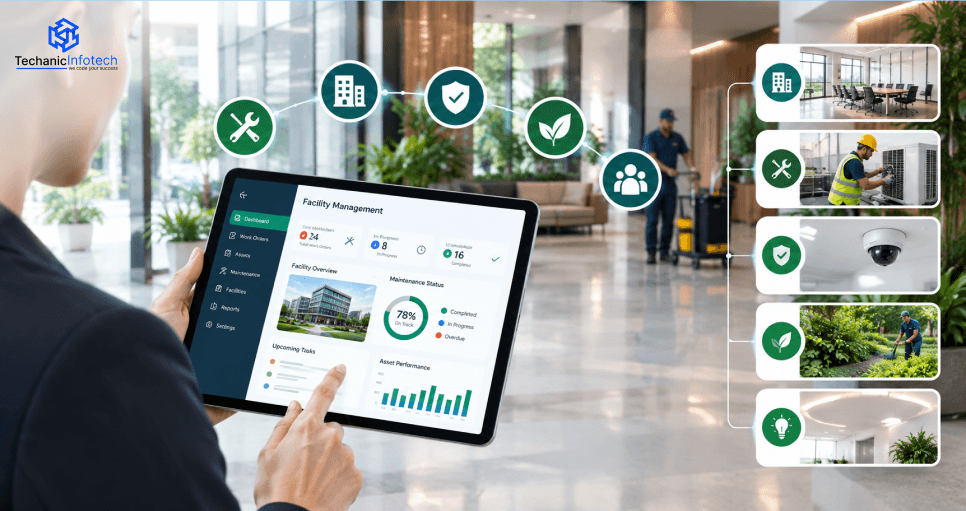
Facility management software solves this by centralizing everything into one system, work orders, asset tracking, preventive maintenance schedules, and reporting, all in one place.
But implementing it successfully takes more than just buying a license and hoping teams adapt.
This guide walks through what facility management software actually does, why it matters for businesses of any size, and exactly how to implement it without disrupting daily operations.
Facility management software is a digital facility management system that centralizes maintenance scheduling, asset tracking, work orders, and reporting into one platform, replacing scattered spreadsheets and email chains.
Understanding both what it does and why adoption keeps accelerating matters before any implementation decision.
Rather than tracking equipment history, repair records, and maintenance schedules across disconnected tools, facility management software brings everything into one searchable system.
CMMS software specifically handles this centralization for maintenance operations, automating preventive schedules and delivering real-time alerts through unified dashboards accessible to every relevant team member.
This isn't a niche upgrade anymore. The global facility management market is projected to expand from $69.38 billion in 2026 to $205.36 billion by 2032, at a CAGR of 19.8%, with CMMS platforms specifically representing the largest and fastest-growing segment within that broader market.
Modern facility management increasingly relies on IoT app development to connect sensors and devices directly into maintenance workflows, enabling predictive maintenance rather than reactive repairs.
Smart building integration grew by 46%, while AI-driven predictive maintenance adoption rose by 52% across large enterprises globally in recent years.
Despite growing adoption, roughly 47% of small and medium-sized enterprises still rely on manual maintenance processes, leaving real efficiency gains on the table.
This gap represents a genuine opportunity for businesses willing to modernize before equipment downtime, already consuming 20-25% of operational costs in manufacturing, gets worse.
Beyond simply organizing maintenance records, facility management software benefits touch nearly every part of how a business operates its physical spaces.
These six advantages explain why adoption keeps climbing across industries of every size.
Unplanned equipment failures disrupt operations and drive up repair costs significantly.
Facility management software enables preventive maintenance scheduling based on actual usage and condition data, catching issues before they cause costly, disruptive breakdowns that halt daily business operations entirely.
Reactive repairs cost significantly more than planned, preventive maintenance.
By scheduling upkeep proactively rather than responding to emergencies, businesses reduce both repair expenses and the operational disruption that comes with unexpected equipment failures across their facilities and physical assets.
Facility management automation replaces manual, paper-based work order tracking with digital systems that assign, track, and close requests efficiently.
This automation eliminates lost paperwork and miscommunication, ensuring maintenance requests actually get addressed rather than falling through administrative cracks.
Modern platforms integrate with smart building management software to monitor energy usage patterns, identifying waste and optimizing systems like HVAC and lighting automatically.
This visibility helps businesses reduce utility costs while supporting broader sustainability goals across their facilities.
Centralized reporting gives facility managers clear visibility into maintenance trends, asset performance, and spending patterns.
This data replaces guesswork with evidence, helping teams make smarter decisions about equipment replacement, budget allocation, and long-term facility investment planning.
Businesses expanding to multiple locations or larger footprints need systems that scale without requiring a complete rebuild.
Partnering with experienced software development services ensures the platform grows alongside the organization, supporting additional buildings, assets, and users smoothly over time.
Not every platform offers the same depth of functionality. Understanding these core facility management software features helps you evaluate options accurately before committing to a specific vendor or custom-built solution.
This is the foundation of any serious platform.
Preventive maintenance software automatically schedules inspections and upkeep based on usage patterns, time intervals, or manufacturer recommendations, catching potential issues before they escalate into costly, disruptive equipment failures that halt operations entirely.
A strong system lets teams create, assign, track, and close work orders digitally, eliminating lost paperwork and miscommunication.
This feature ensures every maintenance request has clear ownership and a visible status, reducing the back-and-forth that plagues manual, email-based request tracking.
Tracking equipment history, warranty details, and depreciation over time helps facility management software for enterprises make smarter decisions about repair versus replacement.
This visibility prevents businesses from over-investing in aging equipment that would be more cost-effective to replace entirely.
For organizations managing office layouts or multi-tenant buildings, facility management software with space planning tools helps optimize room utilization, desk assignments, and occupancy tracking.
This feature matters increasingly as hybrid work models make space planning more dynamic and complex.
Maintenance staff working across large facilities need mobile access to view work orders, update statuses, and log completed tasks directly from their phones or tablets, rather than returning to a desktop computer between every single task throughout their shift.
Advanced platforms, often built with support from an AI development company, use historical maintenance data to predict equipment failures before they happen.
This predictive capability shifts facility management from reactive firefighting toward genuinely proactive, data-driven planning and budgeting.
Rolling out new software across an organization takes more than installing a tool and hoping teams adapt.
Whether you're evaluating off-the-shelf platforms or custom software development, following a structured process reduces disruption and improves long-term adoption.
Before choosing any platform, teams need to understand how to implement facility management software effectively by first documenting existing workflows, common bottlenecks, and specific pain points.
This groundwork clarifies exactly what problems the new system needs to solve before evaluating vendors or features.
Facility management software implementation works best when teams define what success actually looks like upfront: reduced downtime, faster work order resolution, lower maintenance costs.
These measurable goals guide both platform selection and how you'll evaluate the rollout's effectiveness afterward.
Businesses decide whether an existing facility management system meets their needs or whether unique workflows require custom development.
Off-the-shelf platforms launch faster and cost less upfront, while custom builds offer more control over specific features and integrations tailored to unique operational requirements.
Moving existing maintenance records, asset data, and vendor information into the new platform requires careful planning.
Enterprise software development teams typically handle this migration in phases, verifying data accuracy at each stage before fully retiring legacy spreadsheets or older systems.
Rather than forcing teams to adapt entirely to generic default settings, facility management software for enterprises should be configured around actual approval chains, maintenance categories, and reporting structures specific to the organization's existing operational structure and reporting needs.
This stage builds out the automated scheduling that powers facility management automation, based on equipment usage, manufacturer recommendations, and historical maintenance patterns.
Getting these schedules right early prevents both over-maintenance and the missed inspections that lead to costly failures later.
For organizations pursuing predictive maintenance, this stage connects IoT sensors and smart building management software to the platform, enabling real-time monitoring of equipment condition rather than relying solely on scheduled, calendar-based inspections that may miss emerging issues.
Even the best preventive maintenance software fails if teams don't understand how to use it.
This stage covers hands-on training for both facility staff submitting requests and maintenance teams managing work orders, ensuring genuine adoption rather than quiet, gradual abandonment.
Many facilities rely on external contractors for specialized repairs, and this stage integrates vendor management software development to streamline how work gets assigned, tracked, and invoiced across both internal teams and outside service providers within the same system.
Once live, teams track adoption rates, work order completion times, and user feedback closely during the first few weeks.
Ongoing adjustments based on real usage patterns keep the system aligned with how staff actually work, rather than how it was originally planned on paper.
Even well-planned rollouts hit predictable roadblocks. Much like workforce management software development, facility management implementations touch daily operations directly, which creates unique challenges most standard software projects never face. Here are eight common obstacles and practical ways to solve them.
Employees comfortable with familiar, if inefficient, manual processes often resist adopting new software, especially maintenance staff used to paper-based work orders. This resistance slows adoption significantly and can undermine the entire implementation if left unaddressed early in the rollout process.
Solution: Involve staff early in the selection process, communicate clearly how the new system benefits their daily work, and provide hands-on training before and after launch.
Legacy spreadsheets and paper records often contain incomplete, outdated, or inconsistent asset and maintenance data, creating problems when migrated into a new system that expects clean, structured information from the start.
Solution: Audit and clean existing data before migration begins, prioritizing accuracy over speed, and accept that some historical gaps may need manual reconstruction.
Businesses often expect facility management software to go live faster than realistic, underestimating the time needed for configuration, data migration, integration, and staff training across multiple departments and facility locations.
Solution: Build realistic timelines with buffer time for unexpected delays, and communicate phased rollout expectations clearly to stakeholders from the very beginning.
Connecting new facility management software to existing accounting, HR, or building automation systems often reveals compatibility issues that weren't obvious during initial planning, causing delays and requiring additional custom development work.
Solution: Conduct a technical audit of existing systems early, identifying integration requirements and compatibility gaps before committing to a specific platform or timeline.
Organizations sometimes underestimate total costs, focusing only on software licensing while overlooking data migration, custom integrations, hardware for IoT sensors, and ongoing training expenses that add up significantly beyond the initial quote.
Solution: Build a comprehensive budget upfront that accounts for implementation, integration, training, and ongoing maintenance costs, not just the software subscription itself.
Without a designated project owner overseeing the rollout, implementation decisions can stall, and accountability for staff adoption becomes unclear, leading to inconsistent usage across different teams and facility locations.
Solution: Assign a dedicated project lead responsible for implementation decisions, staff training coordination, and ongoing system oversight after the initial launch period ends.
Trying to implement every available feature simultaneously overwhelms staff and increases the risk of a chaotic, confusing launch that damages confidence in the new system before it's even had a chance to prove its value.
Solution: Launch with core features first, work orders and preventive maintenance, then gradually introduce advanced functionality like analytics once teams are comfortable with the basics.
Once the system goes live, questions and issues inevitably arise, and without accessible support, staff frustration builds quickly, sometimes leading teams to quietly revert to old, familiar manual processes instead.
Solution: Establish clear support channels and response expectations before launch, and schedule regular check-ins during the first few months to address emerging issues proactively.
The partner you choose shapes whether your implementation goes smoothly or turns into a costly, drawn-out headache.
Whether you're evaluating an established vendor or a custom software development company, here's what to weigh before signing a contract.
Not every vendor understands the specific demands of your industry, whether that's healthcare compliance, manufacturing equipment complexity, or multi-tenant commercial buildings.
Look for a partner with case studies showing implementations similar to your facility type, since generic experience doesn't always translate directly.
Confirm the partner can configure the platform around your actual workflows rather than forcing you into rigid, generic defaults.
Ask specifically about integration capabilities with your existing accounting, HR, or building automation systems before committing to a particular solution.
Your facility needs today may look different in three years. Choose a partner offering a platform that scales smoothly as you add locations, assets, or users, rather than one requiring a costly, disruptive migration once you outgrow the initial setup.
Vague quotes lead to budget surprises later. A trustworthy partner breaks down costs clearly by implementation stage, licensing, data migration, integration, and training, so you know exactly what you're paying for before committing to the full project scope.
Even the best software fails without proper staff training. Ask what onboarding looks like, including whether training happens in person or remotely, and how the partner supports the inevitable questions that arise during the first few weeks of real usage.
If predictive maintenance and sensor integration matter to your facility strategy, confirm the partner has genuine experience connecting IoT devices to their platform, since this specialized capability significantly enhances long-term value beyond basic maintenance scheduling.
Launch isn't the finish line. Ask about response times for technical issues, how updates get rolled out, and whether ongoing support is included or billed separately, since inconsistent support often causes teams to quietly abandon otherwise solid systems.
Speaking directly with past clients reveals more than any sales pitch. Ask specifically about implementation timelines, how the partner handled unexpected challenges, and whether the platform actually delivered the promised efficiency gains once fully rolled out.
Facility management software has moved from a nice-to-have to a genuine operational necessity, replacing scattered spreadsheets and manual tracking with centralized systems that reduce downtime, cut maintenance costs, and give facility managers real visibility into how their buildings and equipment actually perform.
The market's rapid growth reflects just how much value businesses are finding once they make the switch.
Success, though, depends on more than picking the right platform. It requires understanding your actual workflows, planning a realistic implementation timeline, training staff properly, and choosing a partner who understands your specific facility needs.
Whether you're managing a single building or a multi-location enterprise, the roadmap covered here gives you a practical, honest foundation for implementing facility management software that teams actually adopt and use.
It centralizes maintenance scheduling, work orders, asset tracking, and reporting into one system, replacing manual spreadsheets and disconnected communication across facility teams.
Most implementations take four to twelve weeks, depending on facility size, data migration complexity, and how many integrations with existing systems are required.
Off-the-shelf platforms launch faster and cost less upfront. Custom builds cost more but offer greater control over unique workflows and specific integration requirements.
Staff resistance to change and insufficient training are the most common reasons systems fail to gain real adoption, even when the technology itself works well.
No. Core features like work orders and preventive maintenance scheduling work without IoT sensors, though sensors enable more advanced predictive maintenance capabilities.
Costs vary widely based on facility size and features, but total implementation, including migration and training, often ranges from a few thousand to over $100,000 for larger facilities.
Yes, most modern platforms support integrations with common business systems, though the complexity depends on your existing software and how customized the connection needs to be.
Involve staff early in the selection process, provide hands-on training, and clearly communicate how the software makes their daily work easier, not just management's reporting.
CMMS focuses specifically on maintenance management, while broader facility management software often includes space planning, energy management, and vendor coordination alongside maintenance features.
Track metrics like reduced equipment downtime, faster work order resolution times, lower maintenance costs, and staff adoption rates compared to your pre-implementation baseline.


Abhishek Jangid is the CEO of Techanic Infotech, with extensive experience in mobile app and web development. He specializes in helping businesses turn innovative ideas into scalable digital solutions through strategic planning and modern technology.