
As businesses grow, data grows even faster. Customer details, sales records, support tickets, marketing interactions, everything lives in different tools and systems. Over time, this scattered data creates confusion, slows teams down, and leads to poor decision-making. Sales works with one set of data, marketing with another, and operations spend hours fixing mismatches manually.
This is exactly the problem Operations Hub is designed to solve. Built to bring structure, accuracy, and automation to business data, HubSpot’s Operations Hub helps teams clean, sync, and automate data across the entire CRM ecosystem.
In this blog, we’ll break down what Operations Hub is, how it works, and how it helps businesses automate data operations in a practical, easy-to-understand way, without the technical overwhelm.
HubSpot Operations Hub is designed to handle one of the most overlooked but critical parts of business growth, data operations.
While other HubSpot hubs focus on customer-facing activities like marketing, sales, and support, Operations Hub works quietly in the background to keep everything connected, accurate, and automated.
In simple terms, Operations Hub ensures that the data flowing through your CRM is clean, consistent, and reliable. It removes the manual effort involved in fixing records, syncing tools, and maintaining data quality, allowing teams to focus on execution rather than cleanup.
Growing businesses that are dealing with messy CRM data, duplicates, or inconsistent records as their teams and tools expand.
Operations and RevOps teams are responsible for managing data quality, integrations, and internal processes across sales, marketing, and support.
CRM admins and system owners who need better control over data structure, automation, and ongoing CRM health without constant manual fixes.
Companies using multiple tools with HubSpot and struggling to keep data in sync across platforms like sales, billing, support, and marketing software.
Scaling teams that want to reduce manual work, automate internal operations, and ensure everyone works with accurate, reliable business data.
Organizations focused on data-driven decisions that need clean, connected, and trustworthy CRM data to power reporting and forecasting.

As businesses grow, data complexity increases faster than teams expect. New tools, more users, and manual processes slowly weaken data quality.
What starts as small inconsistencies turns into a system-wide problem if not handled early.
Growing companies typically face these data issues:
Too many tools, no central control
Sales, marketing, support, and finance often use different systems. Without strong integration, data becomes scattered and inconsistent across platforms.
Manual data entry by multiple teams: When different teams enter or update data manually, errors, missing fields, and formatting issues become common.
Broken or delayed integrations: Sync issues between tools lead to outdated information in one system while another shows recent updates.
Duplicate records: Multiple entries for the same contact or company inflate databases and confuse reporting.
Inconsistent data standards: Different naming conventions and field usage reduce data reliability and trust.
Messy CRM data doesn’t just affect systems; it impacts the entire business:
Sales teams lose time chasing incorrect or duplicate leads
Marketing campaigns underperform due to poor segmentation
Support teams lack full customer context, hurting experience
Leadership decisions rely on inaccurate reports
Operations teams waste hours fixing data manually
As companies scale, these costs grow rapidly. Without automation and structure, data becomes a blocker instead of a growth driver.
At its core, HubSpot Operations Hub is built to solve one problem that quietly hurts growing businesses, unreliable, disconnected, and manual data operations.
It focuses on three fundamental areas that directly impact how efficiently teams work and how confidently leaders make decisions.
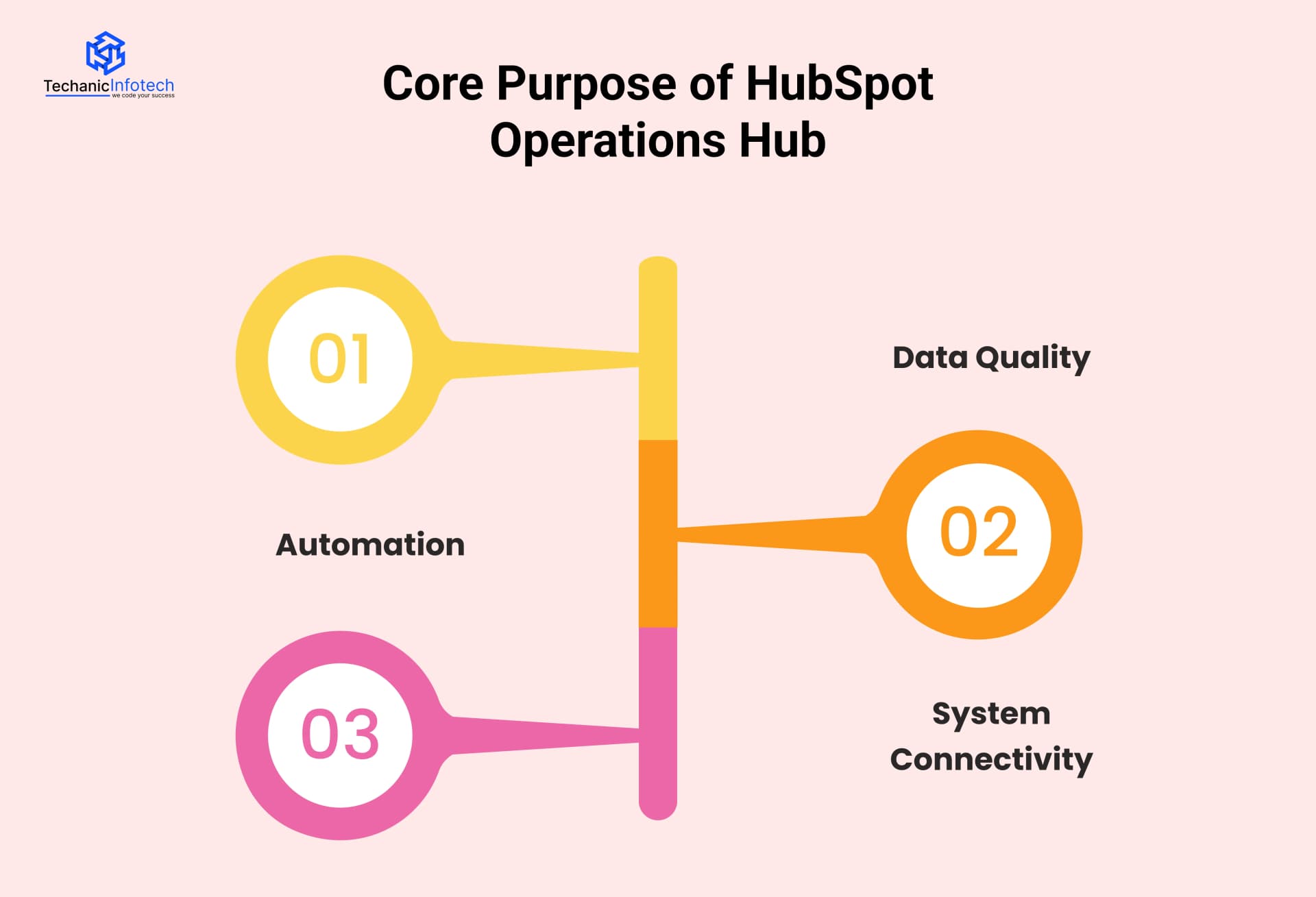
Clean data is the foundation of every successful CRM. Operations Hub helps businesses maintain accurate, consistent, and reliable data across all records.
Prevents duplicate contacts and companies from cluttering the CRM
Automatically formats and standardizes data fields
Fills missing information using predefined rules
Keeps records updated as data changes across systems
Instead of reacting to data issues after they appear, Operations Hub allows teams to enforce data quality proactively. This means sales, marketing, and support teams can trust the CRM without constantly double-checking information.
Manual data work is one of the biggest productivity drains in growing organizations. Operations Hub removes this burden through automation that runs quietly in the background.
Automates repetitive internal tasks like record updates and assignments
Triggers actions based on lifecycle stages, deal movement, or data changes
Reduces human error caused by manual updates
Saves hours of operational effort every week
By automating internal processes, teams can focus on strategy and execution instead of maintenance. Automation also ensures processes stay consistent, even as teams and data volume grow.
Most businesses use multiple tools alongside their CRM. Operations Hub ensures all these systems stay connected and aligned.
Syncs data between HubSpot and external tools
Maintains consistency across sales, marketing, support, and finance platforms
Eliminates data silos between teams
Ensures real-time updates across connected systems
With strong system connectivity, Operations Hub creates a single source of truth. Everyone, from frontline teams to leadership, works with the same accurate data, reducing confusion and improving collaboration.
At a practical level, HubSpot Operations Hub automates business data by connecting systems, cleaning records, and running internal processes without constant manual effort.
Instead of teams fixing data after problems appear, automation works continuously in the background to keep everything accurate and aligned.
Below are the key capabilities that make this possible.
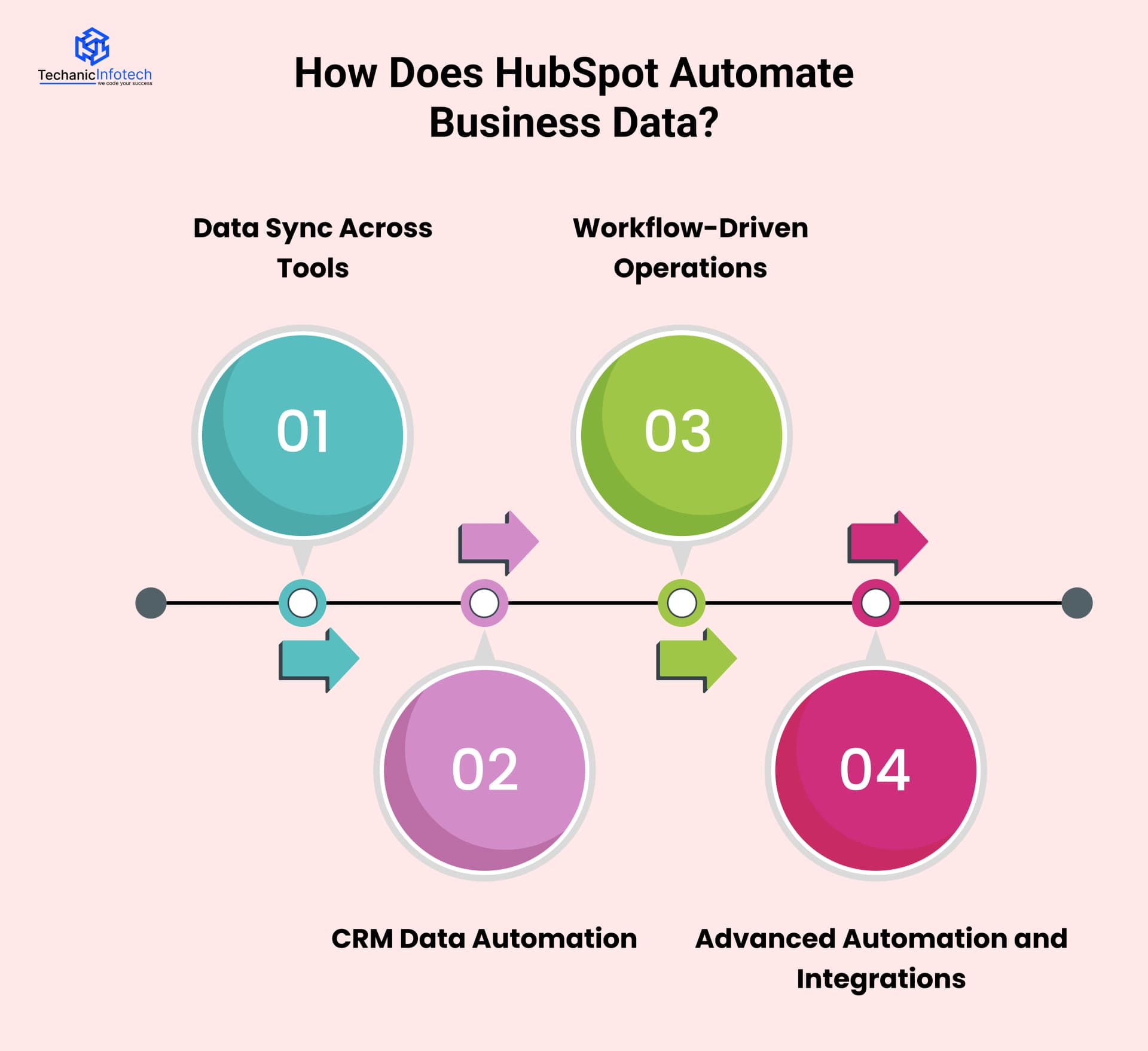
Modern businesses rely on multiple platforms for sales, marketing, finance, and support. Operations Hub keeps these systems connected by syncing data automatically. When information changes in one tool, it updates across all connected systems, ensuring consistency everywhere.
Benefits:
Keeps customer data consistent across all tools
Eliminates manual imports and exports
Reduces sync errors and data mismatches
CRM data automation focuses on maintaining clean and usable records without human intervention.
Operations Hub applies rules to format fields, update properties, and maintain data standards automatically as records change.
Benefits:
Prevents duplicates and incomplete records
Maintains accurate and standardized data
Improves trust in CRM reports and dashboards
With HubSpot implementation, operations teams can automate internal processes that usually require manual effort. These workflows trigger actions based on data changes, lifecycle stages, or deal movements, keeping processes consistent and predictable.
Benefits:
Automates repetitive internal tasks
Reduces human error in data updates
Keeps processes consistent across teams
For complex business needs, Operations Hub supports advanced automation using custom logic, APIs, and integrations. This allows businesses to connect HubSpot with internal systems or custom platforms and automate processes beyond basic rules.
Benefits:
Handles complex and custom automation needs
Connects HubSpot with external or internal systems
Supports scalable and flexible operations
Together, these capabilities turn HubSpot into more than a CRM, it becomes an automated data engine that supports growth, accuracy, and operational efficiency across the entire organization.
As businesses grow, data lives in more places than just the CRM. Sales tools, marketing platforms, support systems, accounting software, and internal databases all store pieces of customer information. HubSpot data sync is designed to solve this exact problem by keeping information consistent across tools without manual work.
Instead of teams updating the same data in multiple systems, data sync ensures everything stays aligned automatically.
Not all data syncing works the same way. HubSpot consulting allows businesses to choose between one-way and two-way sync based on how data should flow.
|
Sync Type |
How It Works |
Best Used When |
|
One-Way Sync |
Data flows from one system to another only |
One tool is the main source of truth |
|
Two-Way Sync |
Data updates in both systems automatically |
Both tools need to stay fully aligned |
One-way sync is useful when HubSpot should only receive or send data without being overwritten. For example, syncing invoices from accounting software into HubSpot for visibility only.
Two-way sync works best when both systems actively update records, such as syncing contacts between HubSpot and a sales platform where both teams make changes.
Choosing the right sync direction prevents data conflicts and keeps systems reliable.
HubSpot data sync supports integrations with many widely used business tools. These integrations help teams keep customer data consistent, reduce manual work, and improve cross-department alignment.
Salesforce: Often synced with HubSpot to keep leads, contacts, and deal stages aligned between sales teams using different CRMs.
Pipedrive: Connected to ensure pipeline updates, deal progress, and contact information stay consistent across platforms.
Google Ads: Synced to track ad performance and connect campaign data with leads and conversions inside HubSpot.
Facebook Ads: Helps marketing teams link ad engagement and lead data directly to CRM records for better targeting.
Mailchimp: Used to sync contact lists, campaign activity, and engagement data between email marketing and CRM.
Zendesk: Synced to give sales and support teams full visibility into customer tickets, issues, and history.
Freshdesk: Keeps support interactions aligned with CRM records for better customer context.
QuickBooks: Connected to sync invoices, payment status, and customer financial data with HubSpot.
Stripe: Used to update payment events, subscriptions, and customer lifecycle stages automatically.
Internal tools and databases (via APIs): Custom platforms can be connected using APIs to sync proprietary data, internal metrics, or operational systems.
When businesses grow without a structured data automation system, small issues slowly turn into costly operational problems.
Without Operations Hub, teams often rely on manual work and disconnected tools, which affects productivity, reporting, and decision-making.
Below are common mistakes businesses make and how they can fix them.
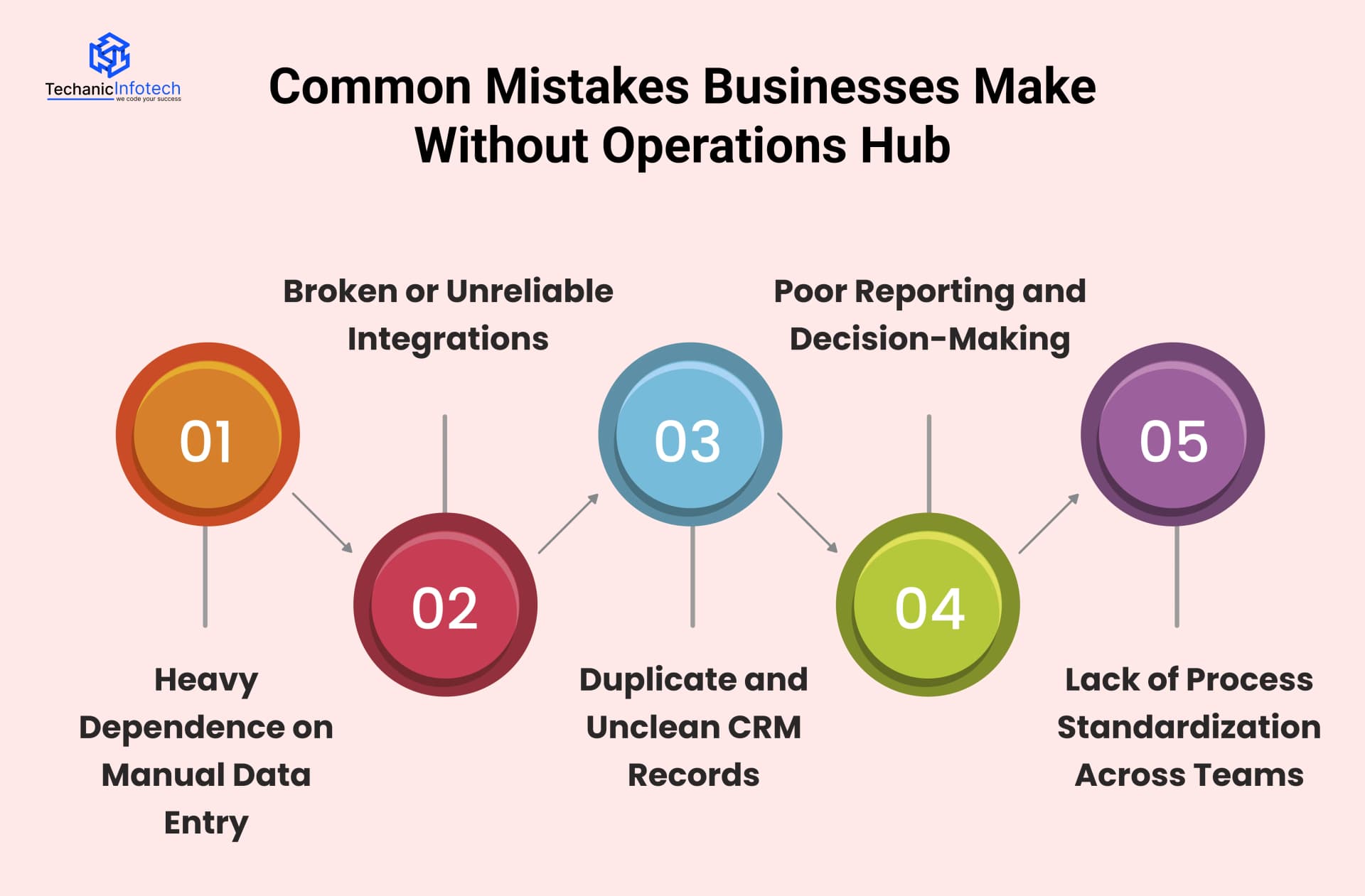
Teams manually update contact details, deal stages, and internal fields across multiple tools. This leads to errors, missing information, and inconsistent data formats.
How to improve: Automate routine updates and field management. Use workflows to standardize data entry and reduce human intervention, allowing teams to focus on meaningful work instead of maintenance.
Businesses rely on integrations that partially work or frequently break. Data syncs inconsistently, leading to outdated or conflicting records across systems.
How to improve: Use a centralized data sync system that monitors and maintains integrations. Clear sync rules help ensure updates flow correctly and systems stay aligned.
Duplicate contacts and companies clutter the CRM, inflating database size and confusing teams. Reporting becomes unreliable due to repeated or incorrect records.
How to improve: Implement automated duplicate management and data quality rules. Regular cleanup workflows help maintain a clean and trusted CRM.
Leadership relies on reports built on inaccurate or incomplete data. Forecasts don’t match reality, leading to poor strategic decisions.
How to improve: Focus on data accuracy before reporting. Automated data updates and validation ensure dashboards reflect real-time, reliable insights.
Each team follows its own processes and data standards. Sales, marketing, and support work with different definitions and workflows, creating confusion.
How to improve: Use automation to enforce consistent processes across teams. Standardized workflows and data rules create alignment and reduce operational friction.
Implementing Operations Hub is not just about turning features on, it’s about aligning automation with real business processes.
At Techanic Infotech, we help businesses set up Operations Hub in a way that actually improves data quality and operational efficiency. From CRM structuring and data sync configuration to workflow automation and reporting setup, we focus on practical use cases, not unnecessary complexity.
Our HubSpot consulting services ensure your systems stay connected, your data remains clean, and automation supports growth, so your CRM works as a reliable foundation for smarter business decisions.

Start with data cleanup before automation: Fix duplicates, missing fields, and inconsistent records first. Automation works best when it’s built on clean data, not messy foundations.
Automate simple processes first: Begin with basic workflows like field updates, record assignments, and notifications. Once these are stable, move on to more advanced automation.
Define clear data ownership: Assign responsibility for CRM structure, workflows, and integrations. Clear ownership prevents accidental changes and keeps automation reliable.
Use data sync strategically: Decide which system is the source of truth before syncing tools. This avoids overwriting correct data and prevents sync conflicts.
Test workflows before scaling: Always test automation in controlled scenarios. This helps catch errors early and ensures workflows behave as expected.
Monitor automation regularly: Review workflows and sync logs to ensure everything runs smoothly. Regular checks prevent small issues from turning into major problems.
Keep processes documented: Document workflows, sync rules, and automation logic. This helps teams understand how systems work and ensures continuity as teams grow or change.
As businesses grow, managing data manually becomes unsustainable. Disconnected tools, duplicate records, and unreliable reporting slow teams down and create confusion.
Operations Hub solves these challenges by bringing structure, automation, and consistency to business data. By automating data sync, workflows, and internal processes, it helps teams focus on growth instead of maintenance.
Clean, connected data leads to better collaboration, smarter decisions, and scalable operations. When implemented correctly, Operations Hub turns your CRM into a reliable operating system rather than just a database. For businesses aiming to scale efficiently and confidently, investing in data automation is no longer optional, it’s a strategic necessity.
HubSpot Operations Hub is used to automate, clean, and sync business data across tools. It helps businesses maintain accurate CRM records, reduce manual data work, and keep systems connected as they scale.
Operations Hub improves data quality by automating field updates, preventing duplicates, enforcing data standards, and keeping records consistent across connected tools. This ensures teams can trust the data they work with every day.
No, Operations Hub is useful for both growing businesses and large organizations. Any company struggling with messy CRM data, broken integrations, or manual processes can benefit from its automation and data management capabilities.
No, Operations Hub is useful for both growing businesses and large organizations. Any company struggling with messy CRM data, broken integrations, or manual processes can benefit from its automation and data management capabilities.
HubSpot data sync supports connections with popular tools like Salesforce, Google Ads, Facebook Ads, Zendesk, Stripe, QuickBooks, and custom internal systems through APIs. This keeps data aligned across departments.
HubSpot data sync supports connections with popular tools like Salesforce, Google Ads, Facebook Ads, Zendesk, Stripe, QuickBooks, and custom internal systems through APIs. This keeps data aligned across departments.
Operational workflows focus on internal processes such as data updates, record assignments, system syncs, and process automation. Unlike marketing workflows, they are designed to keep data accurate and operations efficient.
Operational workflows focus on internal processes such as data updates, record assignments, system syncs, and process automation. Unlike marketing workflows, they are designed to keep data accurate and operations efficient.
Basic features like data sync and standard workflows can be used without deep technical knowledge. However, advanced automation and custom integrations may require expert setup to ensure everything works correctly.
Basic features like data sync and standard workflows can be used without deep technical knowledge. However, advanced automation and custom integrations may require expert setup to ensure everything works correctly.


Abhishek Jangid is the CEO of Techanic Infotech, with extensive experience in mobile app and web development. He specializes in helping businesses turn innovative ideas into scalable digital solutions through strategic planning and modern technology.