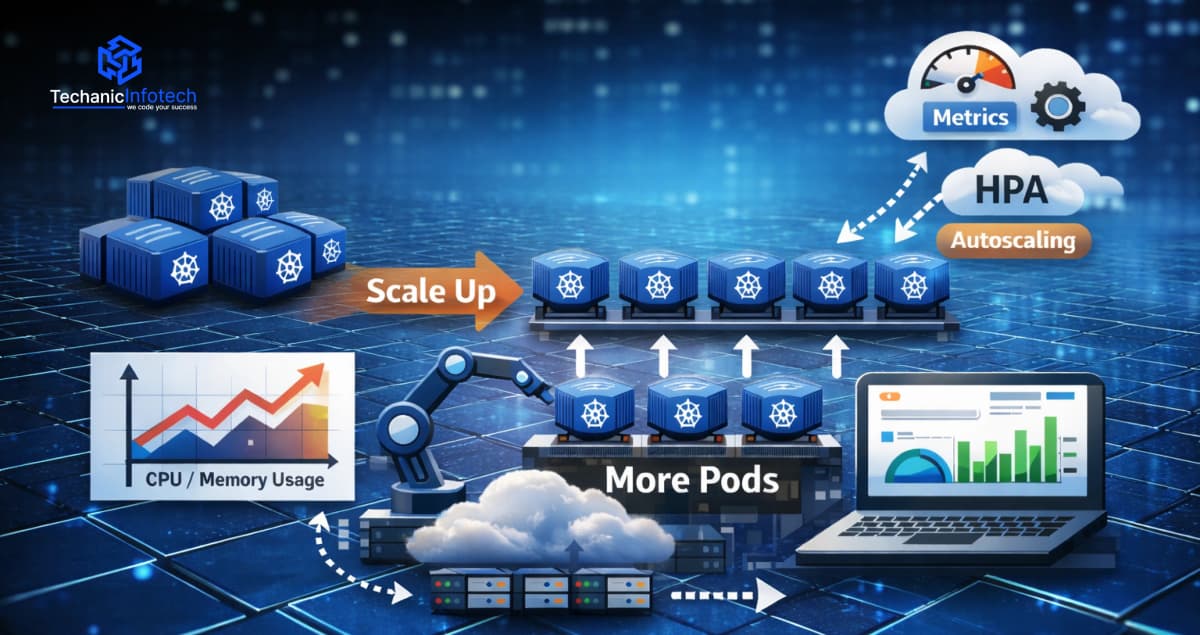
If you’re using Kubernetes, you’ve probably faced this question at some point
What happens when traffic suddenly increases? This is where Kubernetes Horizontal Pod Autoscaling comes in. Instead of manually adding or removing pods, Kubernetes can do it for you automatically.
Kubernetes HPA helps your application handle more users by increasing pods when load goes up and reducing them when things slow down. In simple words, it helps with Kubernetes scaling pods without constant monitoring.
In this blog, we’ll explain how Kubernetes HPA works using plain language and real-life examples. You’ll learn about Kubernetes pod autoscaling, the metrics it uses, and when it makes sense to use it. Even if you’re new, this guide will make HPA Kubernetes explained in a way that’s easy to follow.
Kubernetes Horizontal Pod Autoscaling, often called Kubernetes HPA, is a feature that automatically adjusts the number of pods running in your application. Instead of you manually adding or removing pods, Kubernetes does it for you based on how busy your app is.
In simple words, HPA Kubernetes explained means:
When your app gets more traffic, Kubernetes adds more pods.
When traffic goes down, Kubernetes removes extra pods.
This is why it’s called horizontal scaling, it adds or removes pods, not bigger machines.
Without Kubernetes pod autoscaling, teams often face two big problems. First, during traffic spikes, the app becomes slow or crashes because there aren’t enough pods. Second, during low traffic, too many pods keep running and waste resources.
Kubernetes HPA solves both problems by:
Automatically handling traffic changes
Keeping your app stable during peak usage
Reducing resource waste when demand is low
With Kubernetes autoscaling, you don’t need to watch your app 24/7. Kubernetes checks usage and decides when to scale. This makes Kubernetes scaling pods easier, safer, and more reliable for real-world applications.
Understanding how Kubernetes HPA works becomes much easier when you break it into simple steps. Let’s walk through what happens behind the scenes.
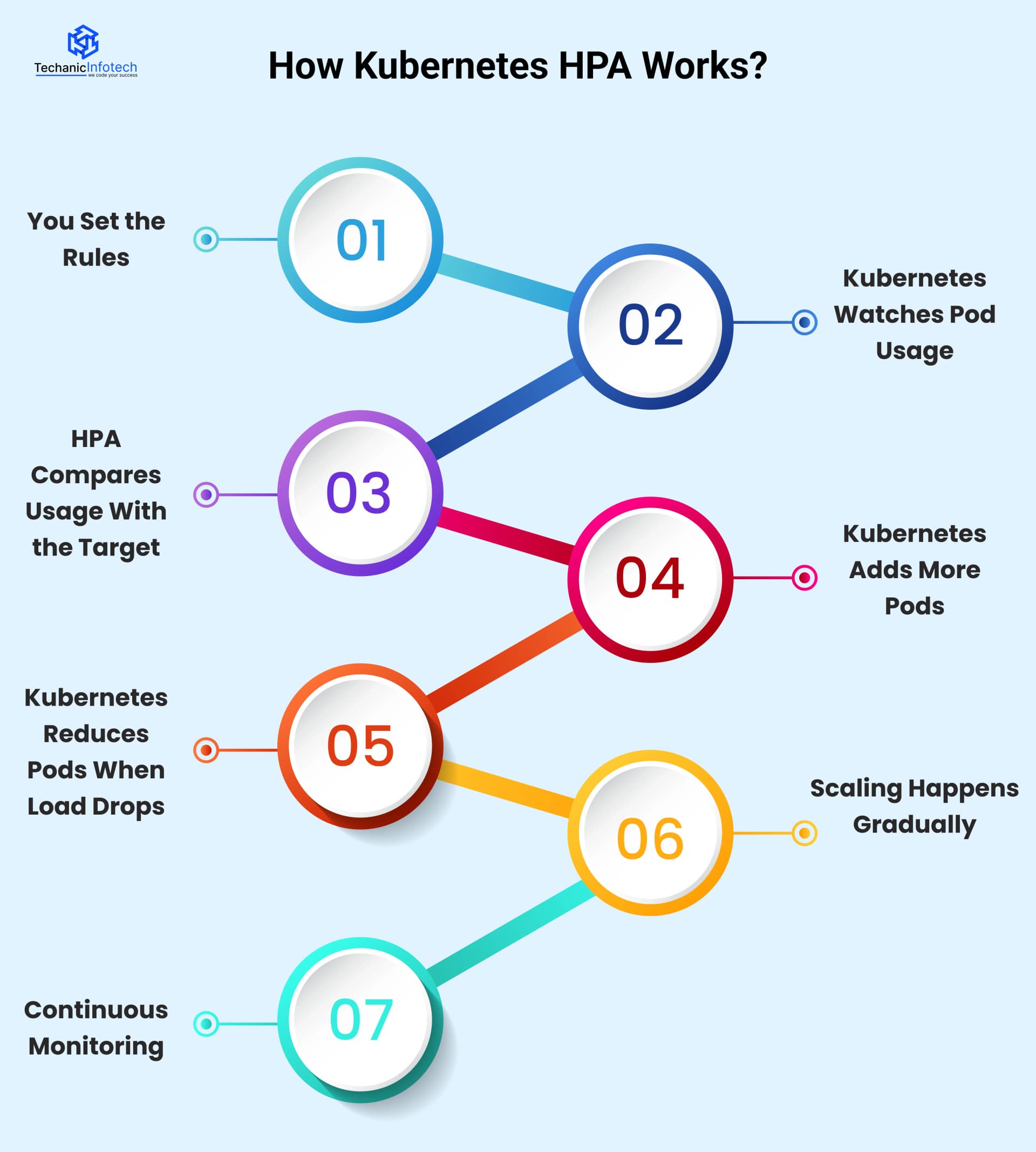
First, you define basic rules for autoscaling. This includes the minimum and maximum number of pods and the target usage, such as CPU or memory. These rules tell Kubernetes when to scale and how much to scale.
Kubernetes constantly checks how busy your pods are. It looks at Kubernetes autoscaling metrics, usually CPU and memory. This data comes from the Metrics Server running in your cluster.
The Horizontal Pod Autoscaler Kubernetes uses compares the current usage with the target you set. For example, if CPU usage goes above the defined limit, Kubernetes knows your app needs more pods.
When usage is high, Kubernetes scaling pods kicks in. Kubernetes increases the number of pods so the workload is shared. This helps your app stay fast and responsive during traffic spikes.
When traffic goes down and usage stays low for some time, Kubernetes pod autoscaling removes extra pods. This prevents resource waste and reduces costs.
Kubernetes doesn’t scale up or down instantly. It waits for usage to stay high or low for a short time. This avoids sudden changes and keeps the system stable.
The entire process keeps running in a loop. Kubernetes keeps checking metrics, comparing values, and adjusting pods automatically without manual effort.

Kubernetes Horizontal Pod Autoscaling reacts differently based on whether your application load goes up or down. Below is how the system operates in each situation.
Traffic Starts Increasing
More users begin accessing your application. As a result, pods start handling more requests.
Resource Usage Goes Up
CPU or memory usage increases. These are the Kubernetes autoscaling metrics that HPA watches closely.
HPA Compares Usage With the Target
Kubernetes HPA checks whether the current usage is higher than the target you set.
Kubernetes Decides to Scale
If high usage continues for a short time, Kubernetes scaling pods is triggered.
New Pods Are Created
Additional pods are added, and traffic is distributed across them. This keeps the app fast and stable.
Traffic Slows Down
Fewer users are active, and pods receive fewer requests.
Resource Usage Drops
CPU and memory usage fall below the target level.
HPA Monitors the Drop
Kubernetes pod autoscaling waits to confirm that the decrease is steady.
Kubernetes Reduces Pods
Extra pods are removed gradually, not all at once.
Resources Are Optimized
The system saves resources and avoids unnecessary costs.
By scaling up and down slowly, Kubernetes autoscaling avoids sudden changes and keeps applications stable.
In simple terms, Kubernetes adds pods when work increases and removes them when work decreases, automatically and safely.
Kubernetes Horizontal Pod Autoscaling is useful in many real-world situations where application load changes throughout the day.
Below are some common Kubernetes autoscaling use cases explained in an easy way.
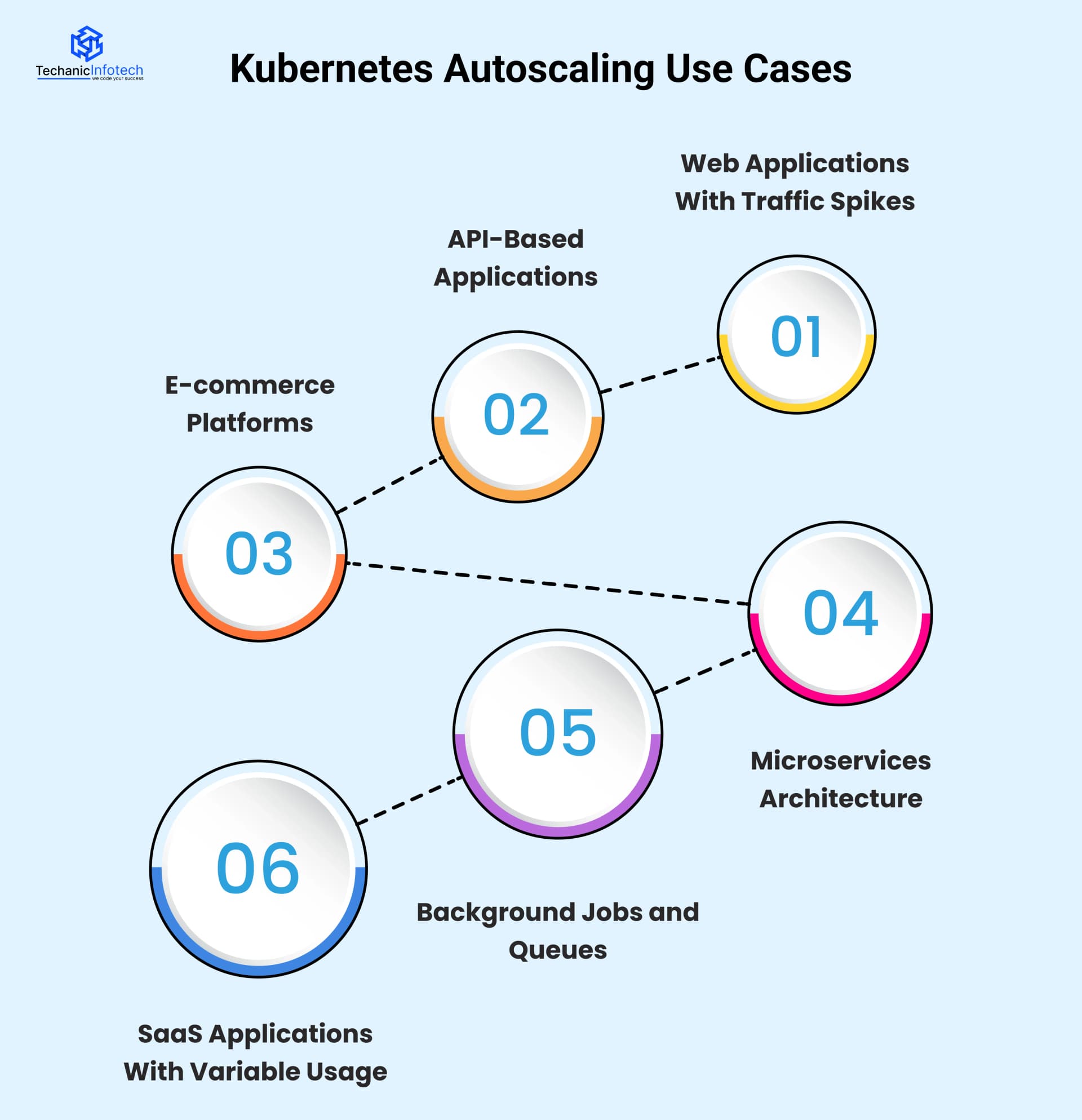
Websites and web apps often see sudden traffic increases during promotions, product launches, or peak hours.
In such cases, Kubernetes HPA automatically adds more pods when users increase. When traffic drops, it reduces pods. This ensures your website stays fast without manual scaling.
APIs receive requests at different rates depending on user activity. With Kubernetes pod autoscaling, pods increase when API requests go up and decrease when requests slow down. This keeps response times stable and prevents API failures during high usage.
Online stores experience heavy traffic during sales, festivals, or discounts. Kubernetes scaling pods helps handle checkout requests, searches, and payments smoothly. When the sale ends, Kubernetes scales down automatically to save resources.
In microservices-based systems, each service may receive different levels of traffic. Horizontal Pod Autoscaler Kubernetes allows each service to scale independently based on its own load. This improves performance and avoids overloading specific services.
Some applications process background tasks like emails, notifications, or data processing. Kubernetes autoscaling metrics can be based on queue length or job count. When the queue grows, more pods are added to process tasks faster.
SaaS platforms often have users from different time zones. Usage increases during business hours and drops at night. Kubernetes autoscaling adjusts pod count automatically, ensuring performance during peak times and efficiency during low usage.
Kubernetes does not randomly add or remove pods. It continuously monitors usage metrics and compares them with predefined targets to decide when scaling is needed.
Kubernetes HPA increases pods when usage stays high and reduces them when usage stays low for some time. This controlled approach helps keep applications stable while avoiding unnecessary resource usage.
|
Scenario |
What Kubernetes Checks |
What Happens |
Why It’s Done |
|
Scaling Up |
CPU, memory, or custom metrics go above the target |
New pods are added |
To handle increased traffic and avoid slow performance |
|
Scaling Down |
Metrics stay below the target for some time |
Extra pods are removed |
To save resources and reduce costs |
|
Short Traffic Spike |
Metrics rise briefly |
No immediate scaling |
To avoid unnecessary pod creation |
|
Sustained Load Change |
Metrics stay high or low consistently |
Scaling action is triggered |
To keep the system stable |
Kubernetes does not scale pods immediately when usage changes because instant scaling can cause instability.
A sudden traffic spike may last only a few seconds, and scaling instantly would create unnecessary pods. To avoid this, Kubernetes HPA waits to confirm that the change in load is real and consistent.
This waiting period helps prevent frequent scaling up and down, which can waste resources and impact performance. Kubernetes also needs time to create new pods and allow them to become ready before receiving traffic. By scaling gradually, Kubernetes Horizontal Pod Autoscaling keeps applications stable, reliable, and cost-efficient.
While Kubernetes Horizontal Pod Autoscaling is powerful, it doesn’t always work perfectly out of the box. Many teams face common issues when setting up Kubernetes HPA, especially in production environments.
Below are the most common problems and how to solve them.
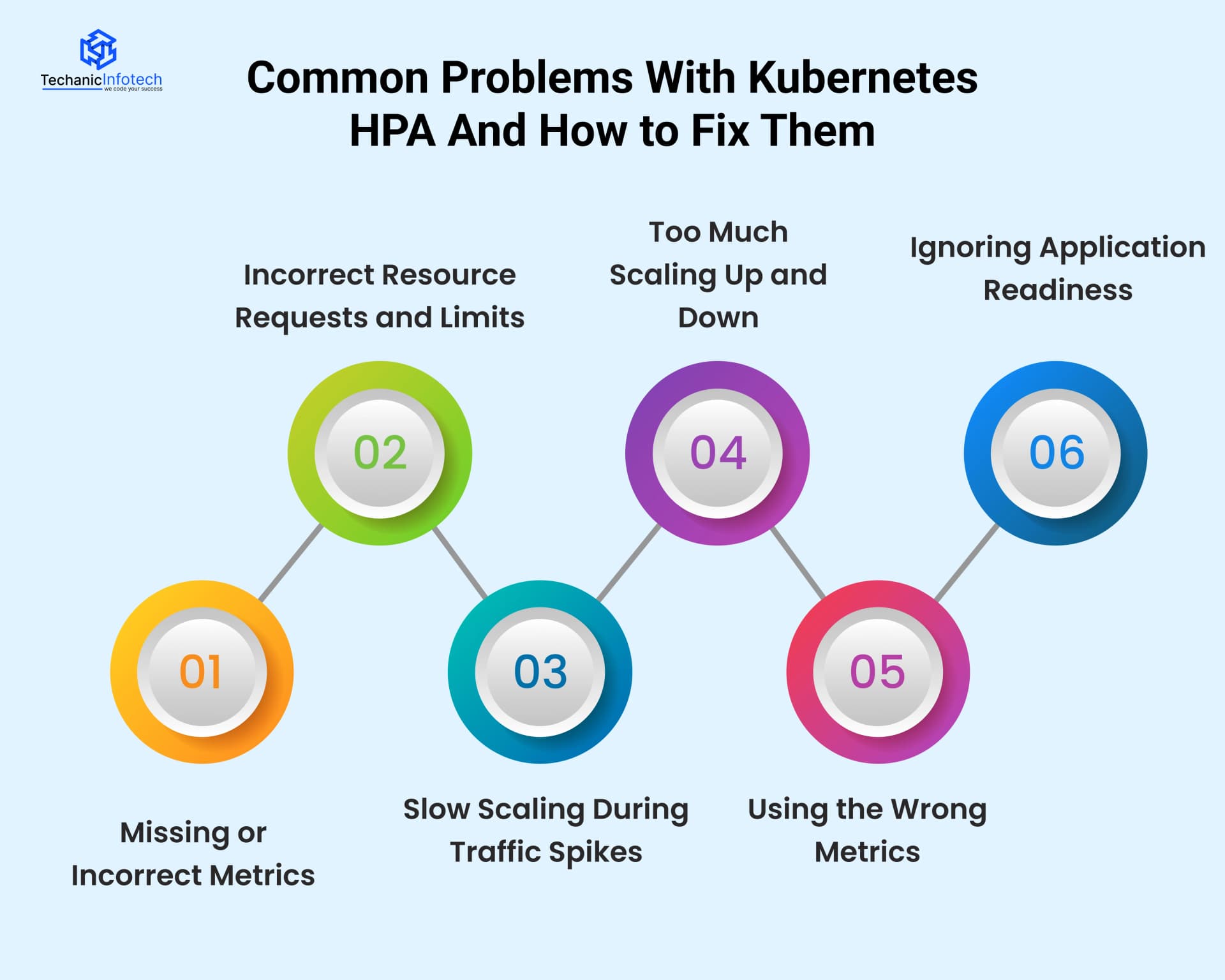
Why this happens: Kubernetes Horizontal Pod Autoscaling depends completely on metrics to make decisions. If the Metrics Server is not installed, not running properly, or returning incorrect data, Kubernetes HPA has nothing reliable to work with. In some cases, metrics are delayed or unavailable due to misconfiguration or permissions issues.
What problems it causes: When metrics are missing or wrong, Kubernetes pod autoscaling may not work at all. Pods won’t scale up during high load, or scaling may stop unexpectedly. This can lead to performance issues, crashes, or manual intervention.
How to handle it: Always ensure the Metrics Server is installed and healthy. Regularly check that Kubernetes autoscaling metrics are being collected and updated correctly before relying on HPA in production.
Why this happens: Kubernetes HPA makes scaling decisions based on the resource requests you define for each pod. If CPU or memory requests are too low or too high, Kubernetes gets a false picture of how busy your application really is.
What problems it causes: With incorrect values, Kubernetes scaling pods may happen too early, too late, or not at all. This can cause slow performance during peak load or waste resources when traffic is low.
How to handle it: Set realistic CPU and memory requests based on actual application usage. Monitor performance and adjust values over time to make Horizontal Pod Autoscaler Kubernetes decisions more accurate.
Why this happens: Kubernetes HPA does not react instantly when traffic increases. It waits to confirm that the rise in load is real and not temporary. Also, creating new pods takes time, images must load, containers must start, and readiness checks must pass.
What problems it causes: During sudden traffic spikes, existing pods may get overloaded before new pods are ready. This can lead to slow response times, timeouts, or failed requests. Users may experience poor performance even though autoscaling is enabled.
How to handle it: Set a higher minimum pod count, fine-tune scaling thresholds, and combine HPA with proactive scaling strategies when traffic spikes are predictable.
Why this happens: Flapping occurs when metrics rise and fall quickly around the target value. Kubernetes keeps adding and removing pods because it thinks the load keeps changing.
What problems it causes: Frequent scaling makes the system unstable. Pods are constantly created and destroyed, which wastes resources and can increase latency. It may also affect application reliability.
How to handle it: Use stabilization windows and cooldown periods. This tells Kubernetes to wait before scaling again, ensuring decisions are based on sustained load rather than short fluctuations.
Why this happens: CPU or memory usage does not always represent real workload. For example, an API might be slow due to high request volume, even if CPU usage is low.
What problems it causes: Kubernetes may not scale pods when it should, or it may scale unnecessarily. This leads to poor performance or wasted resources.
How to handle it: Use custom or external metrics like request count, queue length, or response time for more accurate scaling decisions.
Why this happens: New pods may start receiving traffic before the application is fully ready to handle requests.
What problems it causes: Users may see errors or failed requests because traffic reaches pods that are still starting up.
How to handle it: Configure proper readiness probes so Kubernetes only sends traffic to pods that are fully ready.
Using Kubernetes Horizontal Pod Autoscaling correctly can make your application more stable, faster, and cost-efficient. However, HPA works best only when it is set up thoughtfully.
Below are some proven Horizontal Pod Autoscaler best practices that help avoid common mistakes and get reliable results.
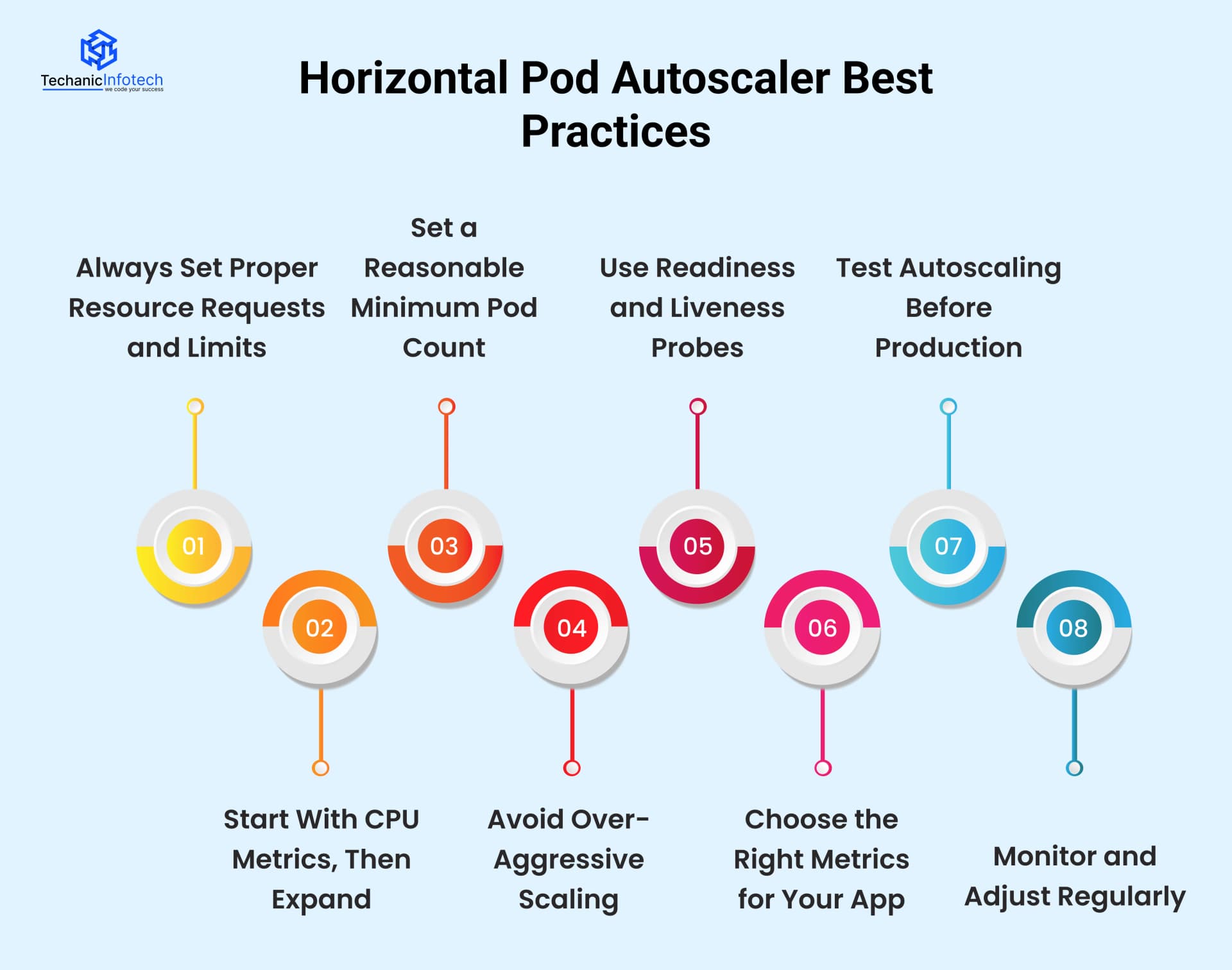
HPA depends on CPU and memory requests to decide when to scale. If these values are missing or unrealistic, Kubernetes HPA cannot make correct decisions. Always define accurate requests and limits based on how your app actually behaves in production.
For beginners, CPU-based autoscaling is the simplest and most reliable option. Kubernetes HPA CPU and memory metrics work well for many workloads. Once you understand traffic patterns, you can add memory, custom, or external metrics later.
Never rely on a single pod for production workloads. Set a minimum number of pods so your app can handle sudden traffic spikes without delay. This helps Kubernetes scaling pods respond faster when load increases.
Scaling too quickly can cause instability. If HPA adds or removes pods too frequently, your system may become unpredictable. Use stabilization windows so Kubernetes pod autoscaling reacts only to sustained load changes.
New pods should not receive traffic until they are fully ready. Configure readiness probes properly so Kubernetes sends traffic only to healthy pods. This prevents errors during scaling events.
CPU and memory don’t always reflect real workload. For APIs or background jobs, consider request count, queue size, or response time as Kubernetes autoscaling metrics. Choosing the right metric improves scaling accuracy.
Never assume HPA will work perfectly without testing. Simulate high and low traffic to see how Horizontal Pod Autoscaler Kubernetes responds. Testing helps uncover slow scaling or configuration issues early.
Autoscaling is not “set and forget.” Monitor how Kubernetes autoscaling behaves over time. Adjust thresholds, metrics, and limits as your application grows or changes.
Kubernetes offers different ways to scale applications, but not all of them work the same way. Understanding these options helps you choose the right scaling approach for your workload.
Kubernetes offers different ways to scale applications, but not all of them work the same way. Understanding these options helps you choose the right scaling approach for your workload.
|
Aspect |
Kubernetes HPA |
Manual Scaling |
|
Scaling Method |
Automatic |
Manual intervention required |
|
Reaction to Traffic |
Responds automatically to load changes |
Depends on human action |
|
Speed |
Faster and consistent |
Often slow and delayed |
|
Resource Efficiency |
Optimizes pod usage |
Can waste resources |
|
Monitoring Needed |
Minimal manual monitoring |
Continuous monitoring required |
|
Risk of Errors |
Low (rule-based) |
High (human error possible) |
|
Best For |
Dynamic workloads |
Small or static workloads |
Kubernetes Horizontal Pod Autoscaling is the right choice when your application traffic changes throughout the day and you want automatic scaling without constant monitoring. It works best for web apps, APIs, microservices, and SaaS platforms where load is unpredictable
If you want your app to stay responsive during traffic spikes and cost-efficient during low usage, Kubernetes HPA is ideal. It reduces operational effort, improves reliability, and scales pods based on real usage metrics.
For modern cloud-native applications, HPA is usually better than manual scaling because it is faster, safer, and more consistent.
Kubernetes Horizontal Pod Autoscaling makes managing application load much easier. Instead of manually adjusting pods, Kubernetes HPA automatically scales them based on real usage.
This helps applications stay fast during high traffic and cost-efficient during low demand. By understanding how Kubernetes HPA works, the metrics it uses, and best practices, teams can avoid common scaling problems
HPA is especially useful for modern applications with changing workloads, such as web apps, APIs, and microservices. When configured correctly, Kubernetes pod autoscaling improves performance, stability, and resource usage. For teams looking to reduce manual effort and improve reliability, Kubernetes HPA is a practical and powerful autoscaling solution.
Kubernetes Horizontal Pod Autoscaling automatically increases or decreases the number of pods based on usage metrics like CPU or memory. It helps applications handle changing traffic without manual scaling.
Kubernetes HPA monitors metrics, compares them with targets, and scales pods up or down when needed. This process runs continuously and adjusts pods automatically.
Kubernetes HPA commonly uses CPU and memory metrics. It can also use custom and external metrics such as request count or queue size.
Pods don’t scale instantly to avoid sudden changes and instability. Kubernetes waits to confirm that the load change is real and gives new pods time to become ready.
Use Kubernetes HPA for applications with variable traffic, such as web apps, APIs, and microservices, where automatic scaling improves performance and efficiency.
Yes, for most dynamic workloads. Kubernetes HPA is faster, more reliable, and reduces manual monitoring compared to manual scaling.
Yes. Kubernetes HPA supports memory, custom metrics, and external metrics for more accurate scaling.
Yes. By scaling down pods during low traffic, Kubernetes HPA helps reduce unnecessary resource usage and costs.


Bharat Sharma is the CTO of Techanic Infotech, bringing deep technical expertise in software architecture, mobile app development, and scalable system design. He leads the engineering team with a strong focus on innovation, performance, and security.