
Building a modern business website requires more than just good design. You need a platform that is secure, easy to manage, and built for growth.
HubSpot CMS website helps businesses create fast, flexible, and marketing-ready websites without technical complexity.
If you want to build a website using HubSpot CMS from scratch or upgrade an existing site, HubSpot offers powerful tools for content management, SEO, and lead generation.
This HubSpot CMS website development guide will walk you through the complete process, from setup and design to features, cost, and implementation.
If you’re planning a professional, scalable website, HubSpot CMS is a strong choice for business websites of all sizes.
Building a website with HubSpot CMS gives businesses more than just a place on the internet, it creates a powerful, integrated digital presence that supports marketing, sales, and customer engagement.
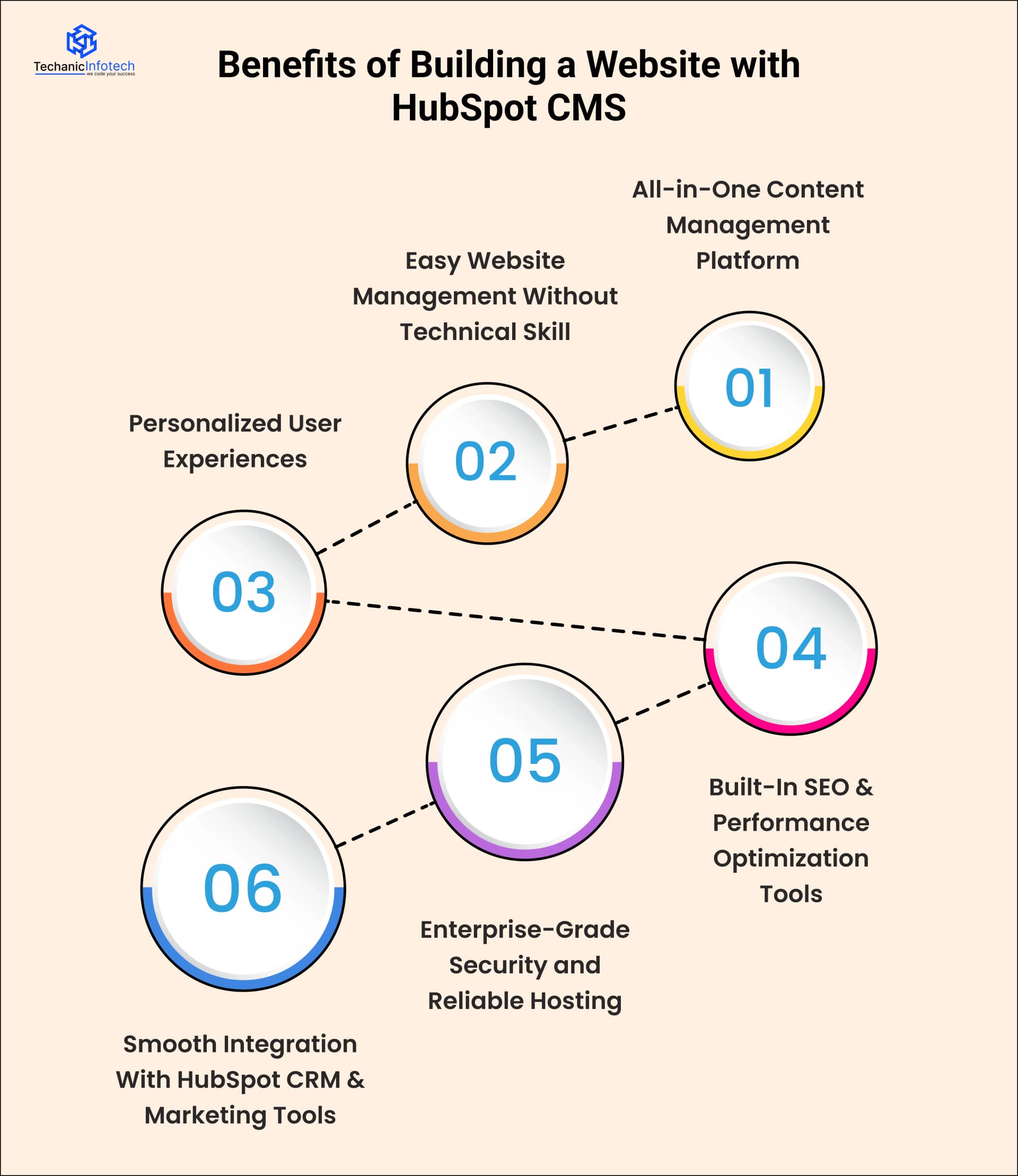
A major advantage of HubSpot’s website tools is that they combine content management, analytics, and CRM features in one place.
This means you can manage your website content and track performance without using multiple separate tools, which simplifies workflows and reduces overall costs.
You can create, edit, and publish web pages, blog posts, landing pages, and forms using intuitive drag-and-drop tools.
This makes it easy for non-technical users to build and update a website without relying on developers for every change.
HubSpot CMS also helps businesses grow through personalized user experiences. With smart content and dynamic features, you can show different messages to visitors based on their behavior, location, or past interactions.
This leads to higher engagement and better conversion rates because users see content that’s relevant to them.
HubSpot provides real-time SEO suggestions, analytics dashboards, and content tracking that help improve your site’s visibility on search engines without relying on external plugins. This can boost organic traffic and support long-term growth.
HubSpot CMS includes secure hosting, SSL certificates, and automatic updates, which reduce the risk of downtime and vulnerabilities. Businesses don’t need to manage servers or worry about technical security issues, saving time and resources.
When your website, sales, and marketing data live on the same platform, you get a unified view of customer behavior. This helps your team follow up leads, optimize campaigns, and make data-driven decisions.
Overall, HubSpot CMS is a strong choice for businesses that want a scalable, secure, and marketing-focused website. Its all-in-one tools help you attract visitors, convert leads, and grow revenue without juggling multiple platforms.
|
Feature |
HubSpot CMS |
Traditional CMS Platforms |
|
Ease of Use |
Very easy to use with drag-and-drop editors, even for non-technical users. |
Often requires plugins, themes, or technical knowledge to manage properly. |
|
Setup & Hosting |
Fully hosted by HubSpot with automatic setup and updates. |
Requires separate hosting, setup, and regular maintenance. |
|
Security |
Built-in security, SSL, firewall, and automatic updates included. |
Security depends on hosting, plugins, and manual updates. |
|
SEO Tools |
Built-in SEO recommendations, analytics, and optimization tools. |
SEO usually requires third-party plugins and manual configuration. |
|
CRM & Marketing Integration |
Native integration with HubSpot CRM, email, and marketing tools. |
Needs external tools and integrations for CRM and marketing automation. |
|
Performance & Speed |
Optimized hosting with fast load times and global CDN. |
Performance depends on hosting quality and installed plugins. |
|
Customization |
Flexible customization with themes, modules, and developer tools. |
Highly customizable, but often requires developer support. |
|
Scalability |
Designed to scale easily as traffic and business needs grow. |
Scaling can become complex and costly over time. |
|
Maintenance Effort |
Minimal maintenance required from the business side. |
Regular updates, backups, and plugin management needed. |
|
Cost Structure |
Higher upfront platform cost but fewer hidden expenses. |
Lower initial cost but ongoing costs for hosting, plugins, and security. |
|
Best For |
Businesses focused on growth, marketing, and ease of management. |
Blogs, small websites, or users wanting full manual control. |
Before you begin building a website using HubSpot CMS, it’s important to prepare a few things in advance.
Proper planning helps you save time, reduce costs, and avoid confusion during development.
These prerequisites ensure that your HubSpot CMS website development process goes smoothly from day one.
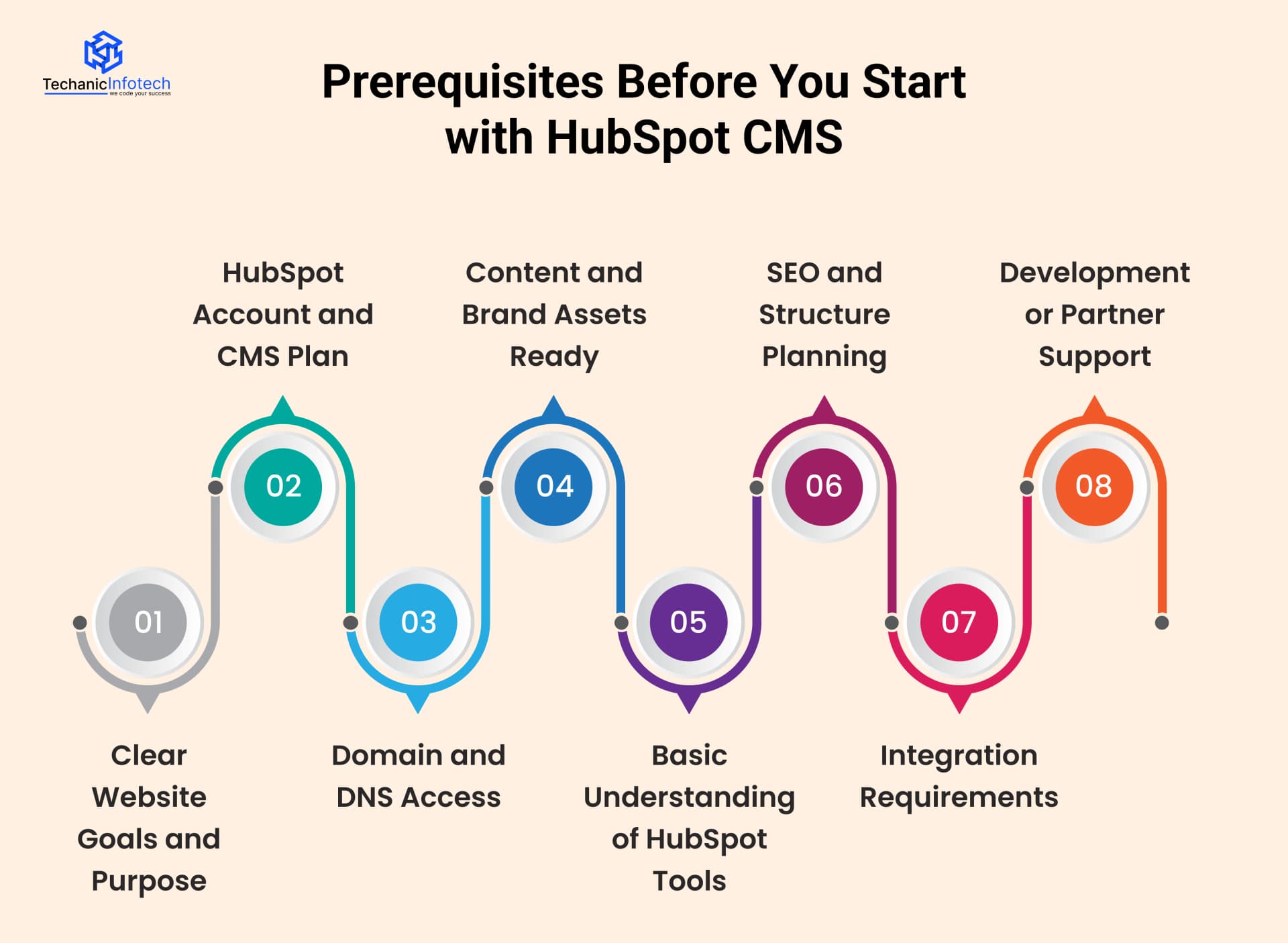
Start by defining what you want your website to achieve. Is it for lead generation, brand awareness, content marketing, or sales support?
Knowing your goals helps you choose the right templates, features, and HubSpot CMS tools. Clear objectives also guide design, content structure, and integrations.
You need an active HubSpot account with access to HubSpot CMS Hub. HubSpot offers different plans based on features and scale. Before starting, decide which CMS plan fits your business needs so you don’t face feature limitations later.
To publish your website, you must have a domain name and access to DNS settings. This is required to connect your domain with HubSpot CMS. If you already have a website, you should also plan for domain migration or subdomain setup.
Prepare basic content known as website copy, such as homepage text, service pages, about section, and contact details. You should also gather brand assets like logos, brand colors, fonts, and images. Having these ready speeds up the HubSpot CMS website design process.
You don’t need deep technical knowledge, but a basic understanding of HubSpot tools like pages, blogs, forms, CTAs, and workflows is helpful. This allows you to manage content easily once the site is live.
Plan your website structure in advance, including main pages, navigation menu, and URL hierarchy. This helps with SEO and user experience. HubSpot CMS provides built-in SEO tools, but planning keywords and page flow beforehand gives better results.
List down tools you want to integrate, such as CRM, email marketing, analytics, chatbots, or third-party software. Knowing integration needs early helps during HubSpot CMS implementation and avoids rework.
Decide whether you will build the site in-house or hire HubSpot consulting development companies. Professional developers can handle custom design, integrations, and advanced features more efficiently.
Building a website using HubSpot CMS becomes much easier when you follow a clear process.
Below is a complete, easy-to-follow HubSpot CMS development process that covers everything from setup to launch and maintenance.
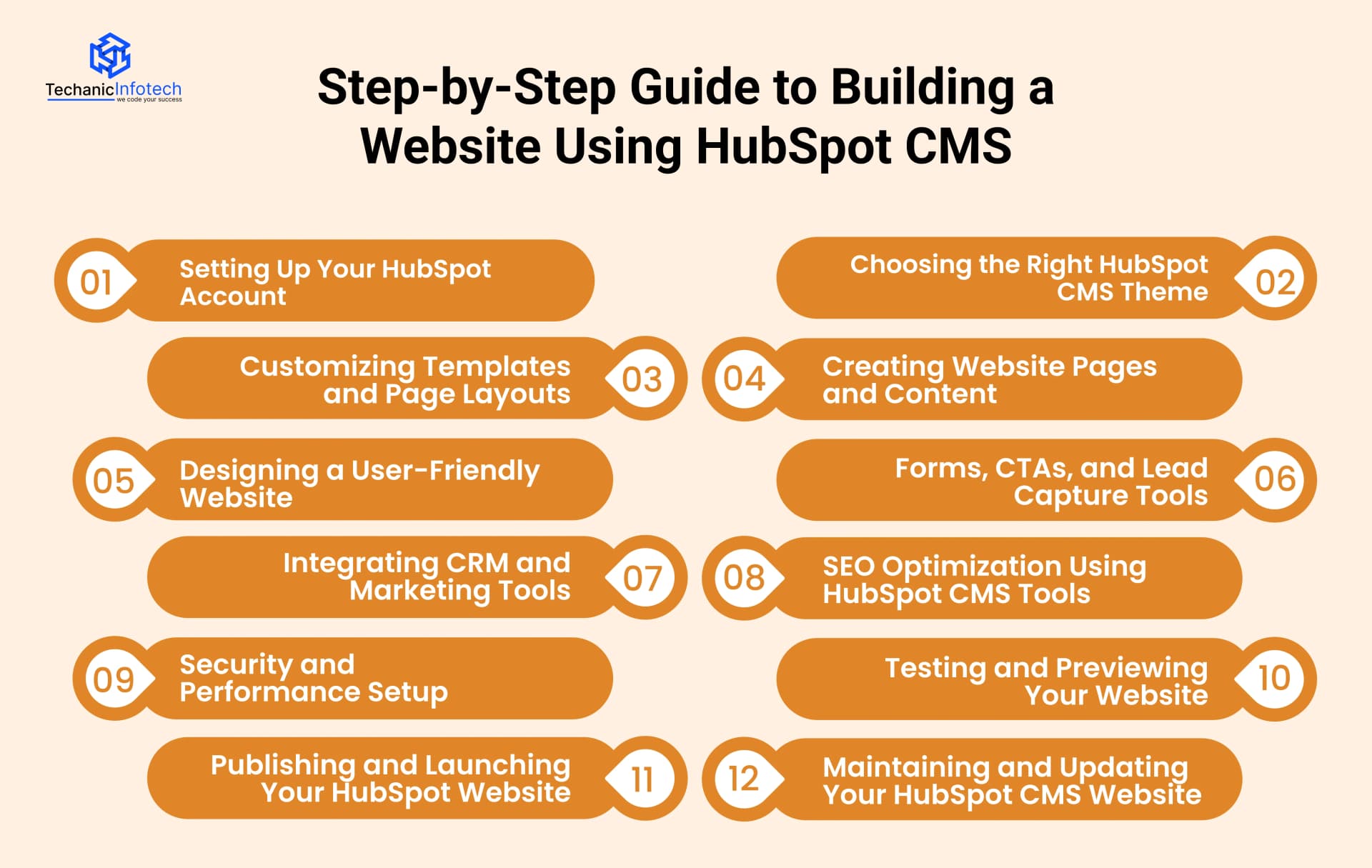
The first step in HubSpot CMS website development is creating your HubSpot account and activating CMS Hub. Choose the right plan based on your business needs. Once the Husbport CMS setup is done, you get access to website pages, themes, templates, forms, and analytics. This is where your entire website will be managed, so take time to explore the dashboard and basic settings.
Choosing a HubSpot CMS theme is one of the most important decisions in your website development process. Your theme controls layout structure, design flexibility, performance, and long-term scalability.
HubSpot offers two main options: marketplace themes and custom-built themes. Marketplace themes are ready-made, faster to launch, and cost-effective.
They work well for small businesses, startups, and companies that want to go live quickly with a professional design.
Custom HubSpot CMS themes are ideal for businesses that need full control over branding, layouts, and functionality.
Custom themes are built using HubSpot’s CMS framework and allow reusable modules, better performance tuning, and easier future expansion.
Best practice:
Choose marketplace themes for speed and budget
Choose custom themes for scalability, branding, and long-term growth
A poor theme choice can limit customization later, increase development cost, and affect website speed, so this step should never be rushed.
Once your theme is selected, the next step is template and layout customization. This is where your website becomes truly brand-specific instead of generic.
HubSpot CMS allows developers to create reusable templates for pages like Home, Services,
Blog, Landing Pages, and Contact. These templates help maintain consistency across the website while allowing marketers to update content easily.
You can customize:
Section layouts
Page spacing and structure
Typography and colors
Reusable content modules
A major advantage of HubSpot CMS site is drag-and-drop flexibility combined with developer control.
Designers and developers build the structure once, and content teams reuse it without breaking layouts.
Now start creating your website pages and adding content. This includes text, images, videos, and CTAs. HubSpot CMS makes content management simple, so even non-technical users can update pages easily. Keep content clear, user-focused, and optimized for business goals.
A good HubSpot CMS website is easy to navigate. Focus on clean menus, clear headings, readable fonts, and mobile responsiveness.
User-friendly design improves engagement, reduces bounce rate, and helps visitors find information quickly.
This is where HubSpot CMS truly outperforms traditional CMS platforms.
HubSpot CMS includes built-in tools for:
Forms
CTAs
Popups
Lead flows
When a visitor fills a form, their data is automatically stored in HubSpot CRM. This removes the need for third-party plugins or manual integrations.
Advanced features include:
Smart forms that change based on user behavior
Personalized CTAs for returning visitors
Automatic lead segmentation
This setup turns your website into a lead-generation engine, not just an informational site. For business websites, this step directly impacts conversions, sales pipelines, and marketing ROI.
HubSpot CMS connects seamlessly with HubSpot CRM, email marketing, automation workflows, and analytics. This integration helps track visitor behavior, manage leads, and run marketing campaigns from one platform. This step is key for HubSpot CMS for business websites.
SEO is not an add-on in HubSpot CMS, it’s built into the platform.
HubSpot CMS provides:
Real-time SEO recommendations
On-page keyword optimization
Meta title and description guidance
Content readability scoring
You can also build topic clusters, where one main page links to multiple supporting pages. This structure helps Google understand content relevance and improves rankings faster.
Unlike WordPress, where SEO depends on plugins, HubSpot CMS SEO tools are native, consistent, and beginner-friendly.
HubSpot CMS handles hosting, SSL, updates, and security automatically. You don’t need to manage servers or worry about technical vulnerabilities.
Built-in CDN and performance optimization ensure your website loads fast across devices.
Before launching, preview your website on desktop, tablet, and mobile devices. Check links, forms, CTAs, content layout, and speed.
Testing helps catch small issues early and ensures a smooth user experience.
Once everything is ready, connect your domain and publish the website. HubSpot CMS makes deployment simple, with minimal downtime.
After launch, monitor traffic and user behavior through analytics.
After launch, regularly update content, optimize SEO, and review performance data. HubSpot CMS makes maintenance easy, allowing your team to keep the website fresh, secure, and aligned with business growth.
Even though HubSpot CMS is easy to use, many businesses still make avoidable HubSpot setup mistakes during development. Knowing these early can save time, money, and future rework.
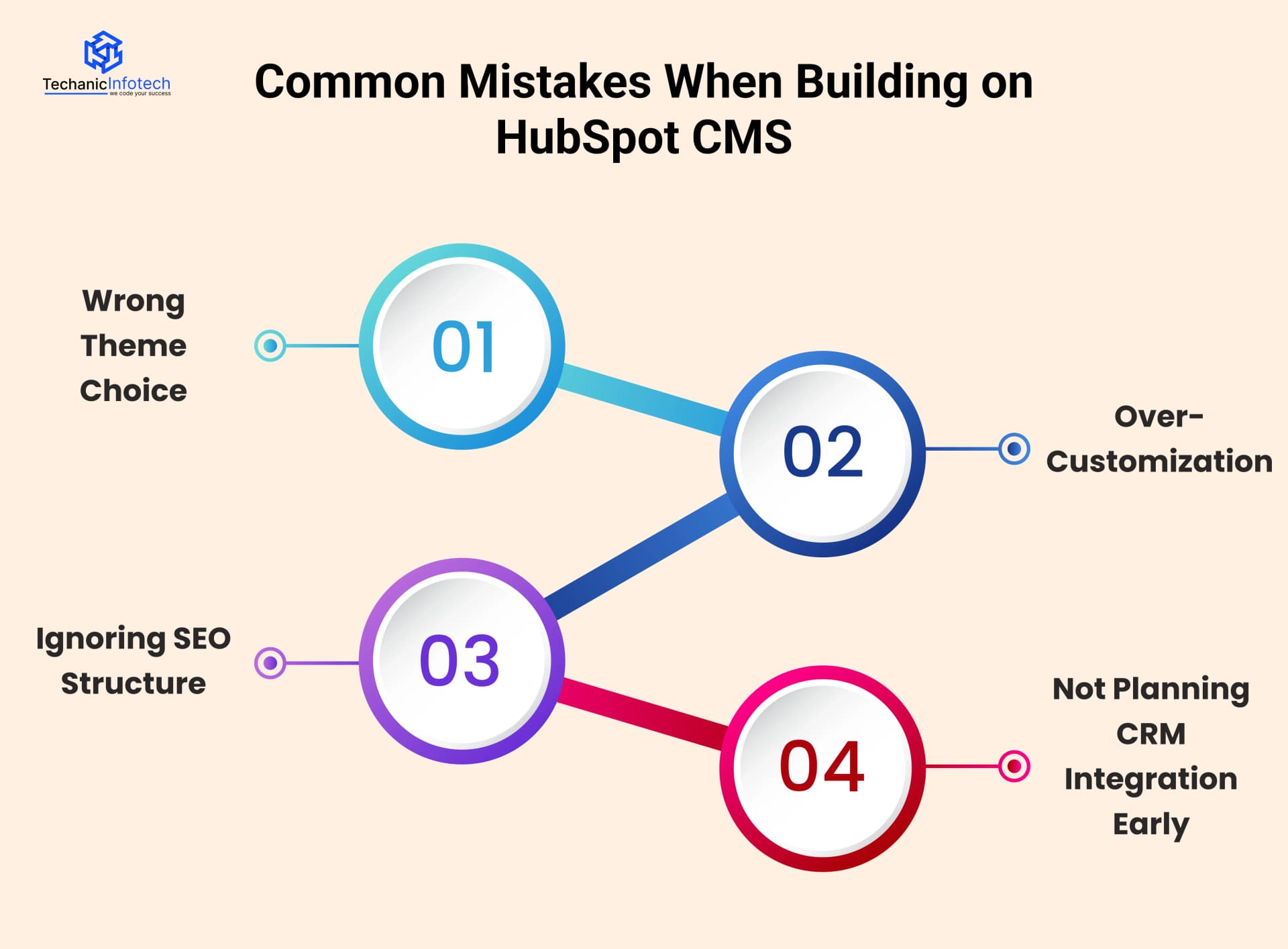
Choosing a theme just because it looks good, without checking flexibility, performance, or scalability. Many ready-made themes look fine initially but limit customization later.
How to avoid it: Before selecting a theme, check if it supports reusable modules, clean layouts, mobile responsiveness, and future page expansion.
If branding or growth is important, consider a custom HubSpot CMS theme.
Customizing every small element using custom code, even when HubSpot already offers built-in modules and tools. This makes the website harder to manage and update.
How to avoid it: Use HubSpot’s drag-and-drop modules wherever possible. Keep custom code limited to essential features only.
This keeps the website flexible, faster, and easier for non-technical teams to manage.
Building pages without proper headings, keyword planning, internal linking, or topic clusters. This weakens search engine visibility even if content is good.
How to avoid it: Plan your page structure in advance. Use clear H1, H2, and H3 headings, optimize meta titles, and follow HubSpot’s built-in SEO recommendations.
Create topic clusters to improve long-term rankings.
Adding forms and CTAs without planning how leads will be stored, tracked, or followed up in HubSpot CRM. This leads to messy data and lost opportunities.
How to avoid it: Design lead capture flows before development starts. Decide how forms, CTAs, and contact properties will connect to HubSpot CRM.
This ensures clean data, better automation, and smoother sales follow-ups.
The cost of building a website using HubSpot CMS depends on your business size, design needs, and level of customization.
Unlike open-source platforms, HubSpot CMS combines hosting, security, updates, and marketing tools into one platform, which affects the overall pricing.
On average, HubSpot CMS development cost ranges from $8,000 to $60,000. A basic business website with standard pages and a marketplace theme falls on the lower end.
A fully custom website with advanced integrations, CRM automation, custom modules, and enterprise-level design sits on the higher end.
Small businesses usually spend less because they need fewer pages and minimal customization. Mid-sized companies invest more in branding, SEO setup, and lead generation tools.
Large enterprises often require custom themes, complex workflows, and deeper CRM integrations, which increases development time and HubSpot CMS development cost.
It’s important to note that HubSpot CMS pricing also includes platform subscription costs, which vary by plan.
While the upfront HubSpot consulting cost may look higher compared to traditional CMS platforms, businesses often save money long term by avoiding multiple plugins, security tools, and maintenance services.
|
Website Type |
What’s Included |
Estimated Cost |
|
Basic Business Website |
Marketplace theme, 5–8 pages, basic SEO, forms, standard setup |
$8,000 – $15,000 |
|
Small to Mid-Size Website |
Custom styling, 10–15 pages, CRM integration, CTAs, SEO optimization |
$15,000 – $30,000 |
|
Marketing-Focused Website |
Custom theme, landing pages, workflows, lead tracking, analytics |
$30,000 – $45,000 |
|
Enterprise HubSpot Website |
Fully custom design, advanced integrations, automation, scalability |
$45,000 – $60,000 |
At Techanic Infotech, we help businesses build powerful, easy-to-manage websites using HubSpot CMS.
Our team understands both the technical and marketing sides of HubSpot, which means your website is built not just to look good, but to perform well.
Along with HubSpot CMS website development, we also offer HubSpot consulting services to help you choose the right CMS plan, structure your website, set up CRM integration, and optimize lead generation.
From strategy and design to development and launch, we ensure your HubSpot website supports real business growth and long-term success.
Building a website using HubSpot CMS is a smart choice for businesses that want simplicity, security, and growth in one platform.
From easy content management and built-in SEO tools to seamless CRM and marketing integration, HubSpot CMS removes much of the technical complexity involved in website development.
By following the right process, choosing the correct theme, structuring pages properly, planning SEO, and integrating CRM early, you can build a website that not only looks good but also performs well. If you are a startup or an enterprise, investing in HubSpot CMS website development helps you create a scalable, marketing-ready website that supports long-term business goals.
HubSpot CMS is a cloud-based content management system designed for businesses that want marketing, content, and CRM tools in one place. It’s ideal for startups, growing companies, and marketing teams that want to manage websites without heavy technical effort.
No. HubSpot CMS offers drag-and-drop editing, pre-built themes, and modules. While developers can add custom code if needed, non-technical users can easily build and update pages.
A basic website can be built in 1–2 weeks using ready-made themes. A fully custom website with advanced integrations and design may take 4–8 weeks, depending on complexity.
Yes. HubSpot CMS includes built-in SEO tools such as meta tag editing, page optimization tips, clean URLs, and performance tracking to help improve search visibility.
HubSpot CMS provides built-in security features like SSL, automatic updates, web application firewall (WAF), and hosting protection, reducing the need for manual security management.
Yes. HubSpot CMS is designed to scale with traffic growth, content expansion, and marketing automation needs, making it suitable for long-term business growth.


Abhishek Jangid is the CEO of Techanic Infotech, with extensive experience in mobile app and web development. He specializes in helping businesses turn innovative ideas into scalable digital solutions through strategic planning and modern technology.