
HubSpot CRM is a powerful, scalable platform designed to help businesses manage customer relationships, streamline sales processes, and improve marketing efficiency.
Proper setup and configuration are critical to ensuring accurate data tracking, smooth team adoption, and measurable ROI.
A well-configured HubSpot CRM aligns with your business goals, sales funnel, and customer journey.
From defining pipelines and automating workflows to integrating third-party tools, every step impacts performance.
This guide provides a structured, step-by-step overview of HubSpot CRM setup, its benefits, common challenges, and best practices, helping businesses make informed decisions and achieve long-term CRM success.
HubSpot CRM is designed for a wide range of users and business types that want an easy, scalable way to manage customer relationships.
It’s especially useful for teams that want powerful features without heavy complexity.
HubSpot CRM is best suited for:
Startups and small businesses that need a free or low-cost CRM to organize contacts, track deals, and manage sales pipelines
Growing HubSpot consulting companies in the USA looking for a CRM that can scale as their sales, marketing, and customer service teams expand
Sales teams that want to track leads, deals, emails, calls, and follow-ups in one centralized platform
Marketing teams need tight integration between CRM data and marketing tools like email campaigns, landing pages, and lead nurturing.
Customer support teams that want better visibility into customer history to deliver personalized support
Non-technical teams who prefer an intuitive, user-friendly interface with minimal setup and training
B2B and B2C businesses across industries such as SaaS, e-commerce, real estate, education, and professional services
Remote or hybrid teams that need cloud-based access and collaboration tools
Organizations using HubSpot’s ecosystem who want seamless integration with marketing, sales, and service hubs
HubSpot CRM empowers businesses to manage contacts, track deals, automate workflows, and strengthen customer relationships through a centralized, user-friendly platform designed to scale efficiently as teams grow and succeed globally.
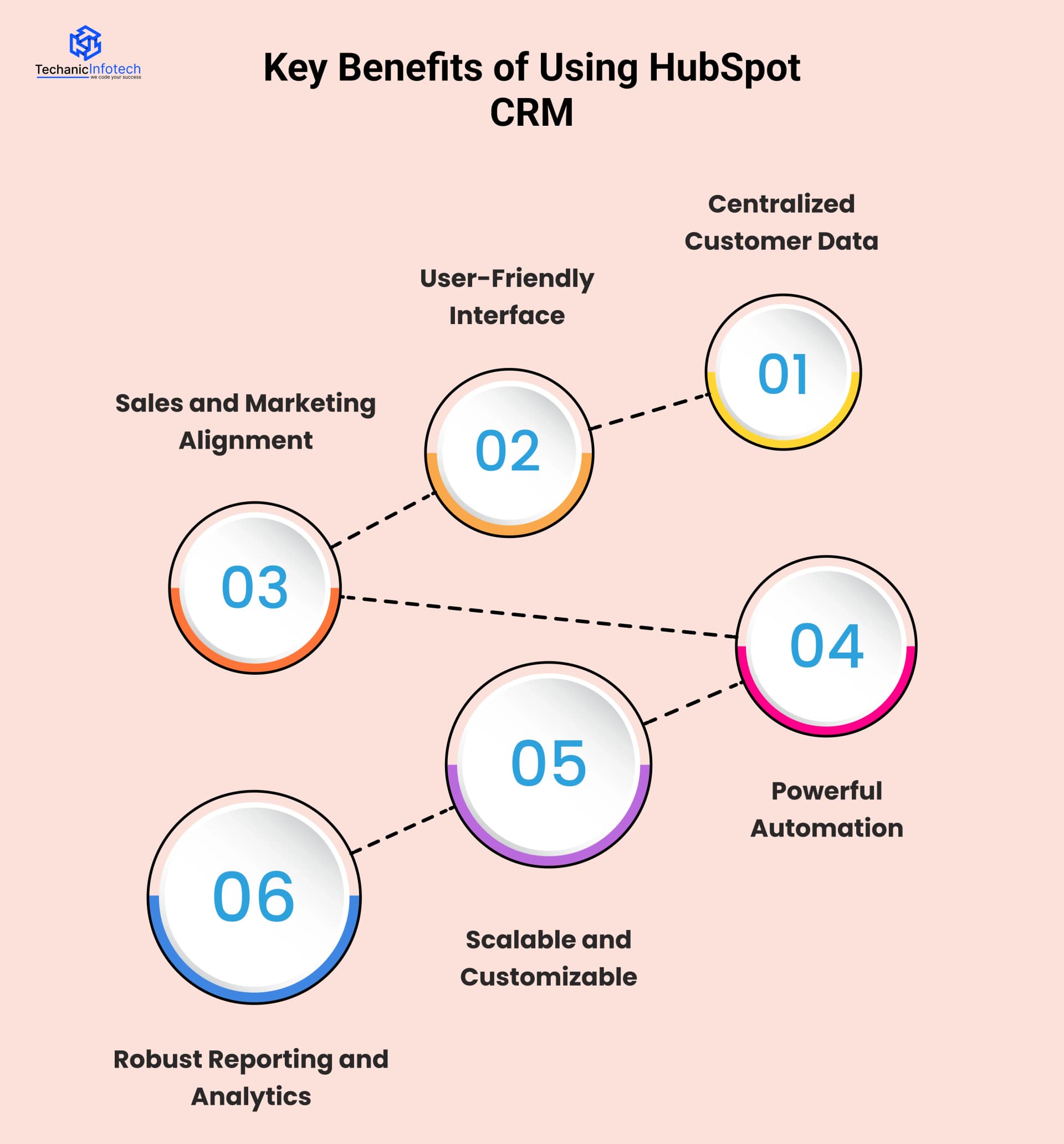
HubSpot CRM consolidates all customer information into one centralized platform, including contact details, communication history, deals, and activity timelines.
This unified view helps teams stay organized, collaborate more effectively, and deliver consistent, personalized customer experiences.
HubSpot CRM features an intuitive and easy-to-use interface designed for users of all technical levels.
Its simple navigation and clean layout reduce the learning curve, allowing teams to quickly adopt the system and become productive with minimal training.
HubSpot CRM aligns sales and marketing teams by providing shared access to lead data, campaign insights, and customer interactions.
This alignment improves communication between teams and ensures smoother handoffs throughout the entire customer journey.
HubSpot CRM offers powerful automation tools that handle repetitive tasks such as lead assignment, follow-up emails, and workflow triggers.
Automation saves time, reduces manual errors, and enables teams to focus on building relationships and closing deals.
HubSpot CRM is highly scalable and can be customized to fit the unique needs of any business.
From flexible pipelines to custom properties and integrations, the platform grows seamlessly alongside expanding teams and HubSpot operations hub.
HubSpot CRM provides comprehensive reporting and analytics to track sales performance, marketing effectiveness, and customer engagement.
These insights help businesses measure success, identify trends, and make informed, data-driven decisions.
HubSpot CRM setup and customization steps help businesses tailor the platform to their processes, organize data efficiently, automate workflows, and create a streamlined system that supports sales, marketing, and customer success teams.
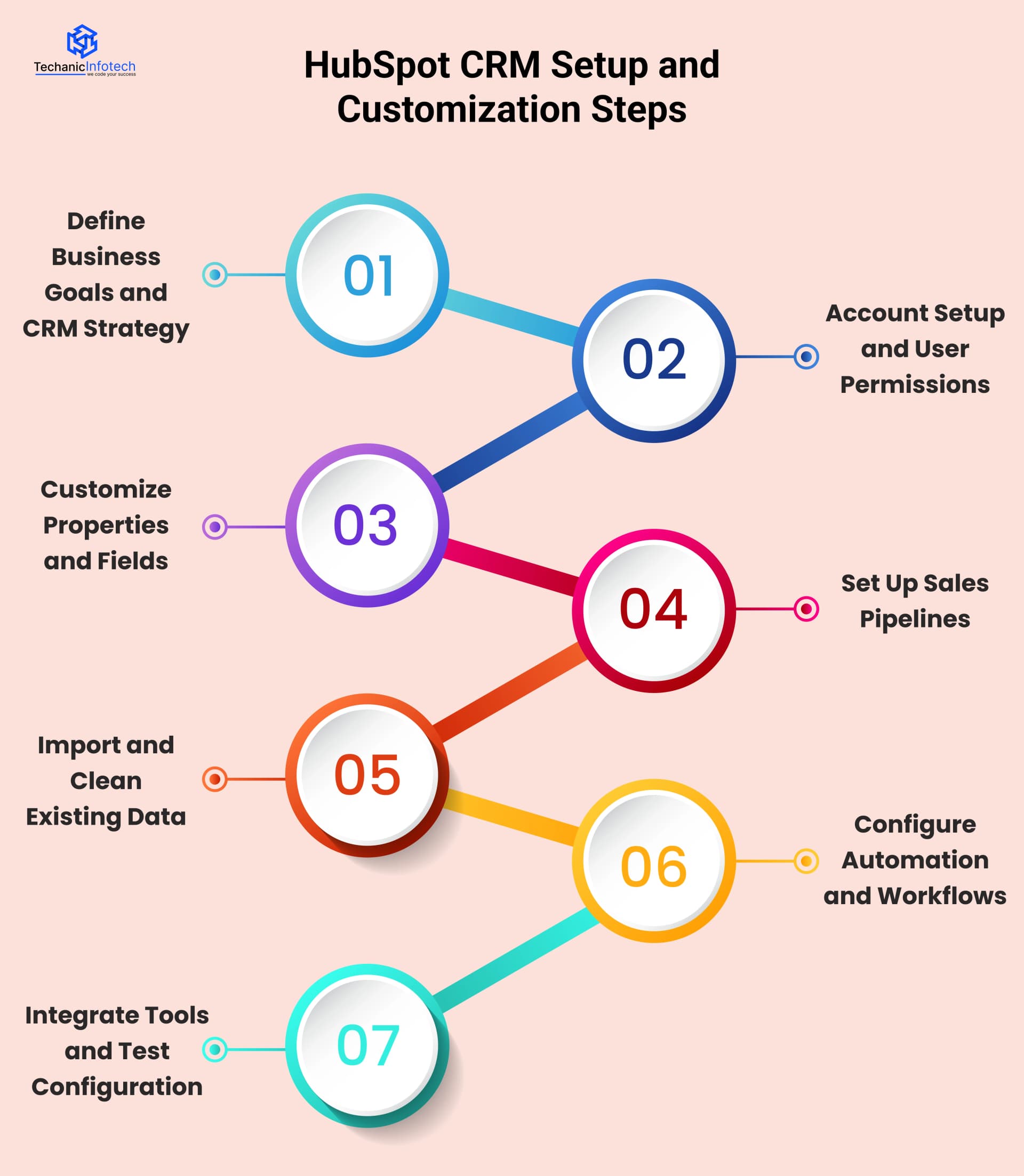
Start by clearly identifying your business objectives, such as increasing sales efficiency, improving customer retention, or enhancing lead management.
A well-defined CRM strategy ensures HubSpot is configured to support these goals, align teams, and deliver measurable results.
Set up your HubSpot account by adding users and defining roles and permissions.
Assign access based on responsibilities to protect sensitive data, maintain accountability, and ensure each team member can effectively perform their tasks within the CRM.
Customize contact, company, deal, and ticket properties to match your business data requirements.
Tailored fields help capture relevant information, improve data accuracy, and allow teams to segment, filter, and report on customer data more effectively.
Create sales pipelines that reflect your actual sales process, from lead qualification to deal closure.
Defining clear stages improves visibility, helps track progress, enables accurate forecasting, and ensures sales teams follow a consistent and structured approach.
Import existing customer and lead data into HubSpot CRM while removing duplicates and correcting errors.
Clean, accurate data improves reporting, automation, and decision-making, ensuring your CRM remains reliable and valuable from the start.
Set up workflows to automate repetitive tasks such as lead assignment, follow-ups, status updates, and notifications.
Automation improves efficiency, reduces manual work, and ensures timely, consistent actions across sales and marketing teams.
Integrate HubSpot CRM with tools like email, calendars, marketing platforms, and customer support systems.
Thoroughly test all configurations to ensure data flows correctly, automations trigger properly, and the system supports daily business operations smoothly.
When using HubSpot CRM, it’s important to consider data accuracy, proper configuration, user adoption, integrations, and ongoing optimization to ensure the system aligns with business goals and delivers maximum value.
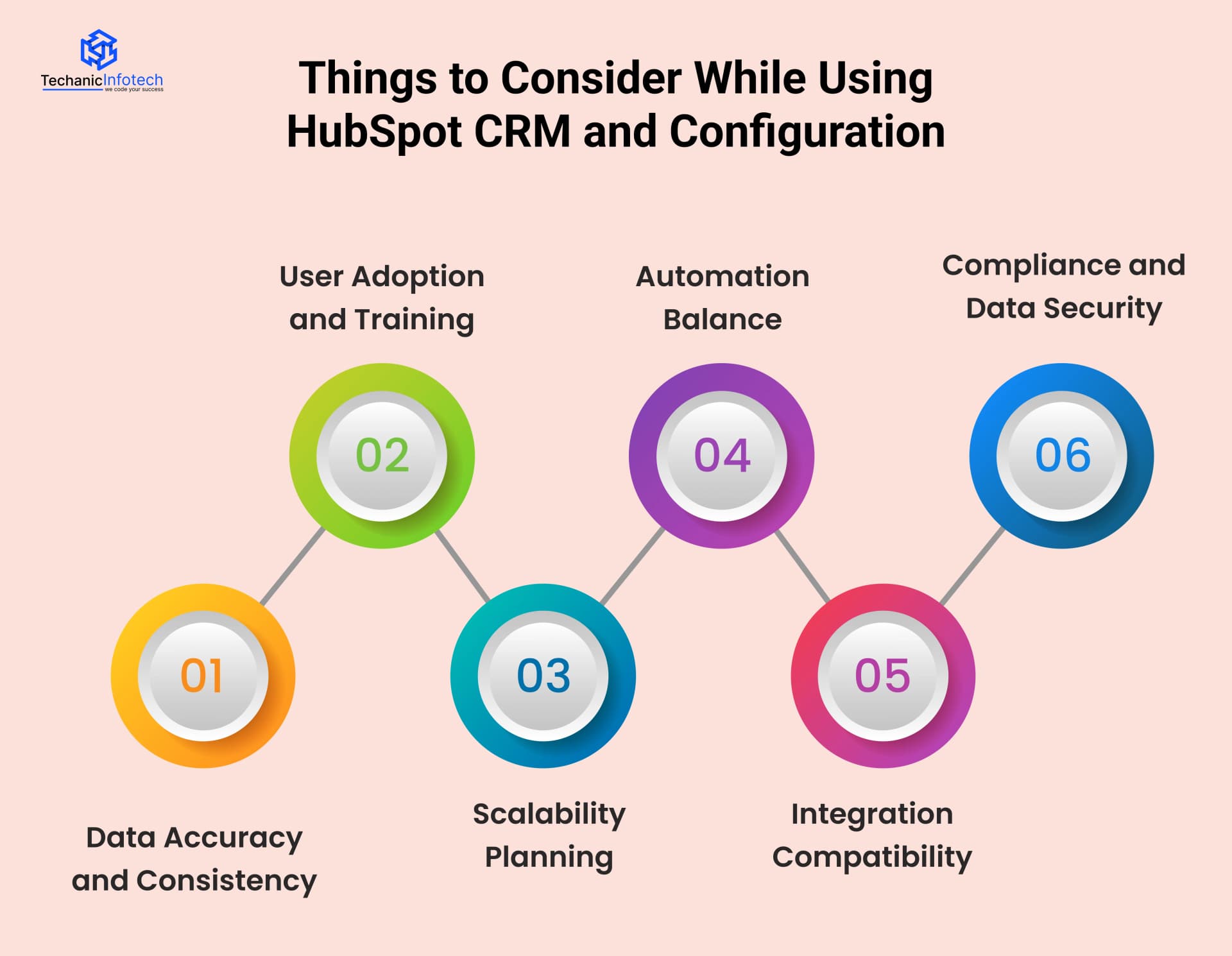
Maintaining accurate and consistent data is essential for effective CRM usage.
Regular data validation, standardized naming conventions, and duplicate management ensure reliable reporting and better decision-making.
Clean and updated data improves forecasting accuracy and helps teams trust the CRM as a single source of truth.
Providing proper training, clear guidelines, and ongoing support helps users understand features and best practices.
Continuous learning sessions and onboarding programs encourage consistent usage across teams.
When employees feel confident using the CRM, productivity increases and resistance to change is minimized.
Scalability planning ensures the CRM can grow with your business.
Anticipating future needs, such as increased users, advanced automation, and expanded data volume, helps avoid system limitations and costly reconfigurations.
A scalable setup supports long-term growth without disrupting daily operations. This proactive approach protects your CRM investment over time.
While automation improves efficiency, over-automation can reduce personalization and flexibility.
Striking the right balance ensures workflows support users without replacing meaningful human interactions.
Thoughtful automation improves response times while preserving customer engagement quality. This balance helps maintain strong relationships while maximizing operational efficiency.
Ensuring compatibility between HubSpot CRM and other business tools is crucial for seamless data flow.
Proper integrations reduce manual work, prevent data silos, and create a unified ecosystem that supports sales, marketing, and customer service operations.
Integrated systems improve visibility across departments and enhance collaboration. This leads to faster decision-making and improved customer experiences.
CRM systems must comply with data protection regulations such as GDPR and ensure secure data handling.
Implementing access controls, encryption, and regular audits protects sensitive customer information.
Strong security practices reduce risk and prevent data breaches. This commitment to compliance builds long-term trust with customers and stakeholders.
The cost to set up or configure HubSpot varies based on business size, complexity, customization, data migration, integrations, and training, typically ranging from $2,000 to $12,000 for a complete implementation.
The following steps help estimate the HubSpot consulting cost required for successfully setting up each stage of HubSpot CRM
The cost of HubSpot setup largely depends on organizational size and CRM complexity.
Smaller businesses with straightforward pipelines and fewer users can expect to invest around $2,000.
Medium-sized teams with multiple departments and complex pipelines may see costs rise up to $5,000, reflecting increased planning, configuration, and resources.
This section outlines costs associated with configuring HubSpot based on organizational scale, user volume, and CRM structural complexity.
|
Feature |
Description |
Scope |
Estimated Cost |
|
Team Size |
Number of CRM users |
Small to mid teams |
$400 – $1,000 |
|
Pipelines |
Sales pipeline structure |
Single or multiple |
$600 – $1,500 |
|
Departments |
Cross-team CRM usage |
Sales, marketing, service |
$500 – $1,200 |
|
Configuration |
CRM setup complexity |
Basic to advanced |
$500 – $1,300 |
Tailoring HubSpot with custom properties, deal stages, dashboards, and automated workflows enhances operational efficiency and aligns the platform with business objectives.
Basic customizations may start around $3,000, whereas intricate multi-team processes with advanced automation can increase HubSpot implementation onboarding expenses to approximately $8,000.
This section covers expenses related to tailoring HubSpot through custom fields, automated workflows, and reporting structures.
|
Feature |
Description |
Scope |
Estimated Cost |
|
Custom Properties |
Tailored CRM fields |
Contacts and deals |
$600 – $1,500 |
|
Deal Stages |
Customized sales stages |
Multiple pipelines |
$700 – $1,800 |
|
Workflows |
Automated processes |
Lead and deal routing |
$1,000 – $3,000 |
|
Dashboards |
Custom reporting views |
Team insights |
$700 – $1,700 |
Migrating data from legacy systems, spreadsheets, or other CRMs requires careful mapping, cleansing, deduplication, and validation.
Smaller datasets may only cost $2,500, but larger, inconsistent, or multi-source datasets demand extensive effort and expertise, pushing overall migration and cleanup expenses up to $7,000.
This section details the costs involved in transferring, cleansing, and validating data from existing systems into HubSpot.
|
Feature |
Description |
Scope |
Estimated Cost |
|
Data Sources |
Systems and files |
CRM and spreadsheets |
$500 – $1,400 |
|
Data Mapping |
Field alignment |
Legacy to HubSpot |
$700 – $1,900 |
|
Data Cleanup |
Deduplication and validation |
Clean records |
$800 – $2,300 |
|
Import Testing |
Migration verification |
Error checking |
$500 – $1,400 |
Connecting HubSpot with external tools such as ERP systems, e-commerce platforms, marketing automation, or support software requires technical planning, API configurations, and rigorous testing.
Simple integrations may cost around $3,000, while advanced or multiple integrations can escalate setup costs to $10,000, depending on complexity and scope.
This section represents costs related to connecting HubSpot with external platforms through secure and scalable integrations.
|
Feature |
Description |
Scope |
Estimated Cost |
|
Integration Type |
External platforms |
ERP, e-commerce |
$800 – $2,200 |
|
API Setup |
Data exchange configuration |
Secure connections |
$1,000 – $3,000 |
|
Data Sync |
Data synchronization |
One-way or two-way |
$700 – $2,500 |
|
Testing |
Integration validation |
Stability testing |
$500 – $2,300 |
Effective HubSpot adoption depends on structured user training and support. Small teams with standard workflows may require minimal onboarding, costing roughly $2,000.
In contrast, larger organizations with customized training sessions, documentation, and ongoing support may need investments of up to $6,000 to ensure full platform adoption and productivity.
This section focuses on the investment required to enable users through training, documentation, and adoption guidance.
|
Feature |
Description |
Scope |
Estimated Cost |
|
Training Sessions |
Live user training |
Teams and managers |
$700 – $2,000 |
|
Documentation |
User guides |
Standard or custom |
$400 – $1,200 |
|
Role Training |
Role-based learning |
Sales and marketing |
$500 – $1,500 |
|
Adoption Support |
Post-training assistance |
User enablement |
$400 – $1,300 |
Post-implementation optimization is critical for long-term ROI. Continuous improvements, workflow refinements, reporting enhancements, and technical support for small teams may cost $2,500.
In contrast, large enterprises requiring frequent updates and strategic adjustments can expect annual expenses up to $12,000, ensuring HubSpot remains aligned with evolving business goals.
This section outlines annual costs associated with maintaining, improving, and supporting HubSpot after implementation.
|
Feature |
Description |
Scope |
Estimated Cost |
|
System Optimization |
Workflow improvements |
Continuous updates |
$800 – $3,500 |
|
Reporting Updates |
Dashboard refinements |
KPI tracking |
$500 – $2,500 |
|
Process Adjustments |
CRM process changes |
Business updates |
$600 – $3,000 |
|
Technical Support |
Ongoing assistance |
Issue resolution |
$600 – $3,000 |
The cost of setting up and configuring HubSpot CRM is influenced by multiple variables that determine implementation complexity and effort.
The following outlines the key factors affecting the overall cost.

The overall cost of CRM setup is significantly influenced by the HubSpot subscription plan selected.
Advanced plans, such as Professional and Enterprise, provide sophisticated tools like automation, predictive reporting, and custom objects, which demand more extensive configuration, technical expertise, and implementation time, thereby increasing setup costs.
Organizations with larger teams and complex operational structures require a more robust CRM configuration.
Managing multiple pipelines, departments, and customer journeys involves advanced customization of properties, permissions, and workflows, resulting in increased implementation effort, resource allocation, and associated costs.
Tailoring HubSpot to align with unique business processes often requires extensive customization.
Designing automated workflows, lead scoring models, personalized dashboards, and marketing sequences demands strategic planning and technical proficiency, which elevates both development time and overall implementation expenditure.
Transferring data from legacy systems or spreadsheets into HubSpot can be a complex and resource-intensive process.
Ensuring data accuracy through cleansing, mapping, and validation, along with integrating third-party applications, increases project scope, technical effort, and setup costs.
Engaging certified HubSpot consultants or implementation partners enhances CRM effectiveness but adds to initial costs.
Professional onboarding, user training, and documentation ensure accurate setup, faster adoption, and long-term efficiency, ultimately maximizing the return on investment.
Setting up and configuring HubSpot can present challenges such as data migration issues, customization complexity, integration hurdles, and user adoption concerns that require careful planning and expertise to overcome.
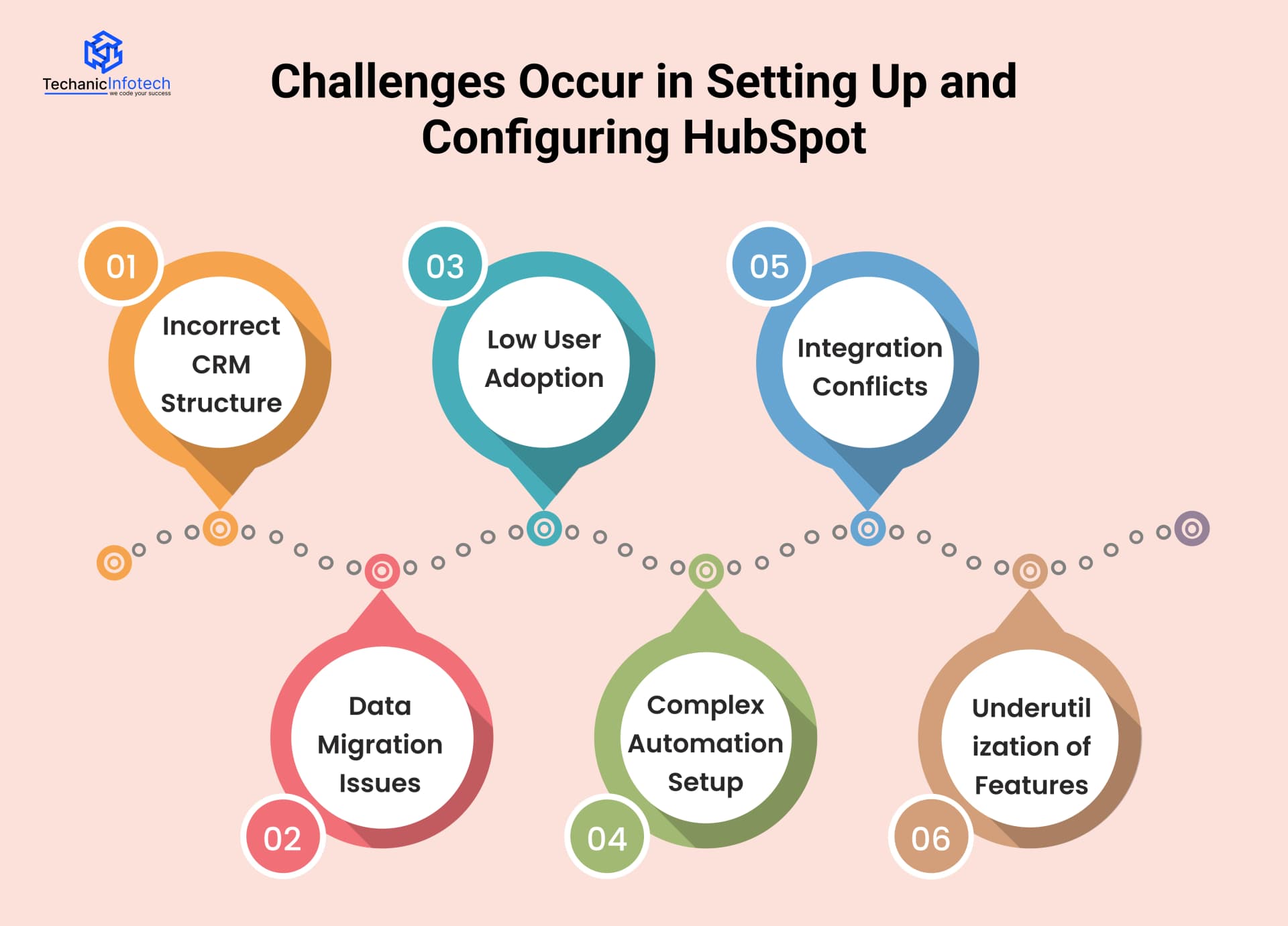
An incorrect CRM structure can lead to confusion, inefficiencies, and poor data management.
Poorly designed pipelines, properties, or workflows make it difficult for teams to follow processes consistently.
A well-planned structure ensures clarity, usability, and long-term scalability.
Data migration issues often occur when data is imported without proper cleaning or validation.
Problems such as duplicates, missing fields, or incorrect formatting can impact reporting and automation.
Careful planning and testing help ensure a smooth and accurate migration process.
Low user adoption reduces the overall effectiveness of the CRM system. When users find the platform difficult or unnecessary, data becomes incomplete and unreliable.
Proper training, leadership support, and clear value communication help encourage consistent CRM usage.
Overly complex automation setups can cause errors, delays, and confusion among teams.
Poorly designed workflows may trigger incorrect actions or overwhelm users with notifications.
Keeping automation simple and well-documented improves efficiency and reduces maintenance challenges.
Integration conflicts occur when connected tools do not sync data properly or follow different data rules.
These conflicts can lead to data inconsistencies and system errors. Regular monitoring and compatibility checks help maintain smooth integration performance.
Underutilization of CRM features prevents businesses from gaining full value from the platform.
Many teams use only basic functions while ignoring powerful tools like automation, reporting, and analytics. Ongoing training and feature awareness help maximize CRM ROI.
Techanic Infotech is known for Hubspot consulting services providing multiple benefits because they combine technical expertise with a clear understanding of business workflows.
Their team ensures a smooth, customized HubSpot implementation aligned with your sales, marketing, and customer service goals.
Techanic Infotech handles everything from CRM configuration and data migration to automation, pipeline setup, and third-party integrations.
They focus on optimizing HubSpot features to improve lead management, reporting, and team productivity. With a client-centric approach, they provide ongoing support, training, and scalable solutions as your business grows.
Their proven experience, transparent communication, and results-driven mindset make Techanic Infotech a reliable partner for maximizing HubSpot CRM’s full potential and achieving long-term business success.
HubSpot CRM is a powerful platform, but its true value lies in proper setup and strategic configuration.
A well-implemented CRM improves customer relationships, enhances team productivity, and delivers measurable business insights.
From defining goals and customizing pipelines to automating workflows and ensuring user adoption, every step plays a crucial role in success.
While challenges like data migration and automation complexity can arise, partnering with an experienced provider simplifies the process.
By choosing the right strategy and expert support, businesses can transform HubSpot CRM into a scalable growth engine that supports sales, marketing, and customer success for the long term.
Yes, HubSpot CRM offers a free plan with essential tools like contact management, deal tracking, email logging, and basic reporting, suitable for growing teams.
Basic HubSpot CRM setup can take a few hours, while advanced customization, data migration, and integrations may require several days or a couple of weeks.
HubSpot CRM integrates seamlessly with many third-party tools, including email platforms, marketing software, customer support systems, and automation tools through native apps and APIs.
Yes, HubSpot CRM is ideal for small businesses due to its free entry point, user-friendly interface, scalability, and ability to grow alongside business needs.
Hiring an expert ensures proper configuration, clean data migration, efficient workflows, and optimized integrations, saving time and helping your team fully leverage HubSpot’s capabilities.


Abhishek Jangid is the CEO of Techanic Infotech, with extensive experience in mobile app and web development. He specializes in helping businesses turn innovative ideas into scalable digital solutions through strategic planning and modern technology.