Cloud App Development
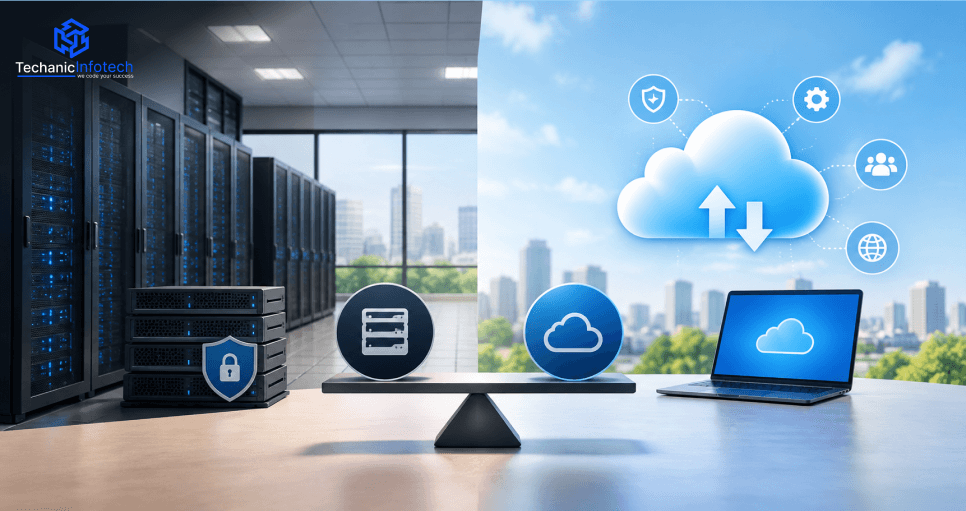
On-Premise vs. Cloud: Benefits, Risks, Costs & Key Differences
September 21, 2026
September 21, 2026
Key Takeaways:
On-premises provides direct control: enterprises can manage their own hardware, infrastructure, data location, and configurations.
Cloud provides flexibility: cloud platforms allow businesses to provision resources quickly and scale workloads according to demand.
Both models have risks: On-premises requires extensive infrastructure management, while cloud environments require careful configuration, security, and cost control.
Costs depend on workloads: Enterprises should compare hardware, maintenance, staffing, infrastructure, migration, and ongoing operating costs rather than focusing only on upfront expenses.
Hybrid cloud can combine both approaches: businesses can keep selected workloads on-premises while using cloud infrastructure for applications that benefit from scalability and flexibility.
Enterprise technology infrastructure can have a major impact on how efficiently a business operates, develops applications, manages data, and scales its digital services. Traditionally, many organizations have relied on on-premises infrastructure to host applications, databases, storage, and internal systems. Cloud computing has introduced another option, allowing businesses to access infrastructure and services through external cloud platforms.
The choice between on-premises and cloud infrastructure depends on several factors, including business requirements, security policies, regulatory considerations, workload characteristics, scalability needs, technical expertise, and budget.
On-premises environments can provide greater control over infrastructure and data, while cloud environments can offer flexible resources, faster provisioning, and access to managed services. Understanding these differences can help enterprises determine which infrastructure model is more suitable for their applications, data, and long-term technology strategy.
According to Grand View Research, the on-premises data center segment generated USD 150,023.8 million in 2025 and is projected to grow at a CAGR of 10.5% through 2033.
The global data center market generated revenue of USD 383,824.6 million in 2025 and is expected to reach USD 902,193.9 million by 2033.
On-premises infrastructure refers to computing resources that an organization owns or leases and operates within its own facilities or a dedicated data centre environment. This can include physical servers, storage systems, networking equipment, databases, security appliances, and software used to run business applications.
Unlike cloud infrastructure, where a provider manages the underlying physical environment, an enterprise using on-premises infrastructure is generally responsible for purchasing, configuring, maintaining, securing, and upgrading its technology environment.
One of the main reasons enterprises choose on-premises infrastructure is the level of control it can provide. Organizations can decide how hardware is configured, where data is stored, which software is installed, and how systems are connected.
This level of control can be useful for businesses with specialized infrastructure requirements or strict internal policies.
Enterprises can design infrastructure around their specific workload requirements. They can select hardware, storage capacity, networking configurations, operating systems, and security technologies based on their applications.
This can be particularly relevant for organizations running specialized workloads that require tightly controlled environments.
On-premises infrastructure also means that the organization is responsible for ongoing maintenance. IT teams typically need to manage hardware upgrades, system monitoring, backups, security patches, cooling, power, and infrastructure failures.
These responsibilities can increase operational workload and require significant technical expertise and dedicated resources.
On-premises environments commonly require substantial initial spending on servers, storage, networking equipment, software licences, data centre facilities, and implementation.
Enterprises must also account for ongoing expenses such as hardware replacement, maintenance contracts, electricity, physical security, and IT staffing.
Organizations with long-running applications may continue using on-premises infrastructure because their systems have been designed around it. Migrating those workloads can require significant planning, application changes, and data migration.
For businesses relying on legacy system maintenance, retaining selected on-premises workloads may sometimes be necessary while modernization is planned in phases.
Cloud infrastructure provides computing resources such as servers, storage, databases, networking, and application services through a cloud provider. Instead of purchasing and maintaining all physical infrastructure directly, enterprises can access these resources through cloud platforms and adjust them according to their requirements.
Cloud environments can range from basic virtual machines and storage services to highly managed platforms for databases, analytics, artificial intelligence, application hosting, and enterprise workloads.
One of the major characteristics of cloud infrastructure is the ability to provision resources according to workload requirements. Enterprises can increase computing capacity during periods of high demand and reduce resources when workloads decline.
This flexibility can be particularly useful for businesses with seasonal traffic, rapidly growing applications, or unpredictable workloads.
Cloud platforms can allow technical teams to create servers, databases, storage environments, and development resources without purchasing and configuring physical hardware.
This can help shorten infrastructure setup time and support faster application development, testing, and deployment.
Cloud providers offer managed services for databases, storage, monitoring, security, networking, analytics, and other technical requirements. These services can reduce the amount of infrastructure maintenance that enterprises need to perform internally.
However, businesses still need to manage their cloud configurations, applications, user permissions, data, and overall usage.
Cloud infrastructure can support applications and data across multiple geographic locations. Enterprises can design systems that serve users in different regions while scaling computing and storage resources as demand changes.
Instead of making large investments in physical infrastructure upfront, businesses generally pay for the cloud resources and services they use. Costs can therefore vary according to computing capacity, storage, network traffic, managed services, and workload activity.
The two infrastructure models differ in how resources are owned, managed, scaled, secured, and paid for. The right choice depends on an enterprise's workload requirements, technical capabilities, budget, and long-term strategy.
|
Factor |
On-Premise Infrastructure |
Cloud Infrastructure |
|
Infrastructure Ownership |
Enterprise owns or manages the infrastructure. |
Infrastructure is provided by a cloud provider. |
|
Initial Investment |
Usually higher due to hardware and setup costs. |
Usually lower upfront investment. |
|
Operating Model |
Enterprise manages physical infrastructure. |
The provider manages the underlying infrastructure |
|
Scalability |
Requires additional hardware and capacity planning |
Resources can generally be scaled on demand |
|
Deployment Speed |
Hardware procurement and setup can take time. |
New resources can usually be provisioned faster |
|
Maintenance |
Enterprise is responsible for hardware and infrastructure maintenance |
The provider manages much of the physical infrastructure. |
|
Customization |
High control over hardware and infrastructure configuration |
Customization depends on the services and controls offered |
|
Security Responsibility |
Enterprise manages physical and technical security. |
Shared responsibility between provider and enterprise |
|
Data Location |
Data can remain within an organization's controlled environment. |
Data is stored within the selected cloud environment and region |
|
Disaster Recovery |
The enterprise must design and maintain recovery infrastructure. |
Cloud services can provide scalable backup and recovery options |
|
Resource Utilization |
Capacity may remain underused during low-demand periods. |
Resources can often be adjusted according to demand |
|
Payment Model |
Significant capital expenditure plus ongoing maintenance |
Typically usage-based or subscription-based operating costs |
|
Infrastructure Control |
Direct control over hardware and infrastructure |
More abstraction from physical infrastructure |
|
Geographic Reach |
Expanding to new locations can require additional infrastructure |
Cloud providers can offer infrastructure across multiple regions |
Both on-premises and cloud infrastructure can provide important advantages to enterprises. The better fit depends on factors such as control, scalability, workload requirements, technical expertise, and long-term business objectives.
|
Benefit Area |
On-Premise Infrastructure |
Cloud Infrastructure |
|
Infrastructure Control |
Provides direct control over hardware, systems, configurations, and internal infrastructure |
Provides flexible access to infrastructure without requiring ownership of physical hardware |
|
Customization |
Allows extensive customization of hardware and infrastructure environments |
Offers configurable services, platforms, and infrastructure options |
|
Data Control |
Data can remain within the organization's own facilities and infrastructure |
Data can be managed through selected cloud regions, services, and access policies. |
|
Scalability |
Capacity can be planned and expanded by adding additional hardware |
Resources can generally be increased or reduced according to workload demand |
|
Deployment Speed |
New infrastructure may require procurement, installation, and configuration |
Cloud resources can typically be provisioned more quickly |
|
Cost Structure |
Provides greater control over infrastructure spending but often requires higher upfront investment |
Reduces the need for major hardware purchases and commonly uses usage-based or subscription pricing |
|
Maintenance |
Enterprise controls maintenance schedules, upgrades, and infrastructure changes |
The cloud provider manages much of the underlying physical infrastructure |
|
Performance Control |
Organizations can configure hardware specifically for certain workloads |
Cloud resources can be selected and adjusted based on workload requirements |
|
Disaster Recovery |
Enterprise designs and manages its own backup and recovery infrastructure |
Cloud services can provide scalable backup, replication, and recovery capabilities |
|
Geographic Availability |
Expanding infrastructure to new locations can require additional hardware and facilities |
Cloud providers can offer infrastructure across multiple geographic regions |
|
Technology Innovation |
Enterprise has direct control over when and how new technologies are adopted |
Provides access to managed services for databases, analytics, AI, networking, and other technologies |
|
Operational Flexibility |
Useful for workloads requiring tightly controlled infrastructure environments |
Useful for dynamic workloads and organizations needing flexible infrastructure |
|
Enterprise Workloads |
Can support specialized workloads with strict infrastructure requirements |
Can support scalable applications and services across different business environments |
For organizations involved in enterprise software development, the choice may depend on whether the application requires dedicated infrastructure control, flexible scaling, specific compliance arrangements, or access to managed cloud services.
Both infrastructure models involve different technical and operational risks. On-premises environments place more responsibility on the enterprise for physical infrastructure and maintenance, while cloud environments require careful management of provider services, configurations, access, and ongoing usage.
|
Risk Area |
On-Premise Infrastructure |
Cloud Infrastructure |
|
Infrastructure Failure |
Hardware failures can affect applications and require replacement or repair |
Provider infrastructure is designed for resilience, but outages can still affect services |
|
Scalability |
Expansion may require purchasing and installing additional hardware |
Poorly planned scaling can increase resource usage and operating costs |
|
Maintenance |
Enterprise handles hardware upgrades, patches, and infrastructure maintenance |
The provider manages physical infrastructure, while the enterprise still manages its cloud configuration and workloads |
|
Security |
Enterprise is responsible for physical and technical security across its environment |
Security responsibilities are shared between the provider and the enterprise |
|
Downtime |
Equipment failures or maintenance can cause service interruptions |
Provider outages, network issues, or configuration errors can affect availability |
|
Data Recovery |
Enterprises must design and maintain backup and recovery systems |
Cloud platforms offer recovery services, but these must be configured and managed correctly |
|
Vendor Dependency |
Less dependent on a cloud provider but may depend on hardware and software vendors |
Greater dependency on the selected cloud provider and its services |
|
Cost Risks |
Unexpected hardware repairs, upgrades, power, and maintenance can increase expenses |
Poor resource management, unused services, and unexpected workloads can increase monthly costs |
|
Technical Expertise |
Requires internal teams with infrastructure and hardware knowledge |
Requires expertise in cloud architecture, security, monitoring, and service management |
|
Compliance |
Enterprise has direct control over infrastructure and data location |
Compliance depends on provider capabilities, selected regions, configurations, and internal controls |
For enterprises handling sensitive systems, security architecture should receive particular attention in either environment. Cybersecurity software development practices can help strengthen application-level protection, authentication, access control, monitoring, and data security.
Security is an important consideration when enterprises choose between on-premises and cloud infrastructure. Neither model is automatically secure or insecure; the actual level of protection depends on architecture, configuration, access controls, monitoring, and how responsibly the environment is managed.
On-premises infrastructure gives enterprises direct control over physical servers, networking equipment, storage, and security technologies. Organizations can define their own security policies and decide how systems are isolated, monitored, and accessed.
Cloud providers manage much of the physical infrastructure and underlying platform security, but enterprises remain responsible for their applications, data, identities, permissions, and cloud configurations.
Enterprises operating in regulated industries may have requirements related to data storage, privacy, retention, access, and auditing. Before selecting an infrastructure model, businesses should understand where sensitive information will be stored, who can access it, and how activity will be monitored.
Strong identity management is important in both environments. Enterprises should use role-based access, multi-factor authentication, least-privilege permissions, and regular access reviews to reduce unauthorized access.
Continuous monitoring helps organizations detect unusual activity, configuration problems, failed authentication attempts, and potential security incidents. Clear incident-response procedures should also be established so teams know how to investigate and contain security issues.
The appropriate infrastructure model depends on the organization's security capabilities, compliance obligations, workload sensitivity, and technical resources. Enterprises should evaluate these requirements alongside scalability, cost, performance, and operational needs before making a final infrastructure decision.
Cost is one of the most important factors enterprises consider when choosing between on-premises and cloud infrastructure. However, comparing only the initial investment can be misleading. Businesses should consider hardware, maintenance, staffing, energy, scalability, software, migration, and ongoing operational expenses.
On-Premise: Enterprises generally need to purchase servers, storage systems, networking equipment, security infrastructure, and related software. This can create a significant upfront capital expenditure.
Cloud: Cloud infrastructure generally reduces the need for large hardware purchases because businesses access infrastructure through a provider. Initial setup costs may therefore be lower, although implementation and migration can still require investment.
On-Premise: The organization is responsible for equipment maintenance, replacements, upgrades, physical facilities, power, cooling, and hardware-related support.
Cloud: The cloud provider manages the underlying physical infrastructure. Enterprises still pay for the cloud services they use and may incur additional costs for managed databases, monitoring, security, backup, and other services.
On-Premise: Businesses may require dedicated IT professionals to manage servers, networks, storage, backups, security, and infrastructure failures.
Cloud: Cloud reduces some infrastructure management responsibilities, but organizations still need professionals who understand cloud architecture, security, monitoring, cost optimization, and application management.
Businesses that rely on external software development services may also need to account for cloud-related development, integration, and maintenance work within their technology budget.
On-Premise: When workload requirements increase significantly, enterprises may need to purchase additional hardware. Capacity planning is therefore important to avoid both shortages and unused infrastructure.
Cloud: Cloud resources can generally be increased or reduced based on demand. This can provide greater flexibility, but poor resource management can result in higher recurring costs.
On-Premise: Businesses operating their own infrastructure may need to pay for electricity, cooling, physical security, data centre facilities, and equipment management.
Cloud: These physical infrastructure expenses are largely handled by the provider and reflected indirectly in service pricing.
The total cost of ownership depends heavily on workload characteristics. An enterprise with stable, predictable workloads may evaluate long-term infrastructure ownership differently from a business with rapidly changing or highly variable demand.
A proper cost comparison should therefore consider both capital expenditure and ongoing operating expenditure, rather than comparing hardware prices with monthly cloud bills alone.
Both on-premises and cloud infrastructure can support modern enterprise applications. The main difference is how resources are provisioned, managed, scaled, and integrated with other technologies.
Enterprises can build and operate business applications in either environment depending on their architecture, performance, security, and infrastructure requirements.
On-premises environments may be appropriate for applications that require dedicated infrastructure, while cloud environments can provide flexible resources and managed services for applications with changing workloads.
AI and analytics workloads can require substantial computing power, storage, and data-processing capacity. Cloud platforms can provide scalable infrastructure and managed services that allow enterprises to provision these resources as required.
Businesses can also use AI development services when building AI-enabled enterprise applications that need cloud computing, data pipelines, model hosting, or scalable processing.
Enterprise applications increasingly need to serve employees, customers, partners, and other users across web and mobile interfaces. Both infrastructure models can support backend services, databases, APIs, authentication, and application hosting.
Organizations may operate CRM, ERP, HR, finance, analytics, and other business systems that depend on shared databases and integrations. On-premises infrastructure can provide direct control over these environments, while cloud platforms can offer managed databases, integration services, storage, and scalable computing.
Cloud infrastructure can make it easier to provision development and testing environments quickly, while on-premises infrastructure can provide controlled environments for applications with specific infrastructure requirements.
Technology requirements can change as businesses introduce new applications, integrate external platforms, adopt AI, or expand into new markets. Enterprises should therefore evaluate not only their current infrastructure requirements but also how the chosen model will support future applications and workloads.
A hybrid cloud approach combines on-premises infrastructure with cloud services so that an enterprise can use both environments according to workload requirements. Instead of moving every application to the cloud or keeping everything on-premises, businesses can distribute workloads across different environments.
Some enterprises may prefer to keep highly sensitive data, specialized applications, or systems with strict infrastructure requirements within their own environment. Other workloads can operate in the cloud where greater flexibility is needed.
Applications with variable demand, development environments, analytics workloads, and selected customer-facing services can be hosted in the cloud. This can allow enterprises to scale specific workloads without replacing their entire infrastructure.
A hybrid environment requires reliable connections between on-premises systems and cloud services. APIs, secure networks, identity management, data synchronization, and monitoring are important for keeping systems connected and maintaining consistent access controls.
Hybrid infrastructure can provide a transition path for organizations that cannot migrate all legacy applications at once. Enterprises can modernize selected systems while continuing to operate important workloads on existing infrastructure.
This can be particularly useful when custom software development is being used to gradually replace or extend older enterprise applications.
Although hybrid cloud provides flexibility, it also introduces additional management requirements. Businesses need consistent security policies, monitoring, identity controls, backup strategies, and governance across both environments.
A hybrid model may be appropriate when an enterprise needs direct control over certain workloads but also wants the scalability and managed services available through cloud platforms.
The choice between on-premises and cloud infrastructure depends on an enterprise's specific workloads, security requirements, scalability needs, technical capabilities, budget, and long-term technology strategy.
On-premises infrastructure can provide greater control and customization, while cloud infrastructure can offer faster provisioning, flexible scaling, and access to managed services. Neither approach is universally suitable for every enterprise or workload.
Businesses should evaluate their infrastructure requirements individually and consider whether on-premises, cloud, or a hybrid model provides the most practical balance of control, performance, security, scalability, and cost. A carefully planned infrastructure strategy can provide a stronger foundation for current operations while supporting future technology needs.
It depends on the enterprise's security, scalability, workload, budget, and infrastructure requirements.
Cloud can reduce upfront hardware costs, but ongoing expenses depend on resource usage, services, and workload requirements.
Neither is automatically more secure. Security depends on architecture, configuration, access controls, monitoring, and management.
Yes. A hybrid cloud model allows businesses to use both environments for different workloads.
On-premises may suit enterprises requiring greater infrastructure control, specialized environments, or specific data-location requirements.
Cloud can suit businesses that need flexible resources, faster provisioning, scalability, and managed infrastructure services.
Hardware, maintenance, staffing, storage, computing resources, security, software, migration, and ongoing operational requirements all affect costs.


Abhishek Jangid is the CEO of Techanic Infotech, with extensive experience in mobile app and web development. He specializes in helping businesses turn innovative ideas into scalable digital solutions through strategic planning and modern technology.