Mobile App Development
CI/CD Pipeline Setup: Tools, Architecture, and Best Practices Explained
February 3, 2026
February 3, 2026
Setting up a solid CI/CD pipeline is one of the smartest moves a team can make to speed up development and deliver high-quality software.
Instead of jugglingmanual builds, testing, and deployments, a well-structured pipeline automates the entire flow, helping developers ship faster with fewer surprises.
In this guide, we’ll break down the core architecture, walk through essential CI/CD pipeline tools, and highlight best practices that keep your workflow smooth and reliable.
Whether you’re building your first pipeline or upgrading an existing setup, understanding how each piece fits together will help you create a system that’s scalable, secure, and easy to maintain.
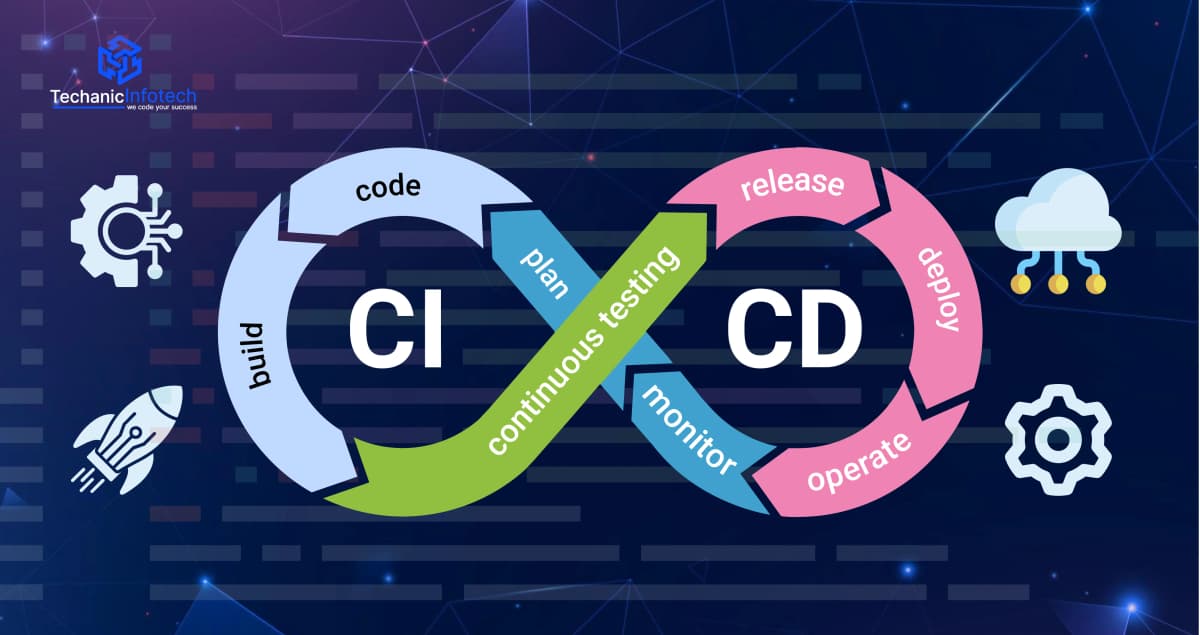
A CI/CD pipeline is the automated backbone of modern software delivery. It lets teams build, test, and deploy code faster with fewer errors and more consistency.
By automating these steps, developers spend less time on repetitive tasks and more on creating features that matter.
CI/CD helps teams release updates with confidence and keeps software quality high.

Over 80% of enterprises have automated software release pipelines using CI/CD.
About 67% of software companies use CI/CD tools in DevOps workflows.
Jenkins remains widely used, adopted by around 45% of teams.
AI-powered features in CI/CD are expected to be used by ~60% of companies by 2025.
CI/CD automation can reduce delivery time by up to 40%.
A solid CI/CD pipeline architecture connects your codebase, automation tools, testing stages, and deployment processes into one continuous flow.
Each component works together to deliver faster releases, higher stability, and a more predictable development experience.
SCM platforms like Git organize all code changes in one place, making collaboration easier and preventing version conflicts.
Every commit becomes a tracked event that can trigger automated workflows, ensuring the pipeline starts cleanly and consistently with each update.
Build automation tools that compile code, run scripts, and package applications without manual work.
This step drives CI/CD workflow automation, transforming raw code into consistent, production-ready artifacts while removing repetitive tasks that slow down development.
Automated tests run immediately after each build to verify functionality, performance, and stability.
This layer catches bugs early, reduces risk, and prevents faulty code from moving forward in the pipeline. It keeps quality high and avoids costly last-minute issues.
After testing, the pipeline stores reliable build artifacts in a version-controlled repository.
This creates a permanent history of stable releases, allowing teams to reuse, roll back, or redeploy builds anytime. It ensures deployments are consistent across all environments.
Deployment automation tools push tested code to staging or production with minimal human involvement.
These systems are crucial for fast, predictable releases, especially in mobile app development, where frequent updates and multiple platform deployments demand smooth, reliable delivery.
A successful CI/CD pipeline relies on the right mix of tools that automate builds, testing, security, and deployments.
These tools support CI/CD best practices by keeping development fast, scalable, and ensuring code moves smoothly from commit to production with minimal mutua; effort.
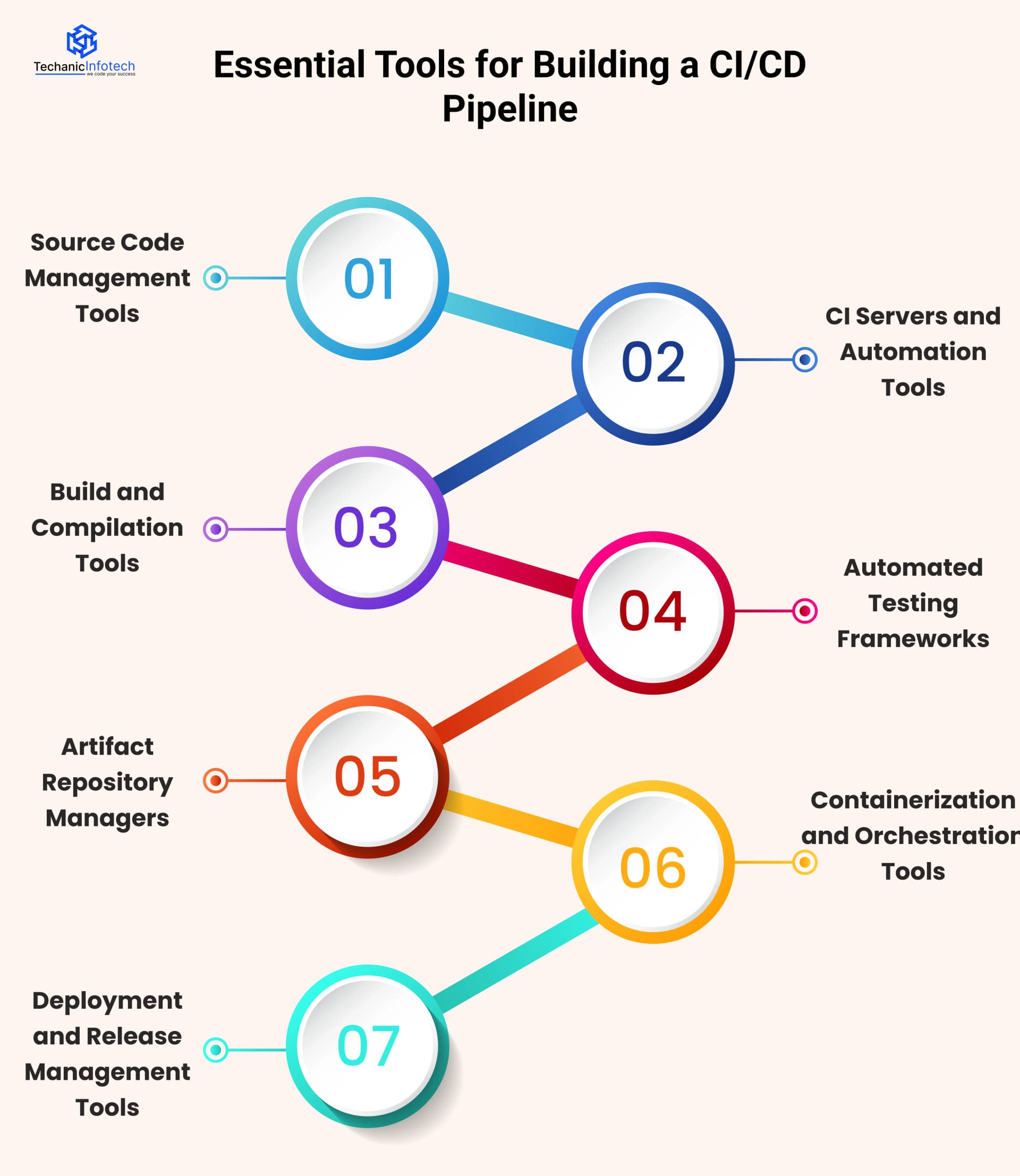
Platforms like GitHub, GitLab, and Bitbucket help teams store, track, and manage code changes in a shared repository. They support branching, merging, and pull requests, making collaboration seamless.
Every commit acts as a trigger for automated workflows, ensuring a clean, traceable starting point for your pipeline.
Tools such as Jenkins, GitHub Actions, GitLab CI, and CircleCI automate builds, tests, and validations.
They continuously watch your repository for updates and launch jobs instantly when changes occur.
These systems also play a key role in CI/CD security best practices by enforcing checks and scanning throughout the automation flow.
Build systems like Maven, Gradle, and npm handle compiling, packaging, and preparing application artifacts.
They ensure consistency across different machines, maintain dependency order, and detect conflicts early.
This keeps your build process predictable and prevents unstable code from progressing in the pipeline.
Tools like JUnit, Selenium, Cypress, and PyTest run functional, performance, and regression tests right after each build.
They help catch issues early and keep releases stable. Robust automated testing is essential for a strong CI/CD pipeline, ensuring that every component is validated before deployment.
Systems like JFrog Artifactory, Nexus Repository, and GitHub Packages store stable, versioned build artifacts in one secure location.
They simplify rollbacks, support reuse across environments, and ensure deployments remain consistent without requiring a rebuild from scratch.
This structure keeps production releases predictable and controlled.
Docker, Kubernetes, and Helm create portable, environment-agnostic application packages that deploy reliably anywhere.
Kubernetes handles scaling, routing, and automated recovery, reducing operational overhead.
These tools form a powerful foundation for modern CI/CD pipelines and help teams avoid environment-specific issues.
Platforms like Argo CD, Spinnaker, and Octopus Deploy automate pushing software into staging or production.
They support canary releases, blue-green deployments, and fast rollbacks.
These tools streamline updates and enhance mobile app maintenance, where quick, controlled releases are crucial across multiple platforms.
A well-planned CI/CD setup streamlines continuous integration and continuous deployment, creating a smooth delivery flow from code commit to production.
By following structured steps, teams reduce errors, ship faster, and maintain consistent quality across every environment.
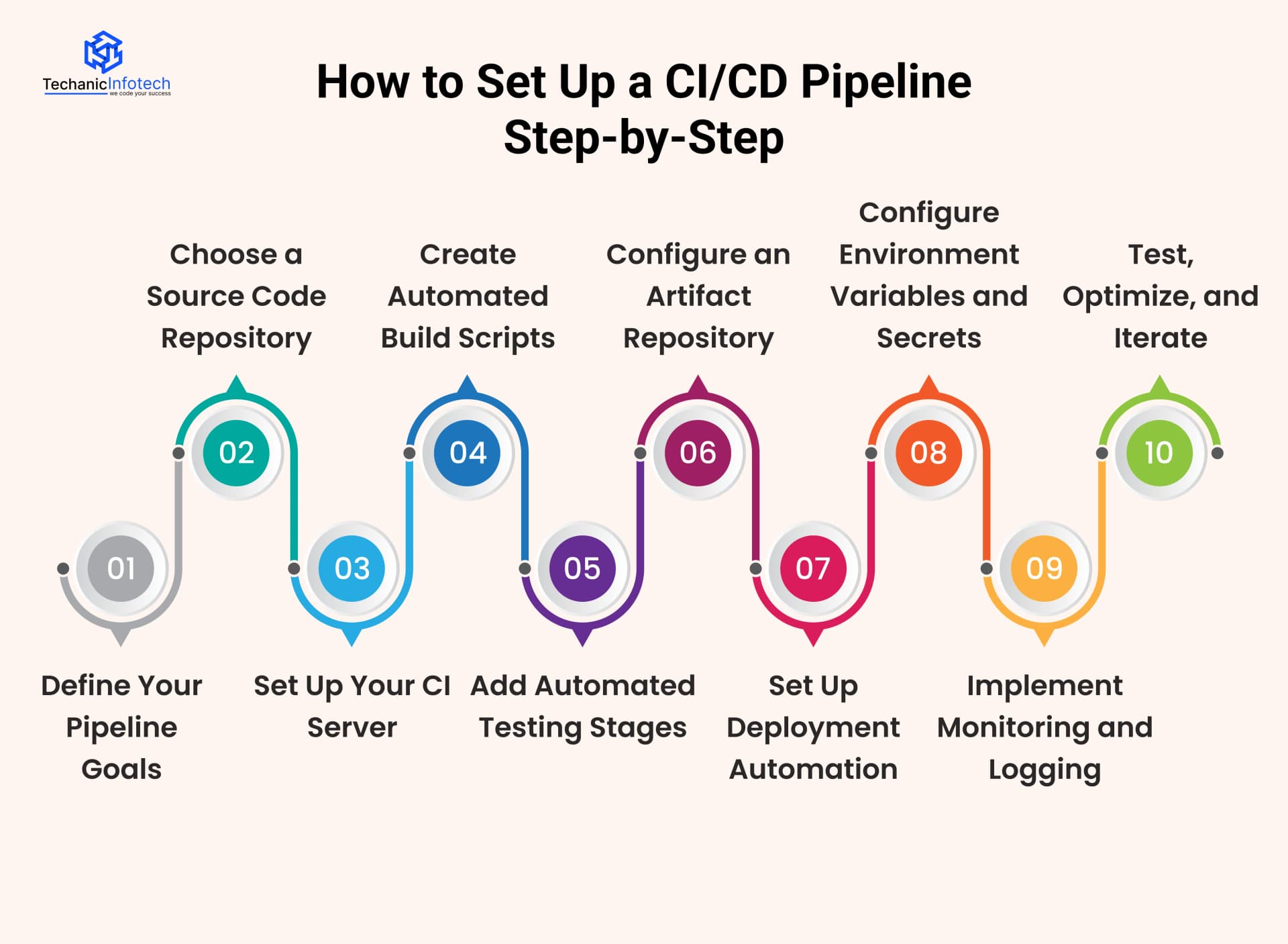
Start by outlining what you want to accomplish: speed, quality, or fewer manual tasks.
Clear goals help you choose the right CI/CD pipeline tools, decide what to automate, and shape a pipeline that truly supports your team’s long-term development objectives.
Pick a central platform like GitHub, GitLab, or Bitbucket. These tools track changes, manage branches, and kick off your automated deployment pipeline whenever new code is pushed.
A reliable repository ensures every run starts with clean, version-controlled updates.
Configure a CI tool like Jenkins, GitHub Actions, or GitLab CI and connect it to your repo.
This server becomes the engine of your DevOps CI/CD pipeline, automatically running builds, tests, and checks whenever developers commit new code.
Write scripts that handle compiling, packaging, and dependency management. Automated builds ensure every environment uses the same process.
Strong build automation also supports consistency when choosing a mobile app tech stack guide for teams building cross-platform or native applications.
Integrate tools like JUnit, Cypress, or Selenium to run checks after each build. Automated tests catch issues early and prevent bad code from moving forward.
Reliable testing backed by the right CI/CD pipeline tools helps maintain quality throughout the development lifecycle.
Store each build in a versioned repository like Nexus or Artifactory. Keeping artifacts organized makes rollbacks simple and deployments consistent across multiple environments.
It also avoids unnecessary rebuilds that slow down development.
Use Argo CD, Spinnaker, or Octopus Deploy to push code into staging or production.
Automated releases reduce human error and improve release speed, both essential factors when estimating mobile app development cost for businesses working with frequent updates.
Secure API keys, credentials, and environment settings using encrypted vaults or secret managers.
Keeping sensitive details out of your codebase protects your pipeline and ensures each environment runs with accurate, secure configurations.
Tools like Prometheus, Grafana, or New Relic help you track performance, detect failures, and analyze deployment health.
Continuous monitoring ensures fewer surprises and a more stable CI/CD flow as your application scales.
Run the pipeline regularly, identify bottlenecks, and refine each stage.
Optimization is ongoing, especially for teams preparing to publish an app on App Store, where stability, build quality, and predictable releases play a major role in passing app review smoothly.
A high-performing CI/CD setup relies on smart processes, consistent automation, and ongoing optimization.
As mobile app development trends evolve, following strong best practices helps teams reduce failures, speed up delivery, and maintain reliable deployments across today’s fast-moving development cycles.
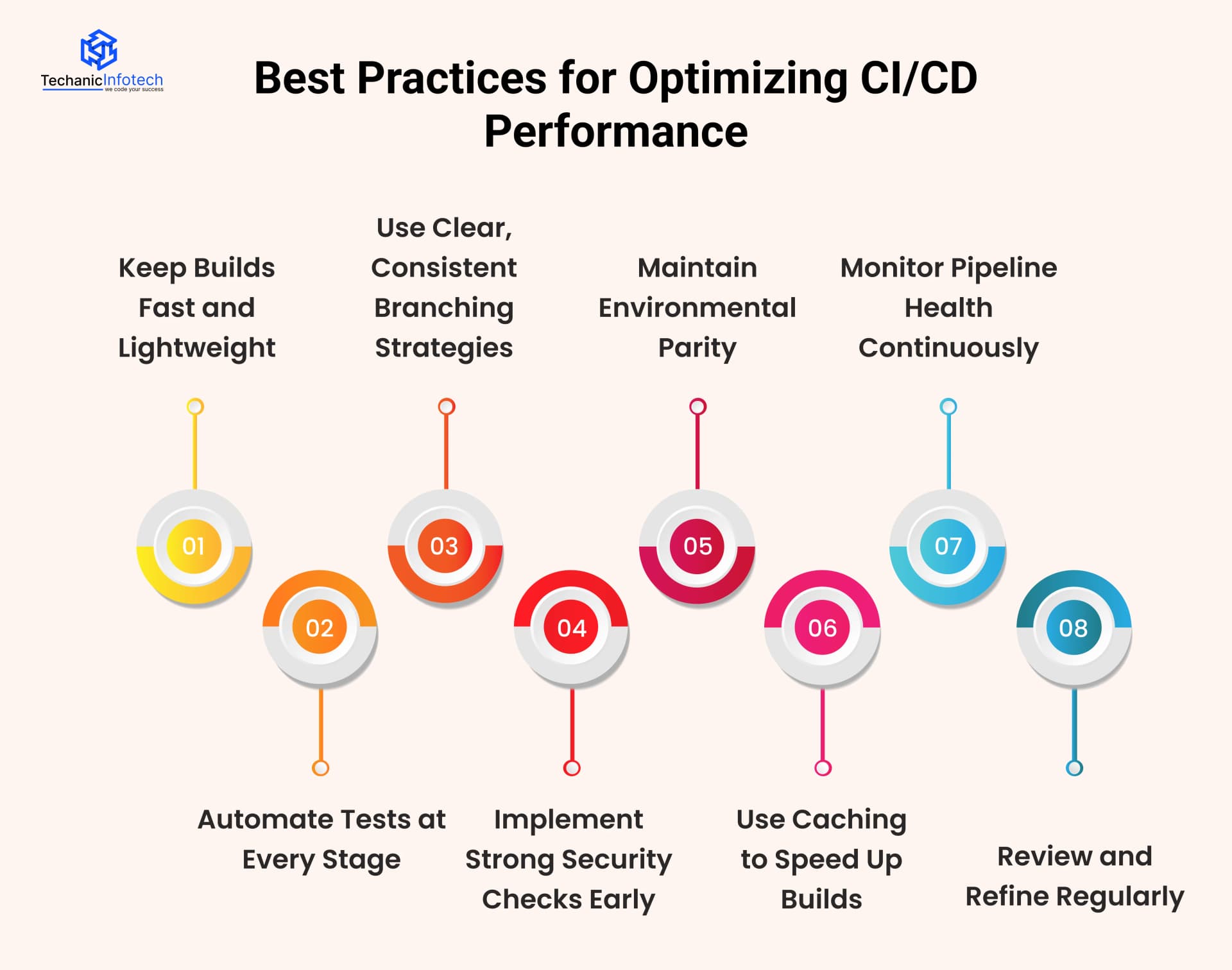
Break long builds into smaller, independent stages to reduce execution time. Fast builds provide quicker feedback, prevent bottlenecks, and keep teams productive.
Lean pipelines also use fewer resources and improve overall release efficiency throughout the development lifecycle.
Integrate unit, integration, API, and end-to-end tests early. Automated testing is essential for a strong CI/CD pipeline for cloud applications, ensuring every code change is validated in scalable environments.
Early detection minimizes production issues and accelerates deployment cycles.
Adopt a branching model like GitFlow or trunk-based development. Clear strategies minimize merge conflicts and keep work organized.
A predictable branching structure strengthens collaboration, improves code management, and supports smoother releases as the project grows.
Shift security left by adding automated scans, dependency checks, and vulnerability testing in early phases.
Catching risks early prevents them from reaching production, reduces emergency fixes, and keeps your pipeline secure without slowing down development.
Align development, staging, and production environments as closely as possible. Matching configurations prevents surprises during deployment and ensures accurate testing.
Using reliable CI/CD pipeline tools also reduces environment drift and helps maintain consistent behavior across all stages.
Cache dependencies, container layers, and frequently used resources to accelerate builds. Caching is one of the simplest CI/CD best practices and leads to faster feedback loops, smoother automation, and improved overall performance across the entire pipeline.
Track build duration, flaky tests, deployment times, and failure patterns. Continuous monitoring helps teams spot inefficiencies early and take corrective action.
Better visibility creates a stable pipeline that grows with your codebase and team demands.
CI/CD optimization never stops. Regularly remove outdated steps, update tools, and streamline automation.
Small refinements over time prevent pipeline bloat and ensure your workflows remain efficient, scalable, and aligned with modern development requirements.
Integrating continuous integration and continuous deployment into your development workflow helps your team move faster, automate repetitive tasks, and reduce last-minute surprises.
With the right setup, CI/CD becomes a seamless part of everyday coding, testing, and release activities.
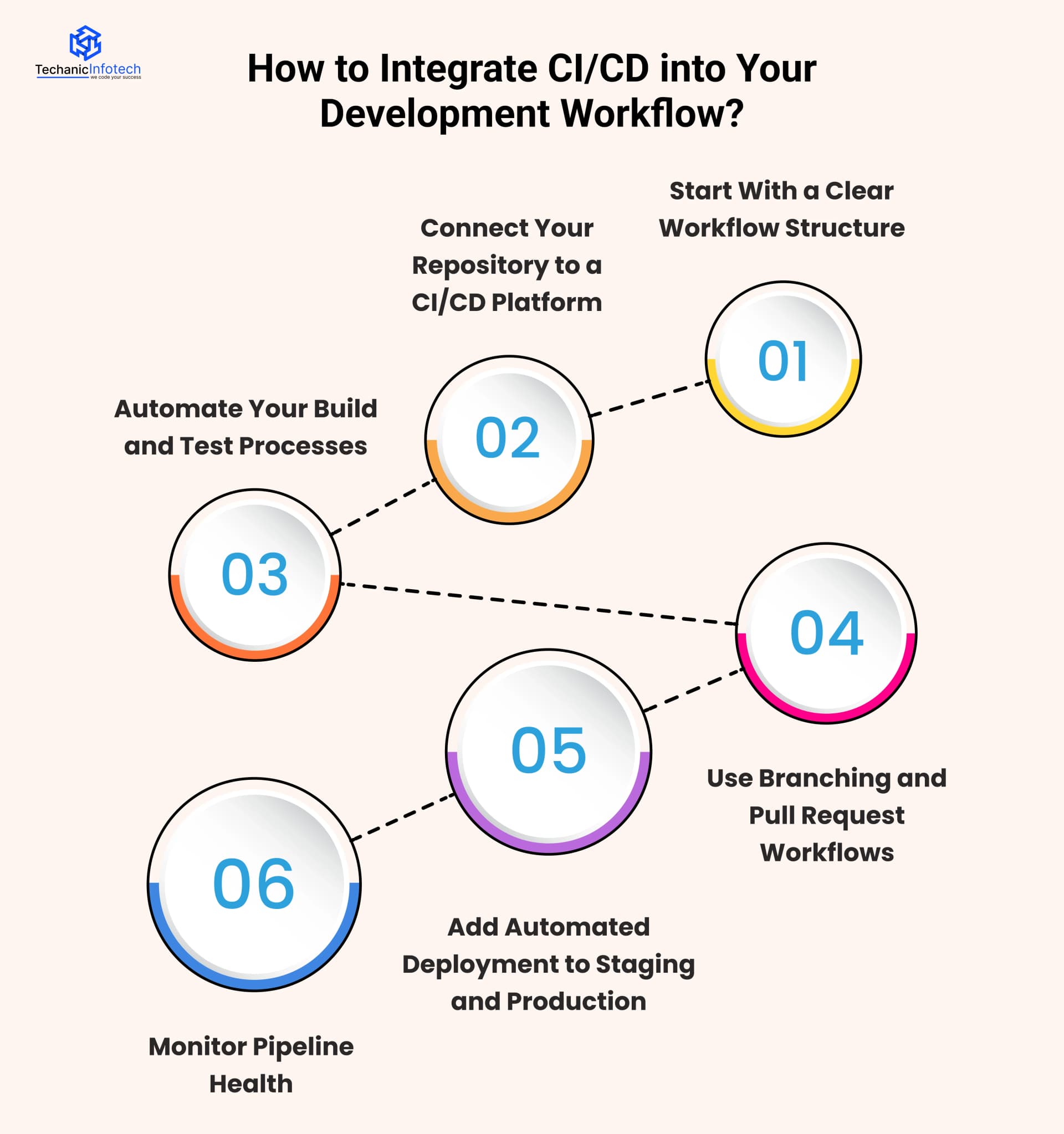
Map how code travels from development to production. Break it into stages like building, testing, reviewing, and releasing.
A well-defined structure ensures CI/CD automation fits naturally and adds value without introducing unnecessary complexity.
Link your GitHub, GitLab, or Bitbucket repository with tools like Jenkins, GitHub Actions, or GitLab CI.
This connection triggers automated workflows and supports your automated deployment pipeline, ensuring each commit receives quick validation and structured feedback.
Create scripts that handle compiling, packaging, and running unit, integration, and UI tests.
Automated checks catch errors early, reduce manual work, and help developers maintain quality every time new code is pushed to the repository.
Adopt branching strategies such as GitFlow or trunk-based development. Pull requests ensure every code change is reviewed, tested, and validated.
Structured collaboration like this makes CI/CD integration smoother and prevents unstable code from reaching production.
Use deployment tools to send updates to staging once tests pass. After review, automate production releases as well.
This strengthens your CI/CD pipeline architecture, creating a predictable, repeatable flow from commit to deployment across all environments.
Track metrics like build times, test stability, and deployment performance.
Regular optimization helps eliminate bottlenecks and keeps your pipeline fast, scalable, and reliable as your codebase and team grow.
A strong CI/CD strategy can transform how your team builds, tests, and ships software, and that’s exactly where Techanic Infotech steps in.
As an experienced mobile app development company, Techanic Infotech helps you streamline workflows, automate critical processes, and remove the friction that slows down releases.
Their team sets up scalable pipelines, integrates the right tools, and ensures every stage from code commits to production deployments runs smoothly and securely.
With a focus on performance, reliability, and ongoing optimization, they help engineering teams reduce manual effort, strengthen quality, and accelerate delivery cycles.
Whether you're modernizing an existing pipeline or building one from scratch, Techanic Infotech designs a CI/CD approach tailored to your technology stack and long-term goals.
A well-designed CI/CD pipeline doesn’t just speed up delivery, it builds a foundation for consistent quality, smoother collaboration, and long-term scalability.
By choosing the right CI/CD pipeline tools, automating key workflows, and refining processes over time, teams can ship updates faster and with greater confidence.
Whether you're modernizing your current setup or starting fresh, investing in a strong CI/CD strategy pays off in reliability, performance, and better user experiences.
With the right guidance and continuous improvement, your pipeline becomes more than a deployment system; it becomes a competitive advantage in today’s fast-paced development landscape.
A CI/CD pipeline is an automated workflow that handles building, testing, and deploying code. It helps teams deliver updates faster, reduce errors, and maintain consistent software quality across every environment.
CI/CD eliminates manual steps, catches bugs early, and shortens release cycles. It improves collaboration, increases reliability, and helps teams deliver high-quality updates more frequently without slowing down the development process.
Popular tools include GitHub Actions, Jenkins, GitLab CI, CircleCI, Docker, Kubernetes, and Artifactory. Each tool supports different stages, like building, testing, storing artifacts, and automated deployments.
The setup time varies based on project size and complexity. Simple pipelines may take a few hours, while advanced workflows with testing, security, and deployment automation can take several days to configure properly.
Yes. CI/CD greatly improves mobile development by automating builds, testing across devices, and managing releases. It speeds up updates, reduces errors, and supports continuous delivery for iOS and Android applications.


Bharat Sharma is the CTO of Techanic Infotech, bringing deep technical expertise in software architecture, mobile app development, and scalable system design. He leads the engineering team with a strong focus on innovation, performance, and security.