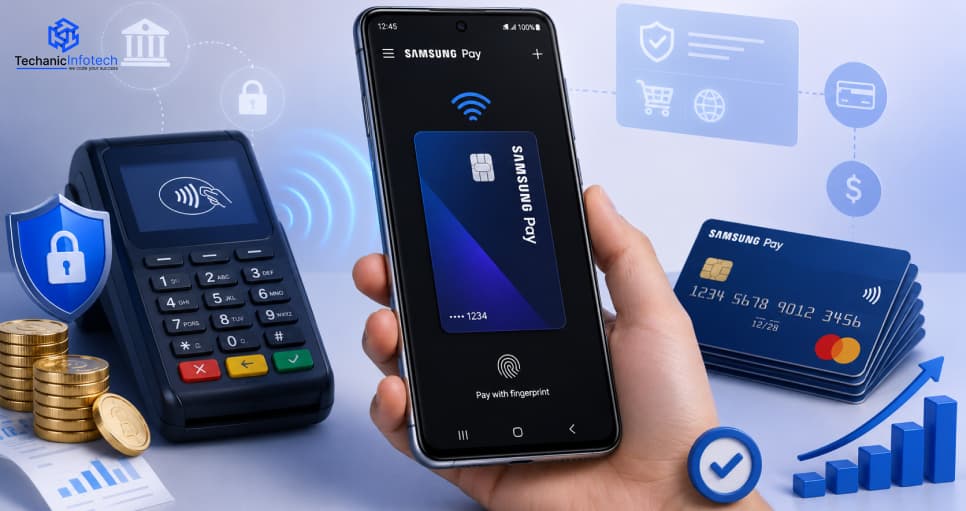
Have you ever wondered what it would be like to create your own Samsung Pay clone?
Not just once but a thousand times? Maybe you want to design a modern and secure eWallet app.
After all, millions of customers prefer to pay for goods with their mobile devices.
It’s easy to see why creating an eWallet app for businesses seems like one of the wisest investments nowadays.
But before you proceed, you’re probably asking how much will it cost to develop one?
Well, not a flat number!
Since the creation of an eWallet app, the price depends on the features, technology stack, number of integrations, design complexity, security level, and many other parameters.
Whether you are a fintech company, a retail business planning to introduce a branded wallet, or a bank willing to introduce a better way to pay with your device, this article is going to give you an insight into what to expect.
So let’s dive into everything that concerns your eWallet app.
Samsung Pay is more than a mobile wallet. It’s an intelligent, safe, and extremely user-friendly way to make purchases with your smartphone, smartwatch, or tablet.
The wallet enables users to store credit cards, debit cards, gift cards, and even loyalty cards all in one place.
What sets it apart from other digital wallets is its ease of use, the support for both NFC and MST technologies, and the utilization of biometric security.
To build an eWallet app like Samsung Pay, you have to think beyond simple payment methods. You have to develop an app that is user-friendly, secure, and filled with features that users can rely on on a daily basis.
It’s not just about payments. It’s about giving users full freedom. Taking a clue from Samsung Pay, many want to build an eWallet app.
When you decide to build an eWallet app like Samsung Pay, you should make sure to incorporate features that mirror the convenience and capabilities of Samsung Pay.
Let’s take a closer look at some must-have eWallet app features.
Picture it: a mobile wallet on steroids.
As you design an app like Samsung Pay, make sure it can store all their credit cards, debit cards, reward cards, gift cards… you get the picture.
Users love being able to store all their cards in one place. Take it one step further: let them rearrange their cards, set their favorite, and even remove expired ones.
Give them control and they’ll never look back. Smooth card onboarding and auto-detecting card types go the extra mile to add a polished user experience.
Let’s face it, passwords are so last century.
To create an app like Samsung Pay that users will trust, you’ll need world-class security. Biometric authentication takes the crown.
There’s nothing more secure than face ID, fingerprint scans, or even iris ID if you’re feeling particularly fancy.
It’s quick, secure, and next to impossible to spoof. What’s more, when users see it working in real-time, they’ll feel safer.
Combine it with tokenization and you’ve got a digital fortress that users can rely on. The best part? No more struggling to input passwords and codes every time they want to pay.
If you want to build an app like Samsung Pay that works in the real world, you’ll need NFC.
It’s what makes tap-to-pay possible, and no one wants to swipe or insert anymore. When users hover their phone above a POS terminal, payment is done in seconds.
Make sure your app is compatible with the most popular global standards, so it works across retailers and different devices. Fast. Contactless. Effortless. Just how it should be.
A little-known secret: not all stores have updated their terminals.
As you design an app like Samsung Pay, MST compatibility gives you an edge. MST emulates the magnetic stripe of a physical card and works with older payment terminals.
This is a rare feature, but one that gives your app greater reach. Now, it’s usable in places where NFC hasn’t yet caught on. Convenience for your users. No hardware updates for merchants. Everybody wins.
If security isn’t a top priority, you’re already falling behind.
To create an app like Samsung Pay that users actually trust, you’ll need tokenization. Instead of sending the card details, your app sends a unique, one-time-use token.
That means, even if a third party does intercept it, it’s worthless. Users don’t know what’s happening behind the scenes, but they’ll definitely feel the difference when they experience no-worry payments. Combine this with real-time fraud detection and you’ve got a safe deposit box built into a mobile app.
Want to build an app like Samsung Pay that users come back to every day?
Implement loyalty and rewards programs. Users can accrue points, enjoy exclusive offers, and even get cashback every time they pay. Then take it one step further and integrate with the most popular retail brands and local merchants.
Even better? Throw in referral rewards and personalized deals. This feature not only adds value it turns your payment app into a lifestyle hub. All of a sudden, your app isn’t just another utility it’s fun, engaging, and enjoyable.
Nobody wants a shock at the end of the month.
To build an app like Samsung Pay that’s user-focused, give users detailed transaction histories. Include date, category, and merchant filters. Present spending habits and monthly summaries in easy-to-understand visuals.
When users can see their trends, they feel more in control. And that builds trust. You can even include some tips, activity alerts, or personalized savings advice. Now you’re not just a wallet you’re their financial buddy.
The more places users can pay from one app, the better.
Want to build an app like Samsung Pay that becomes part of users’ daily routine? Let them pay their electricity bill, internet fees, phone bill, and even insurance… right from the app.
Include reminders and auto-pay, and you’ve just made their lives easier. They won’t have to switch to five different apps. You’ve just simplified their life and that’s how loyalty begins.
Quick, easy, and universal: it’s the QR code dream.
To build an app like Samsung Pay that works in pop-up stores, farmer’s markets, or even peer-to-peer, you’ll need QR payments.
Users should be able to scan a merchant’s QR code to pay or share their own to receive money.
It’s handy for businesses that can’t afford an expensive POS and perfect for countries where QR codes are used everywhere.
Even better? Add a QR transaction history so users can easily see past payments.
Phones break. People upgrade.
To build an app like Samsung Pay that users don’t mind reinstalling, include cloud backup. Users should be able to log in on a new device and have their wallet, settings, transaction history, and card info restored in minutes, all safely encrypted, of course.
It’s one less thing to worry about and proves that your app’s for real-life, not just hypotheticals. Never again will a lost phone mean lost users.
So, you are ready to jump into the world of digital wallets and wondering how to create an eWallet app like Samsung Pay?
Cool.
You are not building an app,you are creating a payment experience that users can rely on every single day.
Let’s go through the key steps to build an eWallet app like Samsung Pay that is sleek, secure, and future-ready.
Begin with understanding your users and their pain points.
Check out current eWallet app trends, competitive features, user reviews, and what’s missing in other apps.
You will need to understand what people love about Samsung Pay and where it could improve.
The goal is to find those golden opportunities where your app can shine.
It’s tempting to go all-in on flashy features, but keep it focused.
Figure out what features mean the most to your users: multi-card support, biometric login, NFC/MST payments, QR code scanning, rewards integration, and more.
To create a payment app like Samsung Pay, you need to strike a balance between innovation and usability. Keep it lean but smart.
Your app is only as powerful as the technology that powers it.
You will need a solid eWallet app tech stack: Java/Kotlin or Swift for mobile, Node.js or.NET for backend, AWS or Azure for cloud hosting, and APIs for payment gateways, biometric security, and fraud detection.
Select tools that offer scalability, security, and high performance. Choose a future-proof stack so you don’t run into issues later.
If your UI is clunky, your users won’t even make it to the cool stuff.
Focus on a clean and intuitive interface that feels natural to use. Aim for Samsung Pay-level smoothness, easy tap-to-pay, crisp visuals, and a single click away from transactions.
Add subtle animations and user-friendly walkthroughs to keep first-timers confident and engaged.
When you create an app like Samsung Pay, security isn’t a “nice-to-have.” It’s a must.
This is where eWallet app security comes into play.
This is where you leverage biometric login, tokenization, end-to-end encryption, fraud detection algorithms, and secure cloud backups. Plus, ensure that your app is compliant with industry regulations like PCI DSS.
Your users trust you with their money. Don’t break that trust.
Build the app in incremental phases an MVP first, then scale.
Each feature should be tested thoroughly for performance, usability, and security. Run tests on real devices and replicate real-world scenarios to ensure nothing falls apart under pressure.
You are not building an eWallet app like Samsung Pay you are looking to beat it.
Now it’s go time.
Launch your app with a focused approach beta testing, influencer marketing, app store optimization, and a few well-placed ads. Educate your users on the “why” and “how” of your app.
Use feedback loops to figure out where users stumble and release updates immediately.
Your work doesn’t end after launch.
Monitor app performance, user behavior, transaction logs, and security reports. Track support tickets and user reviews.
This is where most apps fail, but not yours.
Keep improving, iterating, and listening to your users.
And there you have it.
That’s how to create an eWallet app like Samsung Pay, one step at a time.
Whether you want to create a payment app like Samsung Pay or design something even more cutting-edge, remember: it’s about making digital payments seamless, secure, and seriously enjoyable.
Let’s bring your app idea to life. Are you ready to start building? Here comes the important question: Cost.
Creating an app like Samsung Pay involves multiple development considerations, including security systems, payment integrations, infrastructure, and e-wallet app development cost factors.
Understanding these expenses helps businesses estimate realistic budgets and prepare development strategies for secure digital payment applications.
A basic MVP payment application usually includes user registration, profile management, payment functionality, and dashboard features.
Businesses often begin with essential features before investing in advanced capabilities and large-scale infrastructure requirements for future platform expansion.
|
Project Scope |
Estimated Timeline |
Typical Cost |
|
Basic MVP Features |
1–2 Months |
$12,000–$20,000 |
|
Enhanced User Functions |
2–3 Months |
$18,000–$25,000 |
|
Expanded MVP Features |
3–4 Months |
$22,000–$30,000 |
Payment applications require authentication systems, encryption mechanisms, biometric verification, and secure access functionality.
Implementing stronger security measures increases development efforts while helping platforms protect sensitive financial information and provide safer digital transaction experiences.
|
Project Scope |
Estimated Timeline |
Typical Cost |
|
Basic Security Features |
1–2 Months |
$15,000–$25,000 |
|
Multi-Layer Authentication |
2–3 Months |
$22,000–$35,000 |
|
Advanced Security Systems |
3–4 Months |
$30,000–$45,000 |
Samsung Pay-style applications require digital wallets and payment gateway functionality that support seamless financial transactions.
Adding multiple payment methods and transaction capabilities increases technical requirements and implementation complexity throughout the development process significantly.
|
Project Scope |
Estimated Timeline |
Typical Cost |
|
Basic Wallet Integration |
2–3 Months |
$20,000–$35,000 |
|
Multiple Payment Systems |
3–4 Months |
$30,000–$50,000 |
|
Advanced Payment Ecosystem |
4–5 Months |
$45,000–$65,000 |
Choosing the right eWallet app tech stack affects scalability, performance, and development complexity.
Programming frameworks, databases, APIs, and cloud services influence implementation requirements while contributing significantly to overall project expenses and long-term application functionality.
|
Project Scope |
Estimated Timeline |
Typical Cost |
|
Basic Infrastructure |
2–3 Months |
$25,000–$40,000 |
|
Medium Technology Setup |
3–5 Months |
$35,000–$55,000 |
|
Advanced Infrastructure |
4–6 Months |
$50,000–$70,000 |
Real-time transaction capabilities support instant payment confirmations, notifications, and account updates.
These features require stronger infrastructure and backend systems that increase development requirements while maintaining smooth performance and reliable user experiences.
|
Project Scope |
Estimated Timeline |
Typical Cost |
|
Basic Transaction Features |
2–3 Months |
$20,000–$35,000 |
|
Enhanced Processing Systems |
3–5 Months |
$35,000–$55,000 |
|
Advanced Transaction Management |
4–6 Months |
$50,000–$70,000 |
Administrative dashboards allow businesses to monitor transactions, users, and application activities efficiently.
Adding analytics systems requires additional implementation resources while supporting stronger business management and reporting capabilities across payment platforms.
|
Project Scope |
Estimated Timeline |
Typical Cost |
|
Basic Dashboard |
2–3 Months |
$20,000–$35,000 |
|
Enhanced Analytics |
3–5 Months |
$35,000–$55,000 |
|
Advanced Reporting Systems |
4–6 Months |
$50,000–$70,000 |
Payment applications often require regulatory standards, documentation processes, and security compliance measures.
Meeting these requirements increases development efforts and adds significant implementation considerations throughout application planning and deployment workflows.
|
Project Scope |
Estimated Timeline |
Typical Cost |
|
Basic Compliance Support |
2–4 Months |
$30,000–$45,000 |
|
Industry Compliance Features |
4–5 Months |
$45,000–$70,000 |
|
Advanced Regulatory Systems |
5–7 Months |
$65,000–$90,000 |
Full-scale applications developed according to modern eWallet app development trends include advanced security systems, digital wallets, analytics, notifications, and payment processing capabilities.
Larger feature requirements and infrastructure needs significantly increase total development investments and implementation efforts.
|
Project Scope |
Estimated Timeline |
Typical Cost |
|
Mid-Level Application |
6–8 Months |
$70,000–$90,000 |
|
Advanced Payment Platform |
8–10 Months |
$90,000–$110,000 |
|
Enterprise-Level Platform |
10–12 Months |
$100,000–$120,000 |
First things first, developing an app like Samsung Pay isn’t exactly a walk in the park. You’re dealing with money, security, real-time transactions, and expectant users with sky-high standards.
So, there are a lot of eWallet App Development Challenges.
But hey, that’s what makes life exciting, right?
Every challenge comes with a solution and we’re here to help you out one by one.
When it comes to money, trust is everything. Your users expect airtight protection against fraud, hacking, and data leakage.
The Fix:
Up your eWallet app security game, enforce end-to-end encryption, tokenization, biometric logins, and real-time fraud detection tools.
Earn PCI DSS certification and keep penetration testing on the go. Put on a hacker’s hat and build a safe like a vault.
Laggy transactions? Delayed balances? That’s a fast ticket to a one-star review.
The Fix:
Leverage a reliable eWallet app tech stack that supports real-time sync and transactions. Push notifications for instant updates are a must, as well as backend optimization with high-performance databases like Firebase or PostgreSQL.
All payment terminals aren’t created equal. Samsung Pay works with both NFC and MST, but bringing your app to their level isn’t as easy.
The Fix:
Start testing with different terminal types early in development. Collaborate with hardware and POS vendors to secure compatibility. Roll out MST support if you find it too complicated initially.
You’re developing for Android and iOS, and across phones, tablets, and wearables. Ensuring a consistent experience across all? Whoa, buddy.
The Fix:
Go for responsive design, test with multiple devices, and follow platform-specific UI guidelines.
Utilize tools like Flutter or React Native to cut back on cross-platform development, without sacrificing performance.
One wrong step and payments fail or worse, sensitive data leaks.
The Fix:
Plug in trusted gateways like Stripe, Razorpay, or PayPal with secure SDKs and robust API connections. Perform sandbox testing before going live and ensure compliance with local and international payment laws.
People don’t just download a new wallet and start using it right away. It takes time and a little persuasion.
The Fix:
Design a clean UI, transparent privacy policies, and onboard without overwhelming users. Show demo transactions, instant cashback, or first-time user bonuses to engage faster.
You want to wow users with features… But too many bells and whistles will confuse them.
The Fix:
Focus on core functionality and scale gradually. Rank features according to user demand and feedback. Keep it simple with an intuitive interface and test with users before launch.
Are you planning to build an app like Samsung Pay? Don’t know where to begin?
Your requirements don’t just include code, you need an expert fintech team who knows what they’re doing. That’s where Techanic Infotech comes in.
As a leading eWallet app development company, we create secure, scalable, and intelligent digital wallets that are built around your goals.
From integrating NFC technology and biometric login to ensuring a flawless user experience and unmatched security, we handle every aspect of the development process so you don’t have to.
With Techanic, you’re not just building an app; you’re building a brand that users trust.
Building a powerful digital wallet like Samsung Pay isn’t just about copying features; it’s about delivering a seamless, secure, and delightful experience for users.
From defining the right tech stack to navigating challenges like compliance and real-time payments, every step requires expertise and a clear strategy.
Whether you're starting with an MVP or going full-feature from day one, working with a trusted app development company like Techanic Infotech gives you the confidence and capability to stand out in this competitive market.
Let’s turn your idea into a high-performing eWallet app users can’t live without.
The cost to develop a Samsung Pay-like application generally ranges between $12,000 and $120,000+, depending on features, security requirements, platform selection, third-party integrations, UI/UX design, and overall application complexity.
Yes. Loyalty programs and reward systems can be integrated to improve customer engagement and encourage users to continue using the application regularly.
User verification helps confirm identities, improve account security, reduce fraud risks, and support regulatory compliance requirements for financial platforms.
Yes. Digital wallet applications can support international transactions through payment gateways and multi-currency integrations for global users.
Push notifications help users receive transaction alerts, payment confirmations, security updates, and reminders for improved communication and user engagement.
Yes. Bill payment functionality can allow users to pay utility bills, subscriptions, mobile recharges, and other recurring payments through the application.
Scalability helps applications support growing user numbers, increasing transaction volumes, and future feature additions without affecting performance.
Yes. Payment applications can integrate banking systems, payment gateways, analytics tools, customer support systems, and external APIs for better functionality.
Businesses should evaluate target audiences, security requirements, development goals, budget planning, feature requirements, and long-term scalability needs before beginning development.
Digital wallet applications provide convenience, faster transactions, contactless payments, and improved accessibility, making financial services easier for modern users.


Abhishek Jangid is the CEO of Techanic Infotech, with extensive experience in mobile app and web development. He specializes in helping businesses turn innovative ideas into scalable digital solutions through strategic planning and modern technology.