
Mobile app success doesn’t depend only on great design or powerful features. What truly makes or breaks an app is how well it performs in real-world conditions. This is where mobile app testing becomes critical.
Users expect apps to load fast, work smoothly, and stay secure across different devices and operating systems. Even small bugs or crashes can lead to negative reviews and app uninstalls.
Proper testing helps identify issues early, improve performance, and ensure a consistent user experience. From functionality and usability to security and compatibility, mobile app testing plays a key role throughout the development process.
Businesses that invest in structured testing reduce risks, save costs, and launch apps with confidence. Simply put, thorough testing is essential for building reliable, user-friendly, and successful mobile applications.
Mobile app testing is the process of checking a mobile application to make sure it works exactly as users expect.
In simple terms, mobile app testing helps identify bugs, performance issues, security risks, and usability problems before the app reaches real users. The main goal is to ensure the app runs smoothly across different devices, screen sizes, operating systems, and network conditions.
Mobile application testing focuses on validating every part of an app, from basic features to advanced workflows.
It checks whether buttons work properly, screens load correctly, data is processed accurately, and the app remains stable during use. Testing mobile applications also helps confirm that updates or new features don’t break existing functionality.
The purpose of mobile testing goes beyond finding bugs. It helps improve user experience, reduce app crashes, protect user data, and maintain brand reputation.
In today’s competitive app market, users quickly uninstall apps that feel slow, confusing, or unreliable. A strong mobile testing strategy helps businesses avoid these risks and deliver a polished product.
Mobile app testing is not a one-time activity done just before launch. Instead, it is an ongoing part of the entire development lifecycle. Testing usually starts during early development and continues through design, coding, updates, and maintenance.
As features are built, they are tested to ensure they work correctly. When changes are made, testing helps verify that nothing else is affected. This structured testing process allows teams to catch issues early, fix them faster, and reduce overall mobile app development costs.
By integrating testing throughout development, businesses can launch apps with more confidence, better performance, and higher user satisfaction.
In short, mobile app testing ensures the app is ready for real-world use, not just development environments.
To deliver a high-quality mobile application, testing must cover more than just basic functionality. Different types of mobile app testing focus on different aspects of the app to ensure it performs well in real-world conditions.
Below are the most important types of mobile app testing that help improve app quality, stability, and user satisfaction.
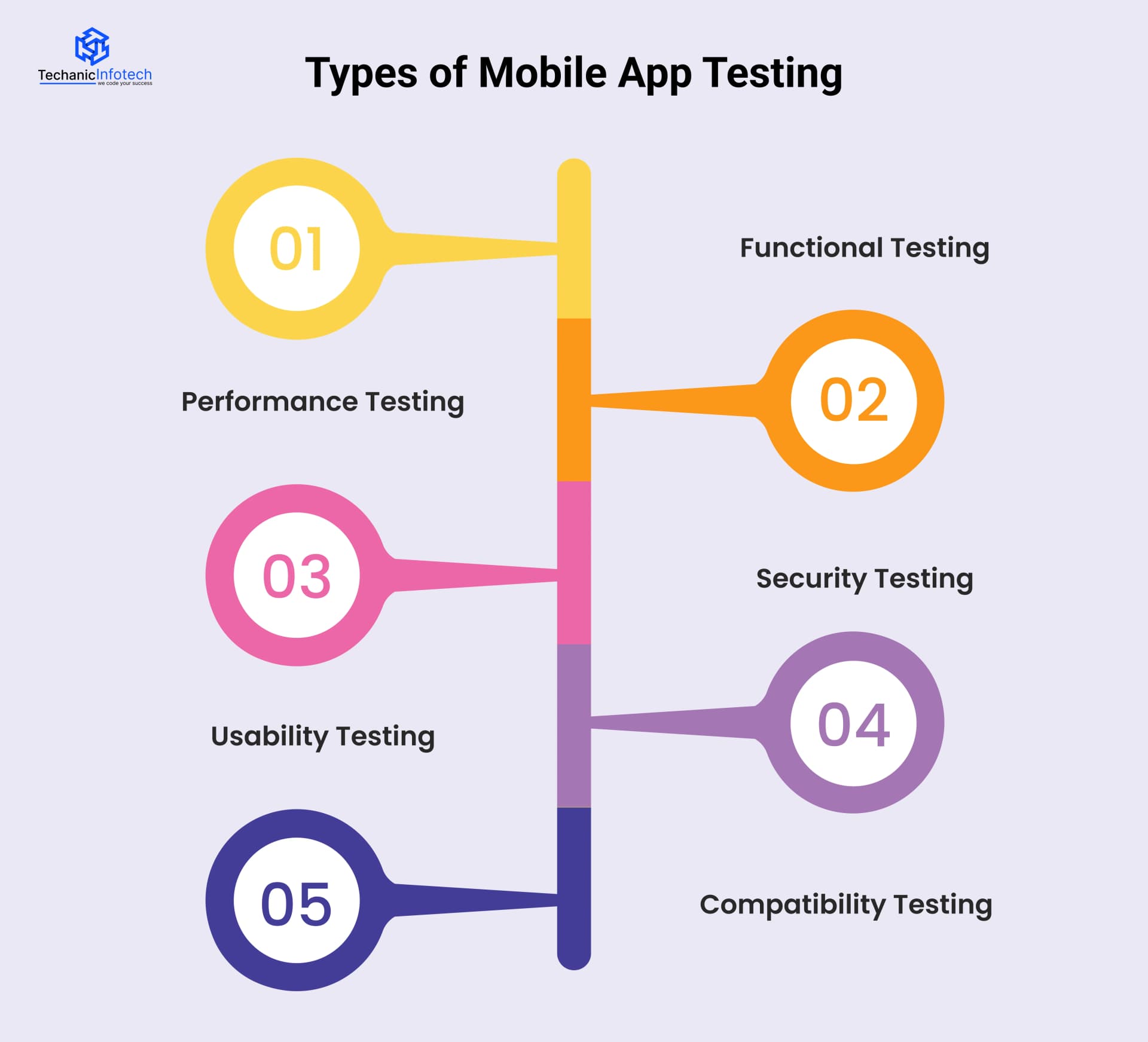
Functional testing checks whether the app’s features work as expected. This includes testing buttons, forms, navigation flows, login processes, and data handling. The goal is to ensure that every function performs correctly according to the requirements.
During functional testing, testers validate user actions such as signing up, placing orders, making payments, or submitting forms. Any broken functionality or unexpected behavior is identified and fixed early. Functional testing is usually performed throughout development to ensure new features do not break existing ones.
Performance testing focuses on how the app behaves under different conditions. It checks app speed, responsiveness, stability, and resource usage. A slow or unresponsive app often leads to poor reviews and high uninstall rates.
This type of testing evaluates how the app performs during high traffic, low network strength, or extended usage. Performance testing also helps identify memory leaks, excessive battery usage, and crashes. By conducting performance testing, businesses ensure the app remains smooth and reliable even during peak usage.
Security testing ensures that user data and app information are protected from threats. Mobile apps often handle sensitive data such as login credentials, personal details, and payment information, making security testing essential.
This testing identifies vulnerabilities like weak authentication, data leaks, or insecure APIs. It also checks compliance with security standards and encryption practices. Strong security testing helps prevent data breaches and builds user trust in the app.
Usability testing focuses on the user experience. It evaluates how easy and intuitive the app is to use. This includes testing navigation, layout, readability, and overall design flow.
Testers observe how real users interact with the app and identify points of confusion or frustration. Usability testing helps improve mobile app design clarity, reduce user errors, and ensure the app feels comfortable for first-time and returning users alike.
Compatibility testing checks how the app performs across different devices, operating systems, screen sizes, and hardware configurations. Since users access apps on a wide range of devices, compatibility testing is critical.
This testing ensures the app functions consistently on various Android and iOS versions, different brands, and network environments. Compatibility testing helps prevent device-specific issues and ensures a smooth experience for all users.
Mobile app testing can be done using two main approaches: manual testing and automated testing, often supported by automation QA testing services to improve efficiency and accuracy. Both play an important role in ensuring app quality, and the right choice often depends on the project requirements, timelines, and complexity of the app.
Manual testing involves human testers executing test cases without using automation tools. Testers interact with the app like real users, tapping buttons, navigating screens, and checking workflows. This approach is especially useful for exploratory testing, usability testing, and early-stage development when features are changing frequently.
Manual testing helps uncover visual issues, user experience problems, and unexpected behavior that automated scripts may miss.
Automated testing, on the other hand, uses scripts and tools to run predefined test cases automatically. It is ideal for repetitive testing tasks such as regression testing, performance testing, and load testing.
Automated testing saves time in the long run and improves accuracy by reducing human error. It is particularly useful for large applications and projects with frequent updates.
Below is a detailed comparison to help you understand the key differences and when to use each approach.
|
Aspect |
Manual Testing |
Automated Testing |
|
Testing Method |
Tests are executed by human testers |
Tests are executed using automated scripts |
|
Speed |
Slower, as each test is performed manually |
Faster once scripts are set up |
|
Initial Cost |
Lower initial cost |
Higher initial setup cost |
|
Long-Term Cost |
Higher over time due to repeated testing |
Cost-effective for long-term and repeated testing |
|
Best For |
Usability, exploratory, and ad-hoc testing |
Regression, performance, and load testing |
|
Accuracy |
May include human errors |
Highly accurate and consistent |
|
Flexibility |
Easy to adapt to changes |
Requires script updates for changes |
|
Ideal Usage Stage |
Early development and UI testing |
Stable features and frequent releases |
A structured mobile app testing process helps ensure that an application works smoothly before it reaches real users. Instead of testing everything at the end, successful teams follow a step-by-step approach that catches issues early and improves overall app quality.
Below is a simple breakdown of the mobile app testing process, explained in an easy and practical way.
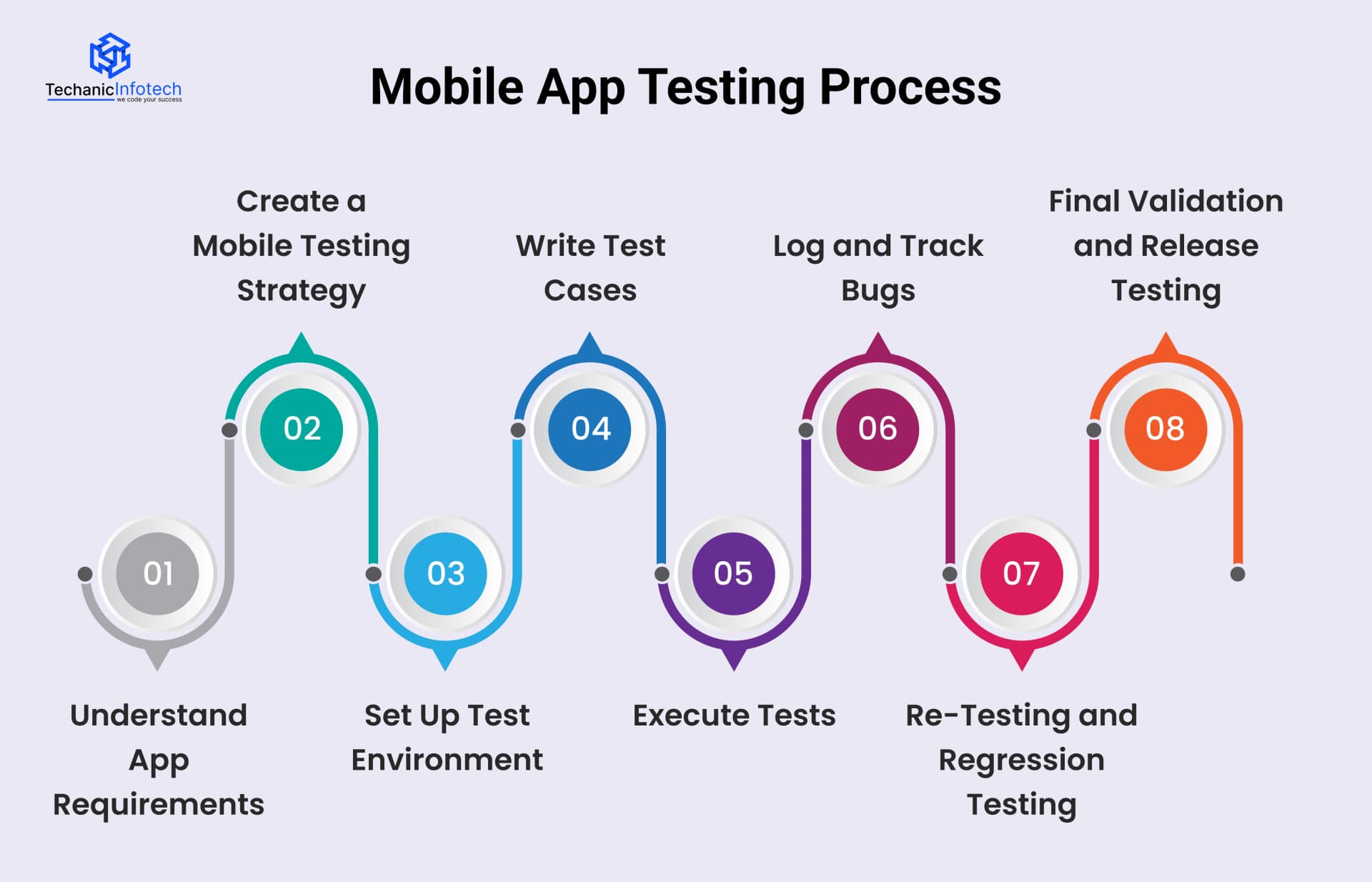
The testing process starts by clearly understanding what the app is supposed to do. Testers review app requirements, user flows, features, and expected behavior. This helps them know what needs to be tested and what “success” looks like for the app.
At this stage, testers also identify key areas such as critical features, user journeys, supported devices, and operating systems.
Next, a clear mobile testing strategy is defined. This includes deciding what types of testing are required, such as functional, performance, security, or usability testing. The team also decides whether testing will be manual, automated, or a mix of both.
The strategy outlines timelines, tools, test environments, and responsibilities. Having a plan ensures testing stays organized and efficient.
Before testing begins, the test environment must be prepared. This includes setting up real devices, emulators, or simulators, along with required operating system versions and network conditions.
Test data, user accounts, and configurations are also prepared so the app can be tested in realistic scenarios. A proper environment helps uncover issues that users might face in real life.
Test cases are detailed instructions that describe what to test and how to test it. They cover different scenarios such as login, navigation, form submission, error handling, and edge cases.
Well-written test cases ensure consistent testing and help avoid missing important flows. They are also useful for future testing cycles when updates are released.
This is the stage where actual testing happens. Testers run test cases on different devices and operating systems to check functionality, performance, and usability.
Both manual and automated testing can be used here. Any issues, bugs, or unexpected behavior are carefully noted and documented.
When bugs are found, they are reported in a bug-tracking system with clear details such as steps to reproduce, screenshots, and severity level. This helps developers understand and fix issues faster. Tracking bugs ensures nothing is missed and allows teams to monitor progress.
After bugs are fixed, testers re-test the app to confirm the issues are resolved. Regression testing is also performed to ensure new fixes haven’t broken existing features. This step is crucial for mobile app maintenance.
Before launch, final testing is done to ensure the app is stable, secure, and ready for users. Once everything passes, the app is approved for release.
Following this step-by-step testing process helps deliver a reliable, high-quality mobile app that users can trust and enjoy.
Mobile app testing requires the right set of tools to ensure accuracy, speed, and reliability. These testing tools help testers check functionality, performance, security, and compatibility across different devices and platforms.
Below are some commonly used mobile app testing tools, explained in a simple and practical way.
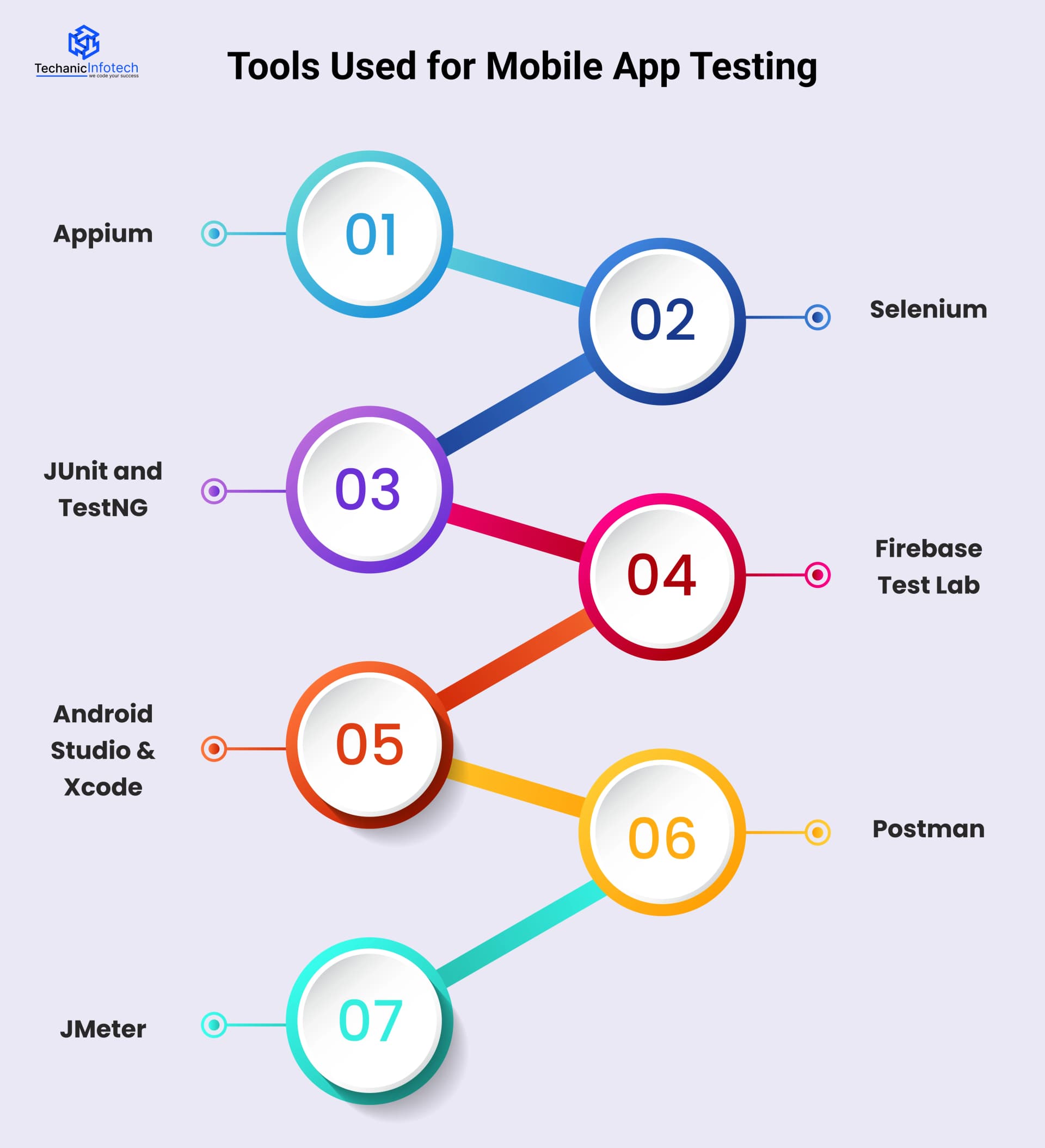
Appium is one of the most popular tools for mobile app testing. It supports both Android and iOS platforms and allows testers to write tests using multiple programming languages. Appium is mainly used for automated testing and is ideal for testing native, hybrid, and mobile web applications.
Selenium is widely used for testing mobile web applications. It helps automate browser-based testing and works well when the app includes web components. Selenium is often combined with other tools to cover complete mobile testing requirements.
JUnit and TestNG are testing frameworks commonly used for managing and executing test cases. They help organize tests, generate reports, and track test results. These tools are especially useful for structured testing and regression testing.
Firebase Test Lab allows testers to run apps on real devices hosted in the cloud. It helps test apps across different device models, operating systems, and configurations. This tool is useful for identifying device-specific issues without owning multiple physical devices.
Android Studio and Xcode are official development tools that also support testing. Android Studio offers emulators and testing tools for Android apps, while Xcode provides testing support for iOS apps. These tools are useful for early-stage testing and debugging.
Postman is commonly used for testing APIs that support mobile apps. It helps validate backend responses, data handling, and integrations. Since many mobile apps rely on APIs, Postman plays an important role in mobile app testing.
JMeter is mainly used for performance and load testing. It helps testers understand how the app behaves under heavy usage and high traffic conditions. This is useful for identifying performance bottlenecks.
Using the right combination of tools helps teams improve test coverage, reduce errors, and deliver stable mobile applications that perform well in real-world scenarios.
Following the right testing practices helps ensure your mobile app is stable, secure, and ready for real users. Below are some proven best practices that improve testing results and overall app quality.
Start testing early: Begin testing during the early stages of mobile app development to identify issues before they become costly to fix.
Test on real devices: Use real devices along with emulators to uncover performance, hardware, and user experience issues.
Combine manual and automated testing: Manual testing helps with usability and design checks, while automated testing speeds up repetitive tasks like regression testing.
Test across multiple devices and OS versions: Ensure compatibility with different screen sizes, operating systems, and device configurations.
Check performance under different network conditions; Test the app on Wi-Fi, 4G, 5G, and weak networks to ensure smooth performance in all situations.
Prioritize security testing: Validate data protection, authentication, and encryption to keep user information safe.
Document test cases and results clearly: Proper documentation helps maintain consistency and supports future testing cycles.
Re-test after bug fixes: Always perform re-testing and regression testing to ensure fixes don’t impact other features.
Continuously test after launch: Regular testing after updates and OS changes keeps the app stable and reliable over time.
Following these best practices helps teams deliver high-quality mobile apps with better performance and user satisfaction.
The cost of mobile app testing depends on several factors, such as app complexity, number of features, supported devices, testing types, and whether testing is done manually, automatically, or both. A simple app with basic features costs much less to test than a complex app with heavy traffic, payments, and integrations.
In most cases, mobile app testing cost is calculated as a part of the overall development budget and can range from 15% to 30% of the total app development cost. Below is a clear breakdown to help you understand where the testing budget usually goes.
|
Type of Testing |
What It Covers |
Estimated Cost Range |
|
Functional Testing |
Core features, workflows, app behavior |
$2,000 – $6,000 |
|
Usability Testing |
User experience, navigation, design flow |
$1,000 – $3,000 |
|
Performance Testing |
Speed, load, stress, stability |
$1,500 – $4,000 |
|
Security Testing |
Data protection, vulnerabilities |
$2,000 – $5,000 |
|
Compatibility Testing |
Devices, OS versions, screen sizes |
$1,500 – $4,000 |
|
Automated Testing Setup |
Test scripts and tools setup |
$2,500 – $7,000 |
Depending on app size and testing depth, the overall cost of mobile app testing typically ranges from $5,000 to $25,000.
Choosing the right testing approach early helps control costs, reduce risks, and ensure a smooth app launch.
Mobile app testing comes with its own set of challenges, and when these are not handled properly, they often turn into common mistakes. Understanding these issues and addressing them early helps teams deliver more reliable and user-friendly applications.
Testing across multiple devices and operating systems is one of the biggest challenges. With different screen sizes, OS versions, and hardware configurations, device-specific issues can easily be missed.
Solution: Test on a mix of real devices and cloud-based device labs to cover the most commonly used devices and platforms.
Emulators and simulators are helpful, but relying on them alone can hide real-world performance and usability issues.
Solution: Include real-device testing to identify problems related to battery usage, network behavior, and hardware limitations.
Many apps perform well under normal conditions but fail when traffic increases or usage spikes.
Solution: Conduct performance and stress testing to ensure the app remains stable during peak usage and heavy load.
Leaving security testing until the final stages increases the risk of data leaks and vulnerabilities.
Solution: Integrate security testing throughout the testing cycle and follow industry-standard data protection practices.
Lack of clear communication and incomplete documentation can result in unresolved bugs and repeated issues.
Solution: Maintain detailed bug reports, test cases, and regular collaboration between testers and developers.
Many teams stop testing after launch, even though updates and OS changes can introduce new issues.
Solution: Continue testing after release to keep the app stable, updated, and user-ready over time.
By addressing these challenges proactively, businesses can significantly improve app quality, user experience, and long-term success.
Professional mobile app testing plays a key role in improving overall app quality. It helps identify bugs, performance issues, and security risks before the app reaches users.
By testing the app across different devices, operating systems, and real-world conditions, professionals ensure consistent performance and a smooth user experience.
Regular testing also reduces app crashes, improves load speed, and strengthens data security.
In addition, structured testing helps prevent costly post-launch fixes and negative reviews. Overall, professional mobile app testing ensures the app is stable, reliable, and ready to meet user expectations in competitive app markets.
At Techanic Infotech, mobile app testing is treated as a continuous process, not a final checkpoint. Our testing team works closely with developers from the early stages to identify issues before they impact users.
As an experienced mobile app development company, we follow a structured testing approach that covers functionality, performance, security, usability, and compatibility across devices.
By combining manual testing with automation where needed, we ensure apps perform reliably in real-world conditions. Our focus is always on delivering stable, secure, and user-friendly mobile applications that meet business goals and user expectations.
Mobile app testing is a critical part of building successful and reliable applications. From checking functionality and performance to ensuring security and compatibility, testing helps apps perform well in real-world conditions.
A structured testing process reduces risks, improves user experience, and prevents costly issues after launch. By using the right tools, following best practices, and addressing common challenges early, businesses can deliver high-quality apps with confidence.
Investing in professional mobile app testing not only improves app stability but also builds user trust, boosts app ratings, and supports long-term success in a competitive mobile app market
Mobile app testing is the process of checking an app to ensure it works smoothly, securely, and as expected. It helps identify bugs, performance issues, and usability problems before users experience them.
Mobile app testing is the process of checking an app to ensure it works smoothly, securely, and as expected. It helps identify bugs, performance issues, and usability problems before users experience them.
The main types include functional testing, performance testing, security testing, usability testing, and compatibility testing. Each type focuses on a different aspect of app quality.
The main types include functional testing, performance testing, security testing, usability testing, and compatibility testing. Each type focuses on a different aspect of app quality.
Manual testing is done by testers interacting with the app to check usability and functionality, while automated testing uses scripts to run repetitive tests quickly and accurately.
Manual testing is done by testers interacting with the app to check usability and functionality, while automated testing uses scripts to run repetitive tests quickly and accurately.
The cost of mobile app testing typically ranges from 15% to 30% of the total app development budget, depending on app complexity, testing types, and tools used.
The cost of mobile app testing typically ranges from 15% to 30% of the total app development budget, depending on app complexity, testing types, and tools used.
Testing should start early in the development process and continue through updates and post-launch to ensure consistent app performance.
Testing should start early in the development process and continue through updates and post-launch to ensure consistent app performance.
No, a mix of manual and automated testing is recommended. Manual testing is essential for usability and design checks, while automation is best for repetitive and regression testing.
No, a mix of manual and automated testing is recommended. Manual testing is essential for usability and design checks, while automation is best for repetitive and regression testing.
Professional testing ensures apps are stable, fast, secure, and compatible across devices, reducing crashes and improving overall user satisfaction.
Professional testing ensures apps are stable, fast, secure, and compatible across devices, reducing crashes and improving overall user satisfaction.


Bharat Sharma is the CTO of Techanic Infotech, bringing deep technical expertise in software architecture, mobile app development, and scalable system design. He leads the engineering team with a strong focus on innovation, performance, and security.