Ecommerce App Development
Quick Commerce App Development in 2026: Features, Costs, and Process
June 30, 2026
June 30, 2026
Key Takeaways
In Qcommerce, ultra-fast delivery isn't a bonus feature; it's the entire reason customers choose your app over the competition.
From backend frameworks to tracking APIs determines how reliably your app performs under real demand.
A fully functional Qcommerce app costs between $10,000 and $100,000. Starting with an MVP keeps initial investment controlled while validating your business model early.
Inaccurate stock data and delayed delivery updates erode customer trust immediately. Both systems must operate in real time, without exception.
The team behind your app shapes everything code quality, delivery timelines, scalability, and how well your platform holds up as order volumes grow.
People don't want to wait anymore. A two-day delivery window that felt impressive five years ago now feels like an eternity.
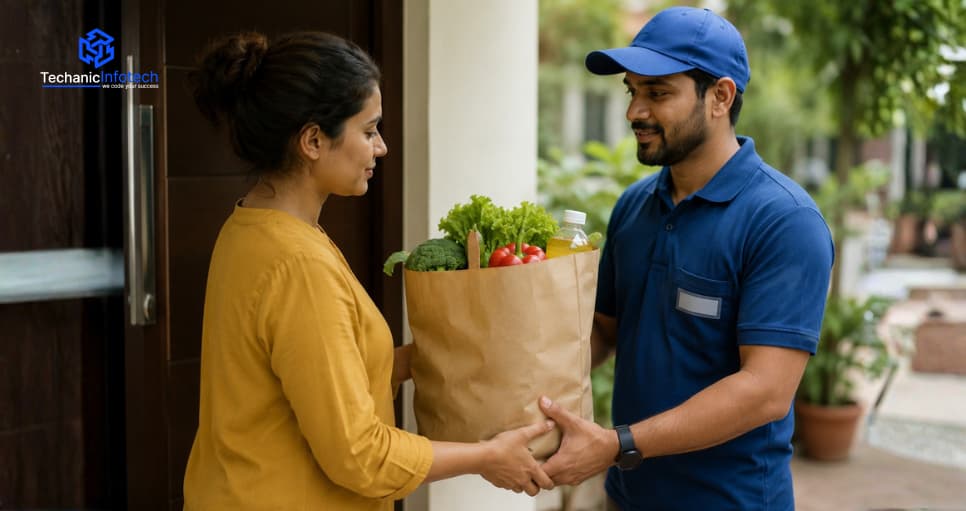
Grocery runs, pharmacy pickups, and last-minute essentials shoppers expect it all at their door in under 30 minutes.
That's exactly the gap quick commerce fills, and businesses everywhere are rushing to claim their spot in it. But how do you actually build an app that delivers on that promise literally?
That's what this guide breaks down. From feature planning to tech stack decisions, quick commerce app development is more strategic than most people realize.
In this blog, we'll walk through every step, what to build, how to build it, and what it takes to launch and scale successfully.
The retail world has changed fast, and instant delivery app development is right at the center of that shift.
Consumers now expect speed as a standard, not a perk. Before building anything, you need to understand the space you're stepping into and what actually makes it work.
Quick commerce isn't just faster ecommerce, it's a completely different operating model. Where traditional platforms focus on selection and price, Qcommerce runs on speed and convenience.
Smaller inventories, hyper-local warehouses, and razor-thin delivery windows define how these platforms are built and run.
Dark stores are the backbone of instant delivery. These are small, neighborhood-level fulfillment centers built purely for packing and dispatching orders, not walk-in shopping.
They cut travel distance dramatically, which is exactly what keeps delivery times under 30 minutes consistently.
Qcommerce platforms operate more like logistics networks than traditional stores. Many businesses lean into marketplace app development to connect local vendors, delivery partners, and customers inside one seamless ecosystem.
Revenue flows through delivery fees, vendor commissions, and premium memberships, making the model scalable from day one.
Not every app built with solid ecommerce app features makes it in the Qcommerce space. Speed is the selling point, but features are what back it up.
Get them right, and you build loyalty. Get them wrong, and users will delete your app after the first late order.
In grocery delivery app development, inventory accuracy isn't optional, it's everything. If your app shows an item as available but it's actually out of stock, you lose the customer's trust immediately.
Real-time syncing between your storefront and fulfillment center keeps orders accurate and frustration low.
A strong ecommerce business model only holds up when orders flow without friction. Your app needs a system that automatically assigns, tracks, and updates every order from placement to doorstep.
Delays, errors, and manual handling are Qcommerce killers. Automation here isn't a luxury, it's a requirement.
Precision matters in hyperlocal delivery app development. Users should only see products available within their delivery zone, no false promises, no disappointment at checkout.
Built-in radius controls let you manage coverage areas smartly, adjust based on demand, and avoid overpromising during peak hours or low inventory periods.
In a 10-minute delivery app development, a slow checkout defeats the entire purpose.
Users need a frictionless path from cart to confirmed order, saved addresses, one-tap payments, and multiple gateway options included. Every extra second at checkout is a reason for someone to abandon their cart entirely.
Strong quick delivery app development always prioritizes transparency. Customers want to know exactly where their order is, not just a vague "on the way" message.
Real-time GPS tracking with live driver updates reduces support tickets, builds confidence, and makes the wait feel significantly shorter than it is.
Timely notifications keep users in the loop and coming back. Order confirmations, dispatch alerts, and delivery updates should trigger automatically.
Beyond logistics, smart push campaigns personalize offers, reorder reminders, and flash deals, and turn one-time buyers into regulars without any heavy lifting from your team.
Your tech stack is the engine under the hood that users never see, but they feel it in every interaction.
Think of this as your mobile app tech stack guide. The right choices keep your app fast, scalable, and reliable.
|
Tech Layer |
Recommended Tools & Technologies |
Why It Matters |
|
Frontend (Mobile) |
React Native, Flutter |
Cross-platform builds that cut development time without sacrificing performance on iOS or Android |
|
Frontend (Web) |
React.js, Next.js |
Fast-loading, SEO-friendly interfaces that keep the web experience as smooth as the mobile one |
|
Backend |
Node.js, Python (Django) |
Handles high-volume requests efficiently, critical when hundreds of orders hit simultaneously |
|
Database |
PostgreSQL, MongoDB |
PostgreSQL for structured data like orders and users; MongoDB for flexible, fast-moving product catalogs |
|
Real-Time Tracking |
Google Maps API, WebSockets |
Powers live driver location updates and delivery ETAs without constant page refreshing |
|
Cloud & Hosting |
AWS, Google Cloud Platform |
Auto-scaling infrastructure that grows with your traffic, with no crashes during peak demand |
|
Payment Gateway |
Stripe, Razorpay, Braintree |
Secure, multi-method payment processing with support for cards, wallets, and buy-now-pay-later options |
|
Push Notifications |
Firebase Cloud Messaging (FCM) |
Delivers instant order updates, promotions, and re-engagement messages straight to the user's lock screen |
|
Search & Discovery |
Elasticsearch, Algolia |
Lightning-fast product search with typo tolerance and filters because slow search kills conversions |
|
DevOps & CI/CD |
Docker, Kubernetes, GitHub Actions |
Keeps deployments smooth, rollbacks fast, and your development pipeline running without bottlenecks |
There's no shortcut to building something that actually works at speed.
Successful quick commerce app development follows a clear, deliberate process, one that balances user experience, technical decisions, and business goals from day one.
Here's exactly how it gets done, step by step.
Before a single line of code gets written, you need clarity on what you're building. Many founders explore multi-service super app development to bundle deliveries, services, and payments under one roof.
Nail down your target market, delivery radius, product categories, and revenue model before anything else moves forward.
Jumping into on-demand grocery app development without studying the landscape is a costly mistake.
Study what top players are doing right and where they're falling short. Identify gaps in your local market, understand your audience's pain points, and use that intelligence to shape a product that actually stands out.
This is where quick commerce software development gets serious. Your architecture needs to support real-time data, high-order volumes, and zero downtime.
Define your tech stack, database structure, third-party integrations, and API dependencies early because rebuilding the foundation mid-development costs far more than planning it correctly upfront.
Skip straight to coding, and you'll regret it. Design your user flows, screen layouts, and navigation logic through wireframes first.
This is the stage to build a minimal viable product in concept form, validating the experience with real feedback before any development budget gets committed to the wrong direction.
This is where instant delivery app development really takes shape.
Your development team starts building the non-negotiable user registration, product listings, cart functionality, checkout flow, and order placement.
These aren't glamorous features, but they're the foundation everything else depends on. Get them right before layering anything on top.
At this stage of quick commerce app development, the experience starts feeling real. Real-time GPS tracking, live order status updates, and a frictionless payment flow all come together here.
These integrations directly impact how users feel about your app smooth means trust, and trust means repeat orders.
Solid on-demand grocery app development doesn't just serve customers it empowers the people running the operation.
Build an intuitive admin panel for managing inventory, orders, and delivery zones.
Vendor dashboards should give partners full visibility into their listings, sales performance, and fulfillment status in real time.
Staying ahead of mobile app development trends means shipping apps that actually work flawlessly.
Run functional, performance, and stress testing across multiple devices and OS versions. Simulate peak traffic, edge-case orders, and payment failures.
Every bug caught here is a one-star review you'll never have to deal with.
Don't go straight to a full public release. Roll out to a limited user group first, a specific neighborhood, city zone, or invite-only list.
Collect real feedback on speed, usability, and reliability. A controlled soft launch gives you the data to fix critical issues before they hit thousands of users.
A successful go-live takes more than flipping a switch.
Partnering with a seasoned ecommerce app development company ensures your infrastructure is production-ready, your scaling plan is in place, and your support systems are live.
A strong launch strategy covers app store optimization, marketing timing, and post-launch monitoring from day one.
Building a Qcommerce app isn't a one-size-fits-all investment. Costs shift based on features, platform choice, and the complexity of your delivery infrastructure.
Most businesses spend anywhere between $10,000 and $100,000 to bring a fully functional quick commerce app to life. Here's a realistic breakdown of where that mobile app development cost actually goes.
|
Development Component |
What It Covers |
Estimated Cost |
|
UI/UX Design |
Wireframes, prototypes, user flow design, and final screen layouts for a smooth user experience |
$2,000 – $4,000 |
|
Frontend Development |
Mobile app screens for iOS and Android, plus a responsive web interface build-out |
$5,000 – $8,000 |
|
Backend Development |
Server-side logic, database setup, API development, and third-party integrations |
$8,000 – $12,000 |
|
Real-Time Tracking Integration |
GPS-based live tracking, driver location updates, and delivery ETA engine |
$3,000 – $6,000 |
|
Payment Gateway Integration |
Multi-method payment setup including cards, wallets, and buy-now-pay-later options |
$1,500 – $3,500 |
|
Admin Panel & Vendor Dashboard |
Order management system, inventory controls, analytics, and vendor-facing tools |
$4,500 – $7,000 |
|
QA Testing & Bug Fixing |
Functional, performance, and stress testing across devices, OS versions, and load scenarios |
$2,500 – $5,000 |
|
Launch, Deployment & Post-Launch Support |
App store submission, cloud setup, monitoring tools, and 30-day post-launch support |
$6,000 – $10,000 |
Two things kill a Qcommerce app faster than anything else inaccurate stock data and invisible deliveries. In quick commerce app development, real-time tracking and inventory management aren't features you add later. They're core systems you build around. Here's how to integrate both the right way.
Teams looking to build an ecommerce app under $10,000 often underestimate inventory infrastructure and pay for it later. A centralized system syncs stock levels across all dark stores and fulfillment points in real time. When an item sells, every connected touchpoint updates instantly no overselling, no awkward cancellations, no frustrated customers.
In hyperlocal delivery app development, delivery zone mapping isn't a design decision it's a data decision. Define your coverage radius per dark store, set boundaries based on realistic delivery times, and build logic that automatically assigns orders to the nearest available fulfillment point for maximum speed and efficiency.
Good quick commerce software development relies on WebSockets for real-time, two-way communication between the app, driver, and customer. Unlike standard HTTP requests that pull data on a timer, WebSockets push updates the moment something changes, keeping everyone in sync without draining the server or the user's battery life.
Mapping APIs, WebSocket infrastructure, and cloud hosting for live data aren't free, and they add up fast. Understanding your ecommerce app development cost upfront means no surprise overruns mid-build. Google Maps API, for example, charges per request, so smart caching and zone-based triggers help keep those bills manageable at scale.
Strong quick delivery app development needs more than customer-facing tracking. Your backend should manage driver availability, route optimization, and order assignment automatically. Tools like Onfleet or custom-built dispatch systems reduce delivery times, balance workloads across your fleet, and give operations teams full visibility into every active delivery in real time.
One underrated feature in quick commerce app development is automated low-stock alerts. Set threshold triggers that notify warehouse staff before items run out, not after. Pair that with demand forecasting logic, and you can pre-stock based on order patterns, keeping shelves ready without over-purchasing inventory that expires or sits unsold.
Lab testing isn't enough for live delivery apps. Simulate real traffic conditions, GPS signal drops, and simultaneous order surges during QA. Test how your system handles a driver going offline mid-delivery or an inventory sync failing during peak hours. Edge cases in Qcommerce aren't rare they're Tuesday afternoon.
Both mobile app development trends and long-term scalability depend on who builds your system. Working with experienced ecommerce app development companies means your tracking and inventory layers are architected to grow, not just to function on day one. The right partner builds systems that handle 100 orders and 100,000 orders with equal reliability.
Quick commerce isn't a trend it's the new baseline. Customers have already reset their expectations, and businesses that can't meet them at speed will simply get left behind.
Building a Qcommerce app that actually delivers on time, every time takes more than good intentions. It takes the right features, a solid tech stack, a clear development process, and a team that understands how all those pieces connect.
From mapping out your business model to integrating real-time tracking and managing inventory at scale, every step covered in this guide exists for one reason to help you build something that works in the real world, not just on paper.
The Qcommerce space is competitive, but it's far from closed. There's still room for well-built, user-focused apps to come in and win loyal customers fast. The businesses that move smart, not just fast, are the ones that last.
If you're ready to turn your idea into a fully functioning quick commerce app, now is the right time to start. Plan thoroughly, build strategically, and launch with confidence.
It's the process of building apps that enable ultra-fast product delivery, typically under 30 minutes, using real-time technology.
A basic app takes 3 to 4 months. Feature-rich platforms with multi-vendor support can take up to 9 months.
Costs typically range between $10,000 and $100,000 depending on features, platform choice, and overall project complexity.
Real-time inventory tracking, fast checkout, live order updates, push notifications, vendor dashboards, and a solid admin panel.
React Native, Node.js, PostgreSQL, Google Maps API, and AWS are the most reliable and widely used combination.
It's a local fulfillment center built purely for order packing and dispatch the backbone of sub-30-minute delivery.
Absolutely. Start with a lean MVP focused on core features, validate your model, then scale based on real traction.
GPS combined with WebSocket technology pushes live driver location updates instantly to the customer's app without any delays.
Cross-platform using React Native or Flutter is the smarter move faster to build, more affordable, and equally smooth.
Look for proven experience in on-demand delivery apps, a strong portfolio, client references, and deep knowledge of scalable architecture.


Abhishek Jangid is the CEO of Techanic Infotech, with extensive experience in mobile app and web development. He specializes in helping businesses turn innovative ideas into scalable digital solutions through strategic planning and modern technology.