Booking appointments used to mean long calls, missed follow-ups, and manual calendars.
From clinics and salons to consultants and service providers, companies are turning to digital booking to reduce no-shows and improve customer experience.
Appointment booking apps have become a business essential, as customers prefer easy, online scheduling over phone calls.
Today, developing an appointment booking app helps service providers save time, reduce no-shows, and boost revenue because more than 75% of customers now choose online appointment scheduling over traditional methods.
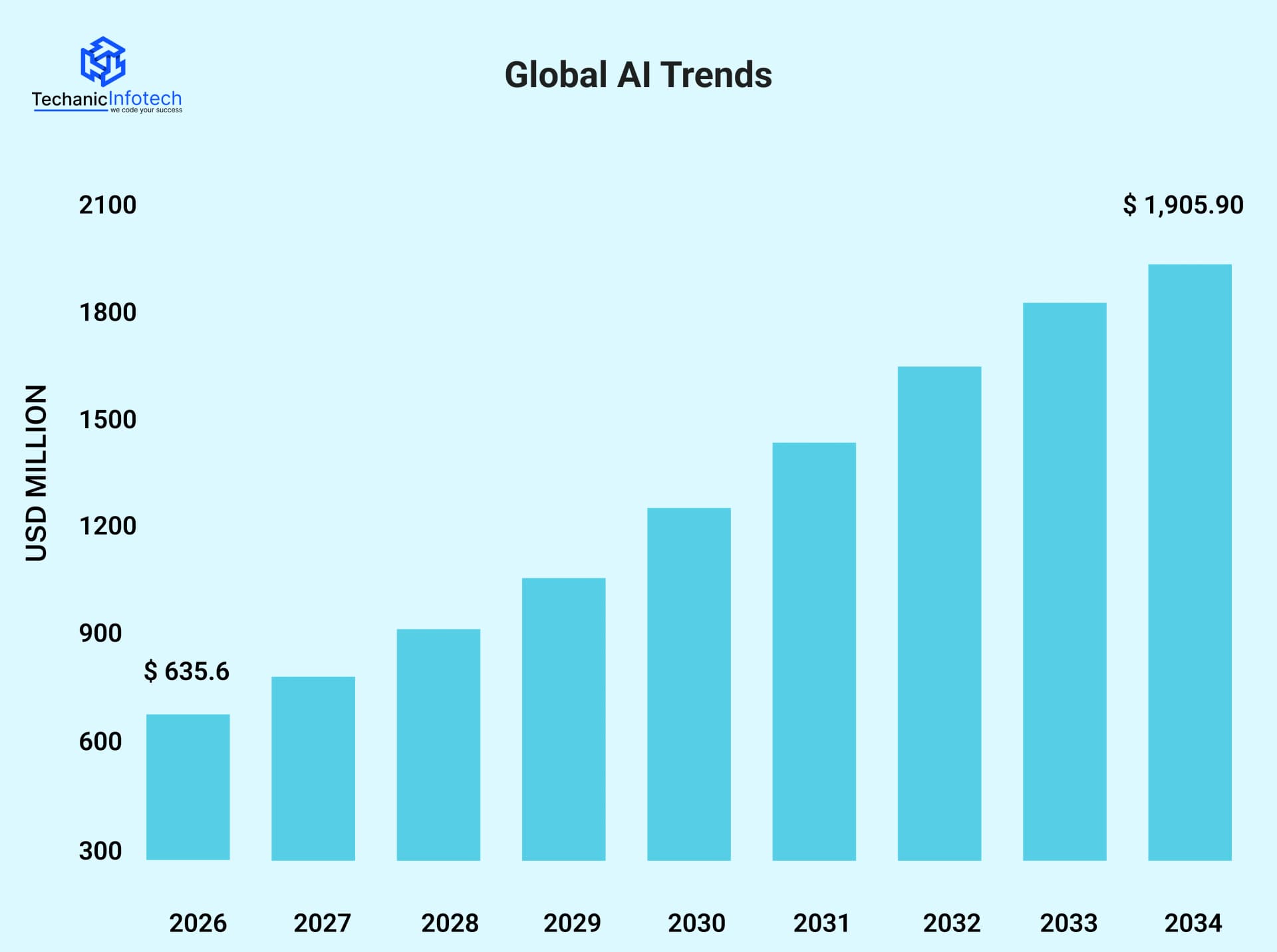
The global market for online appointment booking tools is growing fast, expected to rise from around $635.6 million in 2026 to over $1.9 billion by 2034 as businesses adopt on-demand app development to stay competitive.
In this appointment booking app development guide, we’ll walk you through how to develop an appointment booking app, key features to include, the tech stack, expected development cost, timeline, and more, so you can confidently create an appointment scheduling solution that users love.
An appointment booking app is a digital solution that allows users to schedule, reschedule, or cancel appointments online without calling or waiting.
These AI appointment booking apps are widely used in healthcare, salons, fitness, education, and professional services. From a business point of view, appointment apps help reduce manual work, avoid double bookings, and improve customer experience.
Whether it’s online booking app development for a single service provider or an on-demand platform connecting multiple businesses, the goal is the same, make scheduling simple, fast, and reliable. Modern appointment scheduling app development focuses on automation, real-time availability, and smooth user journeys across mobile and web.
The appointment app development process usually follows a simple flow. Users sign up, choose a service, select an available time slot, and confirm the booking. The app updates the calendar in real time and sends automated confirmations or reminders.
On the business side, admins manage schedules, services, pricing, and availability from a dahboard. Advanced apps also support payments, cancellations, analytics, and integrations.
Appointment apps are not one-size-fits-all. Different industries have different scheduling needs, user expectations, and operational challenges. Understanding these variations helps you plan the right features, workflow, and cost from day one.
Below are the most common types of appointment booking apps across industries.
These apps allow patients to book doctor visits, diagnostic tests, or virtual consultations. They focus heavily on time-slot accuracy, reminders, and data security.
Healthcare appointment scheduling app development often includes features like doctor profiles, clinic locations, teleconsultation support, and insurance details. Reducing waiting time and missed appointments is the biggest value driver here.
Salon and spa apps let users book services like haircuts, grooming, or wellness sessions. These apps depend on staff availability, service duration, and peak-hour management.
Appointment booking app features usually include stylist selection, service add-ons, and easy rescheduling. Many small businesses adopt online booking app to manage walk-ins and advance bookings together.
Used for gyms, yoga studios, trainers, and sports facilities, these apps handle class-based and one-on-one bookings.
They often support recurring schedules, limited slots, and membership plans. On-demand appointment booking app development in this space focuses on class capacity, cancellations, and real-time availability.
These apps allow students to book tutoring sessions, counseling calls, or demo classes. They usually integrate calendars, video tools, and session reminders.
Developing an appointment booking app for education requires smooth scheduling across time zones and flexible session management.
Lawyers, consultants, accountants, and freelancers use these apps to manage client meetings.
The focus here is on availability control, paid consultations, and secure communication. The appointment app development process for this category often includes invoicing, document sharing, and automated follow-ups.
These apps connect users with plumbers, electricians, cleaners, or repair professionals. They rely on location-based matching, instant bookings, and service tracking.
On-demand appointment booking app development usually requires real-time updates, cancellations, and multi-vendor support.
Large organizations use appointment booking apps for internal meetings, interviews, or resource allocation.
These apps prioritize access control, integrations, and analytics. The mobile app tech stack here focuses on scalability, security, and system integrations.
Choosing the right type early helps define your app development timeline, development cost, and feature priorities.
To create a successful appointment booking app strategy, start with the right mobile app features. These features should solve real user problems, simplify operations for businesses, and support future growth.
Below is a clear breakdown of must-have features, grouped by users, admins, and scaling needs.
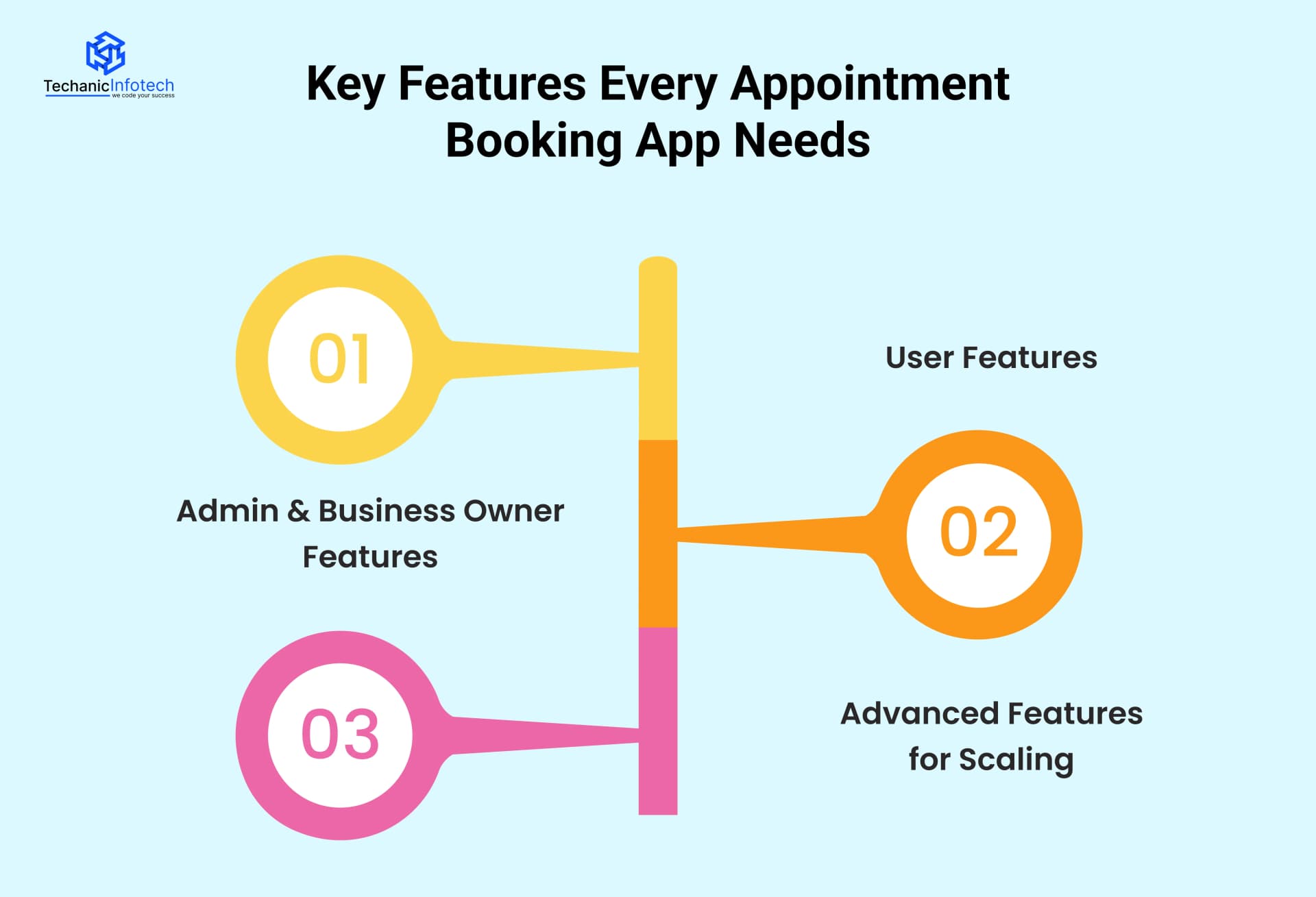
These features directly impact user experience and adoption.
Easy Sign-Up & Login: Users should be able to sign up using email, phone number, or social login. Fewer steps mean higher conversions.
Service & Provider Selection: Users can browse services, choose providers, view pricing, and check real-time availability before booking.
Real-Time Appointment Scheduling: Live time slots prevent double bookings and give users instant confirmation.
In-App Notifications & Reminders: Automated reminders via push, SMS, or email reduce no-shows significantly.
Reschedule & Cancellation Options: Flexible booking management builds trust and improves user satisfaction.
Secure Online Payments: Support for cards, wallets, and UPI is essential for modern online appointment booking app development.
Booking History & Profile Management: Users can track past and upcoming appointments in one place.
These features help businesses manage operations smoothly.
Admin Dashboard: A centralized dashboard to manage appointments, customers, services, and staff availability.
Calendar & Availability Management: Businesses can block slots, manage working hours, holidays, and peak-time rules.
Service & Pricing Management: Add, update, or remove services, durations, and pricing easily.
Staff Management: Assign appointments to staff members and track workload.
Customer Management: View customer details, booking history, and preferences.
Payment & Invoice Management: Track payments, refunds, and generate invoices automatically.
Reports & Basic Analytics: Insights into bookings, revenue, cancellations, and customer behavior help businesses make better decisions.
These features support long-term growth and competitive advantage.
Multi-Location & Multi-Vendor Support: Essential for on-demand appointment booking app development and marketplace models.
Advanced Analytics & Insights: Track peak hours, customer retention, staff performance, and revenue trends.
AI-Based Smart Scheduling: Suggest optimal time slots based on user behavior and availability.
CRM & Third-Party Integrations: Integrate with calendars, CRM tools, payment gateways, and marketing platforms.
Custom Notifications & Automation: Automated follow-ups, feedback requests, and promotional messages.
Role-Based Access Control: Different permission levels for owners, managers, and staff.
Scalable Architecture: A future-ready appointment booking app tech stack ensures performance as user volume grows.
Building an appointment booking app is not just about adding a calendar and time slots. A successful app needs clear planning, a smooth user experience, reliable integrations, and ongoing support.
Below is a step-by-step process that explains how to develop an appointment booking app that users actually trust and use.
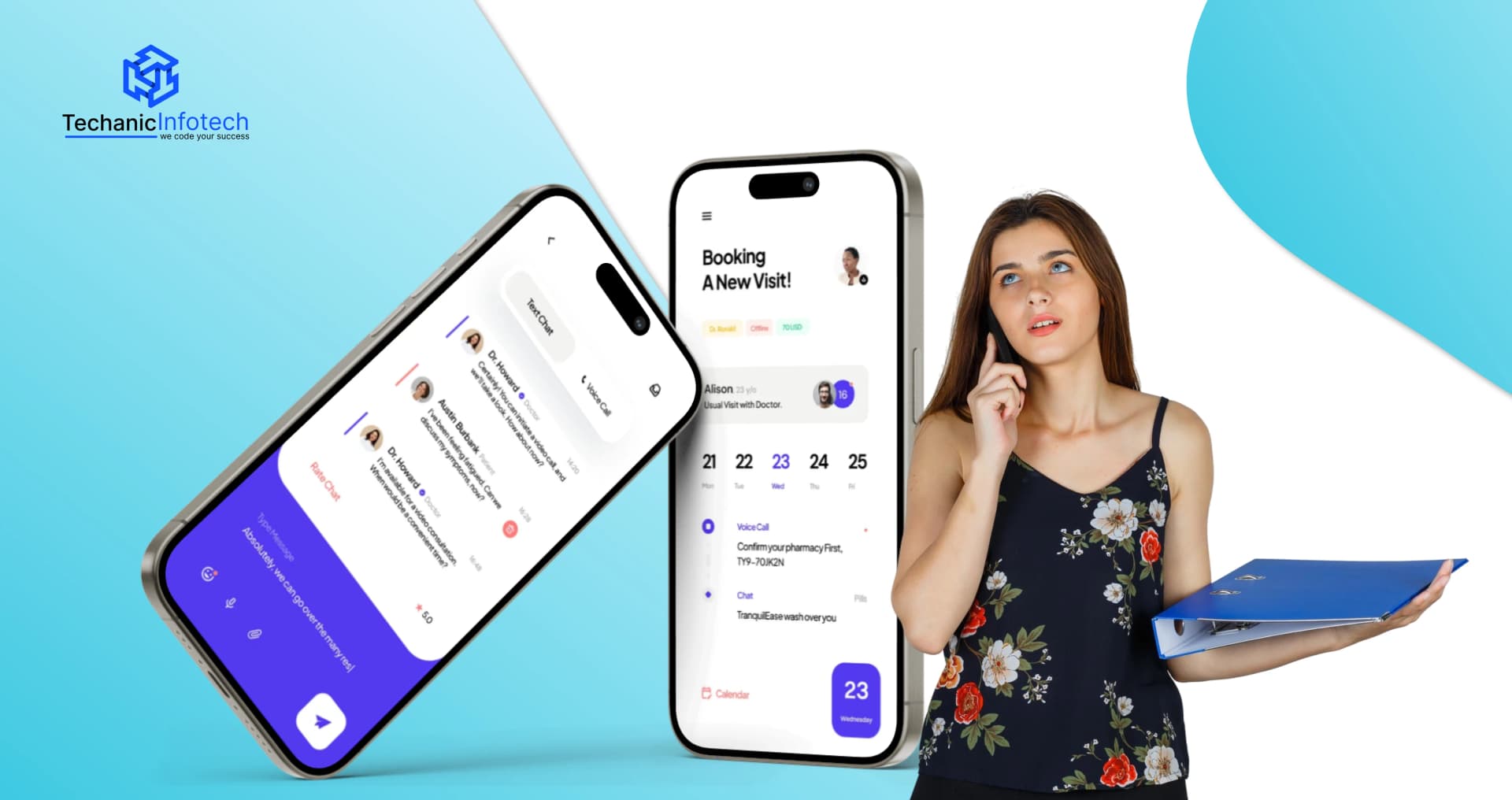
The first step while developing a mobile app is understanding the real problem your app will solve. Research your target audience, such as doctors, salons, consultants, fitness trainers, or service providers. Study how users currently book appointments and what frustrates them most.
Analyze existing appointment booking apps to identify gaps, missing features, and areas where users struggle. This validation phase helps confirm demand, refine your idea, and avoid building features no one needs. Strong market research reduces risk and sets a clear direction for development.
Once the idea is validated, the next step is defining clear app requirements. Decide what features are essential for the first version. This usually includes user registration, appointment scheduling, calendar management, notifications, and admin controls.
Also define user roles such as customers, service providers, and admins. Outline platform needs like Android, iOS, or web. Clear requirements help control app development cost, avoid confusion, and keep the project focused on core functionality.
UI/UX app design plays a major role in appointment booking apps. Users should be able to book, reschedule, or cancel appointments in just a few steps.
During this stage, wireframes and design mockups are created to map the user journey. Focus on simple layouts, readable text, clear buttons, and minimal steps. A well-planned UI/UX design improves user adoption, reduces drop-offs, and builds trust from the first interaction.
This is where the actual development begins. Developers build the front-end interface and back-end logic based on approved designs and requirements.
Core features such as real-time availability, booking confirmation, reminders, and user dashboards are implemented. Integrations are added for payment gateways, calendars, email or SMS notifications, and third-party tools if needed. Clean development ensures smooth performance, scalability, and secure data handling.
Before launch, the app must be tested thoroughly. App testing ensures that booking flows work correctly, notifications are sent on time, and payments are processed without errors.
Quality assurance includes functional testing, performance testing, usability testing, and security checks. Bugs and usability issues are fixed during this stage to ensure users get a smooth and reliable experience. A well-tested app reduces negative reviews and support issues after launch.
After successful testing, the appointment booking app is ready to launch on app stores or web platforms. But development does not end at launch.
Post-launch support includes monitoring performance, fixing issues, improving features, and updating the app based on user feedback. Regular updates help keep the app relevant, secure, and aligned with user expectations. Ongoing mobile app maintenance ensures long-term success and better user retention.
The time to build a booking app depends on app complexity, features, and platform choice. A basic appointment booking app with essential features like user registration, scheduling, and notifications usually takes 8–12 weeks.
A mid-level app with payment integration, calendar syncing, and admin dashboards may take 3–5 months.
Advanced apps with real-time availability, multi-location support, third-party integrations, and custom UI/UX can take 6 months or more. Clear requirements and phased development help reduce delays.
The booking app development cost typically ranges between $10,000 to $90,000. Simple apps fall on the lower end of the range, while feature-rich and scalable solutions cost more.
Factors that influence cost include design complexity, backend development, integrations, testing, and post-launch support. Choosing an MVP development approach allows businesses to launch faster and control costs while planning future upgrades.
|
Development Stage |
Average Time |
Average Cost |
|
Market Research & Planning |
1–2 weeks |
$1,000 – $3,000 |
|
UI/UX Design |
2–3 weeks |
$2,000 – $6,000 |
|
App Development |
6–12 weeks |
$5,000 – $40,000 |
|
Integrations & Backend |
3–5 weeks |
$4,000 – $20,000 |
|
Testing & QA |
2–3 weeks |
$2,000 – $8,000 |
|
Launch & Support |
Ongoing |
$1,000 – $13,000 |
By planning features carefully and working with an experienced development team, businesses can balance both time and cost while building a reliable appointment booking app that supports long-term growth.
Appointment booking apps are not just tools for scheduling, they are strong revenue-generating platforms when built with the right monetization strategy.
Businesses across healthcare, salons, fitness, consulting, and professional services use different revenue models to turn appointment booking apps into profitable digital products.
Below are the most common and effective ways appointment booking apps make money.
One of the most popular monetization methods is charging a commission on every successful booking. Service providers list their services on the app, and the platform earns a fixed fee or percentage per appointment. This model works well for marketplaces where multiple providers operate, such as clinics, salons, or tutors.
Many appointment booking apps offer monthly or yearly subscription plans to service providers. In this model, businesses pay a recurring fee to access premium features like advanced analytics, customer management, automated reminders, or unlimited bookings. Subscription-based revenue provides predictable and stable income for app owners.
In the freemium approach, basic features are offered for free, while advanced tools require payment. Free users can manage simple bookings, while premium users unlock features like online payments, staff management, calendar syncing, or branding options. This model helps attract more users and convert them over time.
Appointment booking apps with a large user base can earn revenue through in-app advertisements. Service providers can promote their listings, highlight special offers, or run sponsored placements within the app. This method works best when the app has high traffic and active users.
Some appointment booking apps charge a small convenience or processing fee when users pay online. This fee is added during checkout and shared between the app owner and payment gateway. It’s a simple way to generate passive revenue without impacting user experience.
Service providers can pay to appear at the top of search results or get featured in specific categories. This increases visibility and bookings for providers while generating additional income for the platform.
Businesses may choose to use a white-label version of the appointment booking app under their own brand. Charging licensing fees or custom development costs is a strong revenue stream, especially for enterprise clients.
Appointment booking apps have transformed how businesses and customers manage schedules. From healthcare to beauty and professional services, these apps reduce manual work, improve convenience, and increase customer retention.
Below are some real-world examples of successful appointment booking apps and how they create value.
Zocdoc is a popular healthcare appointment booking app that allows patients to find doctors, check availability, and book appointments online. The app solves the problem of long waiting times and phone-based scheduling.
By offering real-time availability, doctor reviews, and reminders, Zocdoc improves patient experience while helping clinics reduce no-shows and fill empty slots efficiently.
Booksy is widely used by salons, barbers, and beauty professionals. It allows customers to book services instantly while giving business owners tools to manage calendars, staff schedules, and payments.
Automated reminders and easy rescheduling help reduce cancellations. Booksy’s success comes from combining convenience for users with strong business management features for service providers
Calendly is a simple yet powerful appointment scheduling app used by professionals, teams, and enterprises. It eliminates back-and-forth emails by letting users share availability links.
Calendly integrates with calendars, video conferencing tools, and CRMs, making it ideal for meetings, interviews, and consultations. Its clean user experience and freemium model have driven massive adoption.
Mindbody focuses on fitness, wellness, and healthcare businesses such as gyms, yoga studios, and therapists. The platform supports class scheduling, appointment booking, memberships, and payments.
Customers can discover nearby services and book instantly, while businesses gain tools for customer engagement and analytics. Mindbody succeeds by addressing both discovery and scheduling in one ecosystem.
SimplyBook.me is a flexible appointment booking solution used across multiple industries, including education, healthcare, and consulting.
It offers customizable booking pages, payment integration, notifications, and admin controls. Its success lies in adaptability businesses can tailor the platform to their specific needs without complex setup.
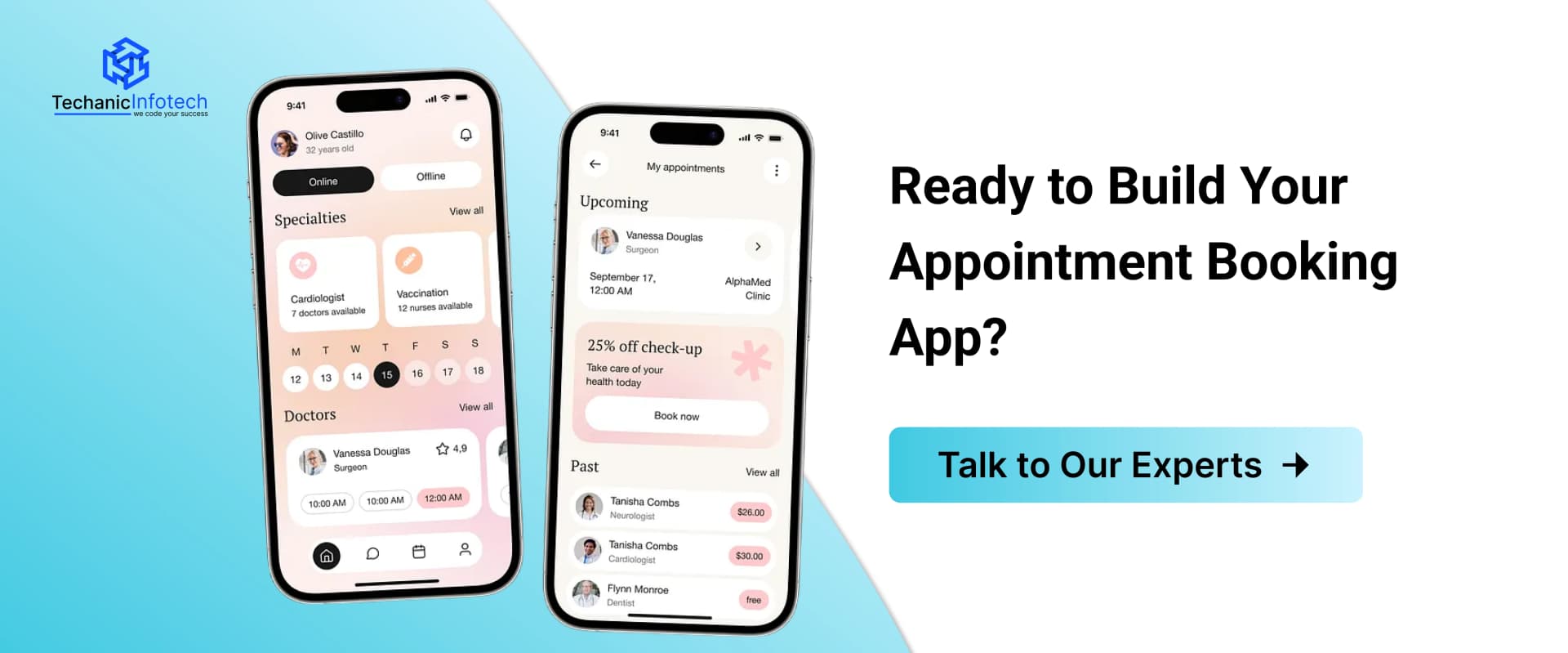
Techanic Infotech is a trusted mobile app development company helping businesses build reliable, scalable, and user-friendly digital products. We specialize in developing custom mobile applications that solve real problems and support long-term growth.
From idea validation to design, development, and post-launch support, our team focuses on quality, performance, and smooth user experience.
With a strong understanding of different industries and user needs, we deliver mobile apps that are easy to use, secure, and ready to scale. Our goal is to help businesses turn app ideas into successful digital solutions.
Choosing the right mobile app development partner plays a key role in building a successful digital product.
Techanic Infotech, as an experienced mobile app development company, focuses on creating scalable, user-friendly, and high-performing applications tailored to real business needs. From planning and design to development and ongoing support, our team ensures smooth execution at every stage.
By combining technical expertise with a strong understanding of user experience, we help businesses launch reliable mobile apps that drive engagement, improve operations, and support long-term growth.
The appointment app development process usually includes market research, feature planning, UI/UX design, development, testing, and launch. Choosing the right tech stack and scalable architecture is key for long-term success.
Appointment booking app development cost depends on features, app complexity, platform (iOS, Android, or web), and region. A basic app may cost $10,000–$90,000, while advanced or on-demand solutions can go beyond $90,000.
The appointment booking app timeline typically ranges from 8 to 12 weeks. Simple apps take less time, while apps with payments, multi-vendor support, or integrations need longer development cycles.
Core appointment booking app features include user login, real-time scheduling, notifications, admin dashboard, calendar management, and secure payments. Advanced apps may add analytics, automation, and integrations.
The appointment booking app tech stack usually includes React Native or Flutter for frthe frontend,ode.js or Laravel for backend, cloud hosting, and third-party integrations for payments and notifications.
Yes. Even small businesses benefit by reducing no-shows, saving staff time, and offering a better booking experience. Many start with a basic version and scale features later.


Bharat Sharma is the CTO of Techanic Infotech, bringing deep technical expertise in software architecture, mobile app development, and scalable system design. He leads the engineering team with a strong focus on innovation, performance, and security.