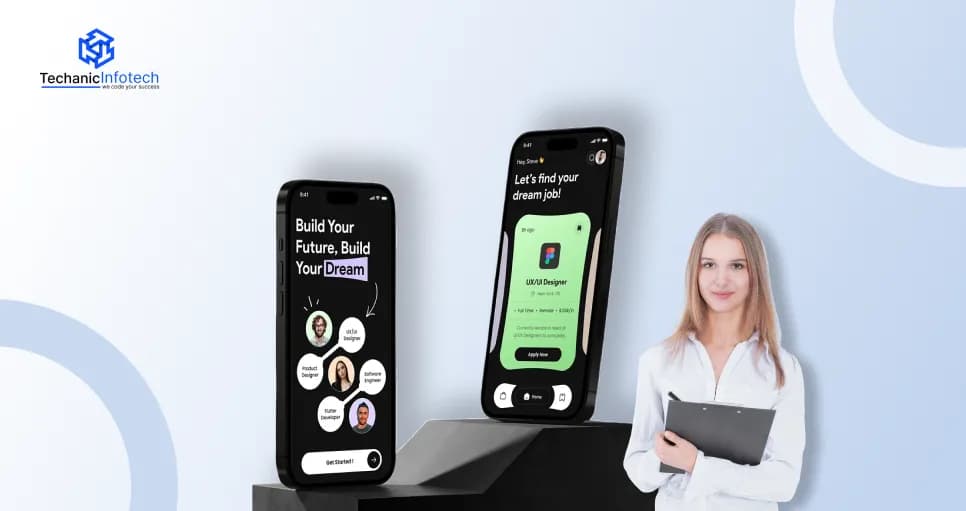
Job Portal App Development
Job Portal App Design: UI/UX Best Practices, Features & Complete Guide
December 1, 2025
December 1, 2025
Job portal apps are becoming popular not only for posting job vacancies but also for providing a comprehensive ecosystem for connecting employers with job seekers. Effective user experience and an intuitive interface become crucial in determining how users stay, engage, or leave the platform.
Job seekers typically expect personalized experiences that enable them to search, apply, and track opportunities with ease. On the other side, recruiters usually demand for having more efficient tools to identify, evaluate, and engage the right candidates for their companies.
When we look for job portal development companies, they usually deliver an innovative and user-centric design that is best for both job seekers and employers in this highly competitive digital environment.
Whether you are designing a job portal app for freelancers or full-time employers, following this complete guide to designing job apps is important to ensure that the application provides a streamlined and more accessible journey from job search to application.
A user-friendly job portal app UI design is important because it directly influences the job seekers and employers in terms of achieving their goals. Making a simpler interface allows it to be intuitive and accessible, providing more opportunities for users.
A well-designed job portal usually reduces the friction by minimizing the confusion and also creates a more seamless flow to ensure that users get a return on the platform.
When you build a mobile app like a job portal, you must include a clear interface that grabs users’ attention and keeps employers and job seekers engaged. It's crucial to have an attractive design to grab their interest with the required features.
This job portal app design guide suggests focusing on a minimalist aesthetic with clear call-to-action buttons and user-friendly workflows.
A mobile-first approach ensures the app is accessible on a range of devices, while performance optimization guarantees fast loading times.
Implementing features like push notifications, real-time updates, and a secure login system can further enhance the functionality and engagement of the app.
Building apps requires a more structured approach and careful consideration of the job portal app features to ensure efficiency, usability, and long-term growth. Every stage of the development process plays an important role in shaping the final product.
From conducting research to launching the app successfully, this job portal app design guide provides step-by-step processes that one should follow.
The process of creating a job portal app starts from conducting in-depth planning and research, where this process includes understanding the target audience, analyzing the competitor platform
It also include identifying the industry, which leads to determining the users' requirements. Conducting this research helps in defining the core features, functionality, and design needs.
It's also helpful for users in gathering insights from job seekers and employers to pinpoint the common challenges in the hiring process. Creating more user personas and workflows, and also features that ensure the project moves in the right direction.
In this step, designers focus on UI/UX practices for the job portal app in terms of creating a visually appealing and highly intuitive interface that offers a smooth user experience.
The goal is to ensure job seekers and employers can navigate effortlessly, find what they need, and complete tasks with minimal friction.
Job portal UI/UX design includes wireframing, prototyping, and testing layouts to identify the best user flows. Designers also consider accessibility, responsive design, and mobile optimization.
Elements like navigation bars, search filters, dashboards, and profile pages are crafted with clarity and simplicity. A strong UI/UX reduces confusion, enhances engagement, and sets the tone for user satisfaction.
During the development phase, programmers translate the design into a fully functional app. The development team selects the right tech stack, such as frameworks, databases, and programming languages, to support performance, security, and scalability.
Front-end developers build visible components, while back-end developers create server logic, APIs, and database systems.
Integration between both sides ensures a smooth, consistent experience. Developers also ensure the app supports essential features like login systems, search tools, and responsive interfaces. Code reviews, continuous integration, and collaboration help maintain quality.
This step transforms approved designs into a robust, working product ready for feature implementation.
In this step, one should ensure that the key features of the job portal, which include job postings, resume uploads, search filters, messaging, and application tracking, are integrated into the app.
Here, developers need to prioritize functionality based on their user requirements and also business goals easily.
Advanced capabilities of applications like AI-driven job matching, notification systems, chat tools, and admin dashboards must be added to the platform.
Every single feature must be tested during the implementation to ensure that it aligns with the user expectations and works more smoothly across multiple devices.
Another job portal app design tips includes another effective step of testing to ensure the platform runs smoothly, functions correctly, and delivers a seamless user experience.
To create a job portal, it's important to involve multiple testing methods, including functional testing, usability testing, performance testing, and security checks. Testers evaluate every feature to identify bugs, glitches, or design inconsistencies.
User testing sessions help reveal real-world issues that may not appear in internal tests. Compatibility tests ensure the app works across different devices, screen sizes, and browsers. The development team then fixes issues and optimizes performance.
Thorough testing minimizes risks, enhances reliability, and ensures the platform meets quality standards before launch.
When testing is completed, it's important to launch it to the App Store/Play Store. This includes deploying the platform to app stores or web servers, running marketing campaigns, and onboarding initial users.
However, launching is just the beginning. Continuous maintenance is essential to ensure the app stays functional, secure, and competitive.
Developers monitor performance, fix bugs, release updates, and introduce new features based on user feedback and market trends.
Regular maintenance also includes improving security measures and optimizing speed. Ongoing support ensures long-term user satisfaction and keeps the job portal relevant in a fast-evolving digital landscape.
Before expanding the platform, it's important to optimize performance and reinforce security, including the loading speed of the application, refining the search performance, and reducing server response time.
This stage ensures the platform feels intuitive for job seekers and employers. By gathering insights early, you can refine the app, improve functionality, and reduce problems after launch.
This includes improving loading speeds, refining search performance, and reducing server response time.
Security measures such as encryption, secure authentication, and data protection help safeguard user information.
Performance and security improvements ensure the app remains fast, trustworthy, and capable of delivering a smooth experience across devices, even as usage increases.
Effective UI/UX practices for job portal apps include simplifying the application process and ensuring quick, intuitive navigation to reduce friction. Following this job portal app design guide is helpful for employers and users to get answers to their queries.
Having a strong onboarding experience works as setting the tone for users, explaining to them ways to interact with the app. It's important for the app to quickly communicate the platform’s purpose, key features, and unique advantages without overwhelming new users.
Simple screens, minimal text, and clear calls-to-action guide users toward setting up profiles or exploring jobs.
Navigation plays an important role in creating an effective job portal app that prioritizes simplicity and user goals. A clean layout with well-organized menus allows job seekers to quickly access job search, saved jobs, applications, and profile settings.
Complex navigation structures can frustrate users, so it's necessary to limit choices and highlight primary actions.
The search function of the job portal must be fast, accurate, and also more accessible for users with different requirements. Smart keyword recognition, filters for the locations, experience, salary, and job type, usually enable the delivery of more precise results. Auto suggestions and recent search history also help users in finding relevant roles.
Job browsing is effortless, comes with consistent card layouts, and a clean content structure that lets users scan listings. High-quality visuals, clear role titles, company details, and key job highlights help users evaluate opportunities at a glance. Smooth scrolling, fast-loading content, and intuitive gestures contribute to a fluid experience.
Job descriptions must be comprehensive and easy to understand for the users. Breaking information into clear sections, such as responsibilities, requirements, benefits, company overview, and salary, helps users skim. Bullet points, icons, and visual hierarchy enhance readability.
Personalization enhances relevance and improves user engagement. By using user profiles, search patterns, and application history, the app can recommend suitable jobs automatically.
Smart algorithms should surface opportunities based on skills, preferences, and career goals. Well-executed recommendations reduce the time for job seekers to spend searching and increase the likelihood of finding matches that truly fit their aspirations.
Applying for a job should require a streamlined process for using pre-filled data from user profiles or uploaded resumes by cutting down on repetitive tasks.
Clear instructions, visible progress steps, and the option to upload documents from multiple sources enhance convenience for using the app more fluently.
Having a transparent tracking system displays application statuses submitted, viewed, shortlisted, interviewed, or rejected, by which users can easily understand their progress. Real-time updates, push notifications, and estimated response timelines improve communication.
When it comes to creating job portal apps by considering the user-friendly design must be attractive while searching for a job. Meanwhile, the best job portals like naukri.com, indeed, and more are usually evolving beyond the simple listing that offers highly personalized, intuitive, and engaging experiences. The following creative job portal UI/UX design ideas focus on enhancing user engagement, improving decision-making, and showcasing employer value by transforming the job-seeking journey.
An AI-driven match-making assistance works by analyzing the skills of the candidates, their experience, and their career preferences for delivering tailored job recommendations.
Besides browsing the endless listings, users receive more curated roles that perfectly align with more strengths and long-term goals. This assistant is also helpful in highlighting the gaps, suggesting the relevant learning ways, and predicting the job fits by using the contextual data.
Immerse company culture pages usually go beyond standard, especially for the “ About us “ section, by using interactive storytelling that helps candidates understand the exact requirements of the organization.
These pages work by featuring the virtual office tours, employee videos, diaries, team introductions, and also representing the real projects. Including some dynamic elements like sliders, animations, and timelines can highlight company values, growth paths, and achievements.
A personalized career dashboard provides each user with a centralized hub for their job search journey. It compiles recommended roles, application statuses, skill insights, saved jobs, interview reminders, and career goals in one visually appealing interface.
The dashboard adapts as users interact with the platform, learning from their behaviors to refine future suggestions. It can also display progress analytics like skill development, application trends, and job match improvements.
A smart resume & profile builder is considered the best tool that automatically crafts professional resumes and profiles based on a user’s skills, experiences, and career goals.
Using AI, it analyzes job descriptions, highlights relevant strengths, and suggests optimized wording to improve clarity and impact. It can also detect skill gaps, recommend achievements to include, and arrange information in industry-standard formats.
An Interactive Role Comparison Tool helps users evaluate different job roles by comparing responsibilities, required skills, career paths, salary ranges, and growth opportunities.
By selecting two or more roles, users can view side-by-side comparisons that highlight similarities, differences, and the skills needed to transition between roles. These tools also include filters for the experience level, industry, and location by making comparisons more personalized.
A Visual Skill Match Meter is a graphical tool that shows how well a user’s skills align with a specific job or career path. It analyzes the skills listed in a job description and compares them with the user’s profile, displaying the match as a percentage or color-coded bar.
Missing or weak skills are highlighted, helping users understand areas for improvement. This skill match maker meter also offers some best suggestions for the courses, certifications, and projects in terms of boosting skill alignment.
Designing a job portal app usually requires clarity, simplicity, and user-focused functionality. This job portal app design guide helps users avoid common mistakes to ensure smoother navigation, better search experiences, and higher application success rates that make the platform more effective and user-friendly.
Complex navigation confuses users and slows down their job search. Menus are overcrowded, or essential features are buried where users are struggling to find their requirements.
A job portal should offer a clean, intuitive structure that guides users effortlessly through job listings, applications, profiles, and settings without unnecessary steps.
A weak search system is another mistake that creates difficult situations for users to find their relevant jobs. Limited filters, inaccurate results, or slow search performance are common mistakes that easily discourage users.
Effective job portals usually work by delivering the precise filters, keyword support, and smart suggestions to easily simplify the search process and deliver the highly relevant job matches within seconds.
Most users need complete access to job portals via mobile devices. If it gets optimized for different screen sizes, interactions become frustrating for those who need to be in an easier way.
This situation may make buttons hard to tap, text may appear small, and layouts may break. In these situations, making a responsive, mobile-friendly design is effective as per user requirements, which ensures smooth, accessible browsing across all devices.
Call to action buttons were another mistake usually made that results in the failure of the job portal. Call-to-action buttons like “Apply Now” or “Save Job” must be clear and prominent.
If CTAs are integrated into the interface or are poorly positioned, users may miss important actions where stronger CTAs help improve engagement, guiding user flow, and encouraging timely application submissions.
Job description is another factor that results in the failure of any job portal app. Overloaded or unstructured job descriptions overwhelm users, where they get frustrated in reading long paragraphs, irrelevant details, or inconsistent formatting reduces readability and discourages applications.
Clear formatting, bullet points, and concise information make descriptions easier to scan, helping candidates quickly understand key requirements and decide whether the job fit for their skills or not.
Designing a job portal app usually costs between $20,000 and $1,00,000, depending on features, complexity, and platform requirements.
Basic apps integrating some essential functionalities like job listings, profiles, and search filters fall on the lower end, while advanced portals with AI-based matching, real-time notifications, chat systems, and admin dashboards increase the budget.
The cost to develop a job portal is different based on UI/UX design, backend architecture, third-party integrations, and development team expertise.
Additional expenses may include maintenance, hosting, and ongoing updates. Every single feature of the development process affects the overall cost of the application. Ultimately, the project’s scope, technology stack, and customization needs determine the total cost of creating a fully functional job portal app.
Techanic Infotech is one of the leading job portal app development company because of its expertise in creating scalable, user-friendly, and feature-rich job platforms. The developers of our team usually specialize in crafting intuitive interfaces, secure architectures, and intelligent tools like AI-driven job matching and automated applicant tracking.
They offer tailored solutions that align with business goals, ensuring smooth performance across web and mobile platforms. With transparent pricing, timely delivery, and dedicated support,
Techanic Infotech ensures every project meets industry standards and user expectations, where our expertise in delivering innovation with reliability makes us a preferred choice for those who are looking to build powerful job portal apps.
Development of an app by following the job portal app design guide helps users create an app by following all required aspects. The process of developing a job app usually requires more strategic planning, the right technology, and expert execution in terms of ensuring a seamless user experience for job seekers and employers.
The cost of developing these types of apps is usually based on the features and complexity, where getting help from an experienced team of writers ensures that the investment delivers long-term value.
Combining the advanced design, technology, and customized solutions to make a successful job portal. Having a well-designed job portal app usually enhances recruitment efficiency and user engagement by making it more successful.
Designing and developing a job portal app typically takes 2 to 6 months, depending on multiple features, customization, complexity, integrations, and the size of the development team.
Designing and developing a job portal app typically takes 2 to 6 months, depending on multiple features, customization, complexity, integrations, and the size of the development team.
In the process of making a job portal app, features like profile creation, job search filters, resume upload, employer dashboards, application tracking, secure login, and more are included to make it effective for users and employers.
In the process of making a job portal app, features like profile creation, job search filters, resume upload, employer dashboards, application tracking, secure login, and more are included to make it effective for users and employers.
A job portal app usually costs $20,000 to $1,00,000, which is usually affected by UI/UX quality, features, technology stack, platform selection, and customization requirements.
A job portal app usually costs $20,000 to $1,00,000, which is usually affected by UI/UX quality, features, technology stack, platform selection, and customization requirements.
In terms of making the job portal the best among competitors, incorporating AI job matching, a personalized dashboard, video resumes, and skill assessment helps in differentiating the app.
In terms of making the job portal the best among competitors, incorporating AI job matching, a personalized dashboard, video resumes, and skill assessment helps in differentiating the app.
AI enables smart job matching, automated screening, personalized recommendations, fraud detection, and resume parsing by improving the hiring speed and user experience for candidates and employers.
AI enables smart job matching, automated screening, personalized recommendations, fraud detection, and resume parsing by improving the hiring speed and user experience for candidates and employers.


Bharat Sharma is the CTO of Techanic Infotech, bringing deep technical expertise in software architecture, mobile app development, and scalable system design. He leads the engineering team with a strong focus on innovation, performance, and security.